Our Top Picks
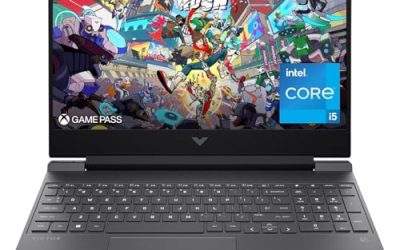
 HP OmniBook X Touchscreen Laptop32GB RAM| 1TB PCIe SSD15 x 10 x 0.59 inches4.29 poundsCheck on Amazon
 NIMO 15.6" AMD Ryzen 5 Student Laptop 16GB16GB RAM | 256GB SSD14.07 x 8.98 x 0.76 inches3.75 poundsCheck on Amazon
Video editing is the first college workload that exposes a weak laptop. Essays and spreadsheets run on almost anything, but a timeline with several clips, color adjustments, and an export deadline will stall a machine with 8GB of memory and a low-power processor. For a film, communications, or media student, the question is not which laptop is fastest, but which one will make it through four years of projects without becoming the bottleneck.
This guide is for students buying a laptop for editing coursework, YouTube channels, or club videos in 2026. The eight listings include four near-identical HP OmniBook X configurations built around an RTX 4050 and OLED screen, plus four far more modest machines. We separate who actually needs a graphics chip, how much memory and storage to demand, and which listings are better treated as general-purpose college laptops than as editing machines.
Quick Picks
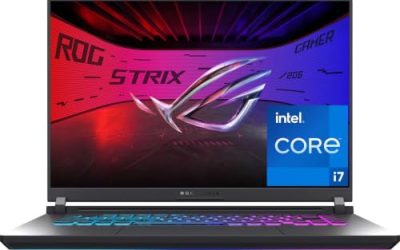
HP OmniBook X Touchscreen Laptop - Intel Core Ultra 7 255H - RTX 4050-16inch OLED Display 120Hz -32GB RAM| 1TB SSD -Backlit Keyboard - Video Editing Laptop Business College -Windows11 Pro Office 365
One of the consumer electronics options compared in this guide.
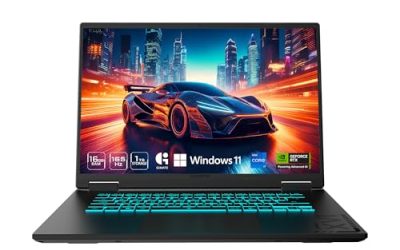
View on AmazonHP OmniBook X Touchscreen Laptop - Intel Core Ultra 7 255H - RTX 4050-16inch OLED Display 120Hz -32GB RAM| 2TB SSD -Backlit Keyboard - Video Editing Laptop Business College - Windows 11 Office 365
One of the consumer electronics options compared in this guide.
View on AmazonHP OmniBook X Touchscreen Laptop - Intel Core Ultra 7 255H - RTX 4050-16inch OLED Display 120Hz -32GB RAM| 1TB SSD -Backlit Keyboard - Video Editing Laptop Business College - Windows 11 Office 365
One of the consumer electronics options compared in this guide.
View on AmazonHP OmniBook X Touchscreen Laptop - Intel Core Ultra 7 255H - RTX 4050-16inch OLED Display 120Hz -32GB RAM| 2TB SSD -Backlit Keyboard -Video Editing Laptop Business College -Windows 11 Pro Office 365
One of the consumer electronics options compared in this guide.
View on Amazon
HP 15.6" Touchscreen Business Laptop, 32GB RAM 1TB SSD Intel 10-Core i7 1355U(Beat i9-10880H), Intel Iris Xe Graphics, FHD Laptop for College Students Study-Home with Private Webcam Wi-Fi 6 Win 11 Pro
One of the consumer electronics options compared in this guide.
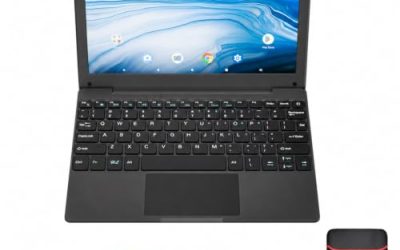
View on AmazonNIMO 15.6" AMD Ryzen 5 Student Laptop 16GB RAM 256GB SSD(Expandable to 4TB) | 4-Core up to 3.7GHz, 65W Type-C, Backlit Keyboard, Radeon Graphics Computer for College Coding, Video Editing, Streaming AI
One of the consumer electronics options compared in this guide.
View on Amazon
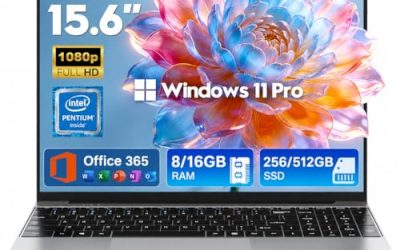
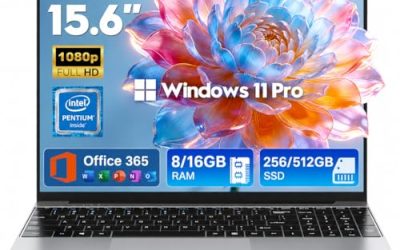
2026 Laptops Computer,15.6" Windows 11 Pro Laptop with Office 365 included,8GB RAM 256GB SSD,Intel Pentium Process,6H Battery,Mini HDMI,cam|Mic,Portable Thin Lap Top for College Student Business Work
One of the consumer electronics options compared in this guide.
View on Amazon
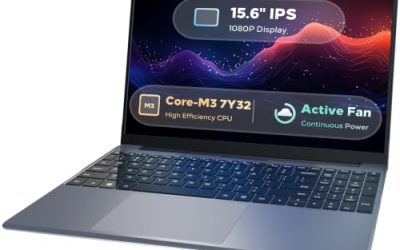
KINOBUC 2026 Laptop 16GB RAM, 256GB SSD, Pentium 6500Y Up to 3.4GHz | 15.6 Inch FHD IPS Display, USB C, USB 3.2, PC Laptop for College Student, Work from Home, Business
One of the consumer electronics options compared in this guide.
View on Amazon| Product | Best for | Key spec from the title |
|---|---|---|
| HP OmniBook X 1TB (Listing A) | Serious editing students | Core Ultra 7 255H, RTX 4050, 16″ OLED 120Hz, 32GB, 1TB |
| HP OmniBook X 2TB (Listing A) | Large project libraries | Same specs with a 2TB SSD |
| HP OmniBook X 1TB (Listing B) | Alternative 1TB listing | Core Ultra 7 255H, RTX 4050, 32GB, 1TB |
| HP OmniBook X 2TB (Listing B) | Alternative 2TB listing | Core Ultra 7 255H, RTX 4050, 32GB, 2TB |
| HP 15.6-inch Touchscreen Business | Light editing and office work | i7-1355U 10-core, 32GB RAM, 1TB SSD, Iris Xe |
| NIMO 15.6-inch Ryzen 5 | Basic editing and study | 16GB RAM, 256GB SSD expandable, 65W Type-C |
| Windows 11 Pro 15.6-inch Pentium | Everyday coursework only | 8GB RAM, 256GB SSD, 6H battery, Office included |
| KINOBUC 15.6-inch Pentium | Everyday coursework only | 16GB RAM, 256GB SSD, Pentium 6500Y, FHD IPS |
How to Choose
Memory: 16GB is the floor, 32GB is the target
Editing software caches footage, effects, and previews in RAM. With 8GB, even short 1080p timelines stutter, and 16GB handles basic projects. For multi-layer edits, 4K footage, or color grading, 32GB keeps the timeline responsive. Check whether the memory is soldered; many thin laptops cannot be upgraded later, so buy the amount you need now.
Graphics and the processor
A dedicated GPU such as an RTX 4050 accelerates effects, playback, and hardware encoding in most editing programs, and it cuts export times considerably. Integrated graphics like Intel Iris Xe or Radeon can handle light 1080p editing and proxy workflows. Low-power Pentium chips, as in the two entry-level listings, are better for documents, browsing, and streaming than for timelines.
Storage and the display
Video eats storage quickly, so 1TB is a practical minimum for an editing student, and 2TB is comfortable. Plan an external drive for archives regardless. For the screen, an OLED panel with a high refresh rate gives strong contrast and fluid scrubbing, but check color coverage figures, such as sRGB or DCI-P3, before relying on it for grading.
Ports, battery, and what to ignore
Look for USB-C, HDMI, and ideally an SD card reader for camera cards. Battery life figures vary widely under editing loads, and a laptop will usually throttle on battery, so plan to plug in. Ignore vague “Beat i9” or “AI-powered” claims, and focus on RAM, GPU, storage, and the cooling design instead.
The 8 Best Options
HP OmniBook X 1TB (Listing A)
This OmniBook X pairs a Core Ultra 7 255H with an RTX 4050, a 16-inch OLED touchscreen at 120Hz, 32GB of RAM, and a 1TB SSD, with the title explicitly calling it a video editing laptop. It is the most capable configuration here for a film or media student who wants a laptop that can handle real timelines, and 32GB of memory gives it room to grow with projects. The OLED screen is a bonus for judging contrast while cutting, and the touchscreen can be handy for scrubbing a timeline or sketching storyboards, though you will still want a mouse for precise trims during long sessions.
- Strength: RTX 4050 graphics with 32GB of RAM.
- Strength: 16-inch OLED 120Hz touchscreen display.
- Trade-off: 1TB fills quickly with raw footage, so an external drive is wise.
Skip it if you only write papers and browse the web.
HP OmniBook X 2TB (Listing A)
The 2TB version carries the same Core Ultra 7 255H, RTX 4050, 16-inch OLED 120Hz display, and 32GB of RAM, with a larger SSD. It suits students who shoot often and want local space for multiple projects, proxy files, and cache without constant cleanup. For editing, an extra terabyte can matter more than a faster processor, because running out of disk space interrupts work. A student who keeps a semester of class projects, sample libraries, and exported drafts on the laptop will appreciate the headroom, and it reduces how often you have to juggle files between external drives before a deadline.
- Strength: 2TB of storage for large project libraries.
- Strength: Same RTX 4050 and OLED display as the 1TB model.
- Trade-off: Sits in a higher tier than the 1TB listing, so weigh the extra space against your budget.
Skip it if you plan to archive footage on external drives anyway.
HP OmniBook X 1TB (Listing B)
This second 1TB listing repeats the Core Ultra 7 255H, RTX 4050, 16-inch OLED touchscreen, 32GB of RAM, and backlit keyboard. It is an alternative for buyers who find the other listing unavailable or want to compare terms. Because the titles are so alike, evaluate seller, return policy, and warranty details as carefully as the specifications themselves. The backlit keyboard named in the title is a small but real convenience for dim dorm rooms and edit suites, and a 16-inch screen gives the timeline more width than a typical 14-inch student laptop.
- Strength: Matches the capable Listing A configuration.
- Strength: Backlit keyboard for late-night editing.
- Trade-off: Near-identical to another listing, so the real difference is the seller and terms.
Skip it if Listing A is available on better terms.
HP OmniBook X 2TB (Listing B)
The second 2TB listing mirrors the first, with 32GB of RAM, an RTX 4050, a 16-inch OLED display, and a 2TB SSD. It is aimed at students planning heavy storage use, such as feature-length class projects with multiple camera angles. Before buying, make sure the listed condition, warranty, and shipping details match what you expect for a laptop you will rely on for years. A four-year degree can include several full-length projects, so a machine with generous storage and a dedicated GPU is easier to defend as a long-term purchase than a bargain model you outgrow by sophomore year.
- Strength: 2TB SSD and 32GB of RAM in one machine.
- Strength: RTX 4050 for accelerated effects and exports.
- Trade-off: Same configuration as another listing, so compare seller terms.
Skip it if 1TB plus an external drive meets your needs.
HP 15.6-inch Touchscreen Business
This HP is a 15.6-inch touchscreen laptop with a 10-core Intel i7-1355U, 32GB of RAM, a 1TB SSD, and Intel Iris Xe graphics. It is a reasonable middle option: plenty of memory and storage for light editing, with the caveat that integrated graphics will slow effects and exports compared with an RTX card. It suits students who edit occasionally but mostly do general coursework. Using proxy files, which are lightweight copies of your footage, can make integrated graphics far more workable, and the touchscreen and 32GB of memory make it a flexible all-rounder for campus life.
- Strength: 32GB of RAM and a 1TB SSD.
- Strength: 10-core processor for multitasking.
- Trade-off: Integrated graphics limit heavy effects and 4K timelines.
Skip it if you need fast exports or GPU-accelerated effects.
NIMO 15.6-inch Ryzen 5
The NIMO lists a 4-core Ryzen 5, 16GB of RAM, a 256GB SSD described as expandable to 4TB, Radeon graphics, a backlit keyboard, and 65W Type-C charging. For editing, it is a starter laptop: capable of simple 1080p cuts in beginner software, with expandable storage helping over time. The small SSD means you will rely on external or added storage early on. It is a fair first laptop for a student learning free editing software, with 65W Type-C charging that lets one charger serve both laptop and some accessories.
- Strength: 16GB of RAM and expandable storage.
- Strength: 65W Type-C charging and a backlit keyboard.
- Trade-off: 256GB fills fast, and only four cores limit export speed.
Skip it if you plan to edit high-resolution footage regularly.
Windows 11 Pro 15.6-inch Pentium
This unbranded listing offers a 15.6-inch Windows 11 Pro laptop with Office 365 included, 8GB of RAM, a 256GB SSD, an Intel Pentium processor, 6-hour battery, and mini HDMI. It is a general-purpose college laptop, and the 8GB memory is below what video editing needs. Treat it as a note-taking and coursework machine rather than an editing rig. The included Office suite and built-in camera and microphone cover lectures, group calls, and papers, which is useful, but it will struggle with a multi-track timeline and long exports, so keep expectations realistic.
- Strength: Office 365 is included, plus a camera and microphone.
- Strength: Windows 11 Pro for school and work tasks.
- Trade-off: 8GB of RAM and a Pentium chip are weak for editing.
Skip it if editing is a main reason for the purchase.
KINOBUC 15.6-inch Pentium
KINOBUC lists 16GB of RAM, a 256GB SSD, a Pentium 6500Y processor up to 3.4GHz, a 15.6-inch FHD IPS display, USB-C, and USB 3.2, aimed at students and work use. The memory is respectable, but the low-power processor and small SSD mean it suits light tasks. Editing on it would mean short clips and patient waits. The FHD IPS screen offers decent viewing angles for everyday study and streaming, and the USB-C port is useful for charging accessories, but it is a coursework laptop first and a creative tool a distant second.
- Strength: 16GB of RAM and an FHD IPS display.
- Strength: USB-C and USB 3.2 connectivity.
- Trade-off: Pentium 6500Y is not built for sustained editing loads.
Skip it if you need real export performance.
Which One Fits Your Situation
You are a film or media major
HP OmniBook X 1TB (Listing A) gives you an RTX 4050 and 32GB of RAM from day one.
You shoot lots of footage
HP OmniBook X 2TB (Listing A) or Listing B adds local space for projects.
You edit casually and study mostly
HP 15.6-inch Touchscreen Business offers 32GB of RAM and 1TB at a lower tier than the OmniBook.
You are just learning the basics
NIMO 15.6-inch Ryzen 5 is enough for simple cuts, with storage you can expand.
Common Mistakes
- Buying a laptop with 8GB of RAM for editing.
- Assuming a “video editing” label means it will handle 4K footage.
- Skipping an external drive and running out of space mid-project.
- Treating duplicate listings as different products without comparing seller terms.
- Judging screen quality on refresh rate alone, without color coverage.
Related guides
- 2 In 1 Laptops With Detachable Keyboards
- Black Friday And Cyber Monday Laptop Deals
- Pc Laptop For Small Business
Frequently Asked Questions
Do I need a dedicated GPU for video editing?
For light 1080p work, integrated graphics can cope. A dedicated GPU speeds up effects and exports and is worth having for regular editing.
Is 16GB of RAM enough?
For basic projects, yes. For 4K footage or heavy effects, 32GB is more comfortable.
Is OLED good for editing?
It offers strong contrast and color, but you should verify color coverage figures for grading work.
How much storage do I need?
1TB is a practical minimum, and an external drive for archives is a smart habit.