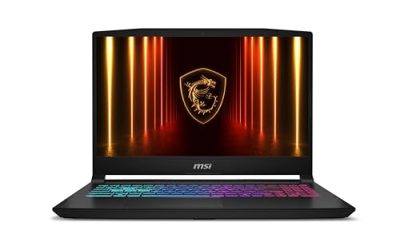
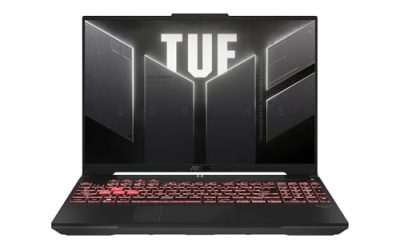
Our Top Picks
Pros & cons
- 180Hz WUXGA display offers 100% sRGB color accuracy
- 32GB DDR5 memory supports heavy multitasking alongside gaming
- DLSS 4 support helps boost frame rates on the RTX 5060
- Only one of two RAM slots is left open for upgrades
- Weighs over 4.6 pounds for a 16-inch laptop
Virtual reality asks more of a laptop than flat-screen gaming does. A headset needs the computer to draw two slightly different images at once, each at a high refresh rate, with very little tolerance for stutter, because dropped frames in VR feel physically uncomfortable rather than just visually annoying. That makes the graphics chip the single most important line on the spec sheet, with the processor, memory, and cooling close behind. The monitor on the laptop matters much less, since you will spend your VR sessions looking at the headset, not the lid.
This guide is for buyers who want one portable machine that can run a PC-connected headset at home or at a friend’s place and still serve for school, work, and regular gaming. Every pick below pairs a dedicated NVIDIA GeForce RTX laptop GPU with a recent Intel or AMD processor, spanning entry-level to enthusiast tiers in 2026. Models with only integrated graphics are left out, because they are a poor foundation for a headset.
Quick Picks

ASUS ROG Strix G16 (2025) Gaming Laptop, 16” FHD+ 16:10 165Hz/3ms, NVIDIA® GeForce RTX™ 5060, Intel® Core™ i7 Processor 14650HX, 16GB DDR5, 1TB Gen 4 SSD, Wi-Fi 7, Windows 11 Home, G615JMR-AS74
One of the consumer electronics options compared in this guide.
View on Amazon
Alienware 15 Gaming Laptop, RTX 4050, Intel Core 7 240H, Windows 11 Home | WUXGA 1920x1200 Display, 165Hz, 16GB DDR5 RAM, 1TB SSD, NVIDIA GeForce, Wi-Fi 6, Esports Ready, DA15260
One of the consumer electronics options compared in this guide.
View on Amazon
Acer Nitro V 16S AI Gaming Laptop | AMD Ryzen 7 260 Processor | NVIDIA GeForce RTX 5060 Laptop GPU (572 AI Tops) | 16" WUXGA IPS 180Hz Display | 32GB DDR5 | 1TB Gen 4 SSD | Wi-Fi 6 | ANV16S-41-R2AJ
One of the consumer electronics options compared in this guide.
View on Amazon
ASUS ROG Strix G16 (2026) Gaming Laptop, 16” ROG Nebula HDR 2.5K 240Hz/3ms, Intel Core Ultra 9 290HX Plus, NVIDIA GeForce RTX 5080, 32GB DDR5, 1TB PCIe Gen4 SSD, Wi-Fi 7, Win11 Home, G615LW-AB96
One of the consumer electronics options compared in this guide.
View on Amazon
ASUS ROG Strix G16 Gaming Laptop, 16” 16:10 FHD+ 165Hz/3ms, NVIDIA GeForce RTX 5050 Laptop GPU, Intel Core i5 Processor 14450HX, 16GB DDR5-5600, 512GB PCIe Gen 4 SSD, Wi-Fi 7, Win11 Home, G615JHR-DS53
One of the consumer electronics options compared in this guide.
View on Amazon
HP Omen 16 AI VR Ready Gaming Laptop, 16.1 WQXGA IPS 240Hz Gaming Notebook Intel Core Ultra 9 285H, NVIDIA GeForce RTX 5070, 32GB RAM 1TB SSD, RGB Backlit Keyboard, Shadow Black, Win 11 Pro
One of the consumer electronics options compared in this guide.
View on Amazon| Product | Best for | Key spec from the title |
|---|---|---|
| ASUS ROG Strix G16 RTX 5060 | Balanced VR and everyday gaming | RTX 5060, Core i7 14650HX, 16GB DDR5, 1TB |
| Alienware 15 RTX 4050 | Entry-level VR in a compact frame | RTX 4050, Core 7 240H, 16GB DDR5, 1TB SSD |
| Acer Nitro V 16S RTX 5060 | Memory-rich mid-tier build | Ryzen 7 260, RTX 5060, 180Hz, 32GB RAM |
| MECHREVO Aurora 16X | Strong GPU with a sharp screen | i7-14650HX, RTX 5060, 16-inch 2.5K 180Hz |
| ASUS ROG Strix G16 RTX 5080 | Enthusiast-level VR headroom | RTX 5080, Core Ultra 9 290HX Plus, 32GB DDR5 |
| ASUS ROG Strix G16 RTX 5050 | Lowest entry point for VR | RTX 5050, Core i5 14450HX, 16GB DDR5-5600 |
| HP Omen 16 RTX 5070 | Upper mid-range with VR Ready label | RTX 5070, Core Ultra 9 285H, 32GB RAM, 1TB |
How to Choose
Graphics card tier comes first
For PC-connected VR, think in tiers. An RTX 4050 or 5050 sits at the entry level, enough for lighter titles and lower render settings. The RTX 5060 and 5070 move you into smooth play for most mainstream VR games, and an RTX 5080 gives room for higher render resolution, supersampling, and demanding simulation titles. Remember that laptop GPUs run at lower power than their desktop namesakes, so the label alone does not tell the whole story. Treat the table above as a ladder: 4050 and 5050, then 5060, then 5070, then 5080. Video memory is the other number worth reading. None of the titles here states it, so check the full specification page before you commit, because high-resolution VR textures can overflow a small video memory pool and cause stutter even when the chip itself is fast.
Memory, storage, and processor
Sixteen gigabytes of RAM is the working minimum for VR, since the game, the headset software, and Windows all compete for memory. If you stream, record, or keep a browser open, 32GB prevents hiccups. Storage matters because VR titles are large; 512GB fills quickly, so 1TB is the more comfortable choice. On the processor side, the HX-class Intel chips and Core Ultra 9 models offer many cores for headset tracking and background tasks, while H-class chips such as the Core 7 240H are adequate for entry-level builds. The processor matters more in VR than in many flat-screen games, because the headset software runs tracking, audio, and reprojection tasks next to the game. A weak chip can bottleneck a strong graphics card, which is why pairing an RTX 5060 with a Ryzen 7 or Core i7 HX-class part is more sensible than pairing it with an entry-level processor.
Ports, cooling, and what to ignore
Check your headset’s connection needs before buying: most wired and link-cable headsets want a video output and one or more fast USB ports, and some laptops route graphics through a specific port. Cooling is vital, because VR sessions run the GPU hard for an hour or more; larger 16-inch and 17-inch chassis generally handle heat better than thin designs. Ignore the laptop screen’s refresh rate and color claims when choosing for VR. A 240Hz panel is a pleasant bonus for desktop gaming, but it does nothing for the headset image.
Where budget models cut corners
Entry-tier configurations commonly limit the GPU wattage, ship with less memory, or use smaller drives. Marketing language such as “AI Tops” describes a neural feature that does not translate into VR frame rates. Look past colorful lighting and branding and judge by the GPU, RAM, and cooling design. Also confirm that the Windows edition and USB layout fit the headset you plan to use. Finally, plan on keeping the laptop plugged in and on a hard, flat surface during VR sessions, since battery operation lowers graphics power and soft surfaces block the air intakes. A cooling pad is a cheap addition that helps long sessions stay stable.
The 7 Best Options
ASUS ROG Strix G16 RTX 5060
This ROG Strix pairs a 16-inch FHD+ 16:10 panel at 165Hz with an RTX 5060, a Core i7 14650HX, 16GB of DDR5 memory, and a 1TB Gen 4 SSD. It is a balanced entry into mainstream VR for someone who also plays flat-screen games and wants a recognizable gaming brand.
- Strength: an RTX 5060 and an HX-class i7 form a solid base for most VR titles.
- Strength: 1TB of Gen 4 storage holds a decent game library.
- Trade-off: 16GB of RAM is the minimum rather than a comfortable margin for streaming or multitasking.
Skip it if you want more headroom for demanding simulation titles.
Alienware 15 RTX 4050
Alienware’s 15-inch laptop lists an RTX 4050, an Intel Core 7 240H, 16GB of DDR5, a 1TB SSD, and a 165Hz WUXGA display on Windows 11 Home. It suits a buyer who wants a smaller gaming frame and is happy to run lighter VR titles.
- Strength: a compact 15-inch body with 1TB of storage and DDR5 memory.
- Strength: Windows 11 Home is preinstalled and ready for headset software.
- Trade-off: the RTX 4050 is the older and lower tier in this group, so expect settings compromises in demanding VR.
Skip it if you want smooth performance in the most demanding headset games.
Acer Nitro V 16S RTX 5060
Acer lists an AMD Ryzen 7 260 processor, an RTX 5060 graphics chip, a 16-inch WUXGA IPS display at 180Hz, and 32GB of memory. Doubling the RAM of several rivals helps VR sessions that run alongside voice chat, recording, or a browser.
- Strength: 32GB of memory gives breathing room for multitasking in VR.
- Strength: an RTX 5060 pairs with a fast 180Hz IPS desktop display.
- Trade-off: the title cuts off before listing storage, so confirm the drive size.
Skip it if you prefer an Intel HX processor.
MECHREVO Aurora 16X
This model pairs an i7-14650HX with an RTX 5060, a 16-inch 2.5K 180Hz 16:10 IPS display claiming 100% sRGB, 16GB of DDR5, and a 512GB drive, with an “Ice Shark” cooling system named. It suits buyers who want a sharper screen alongside strong graphics.
- Strength: the 2.5K 100% sRGB panel looks sharper than most Full HD displays in the group.
- Strength: dedicated cooling is highlighted, which matters for long sessions.
- Trade-off: 512GB of storage fills quickly with large VR titles.
Skip it if you want a more established service network.
ASUS ROG Strix G16 RTX 5080
This is the enthusiast option: a 16-inch ROG Nebula HDR 2.5K display at 240Hz, a Core Ultra 9 290HX Plus processor, an RTX 5080, 32GB of DDR5, and a PCIe SSD. It is built for people who want maximum headroom for high render resolution and demanding simulation titles.
- Strength: the RTX 5080 is the strongest graphics chip in the group.
- Strength: 32GB of DDR5 and a top-tier Core Ultra 9 processor.
- Trade-off: it sits in the premium tier, and a powerful GPU means more heat and a heavier chassis.
Skip it if you only play lighter VR titles.
ASUS ROG Strix G16 RTX 5050
This ROG Strix lists an RTX 5050, a Core i5 14450HX, 16GB of DDR5-5600, and a 512GB SSD behind a 16:10 FHD+ 165Hz display. It is the lowest entry point in this set for VR, a fit for someone who mostly plays flat-screen games and wants to try VR occasionally.
- Strength: a newer RTX 5050 and fast DDR5-5600 memory at an entry tier.
- Strength: the same 16-inch ROG chassis family as the pricier siblings.
- Trade-off: 512GB of storage and an i5 processor limit long-term headroom.
Skip it if VR is your main reason for buying.
HP Omen 16 RTX 5070
The only listing to carry a “VR Ready” label in its title, the Omen 16 pairs a 16.1-inch WQXGA IPS 240Hz display with a Core Ultra 9 285H, an RTX 5070, 32GB of RAM, and a 1TB SSD, plus an RGB backlit keyboard. It fits buyers who want a step above the RTX 5060 tier.
- Strength: the RTX 5070 with 32GB of RAM is a strong mid-to-upper VR combination.
- Strength: an explicit VR Ready label in the listing.
- Trade-off: it costs more than the RTX 5060 models, and the 240Hz screen is a bonus the headset will not use.
Skip it if an RTX 5060 already covers your games.
Which One Fits Your Situation
You are new to VR and want a safe start
The ASUS ROG Strix G16 RTX 5060 offers a balanced GPU, processor, and 1TB drive without the cost of the enthusiast tier. It leaves room to grow, since an external drive can extend storage later if your library expands.
You stream or multitask while in VR
The Acer Nitro V 16S RTX 5060 stands out with 32GB of RAM, which gives voice chat, recording, and browsers more room.
You want the most headroom
The ASUS ROG Strix G16 RTX 5080 is the pick for high render resolution and demanding simulators.
You want a middle path with a VR label
The HP Omen 16 RTX 5070 sits between the 5060 and 5080 tiers and states VR readiness directly in its title.
Common Mistakes
- Focusing on the laptop’s screen refresh rate instead of the graphics chip and cooling.
- Buying an integrated-graphics laptop because its processor name sounds powerful.
- Choosing 16GB of RAM when streaming, recording, or multitasking will be routine.
- Ignoring storage, then filling a 512GB drive with a few large VR titles.
- Skipping the port check, leaving the headset without the connection it needs.
Related guides
- 2 In 1 Laptops With Detachable Keyboards
- Camera Backpacks With Laptop Compartment
- Laptop Backpacks With Usb Charging Port
Frequently Asked Questions
What GPU do I need for VR on a laptop?
An RTX 4050 or 5050 handles lighter titles, an RTX 5060 or 5070 suits most mainstream games, and an RTX 5080 gives headroom for demanding settings.
Is 16GB of RAM enough for VR?
It meets the minimum for most headsets. Choose 32GB if you stream, record, or keep other programs open during play.
Does the laptop screen matter for VR?
Not for the headset image. A fast display helps for flat-screen gaming, but the graphics chip and cooling decide VR performance.
Can I use a laptop for wireless VR?
Some headsets stream wirelessly from a PC, which requires a strong Wi-Fi connection. Check the headset maker’s requirements and the laptop’s Wi-Fi support before buying. A wired link is usually the safer route for latency, so confirm that a suitable port is present either way.