Key takeaways
- Check the display. A 1080p panel suits an old game best, and a high-resolution panel can make the interface look tiny.
- Operating system: the game was made for Windows 2000 and XP, so Windows 10 or 11 with compatibility settings is the realistic route, and results vary by system.
- Storage: roughly 1.5 GB to 2 GB is needed, trivial for any laptop.
- Cooling: an old game on a modern GPU may run at a very high frame rate, which can make a laptop fan louder than necessary. A frame limiter in the GPU control panel reduces that.
- Battery: games like this are light enough for integrated graphics to run them off charge for a good while, though results depend on the model.
For Silent Hunter III, the best GPU is whatever graphics chip is already in a current laptop or desktop, because the 2005 submarine simulator asks only for a 64 MB DirectX 9 video card. A buyer choosing hardware should pick the machine for newer games, battery life and the screen, and treat Silent Hunter III as a game that will run on nearly anything.
That makes a “best GPU” list unusual: the ranking below is about which graphics hardware gives the most flexibility around an old simulator, not about squeezing out performance. No frame rates are given because the maker publishes none for this game.
What the listings state
Store listings repeat the original 2005 figures. The minimum is a 1.4 GHz Pentium III or Athlon, 512 MB of RAM, a 64 MB DirectX 9 compliant video card and about 1.5 GB of storage. The recommended tier lists a 2.0 GHz processor and a 128 MB video card, with RAM given as 512 MB or 1 GB depending on the source. The Epic Games Store listing adds that the GeForce 4 MX is not supported. Operating systems named are Windows 2000 and XP, so modern Windows depends on compatibility behavior.
Nothing published refers to DLSS, FSR, XeSS or ray tracing. Those technologies need developer integration, which a 2005 release does not have.
GPU tiers compared
| Tier | Examples (2026) | Handles Silent Hunter III | Also handles | Trade-off |
|---|---|---|---|---|
| Integrated | Graphics inside recent Intel Core Ultra and AMD Ryzen processors | Yes, far above the listed minimum | Older games, indie titles, video | Limited for modern 3D games |
| Entry laptop GPU | GeForce RTX 5050 and RTX 5060 laptop parts, Radeon RX 9000 mobile parts | Yes | Many current games at 1080p with adjusted settings | Laptop power limits vary by model |
| Mid laptop GPU | GeForce RTX 5070 laptop | Yes | 1080p and 1440p in current games | Heavier and shorter on battery |
| Desktop budget card | Intel Arc B580, Radeon RX 9060 XT, GeForce RTX 5060 | Yes | Modern games at 1080p | Needs a desktop case and PSU |
| Desktop mid-range | GeForce RTX 5070, Radeon RX 9070 | Yes | 1440p gaming | Overkill for this game alone |
Specific memory sizes differ between model variants, and laptop parts carry their own power limits, so the maker’s product page for the exact model should be read before buying.
Picks by resolution
1080p
Any option above is enough. Integrated graphics handle the base game, and an entry laptop GPU adds room for current titles. This is the sensible target for a budget-conscious buyer.
1440p
The game does not demand more at 1440p, because its assets and effects are from 2005. The limiting factor is the user interface, which may look small or stretched, and the resolution list in the in-game menu. Driver scaling options from the GPU makers can help.
4K
No published statement documents native 4K support. Any current graphics output can drive a 4K screen, and running the game at a lower resolution with scaling is a normal approach for older titles. A premium card gains nothing here.
VRAM and upscaling
Memory on the GPU is not a concern for this game at all. The stated requirement is 64 MB, and even integrated graphics can borrow gigabytes from system RAM. For a buyer thinking about newer games as well, reviewers report that 8 GB cards can run short at high texture settings in recent releases, so 12 GB or more is a reasonable target if the budget allows.
Since the game has no DLSS or FSR, upscaling features are only relevant to other titles. Driver-level scaling is the only option for sharpening this one.
Pick this if
| Situation | Pick |
|---|---|
| Only older sims and strategy games | A laptop or mini PC with integrated graphics |
| Old games plus current games at 1080p | A laptop with an entry discrete GPU |
| Long battery life matters most | Integrated graphics |
| One machine for everything at 1440p | A mid-range GPU |
| Large mods and high time compression | Strong single-core CPU first, GPU second |
Why the CPU matters more
Submarine simulators at high time compression push the simulation forward faster than real time. That work lands on one CPU thread, so a processor with strong single-core performance helps more than a faster graphics card. This is a general behavior of older single-threaded games and not a figure published for this title, but it is a useful guide when two machines have similar GPUs.
Mod packs make the point stronger. Community mods can add ships, textures and scenery that raise memory and processor use well above the base requirements, and the mod authors usually publish their own advice.
Laptop buying notes
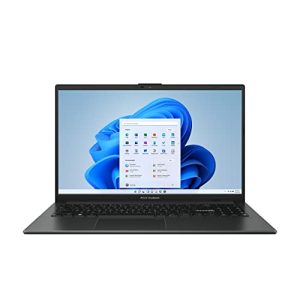
- Check the display. A 1080p panel suits an old game best, and a high-resolution panel can make the interface look tiny.
- Operating system: the game was made for Windows 2000 and XP, so Windows 10 or 11 with compatibility settings is the realistic route, and results vary by system.
- Storage: roughly 1.5 GB to 2 GB is needed, trivial for any laptop.
- Cooling: an old game on a modern GPU may run at a very high frame rate, which can make a laptop fan louder than necessary. A frame limiter in the GPU control panel reduces that.
- Battery: games like this are light enough for integrated graphics to run them off charge for a good while, though results depend on the model.
What to skip
- Very old graphics hardware such as the GeForce 4 MX, listed as unsupported.
- Premium GPUs bought for this game alone.
- Used cards from the Windows XP era, since current Windows drivers are not available for them.
- Estimated requirement tables on aggregator sites that list a Core 2 Duo and multi-gigabyte storage; these do not come from the maker.
Alternatives to buying a new GPU
For a player who already owns a PC with a few years of age, no upgrade is needed. For someone who wants a dedicated retro-gaming machine, a small desktop with integrated graphics is quiet, cheap to run and fully capable. A second-hand office PC with a recent operating system is another route, as long as it supports Windows 10 or later and DirectX 9 content.
Frequently Asked Questions
What is the best GPU for Silent Hunter III?
Any modern graphics chip works, including integrated graphics. The listed minimum is a 64 MB DirectX 9 card, so choose a GPU for the other games you plan to play.
Is integrated graphics enough?
Yes. Integrated graphics in recent Intel and AMD processors support DirectX 9 content and far exceed the stated requirement, though driver quirks with very old games can occur.
Does the game support DLSS or FSR?
No published listing mentions either. They require explicit developer support, which a 2005 release would not normally have.
How much VRAM do I need?
For this game, effectively none beyond the 64 MB minimum. For newer games, many reviewers favor 12 GB or more at higher texture settings.
Will it run in 4K?
Native 4K is not documented. A modern card can output 4K and the game can be scaled, but the interface may look small and the in-game resolution list may be limited.
Should I buy a gaming laptop just for this?
No. A standard laptop with integrated graphics is sufficient. A gaming laptop makes sense only if the buyer also wants current titles.
FAQ
What is the best GPU for Silent Hunter III?
Is integrated graphics enough?
Does the game support DLSS or FSR?
How much VRAM do I need?
Will it run in 4K?
Should I buy a gaming laptop just for this?
More from Amazon
Programs that pair well with the guide above. Offers and eligibility are set by Amazon and may change.
A free business account with business pricing and bulk-buying tools for work, shop or home office.
Create a business accountFree shipping on eligible items, Prime Video and more. Eligible new members can start with a free trial.
Start a Prime free trialAudiobooks and podcasts to listen to on the go. Eligible new members can start with a free trial.
Try Audible freeAd-free music streaming. Eligible new subscribers can start with a free trial.
Try Music Unlimited freeAs an Amazon Associate we earn from qualifying purchases.