Key takeaways
- An office chair is usually the better choice if you want adjustable ergonomic support for a mixed day of work and play.
An office chair is usually the better choice if you want adjustable ergonomic support for a mixed day of work and play, while a gaming chair suits players who want a bucket-style seat, a reclining backrest and a bold look. Neither type is automatically better: what matters is how well the adjustments fit your body, your desk height and the hours you sit.
This guide compares the two on the points that actually decide comfort at a desk, shows where each style cuts corners, and helps you pick based on your setup rather than the marketing, whether you game on a laptop at a small desk or run a full battlestation in 2026.
How the Two Designs Differ
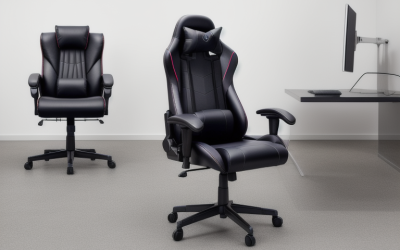
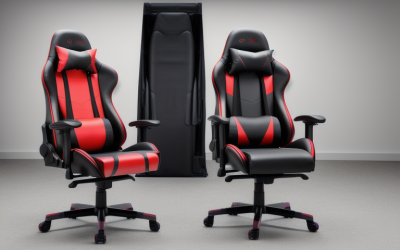
Gaming chairs borrow styling from racing seats: high backs, side bolsters, a neck pillow and a lumbar cushion are common. Office chairs, especially ergonomic models, focus on adjustable parts: seat depth, lumbar support, armrest height and width, and a tilt mechanism that supports different postures.
Many products blur the line. Some gaming chairs add better adjustability, and some office chairs adopt sporty looks. Ignore the label and compare the adjustment list, the materials and the build details.
What to Compare Point by Point
Adjustability
Look for seat height, seat depth, backrest recline, armrest adjustment and tilt lock. The more of these you can change, the easier it is to fit the chair to your body and your desk. Many entry-level gaming chairs offer height, recline and basic armrests, while higher-end office chairs often add seat depth and four-dimensional armrests. Seat depth matters if you are tall or short because it changes how the front edge meets the back of your knees.
Back and Lumbar Support
Gaming chairs often use removable lumbar and neck pillows, which are simple to reposition but not always well shaped for every spine. Many office chairs build the lumbar support into the backrest and allow height or depth changes. Whichever you pick, check whether the support can sit in the curve of your lower back rather than above or below it.
Seat Shape and Padding
Bucket seats with raised side bolsters hold you in place but can feel restrictive for wide frames or for sitting cross-legged. Flatter seats give more freedom of movement. Foam density and the cover material influence long-term comfort, and mesh covers allow more airflow than faux leather, which can feel warm in hot rooms.
Armrests
Armrests that adjust in height, width and angle help keep shoulders relaxed whether you are typing or using a controller. Fixed or limited armrests can push your shoulders up or prevent the chair from sliding under the desk.
Where Each Style Tends to Win
| Factor | Gaming Chair | Office Chair |
|---|---|---|
| Styling | Bold, sporty, often with color accents | Understated, with some sporty options |
| Adjustment range | Basic to moderate on many models | Moderate to extensive on ergonomic models |
| Lumbar support | Often a loose pillow | Often built in and adjustable |
| Recline | Wide recline, good for breaks | Tilt mechanisms with locking positions |
| Breathability | Many faux leather covers | Mesh options are common |
| Desk fit | Tall backs and wide seats can be bulky | Often slimmer for small desks |
| Typical buyer | Players who value look and recline | People who sit long for work and play |
Matching the Chair to Your Desk and Habits
Small Desk or Laptop Setup
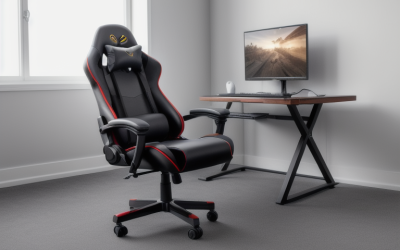
If your desk is compact or you game on a laptop, check chair width and armrest height against desk clearance. A chair with armrests that tuck under or a slimmer profile can save space, and a modest seat height range helps when your desk is lower than standard.
Long Work and Gaming Days
For many hours of sitting, prioritize a chair with strong adjustability and a seat that does not pinch your thighs. If you tend to switch between upright work and relaxed play, a smooth tilt and recline range is useful, and a lockable position keeps the backrest where you set it.
Shared or Multi-User Spaces
If several people of different sizes use the chair, an office-style model with quick adjustments for height, depth and lumbar support is easier to share. Fixed pillows and bolsters suit one user better.
Considering Your Space and Setup
A chair lives in a room, not on a spec sheet, so think about the surroundings. Flooring changes how casters behave: hard wheels can scratch wood and slide on tile, while soft-tread wheels grip better and protect surfaces. If you have a mat or carpet, check that the chair rolls smoothly and does not tip when you lean back.
Think about the monitor or laptop position as well. A reclining chair works best when the screen can move with you, such as a monitor on an arm. If the screen is fixed, a heavily reclined posture can force you to crane your neck. Many people end up using the recline for breaks and an upright posture for focused play.
Finally, consider how you actually sit. Players who often sit cross-legged or perch on the edge of the seat may find deep side bolsters in the way. People who like to lean on one arm may care more about armrest padding. Be honest about your habits, since a feature you never use is wasted money.
Common Myths Worth Dropping
- More padding means more comfort: Very soft foam compresses and can lead to sagging, while firmer, resilient foam usually holds shape longer.
- Racing-style means ergonomic: The look comes from car seats, but ergonomic value comes from adjustments and fit.
- Office chairs are boring and gaming chairs are for gamers: Both are just chairs, and the better choice is the one that fits your body and desk.
- A pillow fixes a bad chair: Cushions help positioning, but they cannot correct a seat that is too deep or a frame that is too tall.
Where Budget Models Cut Corners
- Thin foam that flattens quickly and loses support.
- Gas lift cylinders with weak or unrated certification, so check the stated class and weight limit.
- Plastic armrests that wobble or crack at the hinge.
- Casters that are too small or hard for the floor type.
- Covers that peel or crack with wear, especially cheaper faux leather.
A Simple Way to Decide
If you want one rule of thumb, rank your needs. When adjustability and long-hour comfort come first, lean toward an ergonomic office-style chair or a gaming chair that lists the same adjustments. When looks, recline and a snug seat come first, a gaming chair fits better. When the desk is small or shared, a slimmer office chair is usually easier to live with. Compare two or three chairs from each group on the same adjustment checklist, and let the numbers, not the label, make the call.
Before You Choose
- Measure your desk height and the clearance under it.
- Check the listed weight capacity and seat dimensions against your frame.
- List the adjustments you need: seat depth, lumbar, armrests, tilt lock.
- Consider whether you will sit on it for work as well as gaming.
- Look at the warranty length and the replacement parts available.
- If you have back or posture concerns, consult a qualified professional for personal advice.
Related guides
- Hall Effect Vs Potentiometer Joysticks: Controller Drift Explained
- How To Connect An Xbox Controller To A Laptop Wirelessly
- Pu Leather Vs Fabric Gaming Chairs: Materials Explained
Frequently Asked Questions
Are gaming chairs bad for your back?
Not necessarily, but comfort depends on how well the chair fits you and whether the support sits in the right place. Chairs with limited adjustment or loose pillows may suit some people less than models with built-in lumbar support. For specific back issues, ask a health professional.
Is an office chair good enough for gaming?
Yes, for most players. A well-adjusted office chair supports upright and relaxed postures, and the recline range of many models is enough for casual play.
Do I need armrests for gaming?
Armrests help take weight off your shoulders and neck, especially with a mouse and keyboard or a controller. Adjustable ones are best, because fixed armrests can be too high or too wide for your desk.
How do I know if a chair fits my height?
Your feet should rest flat on the floor with knees roughly level with your hips, and the seat depth should leave a small gap behind the knees. Compare the listed seat height range and dimensions with your own measurements.
FAQ
Are gaming chairs bad for your back?
Is an office chair good enough for gaming?
Do I need armrests for gaming?
How do I know if a chair fits my height?
More from Amazon
Programs that pair well with the guide above. Offers and eligibility are set by Amazon and may change.
A free business account with business pricing and bulk-buying tools for work, shop or home office.
Create a business accountFree shipping on eligible items, Prime Video and more. Eligible new members can start with a free trial.
Start a Prime free trialAudiobooks and podcasts to listen to on the go. Eligible new members can start with a free trial.
Try Audible freeAd-free music streaming. Eligible new subscribers can start with a free trial.
Try Music Unlimited freeAs an Amazon Associate we earn from qualifying purchases.