Key takeaways
- Balance is everything. A top-tier processor paired with a weak GPU wastes money, and a monster GPU held back by a slow CPU stutters. Aim for parts in the same tier.
- Resolution shifts the load. At 1080p the CPU does more work and matters more; at 4K the GPU becomes the bottleneck and even a mid-range chip like the Ryzen 5 9600X keeps up.
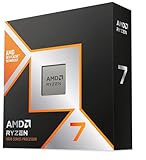
- High refresh rates need CPU muscle. Feeding a 240Hz monitor in competitive shooters leans hard on the processor, where a chip like the Ryzen 7 9800X3D shines.
The processor is the brain of your gaming PC, and in 2026 it is more misunderstood than any other part. Marketing pushes ever-higher core counts, yet most games barely use them, while the specs that actually decide your smoothness in a firefight often go unmentioned on the box. Pick the wrong chip and you can leave a powerful graphics card starved for frames; pick the right one and a mid-range GPU suddenly punches above its price.
This guide cuts through the noise. You will learn which CPU specifications truly drive gaming performance, how to match a processor to your graphics card and monitor, and where the smart money sits at every budget. By the end you will be able to read any chip’s spec sheet and know instantly whether it belongs in your build.
Our top picks



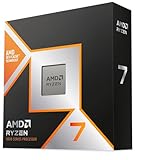
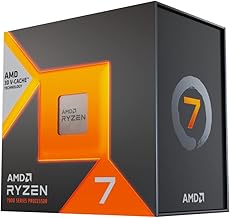
 AMD Ryzen 7 7800X3D 8-Core
- Product Group: Personal Computer
- Binding: Personal Computers



As an Amazon Associate we earn from qualifying purchases at no extra cost to you. Ratings are shown as listed on Amazon.
⚡ Save on Your Next PC — Amazon Prime
Prime members get fast free shipping on the systems above, plus early access to Prime Day & Black Friday PC deals. New members get a 30-day free trial.
Watch: How to Choose a Gaming CPU (2026 Guide) — Video Review
Cores, Threads, and Clock Speed Demystified
Cores are independent workers inside the CPU; threads are the tasks they juggle. Games have historically leaned on a handful of fast cores rather than many slow ones, which is why a 6-core chip like the AMD Ryzen 5 9600X can trade blows with pricier processors in pure gaming. Clock speed, measured in gigahertz, is how quickly each core works. Beyond about eight cores you see little gaming benefit, so unless you also stream, render, or run heavy background apps, chasing a 16-core part is usually spending money the game will never use.
Why Cache Is the Secret Gaming Weapon
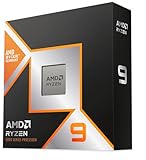
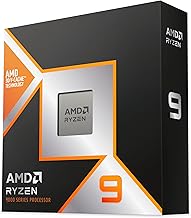
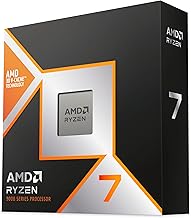
The single most underrated spec for gaming is cache, the small pool of ultra-fast memory built into the CPU. Games constantly request tiny bits of data, and a larger cache keeps more of it close so the processor waits less. This is exactly why AMD’s 3D V-Cache chips punch so far above their clock speeds. The AMD Ryzen 7 9800X3D and the flagship AMD Ryzen 9 9950X3D stack extra cache directly onto the cores, and the older AMD Ryzen 7 7800X3D remains a gaming favorite for the same reason. If raw frames in games are your priority, a big-cache chip often beats a higher-clocked one that costs more.
Matching Your CPU to Your GPU and Monitor
- Balance is everything. A top-tier processor paired with a weak GPU wastes money, and a monster GPU held back by a slow CPU stutters. Aim for parts in the same tier.
- Resolution shifts the load. At 1080p the CPU does more work and matters more; at 4K the GPU becomes the bottleneck and even a mid-range chip like the Ryzen 5 9600X keeps up.
- High refresh rates need CPU muscle. Feeding a 240Hz monitor in competitive shooters leans hard on the processor, where a chip like the Ryzen 7 9800X3D shines.
AMD vs Intel in 2026
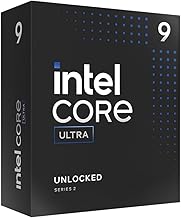
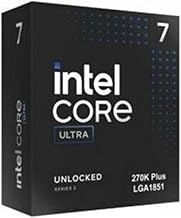
Both brands make excellent gaming chips, and the right pick depends on your goals. AMD currently owns the pure-gaming crown thanks to its X3D cache lineup, and its platform has offered longer upgrade paths on a single socket. Intel counters with strong all-round performance in the Core Ultra 7 270K and productivity value in hybrid designs like the Core i7-14700K, which splits performance and efficiency cores to handle gaming plus heavy multitasking. If you only game, lean AMD X3D; if you also do content work or run many apps at once, Intel’s high-core hybrids are compelling.
Don’t Forget the Platform Around the CPU
A processor never works alone. Before you buy, confirm the socket matches an available motherboard, check whether the board needs a BIOS update for a newer chip, and budget for the right memory generation since modern platforms use DDR5. Also account for cooling: high-end chips like the Ryzen 9 9950X3D or Core i7-14700K run hot under load and need a capable air or liquid cooler, whereas a modest part such as the Ryzen 5 5500, which ships with its own Wraith Stealth cooler, keeps a budget build simple and cheap.
Tips
- For a gaming-first build, prioritize a chip with large cache over one with the highest core count or clock speed.
- Spend proportionally: as a rough guide, put more of your budget into the GPU than the CPU unless you play at very high refresh rates.
- Check the cooler situation before checkout; a chip like the Ryzen 5 5500 includes one, while enthusiast parts require a separate purchase.
- Buy the platform, not just the chip, choosing a socket with a future upgrade path so you can drop in a faster CPU later without a full rebuild.
Frequently Asked Questions
How many cores do I really need for gaming in 2026?
Six to eight fast cores handle virtually every current game beautifully. A 6-core chip like the Ryzen 5 9600X is plenty for most players, and eight cores add headroom for streaming or background tasks. More than eight rarely improves gaming alone.
Is a high clock speed better than a big cache?
For gaming, cache often wins. Big-cache chips such as the Ryzen 7 7800X3D and 9800X3D consistently outperform higher-clocked processors in games because they keep game data closer to the cores, reducing waiting.
Will my CPU bottleneck my graphics card?
It can if the two are badly mismatched, especially at 1080p and high refresh rates. Pair parts from similar tiers. At 4K the GPU carries most of the load, so even a mid-range CPU keeps a strong card fed.
Do I need to buy a separate cooler?
It depends on the chip. Some budget processors like the Ryzen 5 5500 include a cooler in the box, but most high-performance CPUs do not, so plan for a quality air or liquid cooler to keep speeds stable.
Conclusion
Choosing a gaming CPU comes down to a few clear rules: favor cache and fast cores over sheer core count, match the chip to your GPU and target resolution, and remember the platform costs of motherboard, memory, and cooling. For pure gaming, AMD’s X3D chips lead the pack, while Intel’s hybrid designs reward players who also create or multitask heavily. Get these choices right and your processor will quietly feed your graphics card everything it needs, session after session, for years to come.