Key takeaways
- Cost: FreeSync is royalty-free and adds nothing to a monitor’s price; hardware G-Sync includes a paid module that raises cost.
- Hardware: full G-Sync uses a dedicated chip in the monitor; FreeSync uses the open VESA Adaptive-Sync standard.
- Compatibility: modern NVIDIA GPUs work with FreeSync monitors (G-Sync Compatible); AMD GPUs work with FreeSync natively.
- Certification tiers: FreeSync has Premium and Premium Pro; G-Sync has Compatible, native, and Ultimate.
- Refresh range: premium tiers of both guarantee low-framerate compensation for smoothness even at low FPS.
- Availability: FreeSync appears on far more monitors across every price point.
Adaptive sync eliminates screen tearing by matching your monitor’s refresh rate to your GPU’s frame output, and the two big names are AMD’s FreeSync and NVIDIA’s G-Sync. Both solve the same problem, but they do it with different technology, different costs, and different levels of certification. In 2026 the lines have blurred considerably, most monitors now support both to some degree, which makes understanding the real differences more useful than ever.
This comparison explains FreeSync versus G-Sync in plain terms: how each works, what the certification tiers mean, whether cross-brand compatibility actually works, and which one deserves your money. Whether you are eyeing a FreeSync display like the ASUS TUF VG27AQ3A or a G-Sync-capable panel such as the Samsung Odyssey G5, this guide helps you avoid paying for a feature you do not need while still getting a perfectly tear-free image.
Our top picks


 ASUS TUF Gaming 27” 1440P HDR Monitor
- Product Group: Personal Computer
- Binding: Personal Computers


As an Amazon Associate we earn from qualifying purchases at no extra cost to you. Ratings are shown as listed on Amazon.
⚡ Save on Your Next PC — Amazon Prime
Prime members get fast free shipping on the systems above, plus early access to Prime Day & Black Friday PC deals. New members get a 30-day free trial.
Watch: FreeSync vs G-Sync: Which Is Better? — Video Review
Quick Verdict
For most gamers, FreeSync (or a G-Sync Compatible monitor, which is the same thing in practice) offers the best value: it delivers tear-free gaming at no price premium and now works with both AMD and NVIDIA GPUs. True hardware G-Sync, with its dedicated module, offers a slightly more robust experience across a wider refresh range but costs more. Unless you specifically want the premium G-Sync Ultimate experience, a quality FreeSync/G-Sync Compatible monitor is the smart, money-saving choice.
Key Differences
- Cost: FreeSync is royalty-free and adds nothing to a monitor’s price; hardware G-Sync includes a paid module that raises cost.
- Hardware: full G-Sync uses a dedicated chip in the monitor; FreeSync uses the open VESA Adaptive-Sync standard.
- Compatibility: modern NVIDIA GPUs work with FreeSync monitors (G-Sync Compatible); AMD GPUs work with FreeSync natively.
- Certification tiers: FreeSync has Premium and Premium Pro; G-Sync has Compatible, native, and Ultimate.
- Refresh range: premium tiers of both guarantee low-framerate compensation for smoothness even at low FPS.
- Availability: FreeSync appears on far more monitors across every price point.
FreeSync
FreeSync is AMD’s open, royalty-free implementation of adaptive sync, which is exactly why it appears on so many monitors, from budget panels to premium displays like the ASUS TUF VG27AQ3A, without inflating the price. Because it is built on the VESA Adaptive-Sync standard, it also works with modern NVIDIA GPUs that carry the G-Sync Compatible certification, giving you cross-brand freedom.
The higher tiers, FreeSync Premium and Premium Pro, guarantee at least 120Hz at 1080p and low-framerate compensation, so the experience stays smooth even when frame rates dip. For the overwhelming majority of gamers, a good FreeSync Premium monitor delivers a tear-free, responsive image indistinguishable from pricier options, which is why it is the value pick.
G-Sync
Native G-Sync uses a dedicated hardware module inside the monitor, which NVIDIA validates rigorously. That module can provide a very wide, reliable variable refresh range and features like variable overdrive, and the top G-Sync Ultimate tier adds premium HDR and other guarantees. Monitors like the LG UltraGear line and G-Sync-capable Samsung Odyssey panels deliver a polished, consistent experience.
The trade-off is cost: the module adds to the price, and historically native G-Sync locked you to NVIDIA GPUs. Today, with G-Sync Compatible certification bridging to FreeSync panels, the exclusive advantage of the hardware module has narrowed. It is still the choice for enthusiasts who want the most robust, validated adaptive sync and premium HDR, but it is no longer necessary for a great tear-free experience.
Which Should You Buy?
- Choose FreeSync / G-Sync Compatible for the best value and cross-brand GPU support.
- Choose FreeSync Premium or better to guarantee low-framerate compensation and smoothness.
- Choose native G-Sync if you want the most robust, validated variable refresh experience.
- Choose G-Sync Ultimate only if premium HDR and top-tier certification matter to you.
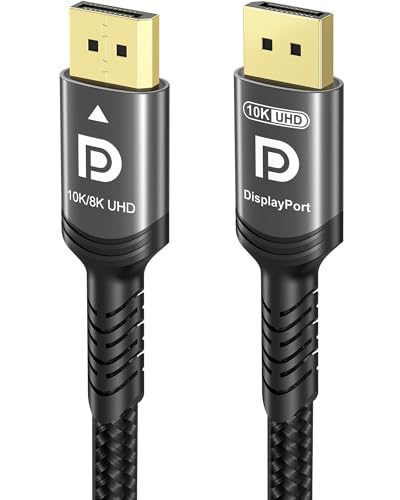
- Whichever you pick, connect over DisplayPort with a certified cable and enable adaptive sync in both the monitor and GPU settings.
Frequently Asked Questions
Can I use a FreeSync monitor with an NVIDIA GPU?
Yes. Modern NVIDIA GPUs support adaptive sync on FreeSync monitors, especially those certified G-Sync Compatible. Enable G-Sync in the NVIDIA control panel and turn on FreeSync in the monitor’s menu, and you get tear-free gaming across brands.
Is G-Sync worth the extra money?
For most gamers, no. A quality FreeSync Premium or G-Sync Compatible monitor delivers a nearly identical tear-free experience for less. Native G-Sync’s dedicated module is worth it mainly to enthusiasts who want the widest, most validated refresh range or premium HDR.
Do I need a special cable for adaptive sync?
Use a certified DisplayPort 1.4 cable for the most reliable results, as it carries the bandwidth and handshake needed. HDMI 2.1 also supports variable refresh rate on compatible displays, but DisplayPort remains the safest choice for high-refresh adaptive sync.
Does adaptive sync work at any frame rate?
It works within the monitor’s supported refresh range. Premium tiers add low-framerate compensation so it stays smooth even below that range. To stay in the sweet spot, cap your frame rate just under the monitor’s maximum refresh.
Final Verdict
FreeSync and G-Sync both banish screen tearing, but FreeSync (and its G-Sync Compatible cousin) wins on value and flexibility, delivering a superb tear-free image with cross-brand GPU support at no premium. Reserve native G-Sync or G-Sync Ultimate for enthusiasts who want the most robust module and premium HDR. For nearly everyone, a good FreeSync Premium monitor is all the adaptive sync you will ever need.