Key takeaways
- Check GPU utilization during actual gameplay. If it stays near full usage while frame rates are below your target, the GPU is probably the main limit. If it frequently drops well below that while one or more CPU threads are heavily loaded, the processor or game engine may be holding performance back.
- Compare a demanding scene at two resolutions. Keep the game, settings, and scene the same, then lower resolution. A large frame-rate increase suggests a GPU limit. Little improvement suggests a CPU, engine, or frame cap limit.
- Check for caps before buying parts. V-Sync, a game’s frame limiter, an external limiter, or a monitor refresh-rate setting can hold frame rates down even when the CPU and GPU have capacity.
- Look beyond average frames. Stutters and weak 1% lows can come from memory pressure, shader compilation, background tasks, or game-specific issues—not just a slow CPU.
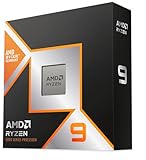
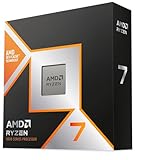
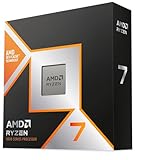
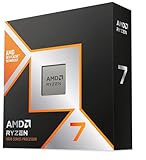
The best CPU for an RTX graphics card depends on the resolution and frame rate you want: choose the Ryzen 5 9600X or Intel Core Ultra 5 245K for a balanced midrange gaming PC, and step up to a Ryzen 7 9800X3D when high-refresh gaming or a top-tier RTX card makes CPU limits more likely.
There is no single “best CPU for RTX.” An RTX 4060 at 1440p and an RTX 5090 at 1080p place very different demands on a processor. The right pairing keeps the GPU fed without spending heavily on CPU performance that your resolution and games cannot use.

AMD Ryzen™ 9 5900XT 16-Core, 32-Thread Unlocked Desktop Processor
Included for 'Best CPU for RTX GPUs' because the listing specifies 32-Thread Unlocked Desktop Processor, details this guide uses to compare options.
View on AmazonMatch the CPU to the resolution and frame rate
At 1080p, the GPU has fewer pixels to render, so it can produce frames quickly enough to expose CPU limits. This matters most with powerful RTX cards, high-refresh monitors, and games with busy simulations or many players. At 1440p, the GPU usually does more of the work. At 4K, graphics settings and the GPU tend to dominate, making a premium gaming CPU harder to justify unless you also play at high frame rates or plan to upgrade the graphics card.
| Gaming target | Practical CPU choice | Why it fits |
|---|---|---|
| RTX 4060 or 4060 Ti, 1080p at 60–144 Hz | Ryzen 5 5600 for a compatible AM4 upgrade; Ryzen 5 9600X for a new build | Six modern cores are generally sufficient for this GPU tier. A 5600 can be especially cost-effective if you already own an AM4 motherboard. |
| RTX 4070-class, 1440p at 60–165 Hz | Ryzen 5 9600X or Intel Core Ultra 5 245K | Both provide a strong modern gaming foundation without paying for a top-end CPU that many 1440p games cannot fully use. |
| RTX 4080-class, 1440p at 165–240 Hz | Ryzen 7 9800X3D; Ryzen 5 9600X if budget is tighter | The X3D chip is a stronger choice for CPU-heavy games and high frame rates. The 9600X remains sensible when graphics quality, rather than maximum refresh, is the priority. |
| RTX 5090, 4K at 60–120 Hz | Ryzen 7 9800X3D or a strong contemporary Core Ultra 7 | At 4K, the GPU usually limits performance, but a fast processor gives more headroom in simulation-heavy games and helps sustain high frame rates. |
| RTX 5090, 1080p or 1440p at 240 Hz or above | Ryzen 7 9800X3D | At these frame rates, CPU performance can matter as much as the graphics card. Game-specific results still vary. |
These are starting points, not guarantees of a particular frame rate. Game engine, memory configuration, ray tracing, upscaling, and background software all affect results. “RTX 4070-class” or “RTX 4080-class” refers to a performance tier rather than a claim that every card in that tier performs identically.
How to tell whether your CPU is holding back an RTX GPU
A bottleneck is not a permanent property of a component pair. It changes with the game, resolution, graphics settings, and frame-rate target. If a game runs at 90 frames per second at 4K with demanding settings, the GPU is often the limiting part. Lower the resolution and settings, and the same system might expose a CPU limit because the graphics card can produce frames faster.
- Check GPU utilization during actual gameplay. If it stays near full usage while frame rates are below your target, the GPU is probably the main limit. If it frequently drops well below that while one or more CPU threads are heavily loaded, the processor or game engine may be holding performance back.
- Compare a demanding scene at two resolutions. Keep the game, settings, and scene the same, then lower resolution. A large frame-rate increase suggests a GPU limit. Little improvement suggests a CPU, engine, or frame cap limit.
- Check for caps before buying parts. V-Sync, a game’s frame limiter, an external limiter, or a monitor refresh-rate setting can hold frame rates down even when the CPU and GPU have capacity.
- Look beyond average frames. Stutters and weak 1% lows can come from memory pressure, shader compilation, background tasks, or game-specific issues—not just a slow CPU.
Do not treat a generic “bottleneck percentage” calculator as a purchasing rule. It cannot reliably account for your game, settings, or refresh target. Measure the system in the titles you actually play before replacing a working processor.
What the leading CPU choices offer
Ryzen 5 9600X: a balanced starting point
The Ryzen 5 9600X is a sensible match for a new gaming build using a midrange or upper-midrange RTX card. Its six cores and 12 threads are enough for many gaming workloads, while the AM5 platform offers a practical path to a later processor upgrade. It is not automatically the best choice for a PC focused on high-refresh esports or demanding CPU-heavy games, but it avoids paying for flagship performance when the GPU will usually set the pace at 1440p or 4K.
Ryzen 7 9800X3D: prioritize gaming frame rates
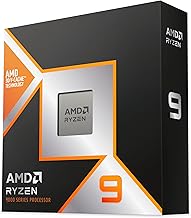
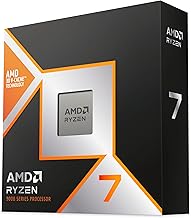
The Ryzen 7 9800X3D is a strong gaming-first option for a high-end RTX build, particularly when targeting high refresh rates or playing games that benefit from its large cache. It makes the most sense if the additional CPU cost is small relative to the graphics card budget. For a 4K system with a more modest frame-rate target, moving that money into a stronger GPU, more storage, or a better monitor may improve the overall experience more.
Intel Core Ultra 5 245K: compare the complete platform
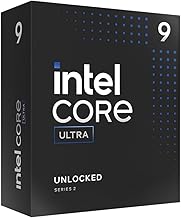
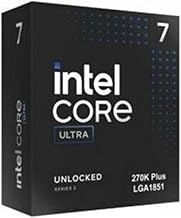
The Core Ultra 5 245K is another capable modern option for gaming and general-purpose use. Compare it with AMD based on the total build price, not processor price alone: motherboard, memory, cooler requirements, and any planned upgrades can change which platform offers better value. Game performance is not identical across titles, so use benchmarks for the specific games that matter when choosing between closely priced CPUs.
Ryzen 5 5600: an economical AM4 upgrade
If you already have a compatible AM4 motherboard and DDR4 memory, the Ryzen 5 5600 can be a low-cost way to improve or complete a build with an RTX 4060-class card. Check motherboard CPU support and BIOS requirements before purchasing. For a brand-new system, weigh the savings against the newer platform’s upgrade options and the cost of replacing the board and memory later.
Calculate the value of a CPU upgrade before you buy
Consider an RTX 4070-class card used mainly at 4K with a 60 Hz display. Even if a faster CPU raises the maximum frame rate in a CPU-limited test, the monitor cannot show more than 60 frames per second, and many 4K games will be limited by the GPU before reaching that rate. In that setup, a large CPU premium may deliver little visible benefit. The same processor upgrade can be worthwhile in a 1080p esports setup targeting 240 Hz, where the GPU may finish frames quickly and the CPU can become the constraint.
A useful budget check is to compare the upgrade premium with what else it could buy. For example, if moving to a premium CPU costs an extra $200–$300 once motherboard and cooling differences are included, ask whether that money would be more useful for a higher RTX tier, a higher-refresh monitor, or a larger SSD. General market prices vary by region and sales; compare current local totals rather than relying on a fixed CPU-to-GPU spending ratio.
Platform cost and upgrade longevity
For a new build, include the motherboard and memory in the CPU decision. An AM5 build uses DDR5 memory and can make a later CPU upgrade easier if future processors remain compatible with the board and its BIOS. Compatibility is not guaranteed for every future chip, so check the motherboard manufacturer’s support list before planning an upgrade. Intel platform compatibility also depends on the exact socket and board; do not assume a future processor will work just because it is from the same brand.
For an existing system, replacing only the CPU may be better value than buying into a new platform. Check your board’s supported CPUs, BIOS version, memory type, and cooler compatibility. Also consider the power supply and case airflow if upgrading the GPU: a faster CPU will not fix a graphics card limited by power, temperature, or insufficient memory.
Choose by your actual use
- Buying a budget RTX gaming PC: Favor a capable six-core CPU and put more of the budget toward the graphics card. For an existing AM4 system, compare the Ryzen 5 5600’s upgrade cost with the total price of switching platforms.
- Building for 1440p gaming: Start with the Ryzen 5 9600X or Core Ultra 5 245K, then move to a faster CPU if your games need high frame rates or show clear CPU limits.
- Targeting 240 Hz or CPU-heavy games: Consider the Ryzen 7 9800X3D, especially alongside a high-end RTX card.
- Playing mostly at 4K: Avoid overspending on the CPU unless you also need high frame rates, run simulation-heavy games, or expect a near-term graphics-card upgrade.
- Already satisfied with your frame rate: Keep your current CPU. A component upgrade is useful only if it solves a real performance or capability problem.