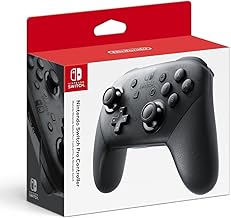
Key takeaways
- Wired controllers are the better choice for laptop gaming when you want zero battery worry and the most consistent input.
Wired controllers are the better choice for laptop gaming when you want zero battery worry and the most consistent input, while wireless controllers win when you want freedom to sit back from the screen. Most casual players are happy with wireless, and competitive players often keep a cable on hand.
On a laptop the decision has a few extra twists. Ports are limited, Bluetooth quality varies a lot between models, and you may be playing on a desk, a bed, or a couch. This guide compares the two connection types on latency, battery, ports, comfort, and cost tier so you can choose with your own setup in mind.
How Each Type Connects
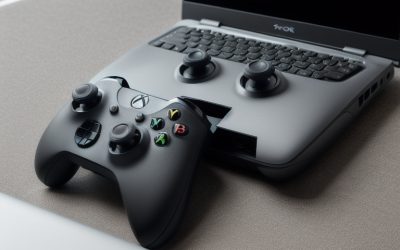
A wired controller plugs into a USB port and draws power from the laptop. Windows usually recognizes it right away, and it works the moment you plug it in. There is no pairing and no battery.
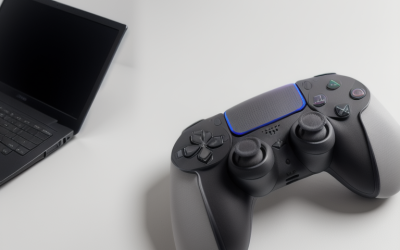
A wireless controller connects through the laptop Bluetooth or through a small USB receiver that comes with the controller. It runs on batteries or a rechargeable pack, and you pair it once, then it reconnects on demand.
Wired vs Wireless on the Things That Matter
Input Delay and Consistency
A cable gives a direct, steady link. Wireless controllers using a dedicated receiver come close, and many players cannot feel a difference in most games. Bluetooth is more variable, because it shares a radio with other devices and can add small delays in busy environments. For rhythm games, fighting games, and fast shooters, that consistency can matter.
Battery and Power
Wired never runs out, which is a real advantage during long sessions and tournaments. Wireless needs fresh batteries or a charge, and running low can drop your connection mid-match. On a laptop, a wireless controller also adds a small drain if it uses the built-in Bluetooth.
Ports and Setup on a Laptop
Many budget gaming laptops offer only two or three USB ports. A wired controller or a USB receiver uses one of them. A Bluetooth controller uses none, which is helpful if you also run a mouse, a headset dongle, and an external drive.
Comfort and Range
A cable limits how far you can sit from the screen and can snag on a chair or desk. Wireless lets you play from a couch with the laptop hooked to a monitor or a TV. If your laptop sits a short distance away on a desk, the cable length matters less.
Quick Comparison
| Factor | Wired | Wireless |
|---|---|---|
| Input consistency | Excellent | Good with a receiver, variable on Bluetooth |
| Battery | None needed | Needs charging or batteries |
| USB ports used | One | Zero on Bluetooth, one with a receiver |
| Freedom of movement | Limited by cable | High |
| Setup | Plug and play | Pairing once |
| Typical cost tier | Budget | Budget to premium |
| Best for | Competitive play, desk setups | Couch play, shared screens |
Before You Buy
- Check how many free USB ports the laptop has once your mouse and headset are plugged in.
- Find out whether the laptop has Bluetooth and whether it works reliably.
- Decide how far you plan to sit from the screen.
- Note the cable length listed for any wired model.
- Confirm the controller works with the games and launchers you play.
Who Should Choose Which
Choose wired if you play competitive games, stream for long hours, or hate charging devices. The reliability and zero-battery advantage are hard to beat, and wired models also tend to sit in the lower cost tier.
Choose wireless if you connect the laptop to a TV, play from a couch, or want a clean desk. Look for a model with a rechargeable battery or a receiver option so you are not locked into Bluetooth only.
Many players end up with one of each: a wireless controller for relaxed sessions and a wired backup for competitive nights or when the battery runs flat. In 2026, wired and wireless models of the same controller family are common, so you can keep the same layout and feel either way.
Playing on a TV or Second Screen
Many laptop players connect to a TV or monitor and play from a few feet back. In that case wireless is far more comfortable, since a cable would pull taut across the room or trip someone. If you only sit at the desk, a wired pad works fine and saves charging. Think about where the laptop sits during play, and whether a short cable would tug the machine off a narrow surface.
Shared play adds another factor. If friends bring their own controllers, a dedicated receiver that supports several wireless pads is easier than pairing each one over Bluetooth, and a few wired models plugged in through a small hub work too. Keep in mind that every extra dongle uses a port and adds to the 2.4 GHz traffic around the laptop.
Common Problems and Fixes
A wired controller that is not detected is usually a loose port, a worn cable, or a front port that lacks power. Try another port and another cable. A wireless controller that keeps disconnecting is usually a low battery, old pairing data, or Bluetooth interference. Remove the device from the Bluetooth list and pair it again, and keep the receiver away from other dongles with a short extension.
Features That Change the Equation
The wired versus wireless question gets blurry once you look at what a controller offers beyond the connection. Some wired models include extra back buttons, trigger stops, or swappable thumbsticks that a basic wireless pad lacks. Some wireless models include a receiver, a charging dock, and a cable you can plug in when the battery is low. A hybrid design that supports both modes often costs a little more, but it removes the main drawback of each type.
Stick and trigger quality matter more than the connection for many games. A controller with drift-prone sticks frustrates you whether it has a cable or not, so look for sticks and triggers described with durable or drift-resistant technology. Button feel, grip shape, and weight also shape long sessions. A heavier wireless pad with batteries feels different from a light wired pad, and some players prefer one over the other for hours of play.
Cable Details Worth Checking
If you go wired, cable length and quality are worth a look. A very short cord limits where you can sit, and a thin cord can fray or lose connection at the plug. A braided cable of a few meters, or a detachable cable you can swap, is easier to live with. Make sure the plug matches the laptop ports, because some laptops offer only a small oval USB-C port and need an adapter for a standard cable.
Battery Details Worth Checking
If you go wireless, find out whether the pad uses replaceable batteries or a built-in rechargeable pack. Replaceable batteries let you swap in a spare mid-session, while a rechargeable pack is cheaper over time and usually charges over the same cable you would use for wired play. In both cases, a battery that lasts a full evening saves you from interruptions.
Related guides
- Hall Effect Vs Potentiometer Joysticks: Controller Drift Explained
- Gaming Chair Vs Office Chair: Which Is Better For Your Desk
- How To Connect An Xbox Controller To A Laptop Wirelessly
Frequently Asked Questions
Is wireless input delay noticeable on a laptop?
For most games it is not, especially with a dedicated receiver. In very fast games some players prefer a cable because the link is steadier than a busy Bluetooth connection.
Does a wired controller drain the laptop battery?
It draws a small amount of power from the USB port, which is usually minor. Wireless controllers using the laptop Bluetooth also use a little power, so neither is a large factor.
Can I use both types on the same laptop?
Yes. Windows treats each controller as a separate device, so you can keep a wired and a wireless controller paired and switch between them. Most PC games recognize common controllers either way, and if a game ignores the pad, check its controller settings or the launcher input options.
Which is better for travel?
A wired controller is lighter on setup and never dies, while a wireless one is neater in a bag with no cable. If you travel often, a model that supports both connection types is the most flexible.
FAQ
Is wireless input delay noticeable on a laptop?
Does a wired controller drain the laptop battery?
Can I use both types on the same laptop?
Which is better for travel?
More from Amazon
Programs that pair well with the guide above. Offers and eligibility are set by Amazon and may change.
A free business account with business pricing and bulk-buying tools for work, shop or home office.
Create a business accountFree shipping on eligible items, Prime Video and more. Eligible new members can start with a free trial.
Start a Prime free trialAudiobooks and podcasts to listen to on the go. Eligible new members can start with a free trial.
Try Audible freeAd-free music streaming. Eligible new subscribers can start with a free trial.
Try Music Unlimited freeAs an Amazon Associate we earn from qualifying purchases.