Our Top Picks
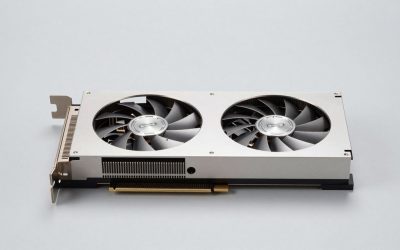
 ASUS Dual NVIDIA GeForce RTX 5060 8GB GDDR7RTX5060|8GB|OC9 x 4.8 x 2 Inches1.4 PoundsCheck on Amazon
Thinking about playing Borderlands 2 on PC and wondering what hardware you actually need? Borderlands 2 launched on September 17, 2012 as a stylised looter-shooter with action-RPG progression, and it was built for the DirectX 9 hardware of that era — so the honest answer is that you need very little. This guide breaks down the official PC requirements for Borderlands 2, the GPU worth aiming for at each resolution, and sensible build recommendations, so you can tell whether your current machine is already good enough or whether an upgrade would actually change anything.
🛒 Best Price Today on Amazon
Check today’s deals on the products above before you buy. Prices change often, so compare the live price on Amazon.
How Demanding Is Borderlands 2?
Borderlands 2 is not demanding at all. The official minimum is a 2.4 GHz dual-core processor, 2 GB of RAM and a 256 MB graphics card from 2007 such as the NVIDIA GeForce 8500 or ATI Radeon HD 2600, while the recommended spec — a 2.3 GHz quad-core with a 512 MB GeForce GTX 560 or Radeon HD 5850 — is hardware that has been obsolete for well over a decade. In practical terms, almost any PC sold in the last ten years, including laptops running on integrated graphics, can run Borderlands 2 at 1080p. It is also not a CPU-heavy game: it is a single-player and small-scale co-op shooter with modest AI and physics loads, so even a modern four-core processor is far more than it needs. The one thing to keep in mind is that the engine is old, so the ceiling on image quality comes from its 2012-era rendering rather than from your hardware. The full official figures are listed in the next section.

Gigabyte GeForce RTX 4060 WINDFORCE OC 8G Graphics Card, 2X WINDFORCE Fans, 8GB 128-bit GDDR6, GV-N4060WF2OC-8GD Video Card
Chosen because it specifies 2X WINDFORCE Fans and 8GB 128-bit GDDR6.
View on AmazonASUS Dual NVIDIA GeForce RTX 5060 8GB GDDR7 OC Edition (PCIe 5.0, 8GB GDDR7, DLSS 4, HDMI 2.1b, DisplayPort 2.1b, 2.5-Slot Design, Axial-tech Fan Design, 0dB Technology), 3 Year Warranty
Chosen because it specifies 8GB GDDR7 and DLSS 4.
View on Amazon
ASUS Dual GeForce RTX 3050 6GB GDDR6 OC Edition Gaming Graphics Card
Picked as a relevant option in this category.
View on Amazon
ASUS Dual GeForce RTX 5050 8GB GDDR6 OC Edition Gaming Graphics Card | PCIe 5.0, HDMI 2.1b, DisplayPort 2.1b, 2-slot, Axial-tech Fans, 0dB Technology, Dual BIOS
Picked as a relevant option in this category.
View on AmazonBorderlands 2 Official PC System Requirements
| Component | Minimum (official) | Recommended (official) |
|---|---|---|
| OS | Windows XP SP3 | Windows XP SP3/Vista/Win 7 |
| Processor | 2.4 GHz Dual Core Processor | 2.3 GHz Quad Core processor |
| Memory | 2 GB(XP)/ 2 GB(Vista) | 2 GB |
Source: the official Borderlands 2 Steam store listing (app 49520), checked October 2026. Publishers can update these specs after patches.
A few practical notes on that specification. Windows XP SP3 appears as the minimum because it was current in 2012, and the game installs and runs normally on Windows 10 and Windows 11. The first launch requires a one-time internet connection for Steam authentication, and the installer also sets up DirectX 9, the .NET 4 Framework and the Visual C++ 2005/2008/2010 redistributables, all of which are included with the game. Storage is a modest 13 GB at minimum and 20 GB free recommended, a fraction of what modern releases ask for, and the Ultimate Vault Hunter’s Upgrade content adds to that footprint without changing the hardware picture at all.
Best GPU for Borderlands 2 by Resolution
1080p
At 1080p Borderlands 2 is comfortable on almost anything, including integrated graphics on a modern Ryzen APU or Intel Iris Xe. The official recommended card, a GeForce GTX 560 or Radeon HD 5850, is enough for high settings here, and anything newer — a GTX 1050, RX 560, GTX 1650 or RX 6400 — is already overkill. If you want a card that also handles modern games, the AMD Radeon RX 7600 is a sensible pick, but be clear that you would be buying it for other titles: Borderlands 2 will be limited by its own engine long before it stresses that GPU.
1440p
1440p does not change the picture much. A mid-range card from several generations ago — GTX 1660 Super, RX 5600 XT, RTX 3050 — runs Borderlands 2 at 1440p with settings maxed, and the AMD Radeon RX 7600 or a current RTX 5060 / RX 9060 XT has enormous headroom. This is an old DirectX 9 title, so the resolution you play at matters far more than the settings you choose.
4K
4K is the only resolution where Borderlands 2 asks anything meaningful of a GPU, and even there the bar is low: a GTX 1070 or RTX 2060-class card handles it comfortably. The NVIDIA GeForce RTX 4060 is more than sufficient, and modern options such as the RTX 5060, RTX 5070 or RX 9070 are far beyond what this game can use — they make sense only as cards for the rest of your library. Because the renderer is 2012-era, 4K here is limited more by the engine and by video memory headroom than by raw shader performance.
CPU, RAM and Storage for Borderlands 2
Borderlands 2 is not CPU-heavy, so the processor is the least important part of the build. The official minimum is a 2.4 GHz dual-core and the recommended is a 2.3 GHz quad-core, which means any modern chip — even an entry-level one — clears the bar with room to spare. If you are building a PC that will also play newer games, the AMD Ryzen 5 7600 is excellent value, and the AMD Ryzen 7 7800X3D is one of the fastest gaming CPUs available, though neither will make Borderlands 2 run noticeably better than a decade-old quad-core. Intel builders can look at the Intel Core i5-14600K for the same reason: it is a great modern CPU, not a Borderlands 2 requirement.
Memory is similarly undemanding. The official recommendation is 2 GB, and 8 GB is plenty for Borderlands 2 with room to spare; 16 GB is the sensible baseline for a new PC that will also play current releases, and a 32 GB DDR5 kit such as the Corsair Vengeance DDR5 32GB is only worth buying for the rest of your library. Storage is a 13 GB minimum install with 20 GB free recommended — a small footprint by today’s standards. Any drive will do, and while an SSD such as the Samsung 990 Pro 2TB NVMe SSD will shorten loading, the difference on a game this size is a matter of seconds rather than the dramatic improvement you see in modern open-world titles.
Recommended PC Builds for Borderlands 2
Because Borderlands 2 is so light, none of these builds exist to satisfy the game itself — they are modern all-round configurations that happen to run it perfectly, and they make sense only if you also play newer titles.
1080p budget build: AMD Radeon RX 7600 + AMD Ryzen 5 7600 + 16 GB DDR5 — far beyond what Borderlands 2 needs; it will run the game at maximum settings at 1080p without the fans spinning up.
1440p sweet-spot build: AMD Radeon RX 7600 + AMD Ryzen 7 7800X3D + 32 GB DDR5 + 2TB NVMe SSD — the setup most players should aim for if they want one machine for old and new games alike. Borderlands 2 is trivially handled here.
4K high-end build: NVIDIA GeForce RTX 4060 + AMD Ryzen 7 7800X3D + 32 GB DDR5 + fast NVMe SSD — 4K is the one area where Borderlands 2 can use a reasonably modern card, but even this configuration sits well above the game’s ceiling; you would be buying it for other titles. If you are building specifically for this game and nothing else, a used office PC or a mini-PC with integrated graphics will do the job.
Is It Worth Upgrading Your PC for Borderlands 2?
Honestly, no — not for Borderlands 2 alone. The official minimum is a 2007-era graphics card and 2 GB of RAM, so if your PC can browse the web smoothly, it can almost certainly run Borderlands 2 at 1080p. The reason to upgrade is the rest of your library, not this game. If you are upgrading anyway, the graphics card still delivers the biggest jump in modern games, so spend there first, but understand that Borderlands 2 itself will not feel different. The CPU is the last thing to replace: any quad-core from the last decade will keep this game running smoothly. Memory is cheap, and moving to an SSD makes everyday use snappier, but a 20 GB game from 2012 loads quickly off almost any drive. If Borderlands 2 is your only motivation, save your money; if it is one title in a wider library, upgrade for the newer games and let Borderlands 2 come along for the ride.
Can You Play Borderlands 2 on a Laptop or Handheld?
Yes, easily. Because the game asks for a 256 MB DirectX 9 GPU and 2 GB of RAM, laptops with integrated graphics from the last several years can run it at 1080p, and anything with a discrete mobile GPU will run it at maximum settings. Handhelds such as the Steam Deck, ROG Ally and similar Windows handhelds run Borderlands 2 comfortably, and it is a genuinely good fit for portable play given how modest its demands are and how short its load times are. Battery life and thermals are the limiting factors rather than performance, so capping the frame rate is the usual way to get longer sessions away from a socket. Storage is a non-issue at 13–20 GB, so a microSD card is perfectly adequate.
How to Boost FPS in Borderlands 2
If Borderlands 2 is not running as smoothly as you would like, start with the basics: make sure your GPU drivers are current, close background applications, and check that a laptop is not falling back to a low-power integrated GPU. Borderlands 2 predates modern upscalers such as DLSS, FSR and XeSS and has no frame generation, so those options are not available inside the game; if you need more performance, driver-level scaling or simply lowering the render resolution is the most effective lever. In-game, the biggest gains come from shadows, draw distance and the optional PhysX effects on NVIDIA hardware. On a very old machine, dropping the resolution from 1080p to 900p or 720p will do more than any individual setting change. Because the game is so light, most people will find a stable frame rate is a matter of a couple of settings rather than a new graphics card.
Graphics Settings That Matter Most in Borderlands 2
Borderlands 2 does not have a huge number of graphics options, and because its art style is deliberately cel-shaded, turning things down costs you less visually than it would in a photorealistic game. Shadows are usually the first thing to reduce, since they are among the more expensive options and the game still looks like Borderlands without them. Draw distance is the next lever, particularly in the larger outdoor areas where distant geometry and enemies are rendered, and post-processing and effects options add cost for very little visible gain. The optional PhysX effects on NVIDIA hardware are the single most expensive option in the game and can be turned down or off if you are struggling.
Texture quality is cheap here: the official spec asks for only 256 MB of video memory at minimum and 512 MB at recommended, so on any card with a couple of gigabytes you can leave textures at their highest setting without a meaningful performance cost. Anti-aliasing is worth a look too — its cost is modest and its benefit is small, so it is an easy trade if you need frames. Finally, remember that resolution is the dominant factor in Borderlands 2: dropping from 4K to 1440p, or from 1440p to 1080p, frees up more performance than any combination of in-game toggles.
Frequently Asked Questions
Can my PC run Borderlands 2?
Almost certainly yes. The official minimum is a 2.4 GHz dual-core processor, 2 GB of RAM and a 256 MB DirectX 9 graphics card such as a GeForce 8500 or Radeon HD 2600 — hardware from 2007. Any desktop or laptop from the last decade, including one relying on integrated graphics, meets that bar. For maximum settings at 1080p or above, any modern discrete GPU is more than enough, and even a GeForce GTX 1050 or RX 560 sits well beyond the recommended spec.
Is Borderlands 2 demanding on PC?
No. Borderlands 2 is a 2012 DirectX 9 game with very modest requirements — 2 GB of RAM, a 512 MB graphics card and a small 20 GB install. It runs on integrated graphics and on hardware that is more than a decade old.
What GPU do I need for Borderlands 2 at 1440p 60fps?
Very little. A card of the GeForce GTX 1660 / RX 5600 XT class, or an RTX 3050, handles Borderlands 2 at 1440p with settings maxed and plenty of headroom, so 60fps is not a challenge for it. A AMD Radeon RX 7600 is far more than the game needs; it is the kind of card you buy for modern releases rather than for this one.
How much RAM does Borderlands 2 need?
The official recommended requirement is 2 GB, so 4 GB is comfortable and 8 GB is more than enough for Borderlands 2 on any modern Windows installation. The old advice that 8 GB is no longer sufficient applies to recent games, not to this one — 16 GB is a sensible baseline for a new PC that will also play modern titles, but it makes no difference to Borderlands 2.
Do I need an SSD for Borderlands 2?
No. The game needs 13 GB of space at minimum and 20 GB free recommended, and its load times are short even on a mechanical drive. An SSD such as the Samsung 990 Pro will shave a little off loading screens, but it is not a requirement and will not change how the game plays once you are in it.