Key takeaways
- BioShock Infinite PC requirements and the best GPU, CPU, RAM and SSD to run it — recommended hardware by resolution plus complete 1080p, 1440p and 4K build guides.
Thinking about playing BioShock Infinite on PC and wondering what hardware you actually need? Released on March 25, 2013, this action shooter sends Booker DeWitt into the flying city of Columbia to rescue Elizabeth, and it does so on hardware that is now well over a decade old. The good news is that BioShock Infinite is very light by modern standards: the official minimum asks for a DirectX 10-class card such as a Radeon HD 3870, GeForce 8800 GT or even Intel HD 3000 integrated graphics, paired with a Core 2 Duo or Athlon X2 and 2 GB of RAM, while the recommended spec is a quad-core CPU, 4 GB of RAM and a DirectX 11 card like the Radeon HD 6950 or GeForce GTX 560. In other words, almost any desktop or laptop built in the last several years can run it comfortably. This guide breaks down the official PC requirements for BioShock Infinite, the best GPU for each resolution, and complete build recommendations.
🛒 Best Price Today on Amazon
Check today’s deals on the products above before you buy. Prices change often, so compare the live price on Amazon.
How Demanding Is BioShock Infinite?
Not demanding at all. BioShock Infinite is a 2013 DirectX 10/11 title, and its published requirements reflect that era: a 2.4 GHz Intel Core 2 Duo or 2.7 GHz AMD Athlon X2 with 2 GB of memory and a 512 MB DirectX 10 graphics card at minimum, and a quad-core processor with 4 GB of memory and a 1 GB DirectX 11 card such as the Radeon HD 6950 or GeForce GTX 560 for the recommended experience. Both of those tiers are roughly a decade and a half behind current hardware.
In practical terms, that means integrated graphics from the last few years can handle 1080p at reduced settings, any modern entry-level discrete card will run the game at 1080p with the settings turned up, and mid-range cards have no trouble at 1440p or even 4K. BioShock Infinite is also a linear, single-player shooter rather than a simulation, strategy game or large-scale multiplayer title, so it does not put unusual load on the processor — a modest CPU is genuinely enough. The 20 GB to 30 GB of disk space it needs is the least of your concerns. Always check the game’s official store page for the exact published requirements.
BioShock Infinite Official PC System Requirements
| Component | Minimum (official) | Recommended (official) |
|---|---|---|
| OS | Windows Vista Service Pack 2 32-bit | Windows 7 Service Pack 1 64-bit |
| Processor | Intel Core 2 DUO 2.4 GHz / AMD Athlon X2 2.7 GHz | Quad Core Processor |
| Memory | 2GB | 4GB |
Source: the official BioShock Infinite Steam store listing (app 8870), checked October 2026. Publishers can update these specs after patches.
Best GPU for BioShock Infinite by Resolution
1080p
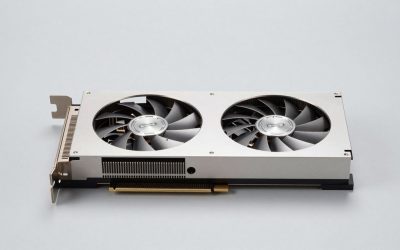
At 1080p you are already far beyond what BioShock Infinite needs. The official minimum lists Intel HD 3000 integrated graphics, so a modern iGPU or any entry-level discrete card can handle this resolution. The AMD Radeon RX 7600 (or a comparable card) is a modern mid-range option that will run BioShock Infinite at 1080p with every setting maxed — far more GPU than this game requires, which makes it a sensible pick if you also play newer titles.
1440p
Step up to the AMD Radeon RX 7600 and 1440p is just as easy. Because the recommended GPU here is a GeForce GTX 560 or Radeon HD 6950, a card in this class is not the entry point for BioShock Infinite but well above the ceiling the game was designed around. This is the resolution most PC gamers target, and this class of card gives BioShock Infinite enormous headroom while staying useful for demanding modern releases.
4K
For 4K, the NVIDIA GeForce RTX 4060 is more than enough, and it is a realistic entry point only in the sense that it is a current-generation card. The official recommended spec asks for a 1 GB DirectX 11 GPU, so 4K output is not a strain for hardware from the last several years. If you already own something newer such as an RTX 5060 or RTX 5070, or an RX 9060 XT or RX 9070, BioShock Infinite at 4K is trivial. Note that the game predates DLSS, FSR, XeSS and frame generation, so there is no upscaling to lean on — the flip side is that you will not need any.
CPU, RAM and Storage for BioShock Infinite
On the processor side, the bar is very low: the official minimum is an Intel Core 2 Duo at 2.4 GHz or an AMD Athlon X2 at 2.7 GHz, and the recommended spec simply asks for a quad-core. BioShock Infinite is a linear single-player shooter, so it is not CPU-bound in the way a simulation or strategy game is, and any processor from the last decade clears the recommended tier easily. That makes the AMD Ryzen 5 7600 far more than this game needs, while the AMD Ryzen 7 7800X3D is the fastest mainstream gaming CPU if you want maximum frame rates across your whole library. Intel fans can opt for the Intel Core i5-14600K. Choose any of these for the rest of your games, not for BioShock Infinite specifically.
For memory, the official figures are 2 GB minimum and 4 GB recommended, so 8 GB is already generous and 16 GB is comfortably beyond anything this title can use. Something like the Corsair Vengeance DDR5 32GB is overkill for BioShock Infinite, though it is a reasonable long-term purchase for a modern gaming PC. The recommended operating system is 64-bit Windows 7 Service Pack 1, and the game runs without issue on current 64-bit Windows. For storage, you need 20 GB free at minimum and 30 GB recommended; installing on an SSD such as the Samsung 990 Pro 2TB NVMe SSD will cut loading times, but even a SATA drive is perfectly adequate — this game does not stream textures aggressively enough to need NVMe.
Recommended PC Builds for BioShock Infinite
1080p budget build: AMD Radeon RX 7600 + AMD Ryzen 5 7600 + 16 GB DDR5 — massively overspecified for a 2013 shooter, so expect maxed settings at 1080p and plenty of room left over for newer games.
1440p sweet-spot build: AMD Radeon RX 7600 + AMD Ryzen 7 7800X3D + 32 GB DDR5 + 2TB NVMe SSD — the setup most players should aim for, and one that treats BioShock Infinite as a light load rather than a challenge.
4K high-end build: NVIDIA GeForce RTX 4060 + AMD Ryzen 7 7800X3D + 32 GB DDR5 + fast NVMe SSD — for 4K output, where the game itself will not be the limiting factor.
Is It Worth Upgrading Your PC for BioShock Infinite?
If you are upgrading specifically for BioShock Infinite, you almost certainly do not need to. The recommended graphics card is a GeForce GTX 560 or Radeon HD 6950, so any PC built in the last decade already exceeds what the game asks for. If your current machine is genuinely struggling with it, the cause is more likely a failing drive, outdated drivers or an old integrated GPU than raw performance, and a modest fix is usually enough.
If you are upgrading anyway for newer games, be strategic about it. The graphics card delivers by far the biggest jump in gaming performance, so upgrade the GPU first if you have to choose. A mid-range CPU from the last several years will not bottleneck a modern GPU in this game, so you can usually keep it. Memory is rarely the issue here — the game recommends just 4 GB — and moving it to an SSD mainly improves loading times rather than frame rates. Rather than replacing everything at once, target the weakest link in your build for the best value.
Can You Play BioShock Infinite on a Laptop or Handheld?
BioShock Infinite is an excellent fit for laptops and handhelds. Because the recommended GPU is a GeForce GTX 560 or Radeon HD 6950, virtually any gaming laptop with a discrete GPU can run it at 1080p with high settings, and modern integrated graphics in thin-and-light machines can handle it at lower settings too. On handhelds like the Steam Deck and ROG Ally, this is comfortably within reach — it is a 2013 title with modest demands, so it makes a great portable pick. Battery life and heat are far less of a concern than with a modern release, though capping the frame rate still helps endurance. If portability matters, pair your device with a fast microSD card or SSD for storage.
How to Boost FPS in BioShock Infinite
Because BioShock Infinite predates DLSS, FSR, XeSS and frame generation, you cannot lean on an upscaler here — the single biggest lever is resolution. Dropping from 4K to 1440p, or from 1440p to 1080p, will raise frame rates more than any individual setting change. After that, lower the expensive effects first: shadow quality, ambient occlusion, post-processing and draw distance all cost performance while adding relatively little at a glance. Keep your GPU drivers up to date, close background apps, and make sure the game is installed on an SSD to cut loading times. Capping the frame rate for a consistent, steady experience almost always feels better than chasing maximum settings with stutter.
Graphics Settings That Matter Most in BioShock Infinite
If BioShock Infinite is not hitting your target frame rate, a few settings give back far more performance than others. Shadow quality is usually the heaviest option, so dropping it a notch or two is the first change to try. Draw distance is the next big lever, particularly in the game’s larger outdoor areas of Columbia where distant geometry is expensive to render. Ambient occlusion, post-processing effects and reflections also cost a fair amount while adding little at a glance, so lowering them is an easy win.
Leave textures as high as your video memory allows, since texture quality improves image clarity with almost no frame-rate cost until you run out of VRAM — the official recommended spec asks for only 1 GB, so most cards have room to spare. Since there is no DLSS, FSR or XeSS in BioShock Infinite, resolution is your main performance control: if you need more frames, render at a lower resolution and let your display or GPU handle the scaling. A stable frame rate with slightly softer visuals is almost always the better trade in this game.
Frequently Asked Questions
Can my PC run BioShock Infinite?
Almost certainly. The official minimum is an Intel Core 2 Duo at 2.4 GHz or AMD Athlon X2 at 2.7 GHz, 2 GB of RAM and a DirectX 10 card with 512 MB of memory such as a Radeon HD 3870, GeForce 8800 GT or Intel HD 3000. Anything built in the last decade clears that easily. For the recommended experience, aim for a quad-core CPU, 4 GB of RAM and a DirectX 11 card with 1 GB of memory such as the Radeon HD 6950 or GeForce GTX 560.
Is BioShock Infinite demanding on PC?
No. It is a 2013 DirectX 10/11 title whose recommended GPU is a GeForce GTX 560 or Radeon HD 6950. Even integrated graphics can handle it at reduced settings, and mid-range hardware runs it at 1080p–1440p with everything turned up.
What GPU do I need for BioShock Infinite at 1440p 60fps?
A AMD Radeon RX 7600-class graphics card is far more than this game needs for high-settings 1440p at 60fps or higher — it sits well above the GeForce GTX 560 / Radeon HD 6950 recommended spec. Cards in this tier give you comfortable headroom for future titles as well.
How much RAM does BioShock Infinite need?
The official requirements are 2 GB at minimum and 4 GB recommended. 8 GB is already more than enough, and 16 GB is only worth it if you play newer games or multitask heavily. The game runs on 64-bit Windows 7 Service Pack 1 and newer, and it does not benefit from faster memory in any meaningful way.
Do I need an SSD for BioShock Infinite?
No — the official requirement is simply 20 GB of free disk space, with 30 GB recommended. An SSD will shorten loading times, so an NVMe drive like the Samsung 990 Pro is a nice quality-of-life upgrade, but a regular hard drive still runs the game perfectly well.