Key takeaways
- Flagship titles are enormous. Several 2026 AAA games occupy 120-200 GB each, so a single 500 GB drive fills up after just a handful of installs.
- 1 TB is the practical minimum. A 1 TB NVMe such as the Kingston NV3 or WD_Black SN7100 holds your OS plus five or six large games comfortably.
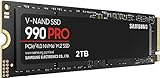
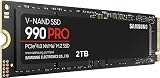
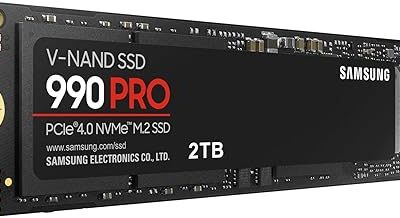
- 2 TB is the sweet spot. The Samsung SSD 990 PRO 2TB lets you keep a full library installed without constantly uninstalling to make room.
- Smaller drives still have a role. A SanDisk Optimus 5100 500GB works well as a fast boot drive or a dedicated slot for your two or three most-played titles.
Storage is the quiet bottleneck in a gaming rig. You can drop money on a fast GPU and a modern CPU, but if your games live on a slow mechanical drive, you will still stare at loading screens, watch textures pop in late, and wait longer than your friends every time a match starts. In 2026, the gap between a hard drive and a solid-state drive is bigger than it has ever been, and understanding it is the difference between a build that feels sluggish and one that feels instant.
This guide breaks down how SSDs and HDDs actually differ for gaming, what the numbers on a drive’s box really mean, and how to split your storage so you get speed where it counts without overspending. By the end you will know exactly which drive belongs in your next build and why.
Our top picks
 Samsung SSD 990 PRO 2TB
- Product Group: Personal Computer
- Binding: Personal Computers




As an Amazon Associate we earn from qualifying purchases at no extra cost to you. Ratings are shown as listed on Amazon.
⚡ Save on Your Next PC — Amazon Prime
Prime members get fast free shipping on the systems above, plus early access to Prime Day & Black Friday PC deals. New members get a 30-day free trial.
Watch: SSD vs HDD for Gaming: Which Do You Need? — Video Review
How SSDs and HDDs Actually Differ
A hard drive stores data on spinning magnetic platters that a physical arm reads, much like a record player. That mechanical movement caps a good gaming HDD at roughly 150-200 MB/s and, more importantly, introduces seek time as the arm hunts for scattered files. A solid-state drive has no moving parts. It reads flash memory electronically, so a modern NVMe drive like the Samsung SSD 990 PRO 2TB reaches around 7,450 MB/s, and the newer PCIe 5.0 Samsung SSD 9100 PRO pushes past 14,000 MB/s. For gaming, the more relevant win is random access: an SSD pulls thousands of small, scattered files almost instantly, which is exactly what a game does while loading a level.
What the Speed Numbers Mean for Loading Times
Sequential read speed (the headline “up to 7,450 MB/s” figure) matters most for moving large files and for games built around modern streaming engines. But do not obsess over the biggest number. Going from an HDD to any decent NVMe SSD like the Kingston NV3 1TB is a night-and-day change; going from a fast Gen4 drive to a Gen5 one shaves only a second or two off most game loads today. The takeaway: the first SSD you add is the upgrade you will feel. The jump between two SSD generations is real but far smaller.
Do You Need PCIe 5.0 in 2026?
PCIe 5.0 drives such as the Samsung SSD 9100 PRO 1TB are the fastest consumer storage available, and they shine for content creation, huge file transfers, and future DirectStorage titles. For pure gaming right now, though, a strong Gen4 drive like the WD_Black SN7100 1TB delivers essentially the same in-game feel for less money and less heat. Buy Gen5 if you also edit video or want maximum headroom for years; buy Gen4 if gaming is the goal and you would rather spend the savings on capacity.
Capacity: How Much Storage Do Modern Games Need
- Flagship titles are enormous. Several 2026 AAA games occupy 120-200 GB each, so a single 500 GB drive fills up after just a handful of installs.
- 1 TB is the practical minimum. A 1 TB NVMe such as the Kingston NV3 or WD_Black SN7100 holds your OS plus five or six large games comfortably.
- 2 TB is the sweet spot. The Samsung SSD 990 PRO 2TB lets you keep a full library installed without constantly uninstalling to make room.
- Smaller drives still have a role. A SanDisk Optimus 5100 500GB works well as a fast boot drive or a dedicated slot for your two or three most-played titles.
The Smart Hybrid Setup
You do not have to choose only one type of drive. The most cost-effective approach for many builders is a mix: put Windows and your active games on a fast NVMe SSD so everything you touch daily is instant, then keep a large hard drive as a cheap vault for game backups, recordings, screenshots, and titles you rarely launch. Moving a game from the HDD to the SSD before a big session takes minutes and saves you from paying flagship SSD prices for storage you seldom read at speed.
Tips
- Install your operating system on your fastest drive so boot times, updates, and background tasks stay snappy alongside your games.
- Leave 10-15% of any SSD free; NVMe drives slow down and wear faster when packed completely full.
- Check that your motherboard M.2 slot matches your drive’s generation, and confirm a Gen5 slot exists before paying for a Gen5 drive.
- Add a small heatsink or use your board’s built-in one for high-speed Gen4 and Gen5 drives to prevent thermal throttling during long sessions.
Frequently Asked Questions
Will an SSD actually make my games run at a higher frame rate?
Not directly. Frame rate is driven mainly by your GPU and CPU. An SSD dramatically cuts loading and texture-streaming times, so the game feels faster and stutters less, but the peak frames per second come from your graphics card and processor.
Can I just move my existing games from an HDD to a new SSD?
Yes. Steam, Epic, and most launchers let you move an installed game to another drive in a few clicks without redownloading, and Windows can clone your whole system to a new SSD if you want to migrate everything at once.
Is a SATA SSD good enough, or do I need NVMe?
A SATA SSD is still a massive leap over any hard drive and is fine on a tight budget. But NVMe drives like the Kingston NV3 cost only a little more now while running several times faster, so NVMe is the better buy for almost every new build.
How long will a gaming SSD last?
Modern NVMe drives are rated for hundreds of terabytes of writes, far more than a typical gamer produces in years of daily play. For normal use you will replace the drive for more capacity long before it wears out.
Conclusion
For gaming in 2026 the decision is straightforward: put your operating system and the games you play now on a fast NVMe SSD, choose 1 TB as your floor and 2 TB as the comfortable sweet spot, and only pay for PCIe 5.0 if you also do heavy creative work. A hard drive still earns its place as cheap bulk storage, but the drive your games actually run from should be solid-state. Make that one change and every loading screen, level transition, and game launch will feel instant.