Key takeaways
- Performance: M.2 NVMe drives hit 7,000+ MB/s (and PCIe 5.0 units like the Samsung 9100 PRO push past 14,000 MB/s), while SATA tops out near 550 MB/s regardless of form factor.
- Price: SATA SSDs cost less per terabyte, making them the budget bulk-storage pick; NVMe carries a premium that shrinks every year but is still real.
- Installation: M.2 screws flat onto the board with zero cables; SATA needs both a data cable and a power cable plus a mounting bay.
- Real-world feel: Windows boots and apps launch fast on both, but large file copies, video scratch work, and game asset streaming clearly favor NVMe.
- Compatibility: Nearly every desktop and laptop takes a 2.5-inch SATA drive, while M.2 requires a matching slot and, for NVMe, PCIe support.
- Heat: Fast NVMe drives run hotter and may want a heatsink; SATA drives stay cool and undemanding.
When you upgrade storage in 2026, the choice usually comes down to an M.2 drive versus a traditional 2.5-inch SATA SSD. They both dump the mechanical hard drive era, but they connect to your system in very different ways and that gap shapes everything from load times to how tidy your build looks inside.
M.2 is a physical form factor that slots directly onto the motherboard, and most modern M.2 drives ride the fast NVMe protocol over PCIe lanes. SATA SSDs use the older SATA III interface capped at roughly 550 MB/s. Picking the right one matters because paying NVMe money for a laptop that only runs games off Steam is wasted, while cheaping out on SATA in a high-end rig can bottleneck level streaming.
Our top picks
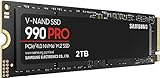
 Samsung SSD 990 PRO 2TB
Sequential speeds up to 7450 MB/s suit heavy workloads
Improved random performance aids faster everyday load times
Compact M.2 2280 form factor fits most modern motherboards
Requires a PCIe 4.0 slot to reach full speed
Capacity tops out lower than some rival 4TB drives
 WD_Black SN7100 2TB NVMe SSD
- This product has been replaced by our latest…
- OCTANE GAMING
- BUILT
 Samsung SSD 9100 PRO 2TB
- BREAKTHROUGH PCIe 5.0 PERFORMANCE: Supercharge your workflow and…
- EVERY TASK, TURBOCHARGED: Speed past productivity limits
- THINK FAST, CREATE FASTER: With random read/write speeds…
| Product | Key specs | |
|---|---|---|
| Samsung SSD 990 PRO 2TB | Check price | |
| WD_Black SN7100 2TB NVMe SSD | This product has been replaced by our latest… OCTANE GAMING BUILT | Check price |
| Samsung SSD 9100 PRO 2TB | BREAKTHROUGH PCIe 5.0 PERFORMANCE: Supercharge your workflow and… EVERY TASK, TURBOCHARGED: Speed past productivity limits THINK FAST, CREATE FASTER: With random read/write speeds… | Check price |
 Silicon Power 2TB NVMe M.2 PCIe Gen3x4 Silicon Power 2TB NVMe M.2 PCIe Gen3x4 | PCIe Gen 3x4 interface with read speeds up… TBW=1200 The warranty terms on all of its SSDs… | Check price |
 Crucial P310 M.2 2280 2TB PCI-Express 4.0 Crucial P310 M.2 2280 2TB PCI-Express 4.0 | M.2 2280 2TB PCI-Express 4.0 x4 NVMe | Check price |
 Samsung SSD 990 EVO Plus 2TB Samsung SSD 990 EVO Plus 2TB | The 990 EVO Plus features the latest NAND… Harness the full power of your drive with… Keep your cool as you work—or play—without worrying… | Check price |
 Acer Predator GM7 2TB SSD: M.2 2280 Acer Predator GM7 2TB SSD: M.2 2280 | PCIe 4.0 Gen4: The high-performance Predator GM7 delivers… HMB+SLC Cache: Predator GM7 supports HMB (Host Memory… Powerful controller and NAND Flash: Equipped with the… | Check price |
 Western Digital 2TB WD Green SN350 NVMe Western Digital 2TB WD Green SN350 NVMe | Fast NVMe performance for daily computing needs SSDs offer shock-resistance against accidental bumps and drops The slim M.2 2280 form factor is ideal… | Check price |
As an Amazon Associate we earn from qualifying purchases at no extra cost to you.
⚡ Save on Your Next PC — Amazon Prime
Prime members get fast free shipping on the systems above, plus early access to Prime Day & Black Friday PC deals. New members get a 30-day free trial.
Watch: M.2 vs SATA SSD: Which to Choose in 2026? — Video Review
Quick Verdict
Go M.2 NVMe (like the Samsung 990 PRO or WD_Black SN7100) if your motherboard has a free M.2 slot and you want the fastest transfers and a clean, cable-free install. Choose a 2.5-inch SATA SSD if you are reviving an older system, filling a laptop drive bay, or just want cheap bulk capacity where raw speed does not change your daily experience.
Key Differences
- Performance: M.2 NVMe drives hit 7,000+ MB/s (and PCIe 5.0 units like the Samsung 9100 PRO push past 14,000 MB/s), while SATA tops out near 550 MB/s regardless of form factor.
- Price: SATA SSDs cost less per terabyte, making them the budget bulk-storage pick; NVMe carries a premium that shrinks every year but is still real.
- Installation: M.2 screws flat onto the board with zero cables; SATA needs both a data cable and a power cable plus a mounting bay.
- Real-world feel: Windows boots and apps launch fast on both, but large file copies, video scratch work, and game asset streaming clearly favor NVMe.
- Compatibility: Nearly every desktop and laptop takes a 2.5-inch SATA drive, while M.2 requires a matching slot and, for NVMe, PCIe support.
- Heat: Fast NVMe drives run hotter and may want a heatsink; SATA drives stay cool and undemanding.
M.2 NVMe SSDs
M.2 NVMe is the default choice for any 2026 gaming build with a slot to spare. Drives such as the Samsung 990 PRO 2TB and the Acer Predator GM7 combine blistering sequential speed with high random performance, which is what actually cuts down asset pop-in and shortens those long open-world load screens.
The install is the cleanest upgrade in PC building: one screw, no cables, done. If you edit video, move huge project files, or want your storage to keep pace with a fast CPU and GPU, NVMe is the tier that never feels like the weak link. The only real caution is thermals on top drives, easily solved by a motherboard heatsink.
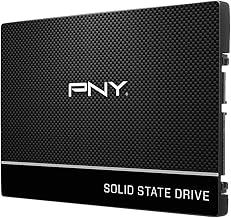
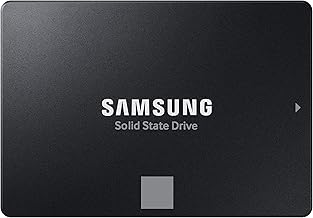
2.5-inch SATA SSDs
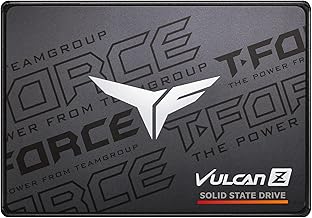
SATA SSDs remain the value champion. A drive like the Samsung 870 EVO or a multi-pack of Gigastone SATA SSDs gives you dependable solid-state responsiveness for a fraction of the cost per gigabyte, which is ideal for a game library that does not all need to load in two seconds.
They also shine as universal upgrades. Any laptop or desktop with a spare SATA port and bay can take one, making them perfect for breathing life into older hardware or adding a big secondary drive. You lose the headline speed, but for booting, browsing, and launching most games the difference is barely noticeable.
Which Should You Buy?
- For a new gaming desktop: pick M.2 NVMe because a free slot and PCIe support make it the fastest, tidiest option available.
- For bulk game and media storage: pick a large 2.5-inch SATA SSD because you get the most capacity per dollar without a meaningful speed penalty.
- For reviving an old PC or laptop: pick SATA because it drops into virtually any bay and instantly replaces a slow hard drive.
- For content creation and fast transfers: pick a high-end NVMe drive like the Samsung 9100 PRO because sustained multi-gigabyte speeds save real time.
- For a mixed setup: run an NVMe boot drive plus a SATA storage drive to get speed where it counts and capacity where it does not.
Frequently Asked Questions
Is M.2 always faster than SATA?
Not automatically. M.2 is a form factor, and some M.2 drives actually use the slower SATA interface. Speed comes from the NVMe protocol over PCIe, so an M.2 NVMe drive is far faster than any SATA drive, M.2 or 2.5-inch.
Will I notice the difference gaming?
For frame rates, no; your GPU decides that. You will notice it in load times, level transitions, and games with heavy asset streaming, where NVMe trims seconds off waits. Everyday launching feels similar on both.
Can I use both in one PC?
Yes, and it is a smart combo. Boot Windows and your main games off an NVMe drive, then park your larger library and backups on a roomy SATA SSD for the best of both worlds.
Do M.2 drives need a heatsink?
Budget NVMe drives usually run fine bare. High-performance PCIe 4.0 and 5.0 models like the Samsung 990 PRO benefit from a heatsink to avoid thermal throttling during long sustained transfers.
Final Verdict
In 2026, build around M.2 NVMe when your system supports it and reach for a 2.5-inch SATA SSD when value, capacity, or broad compatibility matter more than peak speed; the ideal setup often uses both, with a fast NVMe drive for the OS and games and an affordable SATA drive for everything else.