Our Top Picks
 NIMO 15.6" FHD R5 AI Student Laptop8GB RAM | 256GB SSD14.07 x 8.98 x 0.76 Inches3.75 poundsCheck on Amazon
 HP Victus 15.6" Full HD 144Hz Gaming Laptop16GB | 512GB SSD19 x 12 x 3 Inches7 PoundsCheck on Amazon
The best affordable gaming laptop in this set is the Acer Nitro V, because its title names an RTX 4050 Laptop GPU, a 165Hz 1080p panel and a 13th-generation Core i5 for a mid-range price tier. The ASUS ROG Strix G16 is the stronger machine with an RTX 5050 and 16GB of RAM but costs more, and the HP Victus is the older-generation option with 16GB. The other five listings are a different story, and this guide says so plainly.
Search results for cheap gaming laptops mix two very different things: laptops with a dedicated graphics chip, and ordinary laptops whose seller added the word gaming to the title. Prices look similar, the photos look similar, and the difference only shows up when you read the spec line for a GPU name. This article sorts the eight listings by that single question first, then by what each one offers. It is written from published specifications, manufacturer documentation and buyer reviews. Nobody on the team used or measured these units.
Compare at a glance

Gaming laptop Core processor (up to 3.40GHz) 16GB RAM 512GB SSD,traditional laptop computers 15.6 Inch FHD Display 1920*1080,with WIFI BT 5.0 Lap top-For Students/Commuters/Business Professionals
One of the home product options compared in this guide.
View on AmazonNIMO 15.6" FHD R5 AI Student Laptop, 8GB RAM 256GB SSD, Expandable to 4TB, 4 Cores up to 3.7GHz Beat i5-1135G7, 65W Type-C Fast PD, Fingerprint & Backlit KB for Content Creators & College Coding
One of the home product options compared in this guide.
View on AmazonHP Victus 15.6" Full HD 144Hz Gaming Laptop, Intel Core i5-12450H, NVIDIA GeForce RTX 3050,16GB RAM, 512GB PCIe SSD, Wi-Fi 6, Backlit Keyboard,Windows 11 Pro, Performance Blue
One of the home product options compared in this guide.
View on Amazon
KAIGERR Gaming Laptop, Laptop with AMD Ryzen 7430U(Up to 4.3GHz), 16GB DDR4 512GB SSD Laptop Computer, 1920P FHD Display, WiFi 6, USB3.2, Type_C, Webcam Cover Slide
One of the home product options compared in this guide.
View on Amazon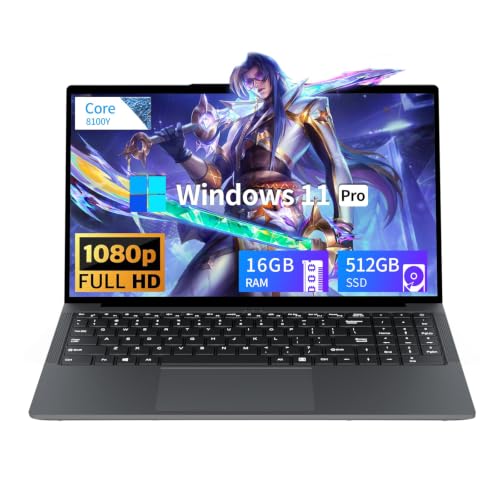
Tunhail 15.6 inch Laptop, Laptops with Core Processor (up to 3.40GHz), Gaming Laptop 16GB RAM 512GB ROM, FHD 1920 x 1080, Win 11 Pro Traditional Laptops Computers
One of the home product options compared in this guide.
View on Amazon
Gaming Laptop, 16 Inch Lap Top Computer 2026 with Ryzen 7 5825U Processor, 16GB DDR4, 1T SSD, Window 11 Pro, Backlit Keyboard, FHD Display 1920*1080P, WiFi 6, HDMI, for Student, Office, Business
One of the home product options compared in this guide.
View on Amazon
Acer Nitro V Gaming Laptop | Intel Core i5-13420H Processor | NVIDIA GeForce RTX 4050 Laptop GPU | 15.6" FHD IPS 165Hz Display | 8GB DDR5 | 512GB Gen 4 SSD | Wi-Fi 6 | Backlit KB | ANV15-52-586Z
One of the home product options compared in this guide.
View on Amazon
ASUS ROG Strix G16 Gaming Laptop, 16” 16:10 FHD+ 165Hz/3ms, NVIDIA GeForce RTX 5050 Laptop GPU, Intel Core i5 Processor 14450HX, 16GB DDR5-5600, 512GB PCIe Gen 4 SSD, Wi-Fi 7, Win11 Home, G615JHR-DS53
One of the home product options compared in this guide.
View on AmazonPrice tier is relative inside this set of eight, not a price. Always check the live listing before deciding.
| Listing | What the title says about graphics and CPU | Price tier | Best for |
|---|---|---|---|
| Acer Nitro V ANV15-52-586Z | Core i5-13420H, RTX 4050 Laptop GPU, 15.6″ 165Hz, 8GB DDR5 | Mid | Best all-round value among real gaming laptops |
| ASUS ROG Strix G16 G615JHR-DS53 | Core i5-14450HX, RTX 5050 Laptop GPU, 16″ 16:10 165Hz, 16GB DDR5-5600 | Premium | Buyers who want the newest GPU class and a larger screen |
| HP Victus 15.6″ 144Hz | Core i5-12450H, RTX 3050, 16GB RAM, 512GB SSD | Mid | 16GB RAM out of the box on an older-generation platform |
| NAIKLULU 16 inch | Ryzen 7 5825U, 16GB DDR4, 1TB SSD, no graphics card named | Budget | Light games, study and office work with plenty of storage |
| KAIGERR Ryzen 7430U | Ryzen 7430U (tier number missing), 16GB DDR4, 512GB SSD | Budget | Everyday use; verify the exact chip first |
| YOZISUAN 15.6″ | Unnamed Core processor up to 3.40GHz, 16GB, 512GB SSD | Budget | Basic computing for students |
| Tunhail 15.6″ | Unnamed Core processor up to 3.40GHz, 16GB, 512GB | Budget | Basic computing; title calls it a traditional laptop |
| NIMO 15.6″ R5 AI | Ryzen 5, 4 cores up to 3.7GHz, 8GB, 256GB SSD | Budget | Students and coding; no gaming claim |
What separates a gaming laptop from a laptop that says gaming
A gaming laptop earns the name from three things: a dedicated GPU with its own video memory, a cooling system built to hold that GPU’s power draw, and a display that can show more than 60 frames per second. Most of the shortlist below is judged against those three. The cheapest listings in the set offer none of them in the title, and a few keep the word gaming only as a search keyword.
This matters more now because laptop GPU naming is easy to misread. An RTX 3050, RTX 4050 and RTX 5050 sound similar, but they are different generations with different memory. Published specifications list the RTX 4050 laptop part with 6GB of GDDR6 and the RTX 5050 laptop part with 8GB of GDDR7. The RTX 3050 laptop family has had 4GB and 6GB versions, which is why you should check the maker’s spec page for the exact figure. Power limits (TGP) vary between laptop models using the same chip name, and sources disagree on the ranges, so a thinner chassis can run the same GPU slower than a thicker one.
Prices in this category move quickly, and listing titles are written by sellers who compete on keywords. That is why this guide leans on what each title states and flags what it leaves out. For GPU class background, the RTX 5050 vs 5060 vs 5070 explainer sets out how the tiers step up.
How these eight were picked
Each listing was read for the facts in its title: processor, graphics, memory, storage, display and any stated warnings. Listings with a named dedicated GPU were placed ahead of listings without one. Seller claims such as beating a specific older Intel chip are treated as marketing until confirmed by the maker. No frame rate or battery figure appears here, and any numbers in worked examples are labeled assumptions.
The eight listings
Acer Nitro V ANV15-52-586Z
This is the clearest value in the set. The title names an Intel Core i5-13420H, an NVIDIA GeForce RTX 4050 Laptop GPU, a 15.6″ FHD IPS display at 165Hz, 8GB DDR5, a 512GB Gen 4 SSD and Wi-Fi 6. Published specifications list the i5-13420H as an 8-core, 12-thread chip, and the RTX 4050 laptop GPU with 6GB of video memory. That combination is a typical 1080p gaming baseline at medium to high settings in many popular titles, though the actual result depends on the power limit Acer set for this chassis.
It suits a first gaming laptop, a student who also games, or anyone who wants a dedicated GPU without paying for the newest generation. Picture a buyer who plays at 1080p on weeknights and wants a screen that keeps up with a competitive shooter; the 165Hz panel is the right match for the GPU class.
The weak point is memory. 8GB of RAM is thin for current games plus background apps, so open the maker’s page and see whether a second slot is available. Question to ask before buying: is the RAM soldered, or can it be upgraded?
- Pros: Named RTX 4050 GPU; 165Hz panel; Gen 4 SSD; DDR5 memory
- Cons: 8GB RAM is the minimum comfortable amount; 512GB fills quickly with modern game installs; battery size is not in the title
ASUS ROG Strix G16 G615JHR-DS53
The most capable listing here and the highest price tier. The title names a 16″ 16:10 FHD+ 165Hz panel with a 3ms response claim, an NVIDIA GeForce RTX 5050 Laptop GPU, an Intel Core i5-14450HX, 16GB DDR5-5600, a 512GB PCIe Gen 4 SSD, Wi-Fi 7 and Windows 11 Home. The RTX 5050 laptop GPU is published as an 8GB GDDR7 part, a step up in video memory from the RTX 4050 class. The core count of the i5-14450HX is not verified here, so check the maker’s spec page for it.
The larger 16:10 screen shows more vertical space than a 16:9 panel, which helps in strategy games and everyday work. It suits someone who wants one machine for gaming and school or office tasks and expects it to stay relevant for a few years.
Weak points: the title shows a corrupted character where the inch mark should be, so treat it as a poorly formatted listing and check the product page. 512GB of storage is also small for the price tier.
- Pros: RTX 5050 with 8GB video memory; 16GB DDR5-5600; Wi-Fi 7; 16:10 FHD+ panel
- Cons: Highest price tier in the set; 512GB storage; power limit and weight are not in the title
HP Victus 15.6″ Full HD 144Hz
The HP Victus title names an Intel Core i5-12450H, an NVIDIA GeForce RTX 3050, 16GB RAM, a 512GB PCIe SSD, Wi-Fi 6, a backlit keyboard and Windows 11 Pro. The i5-12450H is published as an 8-core, 12-thread chip. The RTX 3050 is the oldest GPU class in the set, and the title does not say how much video memory it has, since both 4GB and 6GB versions of the laptop chip have existed. That memory number matters for texture-heavy games, so confirm it with HP before buying.
It suits a buyer who wants 16GB of RAM included and is happy with older-generation hardware at a lower price. A realistic use case is 1080p play of esports and older titles at medium settings while using the machine for school the rest of the time.
Weak points: the platform is older than the Acer and ASUS above, and the title is cluttered with an “8 Cores” claim and an accessory mention, so read the listing for what is actually included.
- Pros: 16GB RAM; 144Hz panel; Windows 11 Pro; known RTX GPU
- Cons: Oldest GPU generation among the three; video memory not stated; the display refresh is lower than the Acer’s
NAIKLULU 16 inch Ryzen 7 5825U
This listing uses “Gaming Laptop” at the front of the title, but it names no graphics card. What it does state is a Ryzen 7 5825U, 16GB DDR4, a 1TB SSD, a 16 inch FHD display, Wi-Fi 6 and HDMI, with the closing keywords “for Student, Office, Business”. Published specifications describe the 5825U as an 8-core, 16-thread chip with a 15W TDP, a design aimed at efficiency rather than sustained gaming power. Graphics come from the processor itself.
It suits a buyer who mostly wants a large-screen laptop with generous storage and plans to play lighter games at low settings. As an everyday laptop it makes sense; as a gaming laptop the title supports only casual play.
Weak points: no GPU named, the title includes “Window 11 Pro” with a typo, and the “2026” in the title is a seller marketing note rather than a specification.
Question to ask before buying: what graphics does the maker say the processor includes, and does a recent game you care about list it among supported or minimum hardware? Also read the return terms, because a gaming label on a laptop without a GPU is a common reason for returns. If your plan is mainly office work with the occasional older game, the large SSD may be the most useful part of this listing.
- Pros: 1TB SSD; 16GB RAM; efficient 8-core CPU
- Cons: No dedicated graphics; gaming label is not backed by the spec line; typos in the title
KAIGERR Gaming Laptop Ryzen 7430U
The title reads “Gaming Laptop, Laptop with AMD Ryzen 7430U (Up to 4.3GHz), 16GB DDR4 512GB SSD”, with a “1920P FHD Display”, Wi-Fi 6, USB 3.2, Type-C and a webcam cover slide. There is no tier number in front of 7430U, so the exact chip is unclear; the closest published part is the Ryzen 5 7430U, a 6-core, 12-thread, 15W processor with integrated graphics. Check the listing for the full name before you rely on it.
It suits office, study and streaming use, with casual games as a bonus. The title’s “1920P” is a typo for 1920×1080 and tells you the copy was not carefully checked, which is worth considering when you think about warranty support.
Weak points: no dedicated GPU, a missing model tier and no display refresh rate in the title.
Question to ask before buying: which exact Ryzen model is inside, and does the seller list a refresh rate for the panel? If the answer is a plain 60Hz screen, the “gaming” in the name describes marketing, not hardware. Shoppers who want a Type-C laptop with a webcam cover for classes can still find value here, as long as expectations stay at office level and casual play.
- Pros: 16GB RAM; Type-C port; low price tier
- Cons: Integrated graphics only; unclear CPU name; sparse display detail
YOZISUAN 15.6″ Core processor laptop
The title leads with “Gaming laptop” and then describes a “Core processor (up to 3.40GHz)”, 16GB RAM, a 512GB SSD, a 15.6 inch 1920×1080 display and Wi-Fi with Bluetooth 5.0, for “Students/Commuters/Business Professionals” and described as a “traditional laptop”. That last phrase contradicts the gaming claim.
No processor model is given, so performance cannot be judged from the title. A clock speed alone says little, since Intel chips of different generations share similar numbers. It suits a student who needs a plain laptop for documents and video calls and will not run demanding games.
Weak points: no CPU name, no GPU, no display refresh rate, and conflicting positioning in the title.
Question to ask before buying: which Core model and which generation? Without that answer, two listings with the same 3.40GHz figure could sit several years apart in age. Compare the return window and warranty terms against better-documented laptops. If the price tier is the main attraction, remember that a documented used or refurbished laptop from an established brand may give you clearer specs for similar money.
- Pros: 16GB RAM; 512GB SSD; low price tier
- Cons: Unnamed processor; not a gaming configuration; contradictory title
Tunhail 15.6 inch Core processor laptop
Near-duplicate territory: the Tunhail title also says “Core Processor (up to 3.40GHz)”, “Gaming Laptop 16GB RAM 512GB ROM”, FHD 1920 x 1080 and Win 11 Pro, then ends with “Traditional Laptops Computers”. Like the YOZISUAN, it gives no processor model and no graphics card. The listing is a general-purpose laptop and the gaming label has no spec to back it.
It suits the same buyer: someone who needs a 15.6 inch laptop for classes or office tasks. The difference from the YOZISUAN is the stated Windows 11 Pro. Compare return policies and warranty terms rather than specs, since the specs look the same on paper.
Question to ask the seller: which exact processor is inside, and is the storage a standard M.2 drive?
Because the YOZISUAN and Tunhail titles are close to interchangeable, pick between them on seller policy, not on the spec line: return window, who handles warranty claims, and whether the seller answers questions about the processor model. Neither title mentions a refresh rate, a graphics card or a battery capacity, so those are all items to confirm.
- Pros: Windows 11 Pro; 16GB RAM; low price tier
- Cons: Unnamed CPU; no GPU; gaming label not supported by the title
NIMO 15.6″ FHD R5 AI Student Laptop
This one does not claim to be a gaming laptop at all. The title describes a 15.6″ FHD Ryzen 5 student laptop with 8GB RAM, a 256GB SSD that can expand to 4TB, 4 cores up to 3.7GHz, 65W Type-C fast charging, a fingerprint reader and a backlit keyboard, plus a claim that it will “Beat i5-1135G7”. That comparison is a seller claim and should be confirmed from the maker’s documentation. It is included here only because it appears in the affordable gaming laptop results and readers should know what it is.
It suits study, coding and light content work. As a gaming option it is the weakest in the set, since the title mentions no GPU and only 8GB of RAM.
Question to ask before buying: does the maker’s page confirm the storage expansion claim, which slot is used, and what the integrated graphics are? The 65W Type-C charging is a practical plus for students who want to carry a single charger. Treat the fingerprint reader and backlit keyboard as convenience features, not gaming features.
- Pros: Expandable storage; 65W Type-C charging; low price tier
- Cons: Off-type for gaming; 8GB RAM and 256GB SSD; “4 cores” is modest
How to choose an affordable gaming laptop
Start with the GPU name, then the memory
Treat the GPU as the first filter. If the title has no GeForce RTX, GTX or Radeon RX name, the laptop relies on integrated graphics. Among laptop GPUs, the RTX 3050, 4050 and 5050 share an entry-level role, but they are different generations: the 4050 and 5050 are both listed with 2,560 CUDA cores in published specs, the 5050 adding more video memory and newer memory type. Video memory limits the texture quality you can use without stutter.
Match RAM, storage and screen to your games
16GB of RAM is the comfortable target. 512GB of storage is workable but small, because many modern games install at sizes that make two or three titles fill it. A 1080p panel at 144Hz or above is a useful pairing with an entry-level GPU, but the panel is the last decision, not the first.
Check cooling and power before screen size
Entry-level laptops run hot under sustained load, and thinner chassis may limit power to the GPU. The title will not tell you the power limit. The maker’s spec page sometimes lists it, and buyer reviews often mention fan noise and temperatures. A cooling pad can help in some cases; the quiet cooling pad guide covers the trade-offs.
Spec concepts at a glance
| Spec concept | What to look for | Why it matters |
|---|---|---|
| GPU name | A named RTX or Radeon RX card | Integrated graphics are a large step down for 3D games |
| Video memory | 6GB or more; confirm on the maker’s page | Limits texture settings and newer game compatibility |
| System RAM | 16GB, or 8GB with a free slot | Games plus background apps use more than they once did |
| Storage | 512GB minimum, extra M.2 slot a bonus | Large installs fill small drives quickly |
| Display | 1080p, 144Hz or higher, IPS | Smooth motion only helps if the GPU can supply frames |
| Power limit (TGP) | Listed on the maker’s page where available | The same GPU name can perform differently by chassis |
| Return window | At least 30 days | Lets you verify the real spec on arrival |
Which listing for which user
| If you are | Look at | Reason |
|---|---|---|
| A first-time buyer who wants real 1080p gaming | Acer Nitro V | Named RTX 4050 and 165Hz panel at a mid tier |
| Wanting the newest GPU class and a bigger screen | ASUS ROG Strix G16 | RTX 5050, 16GB DDR5, 16:10 panel |
| Looking for 16GB RAM on a tighter plan | HP Victus | RTX 3050 with 16GB included |
| Mainly studying with some casual play | NAIKLULU | 1TB storage and 16GB RAM, low settings gaming only |
| Comparing near-identical generic listings | Compare return terms for KAIGERR, YOZISUAN, Tunhail | Specs are too vague to separate them |
Worked example: what a 16GB upgrade really costs
These numbers are assumptions chosen to show the method, not prices. Suppose Laptop A is the 8GB model and Laptop B is a 16GB model of the same GPU class. Assume the price gap between them is G, and a matched 8GB DDR5 stick costs S. The cheaper path is to buy Laptop A and add the stick only when S is lower than G and the manual confirms an open slot.
| Step | Assumption | Result |
|---|---|---|
| 1. Identify base | Laptop A: 8GB, one slot free per the maker’s manual | Upgrade possible |
| 2. Compare costs | G larger than S by a clear margin | Buy A and upgrade |
| 3. Check warranty | Maker allows user RAM upgrade | Safe to proceed |
| 4. Soldered RAM? | Manual says memory is soldered | Buy B instead |
Run the same logic on storage: a spare M.2 slot turns a 512GB drive into a cheap fix, while a single slot means replacing the drive.
Mistakes buyers make
| Mistake | Fix |
|---|---|
| Trusting the word gaming in the title | Look for a named GPU in the spec line |
| Buying by clock speed alone | Find the exact CPU model and generation |
| Ignoring video memory | Confirm VRAM on the maker’s spec page |
| Skipping the return policy | Pick sellers with a clear return window and check the unit on arrival |
| Forgetting extras | Budget for a bag or stand; see gaming laptop backpacks |
One more: assuming a laptop will replace a desktop. If you only game at a desk, read the laptop vs desktop comparison before committing.
Verdict by use case
For most buyers, the Acer Nitro V is the sensible pick: a named RTX 4050, a 165Hz panel and a mid price tier. Spend more on the ASUS ROG Strix G16 if you want the newest GPU class, 16GB of DDR5 and a 16:10 screen; if you are stretching toward a higher GPU tier, the RTX 5060 laptop list is the next step up. The HP Victus fits when 16GB RAM matters most. The five generic listings are laptops for study or office use, and the gaming label does not describe the hardware their titles list.
Frequently asked questions
What makes a gaming laptop affordable without being a bad buy?
Affordable should still mean a dedicated GPU. A laptop with an RTX 3050, 4050 or 5050-class chip, 16GB of RAM that can be expanded, and a 144Hz or faster 1080p panel gives you a real gaming baseline. Listings that say gaming in the title but name only an unnamed Core processor or a U-series Ryzen chip with no graphics card are office laptops with a label. Read the title for a GPU name before anything else, then confirm the exact GPU memory and power limit on the maker’s spec page.
Is 8GB of RAM enough on a budget gaming laptop?
It will start games, but it leaves little room for Windows, a browser, Discord and a launcher running together. Many current titles are happier with 16GB. The Acer Nitro V listing here shows 8GB DDR5, so check whether a second slot is free and budget for an upgrade. A common approach is to buy the 8GB model only if the price gap to a 16GB model is larger than the cost of a matched DDR5 stick, and the maker’s manual confirms the slot layout.
Can the laptops with integrated graphics play modern games?
Some older, lighter and esports-style games run acceptably at low settings and modest resolution on strong integrated graphics, but it is a different experience from a laptop with an RTX chip. Several listings here use gaming in the title while naming only a CPU. Treat them as general-purpose laptops that may handle casual play. If you want recent 3D titles at 1080p with comfortable settings, a dedicated GPU is the safer starting point, and the three RTX models in this set are the ones that qualify.
Does a higher refresh rate matter on a budget gaming laptop?
It matters only if the GPU can feed it. A 144Hz or 165Hz panel is a real benefit in fast shooters and racing games where frame rates run high, but a 60Hz panel is perfectly usable for slower games. The panel is a secondary choice after the GPU, RAM and cooling. If two laptops are close in price, take the better GPU on a plain 1080p panel over a weaker GPU with a faster screen, because the extra Hz only shows when frames are available.
Should I buy a listing that does not name its CPU or GPU?
Be cautious. A title that says Core processor up to 3.40GHz without a model number leaves out the one fact that decides performance, because generations of Intel chips with similar clocks differ a lot. Ask the seller for the exact processor and graphics names, compare them with the maker’s spec page, and check the return window before purchase. If the seller will not name the chip, a well-documented model from an established laptop maker is a better risk for the same money.