Our Top Picks
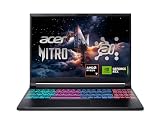
 acer Nitro V 15.6” FHD IPS 165Hz Gamingi5|RTX 5050|512GB PCIe SSD14.27 x 0.93 x 9.44 inches4.66 poundsCheck on Amazon
Pros & cons
- RTX 5050 with 8GB GDDR7 suits current-gen gaming
- Thunderbolt 4 over USB-C adds fast external connectivity
- 165Hz IPS display aids smooth, responsive gameplay
- 16GB RAM may limit headroom for heavy multitasking
- Entry RTX 5050 trails higher-tier 50-series GPUs
Pros & cons
- Cryo-Chamber cooling targets core components directly
- WQXGA 120Hz display at 300 nits suits varied lighting
- 1-year onsite service adds convenient at-home support
- RTX 5050 sits at the lower end of the 50-series
- Weighs close to 5.5 pounds for a 16-inch laptop
Currency Check
As of October 2026, these points are verified from NVIDIA’s laptop comparison page and press coverage: the RTX 5050, 5060 and 5070 laptop GPUs are shipping, and NVIDIA added a 12GB version of the RTX 5070 laptop GPU in late April 2026 alongside the existing 8GB version, with first systems expected around June. Rumors of an RTX 50 Super laptop refresh have been reported by outlets, but Tom’s Hardware notes they have not materialized, so treat any Super lineup as unconfirmed and not available. Laptop makers’ configurations change often, so confirm the exact GPU memory and power limit on the model you are considering.
The RTX 5060 sits one clear step above the RTX 5050, and the RTX 5070 is the biggest jump of the three on paper, but the laptop around the chip often matters as much as the name. All three share the same 128-bit memory bus, and the 5050 and 5060 are both 8GB cards, so the real separation is shader count and, above all, how much power the laptop gives the GPU. This guide explains the three tiers, what the power-limit rating means, and how to match a tier to a screen and budget without relying on invented frame-rate claims.
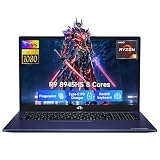
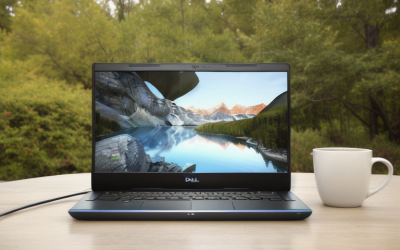
acer Nitro V 15.6” FHD IPS 165Hz Gaming Laptop, Intel Core i5-13420H, NVIDIA GeForce RTX 5050 with 8GB GDDR7 VRAM, Win11H, w/Mouse pad (16GB RAM, 512GB PCIe SSD)
Chosen because it specifies Intel Core i5-13420H and NVIDIA GeForce RTX 5050 with 8GB GDDR7 VRAM.
View on Amazon
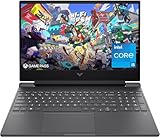
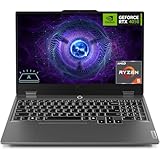
Alienware 16 Aurora Gaming Laptop, RTX 5050, Intel Core 7 240H
Chosen because it specifies RTX 5050 and Intel Core 7 240H.
View on Amazon
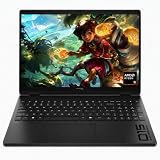
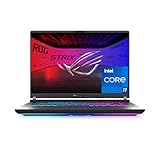
ASUS ROG Strix G16 Gaming Laptop, 16” 16:10 FHD+ 165Hz/3ms, NVIDIA GeForce RTX 5050 Laptop GPU, Intel Core i5 Processor 14450HX, 16GB DDR5-5600, 512GB PCIe Gen 4 SSD, Wi-Fi 7, Win11 Home, G615JHR-DS53
Chosen because it specifies 16” 16:10 FHD+ 165Hz/3ms and NVIDIA GeForce RTX 5050 Laptop GPU.
View on AmazonQuick Verdict
| Your situation | Our verdict |
|---|---|
| You play esports and older titles at 1080p on a 144Hz to 165Hz screen | An RTX 5050 laptop is a workable entry point, especially if the cooling is strong and the power limit is high. |
| You want modern games at 1080p with higher settings and some headroom | The RTX 5060 tier is the safer middle ground, with about 30 percent more shader cores than the 5050 on paper. |
| You plan to use a 1440p panel or an external monitor | Look at the RTX 5070 tier, and prefer a 12GB configuration if the laptop offers one. |
| You are comparing two laptops that list the same GPU name | Check the rated graphics power, cooling design and RAM before price. The same name can ship with very different power limits. |
| You can wait for a possible refresh | Nothing is confirmed for an RTX 50 Super laptop lineup, so waiting is a gamble rather than a plan. |
The Key Differences
The three GPUs are all Blackwell-generation laptop parts. NVIDIA lists them on its laptop comparison page with different CUDA core counts and power ranges, while the memory interface is the same 128-bit across the group. Numbers below come from NVIDIA’s comparison page, cross-checked with press coverage from Notebookcheck, VideoCardz and TweakTown.
Core counts and memory
| Spec | RTX 5050 laptop | RTX 5060 laptop | RTX 5070 laptop |
|---|---|---|---|
| CUDA cores | 2,560 | 3,328 | 4,608 |
| VRAM | 8GB GDDR7 | 8GB GDDR7 | 8GB GDDR7, or 12GB GDDR7 on newer variants |
| Memory interface | 128-bit | 128-bit | 128-bit |
| Graphics power range (NVIDIA) | 35 to 100 W | 45 to 100 W | 50 to 100 W |
| AI TOPS (NVIDIA) | 440 | 572 | 798 |
On paper, the RTX 5060 has about 30 percent more CUDA cores than the 5050, and the RTX 5070 has roughly 38 percent more than the 5060. Core count is only one input, since clocks and power limits change how much of that advantage shows up in a given laptop. The 5050’s jump over the previous-generation RTX 4050 laptop part includes a wider memory bus and faster GDDR7, per Notebookcheck’s launch coverage.
The power limit is part of the spec
NVIDIA publishes a range of graphics power for each GPU, and the laptop maker picks where in that range its design sits. Press coverage notes that the 5050 and 5060 can reach 115 watts when Dynamic Boost adds 15 watts to a 100 watt base. A thin laptop running a GPU near the bottom of its range will generally perform below a thicker laptop with the same GPU name. Two laptops with the same chip can therefore perform very differently, and a well-cooled RTX 5050 laptop can come close to a poorly cooled RTX 5060 one in some workloads. The spec sheet or manufacturer page usually lists the maximum graphics power as a number of watts; if it does not, treat that as a reason to ask or choose a different model.
8GB, 12GB and what VRAM means
VRAM holds textures and frame data, and running out of it forces the game to spill into system memory, which can cause stutter. The RTX 5050, 5060 and the original 5070 all carry 8GB. In April 2026 NVIDIA added a 12GB RTX 5070 laptop variant that keeps the same GB206 chip and 4,608 cores but uses 3GB memory modules instead of 2GB ones, according to Tom’s Hardware, Notebookcheck and VideoCardz. Press coverage says NVIDIA framed it as a supply measure, and that the 8GB version remains in production. That means the 5070 label alone no longer tells you how much memory you are buying. Confirm it on the listing, because a 12GB 5070 and an 8GB 5070 are not the same laptop. As a rule of thumb, 8GB is workable at 1080p with sensible texture settings but is the first thing to limit you at higher resolutions.
What this means for screen and settings
Without invented frame-rate claims, the pairing logic is simple. A 1080p panel at 144Hz to 165Hz fits any of the three, with the 5050 relying more on lowered settings and upscaling in demanding titles. A 1440p panel raises the load per frame, so the extra shader count of the 5070 matters more. All Blackwell laptop GPUs support NVIDIA’s DLSS upscaling and frame generation features, and listings such as the ASUS one cited below mention DLSS 4. Frame generation raises the displayed frame rate but does not reduce input latency the way a faster GPU does, so it is a complement to the tier choice, not a replacement.
How to Decide
Work through this list in order. It turns the tier names into decisions you can check on a spec sheet.
- Match the screen first. A 1080p, 165Hz panel is a natural pair for the 5050 or 5060. A 1440p panel, or plans to drive a 1440p external monitor, pushes you toward the 5070 tier.
- Read the graphics power number. Look for the maximum graphics power in watts on the manufacturer’s page. As a rule of thumb, prefer the higher end of NVIDIA’s published 100 watt ceiling when comparing two laptops with the same GPU.
- Check the RAM. Treat 16GB as the practical minimum for a gaming laptop in 2026, and note whether it is DDR4 or DDR5, since listings differ. One of the examples below uses DDR4 and another uses DDR5-5600.
- Check storage. A 512GB drive fills quickly with modern game installs, which commonly run to tens of gigabytes each. Look for a second M.2 slot or plan on an external drive.
- Look at the CPU generation. An older processor paired with a new GPU can limit performance in CPU-heavy games, and it affects battery life. Compare the processor model, not only the GPU name.
- Weigh thermals against weight. A heavier chassis usually means a higher power limit. If you carry the laptop daily, decide which matters more before you shop.
- Confirm the VRAM on 5070 models. If you want the 12GB version, check the exact configuration line in the listing.
A worked example: you play competitive shooters at 1080p on a 165Hz panel and want a laptop that will last a few years. Pick a 16GB DDR5 machine with a high graphics power rating, and consider the 5060 tier for headroom. If your library skews toward newer, heavier titles or you plan to move to a 1440p screen, move up to the 5070 tier and prioritize 12GB of VRAM.
Products That Fit
The three laptops below are examples that fit the entry-tier situation described above, not a ranking. All three list an RTX 5050, so none of them is a 5060 or 5070 example; they show how the same GPU name appears in different chassis and configurations.
Acer Nitro V 15.6-inch – suits a budget-minded 1080p player
As an Amazon Associate we earn from qualifying purchases at no extra cost to you.

This listing pairs an RTX 5050 with a 15.6-inch Full HD IPS panel at 165Hz, which matches the 1080p high-refresh situation. It is the most direct fit for a player who wants an entry GPU and a fast screen without pursuing the newest platform. The processor is an Intel Core i5-13420H, a 2023-generation part, so it is an example of pairing a newer GPU with an older CPU.
- NVIDIA GeForce RTX 5050 Laptop GPU with 8GB GDDR7
- Intel Core i5-13420H, up to 4.6GHz, 8 cores and 12 threads
- 16GB DDR4 memory and 512GB PCIe Gen 4 SSD
- 15.6-inch 1920 x 1080 IPS display at 165Hz, with a Thunderbolt 4 USB-C port
Caveat: DDR4 memory and a 512GB drive mean the first upgrades you might want are storage and, depending on slots, memory. Confirm the maximum graphics power on the manufacturer page, since the listing does not state it.
Alienware 16 Aurora – suits a larger-screen player who values a 16-inch panel

This model puts an RTX 5050 in a 16-inch chassis with an Intel Core 7 240H, which suits someone who wants more screen area and a taller resolution. Dell and retailer pages for the Aurora describe a 16-inch 2560 x 1600 panel at 120Hz on common configurations, though listings vary, so check the exact SKU. It is a fair fit for the 1440p-adjacent user who still wants a mainstream GPU tier.
- NVIDIA GeForce RTX 5050 with 8GB GDDR7, per the product name and retailer pages
- Intel Core 7 240H processor
- Display, RAM and storage vary by configuration; confirm on listing
- Wi-Fi and battery details differ between retailer listings; confirm on listing
Caveat: a 2560 x 1600 panel asks more of an RTX 5050 than a 1080p one does, so you may rely on upscaling or lower settings in demanding games. If you want that panel with more GPU headroom, compare the same chassis with a higher GPU tier.
ASUS ROG Strix G16 – suits a player who values cooling and a fast 16:10 screen

This listing is the best example here of a design that leans on cooling and platform features. It combines an RTX 5050 with an Intel Core i5-14450HX, DDR5 memory and a 16:10 panel at 165Hz, and the listing describes a vapor chamber, tri-fan cooling and liquid metal on the chipset. It suits someone who wants a stronger CPU-and-cooling package at the entry GPU tier.
- NVIDIA GeForce RTX 5050 Laptop GPU, with DLSS 4 and Max-Q mentioned in the listing
- Intel Core i5-14450HX, 16GB DDR5-5600 and 512GB PCIe Gen 4 SSD
- 16-inch 16:10 FHD+ display at 165Hz with 3ms response, and Wi-Fi 7
- Listed weight 5.84 pounds
Caveat: the listing does not state the graphics power rating, and the chassis is heavier than the 15.6-inch example above. A bigger cooler is only helpful if the laptop actually uses it for a higher power limit, so confirm on the manufacturer page.
Common Mistakes
- Comparing only GPU names. The same RTX 5060 can be configured at very different power levels across laptops.
- Assuming every RTX 5070 laptop has more memory. Some models carry 8GB and some carry 12GB.
- Pairing a high GPU tier with 8GB of system RAM or a single slow drive, which bottlenecks the rest of the system.
- Treating frame generation as extra GPU power. It raises the displayed frame rate but does not cut input latency like a faster GPU would.
- Buying for a rumored refresh. Unreleased laptop GPUs cannot be bought, and rumors change.
- Ignoring the screen. A 60Hz or low-brightness panel wastes a capable GPU.
Buy Now or Wait?
- Buy now if your current laptop no longer runs the games you play and a listed RTX 50 configuration meets your screen and RAM needs.
- Wait if you specifically need 12GB of VRAM and cannot find a 5070 model that lists it.
- Do not wait only for a rumored RTX 50 Super laptop refresh; nothing is confirmed.
- Re-check specs before buying, because configurations on the same model name change between restocks.
Questions
Is the RTX 5050 laptop GPU good enough for 1080p gaming?
It is built for that case, with 2,560 CUDA cores and 8GB of GDDR7 per NVIDIA’s specifications. Expect to adjust settings in the most demanding new games and to lean on upscaling. A strong cooling design helps more than the name does.
How much faster is an RTX 5060 laptop than an RTX 5050 laptop?
On paper the 5060 has about 30 percent more CUDA cores. Real differences depend on each laptop’s power limit and cooling, so a specific pair of laptops can land closer together or further apart than the core counts suggest.
Does the RTX 5070 laptop always have more VRAM?
No. NVIDIA lists 8GB and 12GB configurations for the RTX 5070 laptop GPU, and the 8GB model remains in production. Check the memory line in the exact laptop listing.
What does the wattage rating mean?
It is the graphics power limit the laptop maker sets for the GPU, within the range NVIDIA publishes. Higher limits generally allow higher sustained performance, provided the cooling can handle the heat.
Is 8GB of VRAM enough?
For 1080p with sensible texture settings it is workable. It becomes the first constraint at higher resolutions and in the most texture-heavy titles, which is the case for choosing a 12GB configuration if one is available.
Does DLSS make the lower tiers equal to the higher ones?
No. Upscaling and frame generation help every tier, but they do not erase the difference in shader count or power. They are best treated as extra headroom on top of the tier you choose.
Update History
- October 14, 2026 – Initial publication.
- Check the product page for current specifications and availability before buying.
Sources and Methodology
Specifications come from NVIDIA’s published laptop GPU comparison page and are cross-checked against press coverage of the launches. Product details are taken from retailer listing fields, and gaps are flagged. No laptop was physically evaluated for this guide.
- NVIDIA GeForce laptop GPU comparison page
- Notebookcheck coverage of the RTX 5050 laptop GPU and the 12GB RTX 5070 variant
- VideoCardz and TweakTown launch coverage
- Tom’s Hardware coverage of the 12GB RTX 5070 laptop GPU
- Retailer and manufacturer listing fields for the three example laptops