Our Top Picks
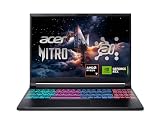
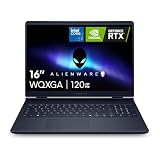
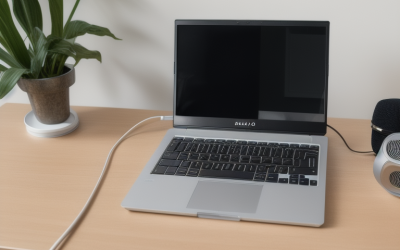
 HP Victus 15.6" Full HD 144Hz Gaming Laptop16GB | 512GB SSD19 x 12 x 3 inches7 poundsCheck on Amazon
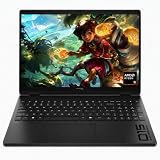
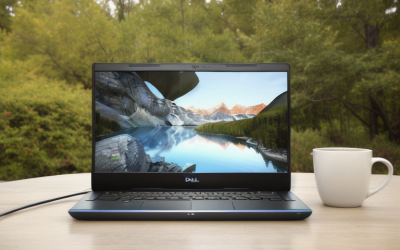
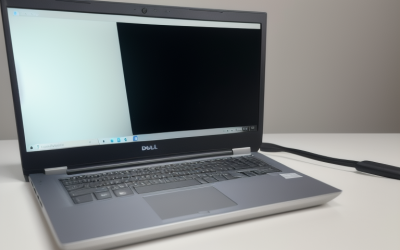
 HP Victus Gaming 15 Laptop: 15.6" FHD 144Hz8GB-512GB14.09 x 10.04 x 0.93 inches5.06 PoundsCheck on Amazon
Pros & cons
- 144Hz FHD display suits smooth casual and light gaming
- 512GB NVMe SSD enables fast file transfers
- Backlit full-size keyboard with numpad aids typing in low light
- 8GB DDR4 RAM is modest for heavier multitasking
- RTX 3050 handles light gaming rather than demanding titles
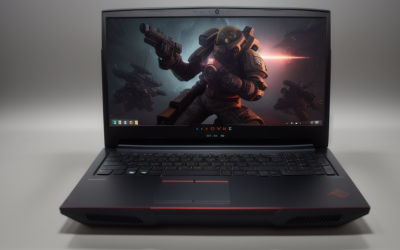
 HP Victus 15.6" 144Hz FHD Gaming Laptop Core16GB RAM | 1TB SSD14.09 x 10.04 x 0.93 inches5.99 PoundsCheck on Amazon
The Lenovo LOQ with the Core i7-13650HX and GeForce RTX 5050 is the best all-round 144Hz gaming laptop in this group: a 15.6-inch FHD IPS 144Hz panel, 16GB of memory, a 1TB drive and G-Sync support in one chassis. A 144Hz laptop refreshes its screen 144 times per second, which only pays off when the GPU can feed it frames at a similar rate. Budget shoppers will find the HP Victus models easier to live with, while players who want the biggest screen and the most raw power should look at the 18-inch ASUS ROG Strix G18.
Quick List
- HP Victus 15 (i5-12450H, RTX 3050, 16GB) – best for entry-level 144Hz esports and older titles
- HP Victus Gaming 15 (i5-13420H, RTX 3050, 8GB) – best for a starter 144Hz laptop you plan to upgrade
- HP Victus 15 (i5-13420H, RTX 4050) – best for a balanced 1080p 144Hz setup
- Lenovo LOQ (Ryzen 5 7235HS, RTX 4050) – best for AMD-based, power-sipping everyday gaming
- Lenovo LOQ (Core i7-13650HX, RTX 5050) – best overall for 144Hz gaming and heavy multitasking
- ASUS ROG Strix G18 (Core i9-14900HX, RTX 5070) – best for a big-screen, high-power 144Hz desktop replacement
Which One Is Right for You?
| If you… | Choose |
|---|---|
| want the strongest overall mix of GPU, CPU, memory and storage in a 15.6-inch body | Lenovo LOQ with Core i7-13650HX and RTX 5050 |
| want maximum power and a large 18-inch 16:10 screen and do not mind the weight | ASUS ROG Strix G18 with RTX 5070 |
| play competitive shooters and MOBAs at 1080p and want the cheapest sensible entry | HP Victus 15 with Core i5-12450H and RTX 3050 |
| care about GPU generation but want an HP chassis | HP Victus 15 with Core i5-13420H and RTX 4050 |
| prefer an AMD processor and a Lenovo build with an RTX 4050 | Lenovo LOQ with Ryzen 5 7235HS |
| will upgrade memory yourself and just need a 144Hz screen with a modern 8-core CPU | HP Victus Gaming 15 with 8GB DDR4 |
Start with the GPU, because it decides how many frames the 144Hz panel can actually show. The RTX 3050 models suit esports and older games, the RTX 4050 steps up to comfortable 1080p play in most current titles, and the RTX 5050 and RTX 5070 bring newer architecture and faster GDDR7 memory. Memory and storage can be upgraded later on most of these laptops, but the GPU never can.
HP Victus 15.6" Full HD 144Hz Gaming Laptop, Intel Core i5-12450H, NVIDIA GeForce RTX 3050,16GB RAM, 512GB PCIe SSD, Wi-Fi 6, Backlit Keyboard,Windows 11 Pro, Performance Blue
Included for 'Best 144hz Gaming Laptops in 2026: 6 Picks by Specs' because the listing specifies Intel Core i5-12450H and NVIDIA GeForce RTX 3050, details this guide uses to compare options.
View on AmazonHP Victus Gaming 15 Laptop: 15.6" FHD 144Hz Display • Intel 8-Core i5-13420H • NVIDIA GeForce RTX 3050 • 8 GB DDR4 SDRAM • 512 GB NVMe SSD • Win11 Home • Wi-Fi 6 • Backlit Keyboard
Included for 'Best 144hz Gaming Laptops in 2026: 6 Picks by Specs' as a relevant option in this category; details come from the product listing.
View on AmazonHP Victus 15.6" 144Hz FHD Gaming Laptop Core i5-13420H,GeForce RTX 4050
Included for 'Best 144hz Gaming Laptops in 2026: 6 Picks by Specs' because the listing specifies GeForce RTX 4050, details this guide uses to compare options.
View on Amazon
Lenovo LOQ Gaming Laptop, GeForce RTX 4050, AMD Ryzen 5 7235HS Processor
Included for 'Best 144hz Gaming Laptops in 2026: 6 Picks by Specs' because the listing specifies GeForce RTX 4050 and AMD Ryzen 5 7235HS Processor, details this guide uses to compare options.
View on Amazon
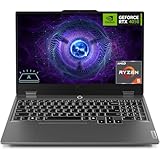
Lenovo LOQ AI-Powered Gaming Laptop - Intel Core i7-13650HX, 15.6" FHD IPS 144Hz Display, GeForce RTX 5050, 16GB Memory, 1TB Storage, G-Sync, Luna Grey
Included for 'Best 144hz Gaming Laptops in 2026: 6 Picks by Specs' because the listing specifies Intel Core i7-13650HX and 15.6" FHD IPS 144Hz Display, details this guide uses to compare options.
View on Amazon
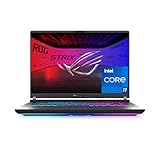
ASUS ROG Strix G18 (2025) Gaming Laptop, 18” FHD+ 16:10 144Hz/3ms Display NVIDIA® GeForce RTX™ 5070, Intel® Core™ i9 Processor 14900HX, 32B DDR5-5600, 1TB PCIe Gen 4 SSD, Wi-Fi 7
Included for 'Best 144hz Gaming Laptops in 2026: 6 Picks by Specs' because the listing specifies 18” FHD+ 16:10 144Hz/3ms Display NVIDIA® GeForce RTX™ 5070 and Intel® Core™ i9 Processor 14900HX, details this guide uses to compare options.
View on AmazonAll 6 Picks in Detail
1. HP Victus 15 (Core i5-12450H, RTX 3050, 16GB) – Best for Entry-Level 144Hz Esports
As an Amazon Associate we earn from qualifying purchases at no extra cost to you.

This is the most affordable way into the 144Hz club on this list, and it suits players whose library leans toward esports titles, older single-player games and anything that runs happily at 1080p on medium to high settings. The listing names a 15.6-inch Full HD 144Hz screen, an Intel Core i5-12450H, an NVIDIA GeForce RTX 3050, 16GB of RAM, a 512GB PCIe SSD, Wi-Fi 6 and a backlit keyboard.
- Display: 15.6-inch Full HD (1920×1080), 144Hz
- CPU: Intel Core i5-12450H, 8 cores (4 performance plus 4 efficiency) and 12 threads
- GPU: NVIDIA GeForce RTX 3050 laptop GPU (VRAM and power limit: confirm on listing)
- Memory: 16GB RAM
- Storage: 512GB PCIe SSD
- Connectivity: Wi-Fi 6, backlit keyboard
Pros
- 16GB of memory is already installed, so no upgrade is needed on day one
- 144Hz panel makes fast shooters and racing games feel noticeably smoother than 60Hz
- Comfortable 15.6-inch size that fits in a normal backpack
Cons
- The RTX 3050 is the oldest GPU generation here and lacks the frame generation of newer cards
- 512GB fills quickly with modern game installs
Compared with the HP Victus Gaming 15 that follows, this one trades a newer CPU for twice the stated memory, which is usually the better deal for gaming.
2. HP Victus Gaming 15 (Core i5-13420H, RTX 3050, 8GB) – Best for a Starter Laptop You Plan to Upgrade

The Victus Gaming 15 in this listing pairs a newer eight-core processor with the same RTX 3050 class graphics, but only 8GB of DDR4. That is the weak point: many current games want 16GB, and 8GB leaves little room for the operating system, browser and launcher running alongside a game. It makes sense only if you are comfortable adding a second module or replacing memory yourself.
- Display: 15.6-inch FHD, 144Hz
- CPU: Intel 8-core Core i5-13420H (4 performance plus 4 efficiency cores, 12 threads)
- GPU: NVIDIA GeForce RTX 3050 laptop GPU (VRAM: confirm on listing)
- Memory: 8GB DDR4 SDRAM
- Storage: 512GB NVMe SSD
- Upgrade path: memory slots and drive bay details, confirm on listing
Pros
- 13th-generation CPU is a modest step up in efficiency and clock speed
- NVMe storage keeps load times short
- Same 144Hz panel class as the other Victus models
Cons
- 8GB of RAM is the bottleneck for modern games and multitasking
- Still the older RTX 3050 generation, so no step up in GPU capability
If you want a Victus without upgrading anything, the 16GB RTX 3050 model above is the more practical choice.
3. HP Victus 15 (Core i5-13420H, RTX 4050) – Best for a Balanced 1080p 144Hz Setup

This listing is brief: a 15.6-inch 144Hz FHD display, a Core i5-13420H and a GeForce RTX 4050. The RTX 4050 laptop GPU carries 6GB of GDDR6 and is built on NVIDIA’s Ada architecture, which adds DLSS 3 frame generation for supported games. That generation gap is the reason to pick this over the RTX 3050 Victus models if the budget stretches.
- Display: 15.6-inch FHD, 144Hz
- CPU: Intel Core i5-13420H, 8 cores and 12 threads
- GPU: NVIDIA GeForce RTX 4050 laptop GPU (6GB GDDR6 on this GPU; power limit varies by laptop)
- Memory: confirm on listing
- Storage: confirm on listing
- Operating system and ports: confirm on listing
Pros
- Ada Lovelace GPU supports DLSS 3 frame generation
- Same compact 15.6-inch footprint as the cheaper Victus options
Cons
- The listing does not state RAM or storage, so check both before buying
- 6GB of VRAM is tight for high texture settings in the newest games
Next to the Lenovo LOQ with the RTX 4050, this Victus gives you an Intel CPU where the LOQ uses a four-core AMD part.
4. Lenovo LOQ (Ryzen 5 7235HS, RTX 4050) – Best for AMD-Based Everyday Gaming

The listing states only a GeForce RTX 4050 and an AMD Ryzen 5 7235HS, so the 144Hz refresh rate is not confirmed in the text. Some LOQ 15 configurations use a 144Hz IPS panel, but verify the screen specification on the page before assuming it. The Ryzen 5 7235HS is a four-core, eight-thread Zen 3+ processor with a 4.2GHz maximum boost, which is fine for most games but has fewer cores than the Intel chips elsewhere in this guide.
- Display: refresh rate and resolution, confirm on listing (many LOQ 15 units use 15.6-inch FHD 144Hz)
- CPU: AMD Ryzen 5 7235HS, 4 cores and 8 threads, up to 4.2GHz
- GPU: NVIDIA GeForce RTX 4050 laptop GPU
- Memory: confirm on listing
- Storage: confirm on listing
- Cooling and power limit: confirm on Lenovo specification page
Pros
- RTX 4050 brings DLSS 3 frame generation
- Efficient AMD processor tends to run cooler under moderate loads
Cons
- Four CPU cores limit streaming, recording and heavy background work
- Display and memory details are not in the listing name
Compared with the HP Victus RTX 4050, the LOQ gives up CPU thread count in exchange for lower typical power draw.
5. Lenovo LOQ (Core i7-13650HX, RTX 5050) – Best Overall for 144Hz Gaming

This is the pick that does the most things well. The Core i7-13650HX is a 14-core, 20-thread HX-class processor, far more capable than the H-series chips in the Victus models, and the GeForce RTX 5050 laptop GPU brings 8GB of GDDR7 and 2,560 CUDA cores from NVIDIA’s Blackwell generation. With a 15.6-inch FHD IPS 144Hz panel, 16GB of memory, a 1TB drive and G-Sync support, nothing in the listing is a placeholder.
- Display: 15.6-inch FHD IPS, 144Hz, G-Sync
- CPU: Intel Core i7-13650HX, 14 cores (6 performance plus 8 efficiency) and 20 threads
- GPU: NVIDIA GeForce RTX 5050 laptop GPU, 8GB GDDR7
- Memory: 16GB
- Storage: 1TB
- Other: the listing title highlights AI features; confirm what that covers on the product page
Pros
- HX-class CPU handles gaming plus streaming or content work
- 8GB of GDDR7 VRAM is more than the RTX 4050 offers
- 1TB storage and 16GB RAM are included
Cons
- HX processors run hotter and can draw more power than H-series chips
- Battery life will be modest under load
The nearest alternative is the ROG Strix G18, which adds a stronger GPU and CPU but at a much larger size.
6. ASUS ROG Strix G18 (Core i9-14900HX, RTX 5070) – Best for Big-Screen, High-Power 144Hz

This is the performance leader in the group. The 2025 ROG Strix G18 pairs an 18-inch FHD+ (1920×1200) 16:10 display running at 144Hz with a 3ms response time, an Intel Core i9-14900HX and an NVIDIA GeForce RTX 5070. The listing text cuts off at the memory figure, which appears to read 32GB; confirm the RAM and storage on the product page.
- Display: 18-inch FHD+ 16:10, 144Hz, 3ms
- CPU: Intel Core i9-14900HX, 24 cores (8 performance plus 16 efficiency) and 32 threads
- GPU: NVIDIA GeForce RTX 5070 laptop GPU, 8GB GDDR7
- Memory: appears to be 32GB; confirm on listing
- Storage: confirm on listing
- Size: 18-inch chassis, far larger than the 15.6-inch models
Pros
- Strongest CPU and GPU in the list by a clear margin
- Tall 16:10 screen shows more of documents and level maps
- Plenty of headroom for 1080p at high refresh and for 1440p external monitors
Cons
- Big and heavy; it is a desk machine first
- FHD+ resolution on an 18-inch panel looks less sharp than higher-density screens
Against the LOQ RTX 5050, it is a different class of machine, not a close substitute.
Specs Compared
| Laptop | Screen | CPU | GPU | RAM | Storage |
|---|---|---|---|---|---|
| HP Victus 15 (i5-12450H) | 15.6-inch FHD, 144Hz | Core i5-12450H | RTX 3050 | 16GB | 512GB PCIe SSD |
| HP Victus Gaming 15 (i5-13420H) | 15.6-inch FHD, 144Hz | Core i5-13420H | RTX 3050 | 8GB DDR4 | 512GB NVMe SSD |
| HP Victus 15 (RTX 4050) | 15.6-inch FHD, 144Hz | Core i5-13420H | RTX 4050 | confirm on listing | confirm on listing |
| Lenovo LOQ (Ryzen 5 7235HS) | confirm on listing | Ryzen 5 7235HS | RTX 4050 | confirm on listing | confirm on listing |
| Lenovo LOQ (i7-13650HX) | 15.6-inch FHD IPS, 144Hz, G-Sync | Core i7-13650HX | RTX 5050 | 16GB | 1TB |
| ASUS ROG Strix G18 (2025) | 18-inch FHD+ 16:10, 144Hz, 3ms | Core i9-14900HX | RTX 5070 | confirm on listing | confirm on listing |
How We Chose These
This guide is built from research, not lab work. We started from the current catalog listings, kept only laptops whose listings name a 144Hz panel or are sold in a model line that commonly ships with one, and then compared the named CPU, GPU, memory and storage against manufacturer specification pages and NVIDIA, Intel and AMD product documentation. We ranked by GPU generation first, CPU class second, then memory and storage, and we marked every value the listing did not state as “confirm on listing” rather than guessing. Models with thin listings were kept only when their key specs were clear enough to compare, and anything uncertain is flagged for you to verify.
What to Look For
Refresh rate versus frame rate
A 144Hz screen redraws the image 144 times a second, so each frame lasts about 6.9 milliseconds, against 16.7 milliseconds on a 60Hz panel. But the panel can only show frames the GPU produces. If a game averages 70 frames per second, a 144Hz display shows each frame about twice, and the main benefit becomes lower latency and less motion blur rather than higher fluidity. Rule of thumb: pick settings that land your target game between 90 and 144 frames per second, and use G-Sync or FreeSync-style adaptive sync (when the panel supports it) to hide dips below the maximum.
GPU generation and VRAM
The GPU matters more than any other spec on a 144Hz laptop. The RTX 3050 class is entry-level and typically ships with 4GB to 6GB of video memory depending on the variant, so confirm the VRAM on the listing. The RTX 4050 laptop GPU has 6GB of GDDR6. The RTX 5050 and RTX 5070 laptop GPUs each carry 8GB of GDDR7; NVIDIA lists 2,560 CUDA cores for the RTX 5050. The RTX 50 series also supports multi frame generation in DLSS 4 titles. Laptop GPUs also run at different power limits (total graphics power) set by each manufacturer, so two laptops with the same GPU name can perform differently.
CPU class: H versus HX
Intel’s H-series chips such as the Core i5-12450H and i5-13420H have 8 cores and 12 threads, which is enough for gaming. The HX series, such as the i7-13650HX (14 cores) and i9-14900HX (24 cores), is derived from desktop silicon and runs at higher power. HX parts help if you stream, edit video or compile code while gaming, but they ask more of the cooling system and the power adapter. AMD’s Ryzen 5 7235HS has only four cores, so it favors efficiency over multitasking.
Memory and storage
16GB is the practical minimum for current games. At 8GB, background apps and a launcher can push the system into paging, which causes stutter that a fast display makes more visible. Check whether the memory is single-channel or dual-channel and whether a spare slot exists. For storage, a 512GB drive holds only a handful of large modern games after Windows and updates; 1TB is a safer starting point, and most gaming laptops have a second M.2 slot for expansion.
Size, weight and thermals
A 15.6-inch laptop is easy to carry and works at a desk or on a couch. An 18-inch machine like the ROG Strix G18 has more room for cooling and a bigger screen, but you will move it rarely. Whatever you choose, keep vents clear, avoid soft surfaces and expect louder fans at full load. Worked example: if you play mostly 1080p shooters and want 144 frames per second, an RTX 4050 or RTX 5050 is the sensible target; if you want the same experience on a 1440p external monitor, move up toward the RTX 5070.
Connections and upgrades matter too. A 144Hz laptop is only as useful as the ports around it. Look for an HDMI or DisplayPort output so you can drive an external monitor, a USB-C port (ideally with DisplayPort output) and wired Ethernet if you play online. Wi-Fi 6 is the current baseline on the cheaper models here; Wi-Fi 6E or Wi-Fi 7 helps in crowded homes. Also confirm whether the SSD and memory are user-replaceable, because a quick upgrade from 8GB to 16GB or from 512GB to 1TB is the easiest way to stretch the life of an entry-level machine without buying a new laptop.
Questions
Is 144Hz worth it on a gaming laptop?
Yes, for fast games such as shooters, racing and sports titles, where smoother motion and lower latency help. For slow turn-based or story games, 60Hz is perfectly fine. The benefit only appears if your GPU can push the frame rate close to 144.
Does a 144Hz laptop need an RTX 4050 or better?
Not strictly. An RTX 3050 can reach high frame rates in esports titles and older games at 1080p. For newer demanding titles, an RTX 4050 or RTX 5050 gives more headroom, especially with frame generation where supported.
What is the difference between 144Hz and 165Hz?
The difference is small: frame time drops from about 6.9 to 6.1 milliseconds. Most people notice the jump from 60Hz to 144Hz far more than 144Hz to 165Hz. Choose based on the GPU and CPU first and treat the exact refresh rate as a tiebreaker.
Is 8GB of RAM enough for gaming?
It is the bare minimum and often not enough for modern titles with background apps open. 16GB is the sensible baseline. If a laptop ships with 8GB, check that the memory is upgradeable before you buy.
Do I need G-Sync on a laptop?
It is a nice extra but not essential. Adaptive sync removes screen tearing when frame rates fluctuate below the panel’s maximum. Many laptops with a dedicated GPU can use it, and the listing for the Lenovo LOQ i7-13650HX mentions G-Sync.
Is an 18-inch gaming laptop too big?
It depends on how you use it. As a mostly stationary machine, an 18-inch laptop with an RTX 5070 offers desktop-like power and a big screen. If you travel or move between rooms daily, a 15.6-inch model is far easier to carry.
Update History
- October 14, 2026 – Initial publication; product set drawn from current catalog listings.
- Check the product page for current specifications and availability before buying.
Sources
- Manufacturer product and specification pages for HP, Lenovo and ASUS laptop lines
- Retailer listing titles and specification fields
- NVIDIA GeForce laptop GPU specification pages and launch material for the RTX 50 series
- Intel and AMD processor specification databases for the named CPUs