
Key takeaways
- If you want a Dell with a Core i5 and 8GB RAM for under $600, you are shopping in a very specific slice of Dell’s lineup. New, that almost always means an Inspiron 15 or Inspiron 14 with a 13th-gen…
If you want a Dell with a Core i5 and 8GB RAM for under $600, you are shopping in a very specific slice of Dell’s lineup. New, that almost always means an Inspiron 15 or Inspiron 14 with a 13th-gen or 12th-gen i5, 8GB soldered or single-stick RAM, and a 256GB or 512GB SSD. Refurbished, it opens up to Latitude 3000 and 5000 series machines that feel sturdier but come with older CPUs and less battery life.
For school, office work, Chrome with 15 tabs, Zoom, Excel, and light photo editing, that spec is fine. You do not need 16GB for that workflow unless you keep 30+ tabs open while running Teams and Lightroom. Where 8GB hurts is gaming, 4K video editing, and running virtual machines. If that is you, this budget is the wrong place to look.

Dell 15.6" FHD Touchscreen Laptop | 13th Gen Intel Core i5-1334U | 8GB RAM | 512GB PCIe SSD | Wi-Fi 6 | 1080p Webcam | Copilot AI | HDMI | Business & Study Ready | Windows 11
Included for 'Best Dell Laptop with i5 and 8GB RAM Under $600' because the listing specifies 13th Gen Intel Core i5-1334U and 8GB RAM, details this guide uses to compare options.
View on Amazon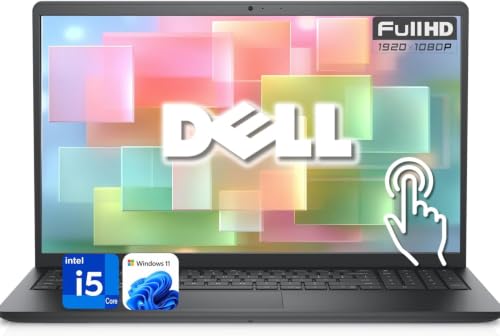
Dell 15.6" Touchscreen Business Laptop Computer, 13th Gen Intel Core i5 (Beat i7-1250U), 8GB DDR5 RAM, 256GB SSD, WI-FI 6, Long Battery Life, Windows 11
Included for 'Best Dell Laptop with i5 and 8GB RAM Under $600' because the listing specifies 13th Gen Intel Core i5 (Beat i7-1250U) and 8GB DDR5 RAM, details this guide uses to compare options.
View on Amazon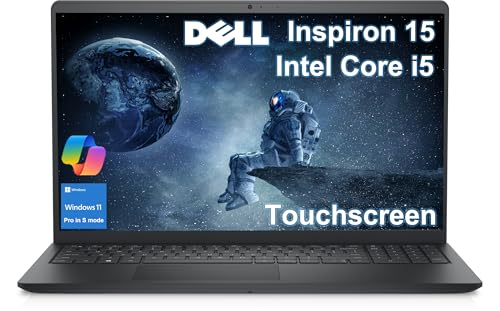
Dell Inspiron 15 3530 Touchscreen Laptop, 15.6" FHD LED, Intel Core i5-1334U (10-Core), for Business, Students, Webcam, IST Computer Customized 8GB/16GB/32GB RAM, 256GB/512GB/1TB SSD, Win11 Home in S
Included for 'Best Dell Laptop with i5 and 8GB RAM Under $600' because the listing specifies 15.6" FHD LED and Intel Core i5-1334U (10-Core), details this guide uses to compare options.
View on AmazonWhat $600 actually buys at Dell
Most new Dell i5 / 8GB machines under $600 share the same formula: Intel Core i5-1334U or i5-1235U, Intel UHD or Iris Xe integrated graphics, 8GB DDR4, 256GB PCIe SSD, and a 15.6-inch 1080p non-touch display. Performance between the 12th and 13th gen U-series is close in real use. Both boot in under 15 seconds on an SSD and handle Word, Canvas, Google Docs, and 1080p YouTube without drama.
The differences that matter are not on the spec sticker. The cheapest Inspiron 15 3000 models often ship with a TN-like 1200×800 or low-brightness 1080p panel with poor viewing angles, single-channel 1x8GB RAM which cuts integrated graphics performance by 10-15%, and a 41Wh battery good for 5-6 hours real use, not the 9 hours Dell claims. Step up to $549-$599 and you usually get a proper IPS-level 1080p screen, backlit keyboard, and 512GB SSD. That step is worth it if you type all day.
Refurbished Latitudes flip the trade-off. A two-year-old Latitude 3440 or 5430 with i5-1235U / 8GB / 256GB will have a better keyboard, better hinge, easier RAM access, and often an extra SSD slot, but a duller 250-nit screen and a battery that may already have 15-20% wear. For a work laptop you carry daily, that build quality matters more than having the newest chip.
Picks by use case, not by model number
For students: Inspiron 15 1080p with 512GB. Get the boring clamshell, not the 2-in-1. The 15.6-inch size is heavier at around 4.2 lbs, but you get a full keyboard with numpad, better cooling, and fewer hinge failures. The 2-in-1 versions under $600 cut SSD size to 256GB and use a dimmer touch panel that drains battery faster. If your school uses lockdown browsers, proctored Zoom exams, and Office, the standard Inspiron is less likely to cause driver headaches.
When you search, look specifically for Dell Inspiron 15 i5 8GB RAM with 512GB SSD listings that show FHD and backlit keyboard in the details. Sellers often reuse photos, so confirm the resolution is 1920×1080, not 1366×768. That old HD screen still shows up on clearance units and it looks washed out side-by-side with any modern phone.
For office and work-from-home: refurbished Latitude 3000 series. If you dock at a desk, type 6+ hours, and live in Outlook and Sheets, a Latitude beats a new Inspiron. The keyboard has more travel, the touchpad palm rejection is better, and IT departments buy them for a reason: they survive bag tosses. Buy seller-refurbished with a 1-year warranty and check the battery report on arrival with powercfg /batteryreport in Windows. If full charge capacity is under 80% of design, return it.
For small business on a budget: Vostro 15. Vostro is Dell’s small-business Inspiron with fewer preinstalled apps and optional fingerprint reader configurations. Under $600 you will find similar i5 / 8GB / 256GB specs, but often with one RAM slot free. That matters because you can add a second 8GB stick later for $20-$25 and get a real multitasking bump. Check service manual first – some newer Vostros have soldered RAM with no upgrade path, which kills the main reason to pick it.
Quick comparison
Prices shift weekly, but this is how these lines usually line up under $600:
| Line | Typical price new / refurb | Screen you usually get | Storage / RAM | Best for | Main downside |
|---|---|---|---|---|---|
| Inspiron 15 3000 | $449-$599 new | 15.6-in 1080p, 220-250 nits, non-touch | 8GB / 256-512GB SSD | Students, general home use | Flexy lid, average speakers, 5-6 hr battery |
| Inspiron 14 / 14 2-in-1 | $529-$599 new | 14-in 1080p touch on 2-in-1, dimmer | 8GB / 256-512GB SSD | Commuters who want lighter | Smaller battery, runs warmer, hinge wear |
| Latitude 3440 / 5430 refurb | $380-$550 refurb | 14-in 1080p 250 nits, matte | 8GB / 256GB SSD, often upgradeable | Typing, office, docking | Used battery, more fan noise, older Wi-Fi |
| Vostro 15 | $499-$599 new | 15.6-in 1080p, 250 nits | 8GB / 256-512GB SSD | Freelance / small shop | Plain design, bloatware varies by seller |
Failure modes to check before you keep it
Dells in this price range fail in predictable ways. First, storage confusion: some third-party listings advertise 8GB RAM + 512GB storage but ship 512GB eMMC or a slow SATA SSD instead of NVMe. Check Task Manager – Performance – Disk. If it says eMMC, send it back. Second, single-channel RAM: CPU-Z will show Single under memory channels. It still works, but expect stutter in Photoshop and light games like Valorant or The Sims 4.
Third, Wi-Fi dropouts on older MediaTek cards found in some budget Inspirons. If you see a RZ616 or MT7921 card in Device Manager and get random disconnects on 5GHz, update the driver from Dell SupportAssist, not Windows Update. Fourth, hinge stiffness on 2-in-1s. Open and close it 20 times in the first week. If it creaks or the screen wobbles when typing, return early – that does not break in.
Battery expectations need a reset. An i5-U with 41Wh doing real school work – Chrome, brightness at 60%, Zoom twice a day – lasts 5 to 6.5 hours. If a listing promises 10+ hours at this price, that is video playback with Wi-Fi off, not your day. Carry the 65W barrel or USB-C charger; replacements are cheap but knockoffs run hot, so stick to Dell-branded bricks.
When the cheaper option is fine
If you only do browser, Docs, Netflix, and Zoom, buy the cheapest true 1080p Inspiron 15 i5 / 8GB / 256GB you can find from a reputable seller and put the $80-$100 savings toward a 1TB external SSD or a decent mouse. You will not feel the difference between 256GB and 512GB internal until year two, and cloud storage covers most students.
Do not pay extra for touchscreen if you never use tablet mode, and do not pay extra for i5-1345U over i5-1334U. In this chassis with single-fan cooling, both throttle to the same sustained speed after 10 minutes. The spec that actually improves daily speed is dual-channel RAM (2x4GB or 2x8GB) and an IPS screen. If you have to choose, take the better screen.
For shoppers comparing new versus refurbished, browsing refurbished Dell Latitude 14 i5 with 8GB RAM can save $100 over new while getting you a tougher chassis. Just budget $40 for a new battery in year one if the report shows wear. For most people who want new with a full Dell warranty, sticking with Dell i5 8GB RAM laptops under $600 and filtering for 1080p and 512GB SSD is the simpler path.
What to avoid
Avoid any listing that says i5 but does not name the generation – i5-1135G7 machines are still floating around as new and they are three generations old with worse battery life. Avoid Celeron, Pentium, or N-series chips mislabeled as i5 in the title. Avoid 8GB RAM with Windows 11 Pro + 128GB SSD combos; after Windows and Dell utilities you have 70GB free and updates will fight you for space. 256GB is the real minimum, 512GB is comfortable.
Also skip extended warranties from marketplace sellers. Dell’s basic 1-year mail-in service on new Inspirons is enough at this price. If a Latitude refurb seller offers no returns and only 90 days warranty, pass. There are too many units with good return policies to gamble.
FAQ
Is i5 with 8GB RAM enough for college in 2026?
Yes for business, education, psychology, nursing prerequisites, and general liberal arts: Office, Canvas, SPSS web, Zoom, and 10-15 Chrome tabs run fine. No if your major requires Premiere Pro, AutoCAD, Blender, or large datasets in Python – you will want 16GB and a discrete GPU, which means raising the budget.
Can I upgrade RAM later on these budget Dells?
Sometimes. Many Inspiron 15 3000 models have one soldered 4GB + one open slot, or 1x8GB with one slot free. Some thin Inspiron 14s are fully soldered with no upgrade. Check the exact service tag on Dell.com/support before buying another stick. RAM must match DDR4-3200 or DDR5-5200 depending on board.
New Inspiron or refurbished Latitude under $600?
Pick new Inspiron if you want full battery life, full warranty, and a brighter consumer screen for video. Pick refurbished Latitude if you type all day, dock to a monitor, and value keyboard and hinge durability over battery and speakers. For kids or dorm abuse, Latitude usually survives longer.
Can these run games?
Light games only. Integrated Iris Xe handles Minecraft, Roblox, League of Legends, Stardew Valley, and Sims 4 at 1080p low-medium at 40-60 fps. Expect stutter in Warzone, Baldur’s Gate 3, or Cyberpunk. Single-channel 8GB makes it worse. If gaming is the priority, a Ryzen 5 7530U or RTX 2050 laptop is a better use of $600 when on sale.


