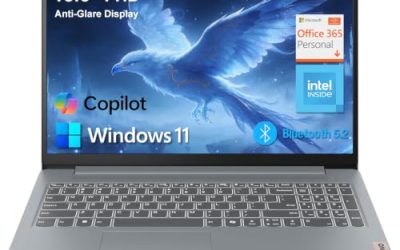
Our Top Picks
 ASUS ROG Zephyrus G14 5060 Gaming Laptop 14.0"16GB RAM|1TB SSD12.25 x 8.75 x 0.75 inches4 poundsCheck on Amazon
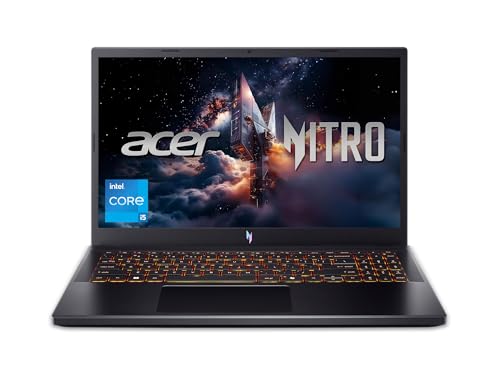
 Acer Predator Triton 300 SE-14 PT314-52s-747P Gray Gaming8.9 x 0.78 x 12.3 inches8.6 poundsCheck on Amazon
 HP Victus Gaming 15 Laptop: 15.6" FHD 144Hz8GB-512GB14.09 x 10.04 x 0.93 inches5.06 PoundsCheck on Amazon
Pros & cons
- 144Hz FHD display suits smooth casual and light gaming
- 512GB NVMe SSD enables fast file transfers
- Backlit full-size keyboard with numpad aids typing in low light
- 8GB DDR4 RAM is modest for heavier multitasking
- RTX 3050 handles light gaming rather than demanding titles
Laptops with dedicated graphics card: 2-in-1, 14 inch and budget models all exist, but they are very different machines. A dedicated GPU is a separate graphics chip with its own memory; it is what makes gaming, video editing and 3D work smooth. This guide sorts real listings into 14-inch picks, a 2-in-1, budget options and Radeon choices, and flags where “AMD Radeon Graphics” only means integrated.
Picks at a Glance
We did not use these laptops. This guide is built from store listings, maker specs and GPU naming rules, and it says “not listed” where a listing is silent. Pay attention to the Graphics column, because it is the whole point of the list.
| Laptop | Size / type | Graphics (as listed) | Best for |
|---|---|---|---|
| ASUS ROG Zephyrus G14 | 14-inch OLED | GeForce RTX 5060, 8 GB | Best 14-inch with a discrete GPU |
| Acer Predator Triton 300 SE-14 | 14-inch, 1920×1200 | GeForce RTX 3060 | Older 14-inch value pick |
| ASUS ROG Flow Z13 | 13.4-inch 2-in-1 | Not named in the listing; check the maker | Convertible with a gaming-grade platform |
| Dell 14 2-in-1 | 14-inch convertible | AMD Radeon Graphics (integrated) | Everyday 2-in-1, not a gaming GPU |
| HP Victus 15 (Ryzen 5 7535HS) | 15.6-inch | AMD Radeon RX 6550M | Radeon discrete on a budget |
| HP Victus Gaming 15 (i5-13420H) | 15.6-inch | GeForce RTX 3050 | Lowest-cost NVIDIA option |
| Lenovo LOQ 15 | 15.6-inch | GeForce RTX 4050 | Budget laptop with a strong GPU |
What a Dedicated Graphics Card Actually Means
A dedicated (also called discrete) graphics processor is a separate chip with its own video memory, usually labelled “GeForce RTX 4050”, “GeForce GTX 1650” or “Radeon RX 6550M”. An integrated GPU sits inside the processor and shares system memory. Names like “Intel Graphics”, “Intel Arc 140V”, “Radeon 680M” and “Radeon Graphics” are integrated.
This is where listings get confusing. Radeon is a brand used for both kinds. “AMD Radeon Graphics” alone almost always means the integrated chip that comes with a Ryzen processor. A discrete Radeon is named with an RX prefix, for example RX 6550M or RX 7700S. This guide never counts an integrated Radeon as a dedicated card.
Why it matters
- Gaming: discrete GPUs run modern 3D games at 1080p; integrated chips are limited to lighter games.
- Creative work: video editing, 3D modelling and some AI tools use the GPU. Discrete cards speed these up.
- Battery: laptops with discrete GPUs draw more power and weigh more.
14 Inch Laptop With Graphics Card: What to Expect
A 14 inch laptop with graphics card is a small category. Fitting a discrete GPU, a cooling system and a battery into a 14-inch shell forces trade-offs: the GPU is often power-limited, the price tier is higher and fan noise is more noticeable than on 15-inch models. In return you get a portable machine that is still capable of gaming and creative work.
Look for these signs in a 14-inch listing: a named GPU such as RTX 5060 or RTX 3060, 16 GB of RAM, and an SSD of 512 GB or more. Thin 14-inch business laptops with an “RTX 2050” are a different class; check the maker before assuming gaming-level performance.
1. Best 14-Inch Pick
ASUS ROG Zephyrus G14 (RTX 5060)
ASUS ROG Zephyrus G14 5060 Gaming Laptop 14.0" OLED 2.8K, Ryzen 9, 16GB/1TB | AMD 8-Core Ryzen 9 270 4.0GHz, GeForce RTX 5060 8GB, 39 TOPS, Copilot, 120Hz, RGB KYB, WiFi 7, W11H, Platinum White w/USB Hub
Chosen because it specifies Ryzen 9 and 16GB/1TB.
View on Amazon- Graphics: GeForce RTX 5060, 8 GB
- CPU: Ryzen 9 270
- Display: 14-inch 2.8K OLED, 120 Hz
The ROG Zephyrus G14 in this listing combines a 14-inch 2.8K OLED panel at 120 Hz with an AMD 8-core Ryzen 9 270, a GeForce RTX 5060 with 8 GB, 16 GB of RAM and a 1 TB SSD. It lists Wi-Fi 7 and Windows 11 Home. This is the strongest 14-inch laptop with a dedicated graphics card in the list, and it sits in the premium tier.
Best for: a portable 14-inch machine for gaming, editing and travel. Skip if: you want a lower cost tier; this is the most expensive option here.
Pros
- Discrete RTX 5060 graphics
- OLED 120 Hz display
- 16 GB RAM and 1 TB SSD
- Compact 14-inch size
Cons
- Premium cost tier
- OLED screens can reflect light
2. Best Older 14-Inch Value
Acer Predator Triton 300 SE-14 (RTX 3060)
Acer Predator Triton 300 SE-14 PT314-52s-747P Gray Gaming Laptop, i7-12700H, 16GB, 512GB PCIe SSD, 14.0" IPS Wide UXGA (1920x1200), GeForce RTX 3060, Windows 11 Home
Chosen because it specifies i7-12700H and 16GB.
View on Amazon- Graphics: GeForce RTX 3060
- CPU: Core i7-12700H
- Display: 14-inch IPS, 1920×1200
The Predator Triton 300 SE-14 PT314-52s lists a Core i7-12700H, 16 GB of RAM, a 512 GB PCIe SSD, a 14-inch IPS UXGA display at 1920×1200 and a GeForce RTX 3060, running Windows 11 Home. It is an older design but the RTX 3060 still supports demanding games at 1080p. Check the maker for the refresh rate and cooling details.
Best for: buyers who want a 14-inch RTX 3060 laptop for less than the newest models. Skip if: you need the latest GPU generation or an OLED screen.
Pros
- RTX 3060 graphics
- 16:10 display with extra vertical space
- Core i7-12700H
Cons
- Older generation
- Refresh rate not listed
2 in 1 Laptop With Graphics Card: Set Expectations
If you are looking for a 2 in 1 laptop with graphics card, the honest answer is that very few exist. Convertible laptops are built thin, and thin chassis rarely have room for a discrete GPU. Most 2-in-1 laptops use integrated graphics, including popular models from Dell, HP and Lenovo.
The question “2 in 1 laptop with dedicated graphics” usually ends in one of two answers: a gaming-grade convertible like the ROG Flow Z13 family, or a thicker workstation-class convertible. Check the exact configuration, since makers sell several versions of one model.
3. Best Gaming-Grade 2-in-1
ASUS ROG Flow Z13 (13.4-inch 2-in-1)

ASUS ROG Flow Z13 2.5K 180Hz 3ms ROG Nebula Touchscreen 13.4" Convertible 2-in-1 Gaming Notebook AMD Ryzen AI MAX+ 395 32GB RAM 1TB SSD Off Black
Picked as a relevant option in this category.
View on Amazon- Display: 13.4-inch 2.5K, 180 Hz
- CPU: Ryzen AI MAX+ 395
- Memory and storage: 32 GB, 1 TB SSD
The ROG Flow Z13 listing shows a 13.4-inch 2.5K touchscreen at 180 Hz, an AMD Ryzen AI MAX+ 395, 32 GB of RAM and a 1 TB SSD in a tablet-style convertible. The listing does not name a separate graphics card, and this platform is built around integrated Radeon graphics, so confirm the GPU on the maker’s page before you pay for it as a “dedicated” machine.
Best for: a convertible that is closer to a gaming laptop than most 2-in-1s. Skip if: you require a separate NVIDIA or AMD card; this one is not listed that way.
Pros
- 180 Hz touchscreen
- 32 GB RAM
- True 2-in-1 design
Cons
- GPU not named in the listing
- Premium cost tier
4. Best Everyday 2-in-1 (Integrated Only)
Dell 14 2-in-1 (Ryzen 7 8840HS)

Dell 14 2-in-1 Laptop, FHD+, AMD Ryzen 7 8840HS, 16GB RAM, Windows 11 Home | Touchscreen Display, AMD Radeon Graphics, DDR5, 1TB SSD, Wi‑Fi 6E, Indigo, Productivity Ready, INSPIRON-14-2
Chosen because it specifies FHD+ and AMD Ryzen 7 8840HS.
View on Amazon- Graphics: AMD Radeon Graphics (integrated)
- CPU: Ryzen 7 8840HS
- Memory and storage: 16 GB DDR5, 1 TB SSD
The Dell 14 2-in-1 has a 14-inch FHD+ touchscreen, a Ryzen 7 8840HS, 16 GB of DDR5, a 1TB SSD and Wi-Fi 6E. The graphics are listed as AMD Radeon Graphics, which is integrated. It is included here to show what the typical 2-in-1 looks like: good for study, work and light games, but not a dedicated-GPU machine.
Best for: a flexible touchscreen laptop for school and office with light gaming. Skip if: you need a discrete GPU for modern 3D games.
Pros
- Touchscreen convertible design
- 16 GB DDR5
- 1 TB SSD
Cons
- Integrated graphics only
- Not for demanding games
Budget Laptop With Dedicated Graphics Card
A budget laptop with dedicated graphics card is easier to find than a 14-inch or 2-in-1 one. Entry-level gaming laptops with an RTX 3050 or RTX 4050 are common and sit well below the premium models. The compromises are weight, battery life and sometimes a plastic body, not performance.
5. Best Lowest-Cost NVIDIA Pick
HP Victus Gaming 15 (RTX 3050)
HP Victus Gaming 15 Laptop: 15.6" FHD 144Hz Display • Intel 8-Core i5-13420H • NVIDIA GeForce RTX 3050 • 8 GB DDR4 SDRAM • 512 GB NVMe SSD • Win11 Home • Wi-Fi 6 • Backlit Keyboard
Picked as a relevant option in this category.
View on Amazon- Graphics: GeForce RTX 3050
- CPU: Core i5-13420H
- Display: 15.6-inch FHD, 144 Hz
This HP Victus Gaming 15 listing shows an Intel 8-core Core i5-13420H, GeForce RTX 3050, a 15.6-inch FHD 144 Hz display, 8 GB of DDR4 and a 512 GB NVMe SSD. It is the lowest-cost route in this list to a real discrete NVIDIA GPU. The 8 GB of memory is the main thing to upgrade.
Best for: a first gaming laptop on a tight budget. Skip if: you want a 14-inch or convertible form.
Pros
- RTX 3050 discrete GPU
- 144 Hz screen
- 512 GB SSD
Cons
- 8 GB RAM
- Larger, heavier 15.6-inch size
6. Best Budget Laptop With a Stronger GPU
Lenovo LOQ 15 (RTX 4050)

Lenovo LOQ Gaming Laptop, GeForce RTX 4050, AMD Ryzen 5 7235HS Processor | 15.6" 144Hz FHD Display, 16GB DDR5, 512GB SSD, Wi-Fi 6, Ethernet, USB-C, HDMI, Backlit Keyboard, Windows 11 Home
Chosen because it specifies GeForce RTX 4050 and AMD Ryzen 5 7235HS Processor.
View on Amazon- Graphics: GeForce RTX 4050
- CPU: Ryzen 5 7235HS
- Storage: 512 GB SSD
The Lenovo LOQ listing has a Ryzen 5 7235HS, GeForce RTX 4050, a 15.6-inch 144 Hz FHD display, 16 GB DDR5 and a 512 GB SSD, with Ethernet, USB-C and HDMI listed. The RTX 4050 is a step above the 3050, and the 16 GB memory removes the usual budget weakness.
Best for: a budget gaming laptop that will stay relevant for more years. Skip if: you need a thin, light 14-inch body.
Pros
- RTX 4050
- 16 GB DDR5
- Good port selection
Cons
- Higher cost tier than the RTX 3050 laptop
- Not ultraportable
AMD Radeon Graphics Laptop Good for Gaming
For an AMD Radeon graphics laptop good for gaming, you must separate two groups. Discrete Radeon laptops use RX-series mobile chips and are real gaming machines. Integrated Radeon laptops use the graphics inside a Ryzen processor; they are capable for esports games and older titles, but not equal to an RTX or RX card.
| Radeon type | Examples | Good for |
|---|---|---|
| Discrete (RX series) | RX 6550M, RX 7700S | Modern games at 1080p |
| Integrated (Radeon 600/700 series) | Radeon 610M, 680M, 780M | Esports, older games, everyday use |
| Plain “Radeon Graphics” | Dell 14 2-in-1 listing | Everyday use and light games |
7. Best Radeon Discrete Option
HP Victus 15 (Radeon RX 6550M)

HP Victus 15.6" FHD 144Hz Gaming Laptop, AMD Ryzen 5-7535HS, AMD Radeon RX 6550M (Beats RTX 2050), Backlit Keyboard, Windows 11 Home, w/Cloth (16GB RAM |512GB PCIe SSD)
Chosen because it specifies AMD Ryzen 5-7535HS and AMD Radeon RX 6550M (Beats RTX 2050).
View on Amazon- Graphics: Radeon RX 6550M
- CPU: Ryzen 5 7535HS
- Memory and storage: 16 GB, 512 GB PCIe SSD
This HP Victus listing pairs a Ryzen 5 7535HS with an AMD Radeon RX 6550M, a 15.6-inch FHD 144 Hz display, 16 GB of RAM and a 512 GB PCIe SSD, with Windows 11 Home. The listing compares the RX 6550M to the RTX 2050; treat that as a seller claim and check the maker for benchmarks. It is the clearest Radeon discrete choice in a budget tier.
Best for: a Radeon-based gaming laptop with a discrete RX chip. Skip if: you rely on NVIDIA-only features such as DLSS or CUDA.
Pros
- Discrete RX 6550M
- 16 GB RAM
- 144 Hz display
Cons
- Seller comparison claims are unverified
- NVIDIA features not available
Also Consider
- ASUS TUF Gaming A16: listings show a Ryzen 7 7735HS with a Radeon RX 7700S and another with a Ryzen 7 7445HS and RTX 4050. Both are 16-inch discrete options above the budget tier.
- MSI Stealth 14 AI Studio: a 14-inch creator laptop with NVIDIA GeForce graphics and a Core Ultra 7 155H in the listing; confirm the GPU model on the maker’s page.
- Dell Alienware 15: a Ryzen 5 220 with an RTX 4050, 16 GB of RAM and a 165 Hz screen in the listing.
Dedicated vs Integrated Graphics: Side by Side
| Factor | Dedicated GPU | Integrated GPU |
|---|---|---|
| Own video memory | Yes | No, shares system RAM |
| Modern 3D games at 1080p | Comfortable to strong | Limited, low settings |
| Video editing and 3D | Much faster | Basic projects only |
| Battery life | Shorter | Longer |
| Weight and thickness | Heavier, thicker | Thin and light |
| Fan noise | Louder under load | Quiet |
| Cost tier | Higher | Lower |
GPU Name Cheat Sheet for Laptop Listings
Laptop listings use a lot of similar-sounding names. This short cheat sheet helps you tell which ones are separate chips.
- GeForce RTX 3050, 3060, 4050, 5060: dedicated NVIDIA chips. Higher numbers in the same generation are faster.
- GeForce GTX 1650: an older dedicated NVIDIA chip, still capable for esports and older games.
- Radeon RX 6550M, RX 7700S: dedicated AMD chips.
- Radeon 610M, 680M, 780M or plain “Radeon Graphics”: integrated AMD graphics.
- Intel UHD, Iris Xe, Arc 140V, “Intel Graphics”: integrated Intel graphics.
- RTX 2050 in a business laptop: a dedicated chip, but in a thin business chassis it is not the same as a gaming laptop.
Laptop GPUs also carry a power limit set by the maker, so the same chip name can perform differently across models. Two RTX 4050 laptops are not guaranteed to match; the thicker one with better cooling usually runs faster. That is one reason 14-inch models cost more for the same GPU name.
Who Actually Needs a Dedicated Graphics Card?
Gamers
Anyone who plays recent 3D games should buy a laptop with a dedicated GPU. For esports and older titles, integrated graphics can do the job, but a discrete GPU gives you far more room.
Students in creative courses
Architecture, game design, animation and video editing programs often list GPU requirements. A budget laptop with an RTX 3050 or 4050 is a common choice. Always check the course software requirements first.
Office and study users
If you write, browse and attend video calls, a dedicated GPU is a waste of money and battery. A thin laptop with integrated graphics, such as the Dell 14 2-in-1 above, is a better match.
Travellers and commuters
If you carry a laptop every day, weight matters. A 14-inch with a dedicated GPU is a good compromise, but expect to carry a large power brick and plug in for gaming.
Common Mistakes When Buying a Laptop With a Dedicated GPU
- Trusting the word “graphics”. Every laptop has graphics. Only some have dedicated graphics.
- Ignoring RAM. A good GPU with 8 GB of RAM is held back by memory pressure.
- Assuming Radeon means discrete. Check for an RX model name.
- Paying for a spec the seller invented. Phrases like “beats RTX 2050” are seller claims. Confirm with the maker.
- Forgetting the charger. Gaming laptops need a large power brick. A thin USB-C charger will not give full GPU performance on most models.
- Choosing a 2-in-1 for gaming. Most convertibles trade performance for flexibility.
Power, Heat and Battery Life
A laptop with a dedicated graphics card draws far more power under load than one with integrated graphics. Battery life in games is usually well under two hours on every model in this list, and many gaming laptops reduce GPU performance when unplugged. For everyday tasks, many of these laptops switch to the integrated GPU to save battery, which is a feature worth looking for in the maker’s spec sheet.
Heat is the other side. Thin 14-inch laptops reach high temperatures faster. Place the laptop on a hard surface, keep the intake vents clear and avoid soft bedding. If fan noise bothers you, check the maker for a quiet or balanced profile and plan to use it for lighter tasks.
How We Chose
This is research-based. We did not use any of these laptops. We searched store listings for 14-inch, convertible, budget and Radeon laptops, kept only those that name a graphics chip, and separated discrete from integrated graphics. Picks were ranked by GPU class, RAM and storage, and a maximum of two models per brand appear as full picks. Where the listing does not state something, we say so.
Buying Guide: Dedicated Graphics Card Laptop Checklist
Step 1: Find the exact GPU name
Read the listing title and the specs list for a name with a model number. “GeForce RTX 4050” is a dedicated GPU. “Intel Arc 140V” and “Radeon 780M” are integrated.
Step 2: Check the video memory
- 4 GB: enough for older and esports games.
- 6 GB: the RTX 4050 class; fine for 1080p gaming.
- 8 GB: the more comfortable level for recent games and creative tools.
Step 3: Match the size to your life
- 14 inch: carry it daily, accept higher cost and louder fans.
- 15.6 inch: best cooling and value, heavier.
- 2-in-1: flexibility, but expect integrated graphics.
Step 4: Do not skip RAM and storage
16 GB of RAM and a 512 GB SSD are the practical floor in 2026. An 8 GB laptop with a good GPU is held back and needs an upgrade.
Step 5: Look at the screen
A 144 Hz panel is a nice extra on a gaming laptop. OLED looks excellent but costs more. A 16:10 panel gives more vertical space for work.
Picking by Task
| If you mostly… | Choose | Why |
|---|---|---|
| Play modern 3D games | RTX 4050 or better (Lenovo LOQ, Zephyrus G14) | More GPU headroom and video memory |
| Play esports and older games on a budget | HP Victus with RTX 3050 | Lowest cost for a real NVIDIA chip |
| Want to stay on AMD | HP Victus with RX 6550M | Discrete Radeon rather than integrated |
| Carry the laptop every day | 14-inch Zephyrus G14 or Triton 300 SE-14 | Smaller and lighter than 15.6-inch models |
| Need touch and a pen-style 2-in-1 form | Dell 14 2-in-1 or ROG Flow Z13 | Convertible design, with graphics limits noted above |
If two rows fit you, let the GPU decide, then the RAM, then the weight. A laptop you cannot comfortably carry will end up on a desk, and then a 15.6-inch gaming model with better cooling is the smarter buy.
One more tip for shoppers comparing several listings: open each model number on the maker’s site and write down the GPU name, video memory, RAM and storage in a small table. Listings from third-party sellers sometimes mix configurations under one title, so the maker page is the reference. If the seller’s title and the maker’s spec page disagree, trust the maker and ask the seller before you buy.
Which One Should You Buy?
- 14-inch with a real GPU: ASUS ROG Zephyrus G14 or the older Acer Predator Triton 300 SE-14.
- 2-in-1: accept integrated graphics (Dell 14 2-in-1) or verify the Flow Z13 on the maker’s page.
- Budget: HP Victus RTX 3050 or Lenovo LOQ RTX 4050.
- Radeon: HP Victus with RX 6550M.
FAQ
Which laptops have a dedicated graphics card?
Gaming laptops, creator laptops and some workstations. Look for a named GeForce RTX, GeForce GTX or Radeon RX chip in the listing, not just ‘graphics’.
Is there a 14 inch laptop with graphics card?
Yes. The ROG Zephyrus G14 and Acer Predator Triton 300 SE-14 are both 14-inch laptops with discrete NVIDIA GPUs, though they sit above the budget tier.
Is there a 2 in 1 laptop with graphics card?
Very few. Most 2-in-1 laptops use integrated graphics. Gaming-grade convertibles like the ROG Flow Z13 exist, but check the maker’s page for the exact graphics.
What is a budget laptop with a dedicated graphics card?
Entry-level gaming laptops with an RTX 3050 or RTX 4050, such as the HP Victus and Lenovo LOQ. They cost less than 14-inch models and keep a real GPU.
Is AMD Radeon graphics good for gaming on a laptop?
It depends. Discrete Radeon RX chips are good for gaming. Integrated ‘Radeon Graphics’ is fine for esports and older games, but not for demanding titles.
Is a dedicated GPU worth it for school or office use?
Usually not. Integrated graphics handle office work and video well. A dedicated GPU matters for gaming, video editing and 3D work.
Can I add a dedicated graphics card later?
No, not inside a laptop. The GPU is soldered to the board. An external GPU enclosure is possible on some models, but check the maker for compatibility.
Sources
NVIDIA GeForce laptop GPU pages; AMD Radeon RX and Ryzen mobile product pages; ASUS, Acer, HP, Dell and Lenovo manufacturer listings.
Last updated: November 2026
FAQ
Which laptops have a dedicated graphics card?
Is there a 14 inch laptop with graphics card?
Is there a 2 in 1 laptop with graphics card?
What is a budget laptop with a dedicated graphics card?
Is AMD Radeon graphics good for gaming on a laptop?
Is a dedicated GPU worth it for school or office use?
Can I add a dedicated graphics card later?
More from Amazon
Programs that pair well with the guide above. Offers and eligibility are set by Amazon and may change.
A free business account with business pricing and bulk-buying tools for work, shop or home office.
Create a business accountFree shipping on eligible items, Prime Video and more. Eligible new members can start with a free trial.
Start a Prime free trialAudiobooks and podcasts to listen to on the go. Eligible new members can start with a free trial.
Try Audible freeAd-free music streaming. Eligible new subscribers can start with a free trial.
Try Music Unlimited freeAs an Amazon Associate we earn from qualifying purchases.