Our Top Picks
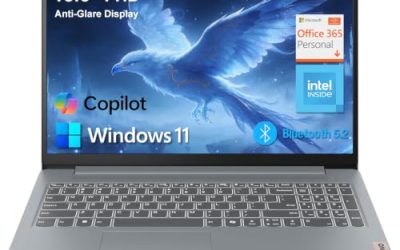
 Lenovo IdeaPad Slim 3 • 15.6" FHD Business8GB RAM | 256GB PCle SSD14.16 x 9.29 x 0.7 inches3.7 PoundsCheck on Amazon
 acer Aspire 3 A315-24P-R7VH Slim Laptop15.6-inch14.29 x 0.74 x 9.35 inches3.92 poundsCheck on Amazon
The best cheap laptops under 500 dollars are 15.6-inch models with a Ryzen 5 or Intel Core i3 processor, 8GB of RAM and an SSD. Eight budget picks from HP, Lenovo, Acer, ASUS and Dell are compared below, along with what a laptop at this level can and cannot play.
Quick answer: Choose a Ryzen 5 model such as the ASUS Vivobook Go 15 or HP 15 for the strongest all-round performance in this range. Choose an Intel Core i3-N305 laptop such as the Lenovo IdeaPad Slim 3i for light daily use. None of these is a gaming laptop, so expect browser, indie and older games only.
Best Cheap Laptops Under 500 at a Glance
| Laptop | CPU (as listed) | RAM / storage | Screen | Best for |
|---|---|---|---|---|
| ASUS Vivobook Go 15 (2023) | Ryzen 5 7520U | 8GB / 512GB SSD | 15.6″ FHD | Best all-rounder |
| HP 15 (15-ef2099nr) | Ryzen 5 5500U | 8GB / 256GB SSD | 15.6″ HD | Older but capable CPU |
| Lenovo IdeaPad Slim 3 (2026) | Ryzen 5 (model not listed) | 8GB DDR5 / 256GB SSD | 15.6″ FHD | Newest platform |
| Lenovo IdeaPad Slim 3i | Core i3-N305 | 8GB / 256GB SSD | 15.6″ FHD | Light everyday use |
| Acer Aspire Go 15 | Ryzen 3 (listed as Ryzen 3 30) | 8GB LPDDR5 / 128GB SSD | 15.6″ FHD IPS | IPS panel on a budget |
| Acer Aspire 3 (A315-24P) | Ryzen 3 7320U | 8GB LPDDR5 / 128GB SSD | 15.6″ Full HD | Simple student laptop |
| Dell 15.6 (DC15250) | Intel Core 3 100U | 8GB DDR5 / 512GB SSD | 15.6″ FHD, 300 nits | Bigger SSD, anti-glare screen |
| HP 15.6″ (i3-N305) | Core i3-N305 | 8GB / 128GB UFS | 15.6″ HD | Lowest tier, basic tasks |
What You Get From a Laptop Under 500
At this level, makers spend on the screen size, the SSD and the processor, and cut on graphics, build quality and ports. Every laptop here uses integrated graphics, meaning the processor draws the picture instead of a separate gaming GPU. That is fine for school, office work, streaming and browsing. It is not enough for modern 3D games at high settings.
Three details separate a good budget laptop from a bad one: how much RAM it has (8GB is the practical floor), what kind of storage it uses (an SSD is a must, and a small eMMC or UFS drive is slower), and the screen quality (Full HD with an IPS panel looks noticeably better than a plain HD panel). The picks below were chosen with those three checks in mind.
The 8 Best Cheap Laptops Under 500
1. ASUS Vivobook Go 15 (2023)

ASUS 2023 Vivobook Go 15 Laptop, 15.6" FHD Display, AMD Ryzen 5 7520U Processor, 8GB RAM, 512GB SSD, Windows 11 Home, Mixed Black, E1504FA-AS52
Chosen because it specifies 15.6" FHD Display and AMD Ryzen 5 7520U Processor.
View on AmazonThe Vivobook Go 15 listing (model E1504FA-AS52) shows a 15.6-inch FHD display, AMD Ryzen 5 7520U, 8GB RAM, a 512GB SSD and Windows 11 Home in Mixed Black. The 512GB SSD gives it more room than most budget picks, and the Ryzen 5 is a step above the Core i3 class here.
- CPU: AMD Ryzen 5 7520U
- Memory/storage: 8GB, 512GB SSD
- Display: 15.6-inch FHD
Best for: students and home users who want the most balanced build under this budget. Skip if: you need more than 8GB of RAM; upgrade options are not listed.
Pros: Ryzen 5 CPU; 512GB SSD; FHD display; Windows 11. Cons: 8GB RAM; plastic build typical of the class; battery life not listed.
2. HP 15 Laptop (15-ef2099nr)

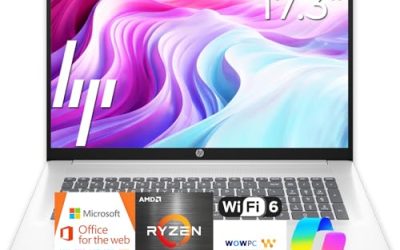
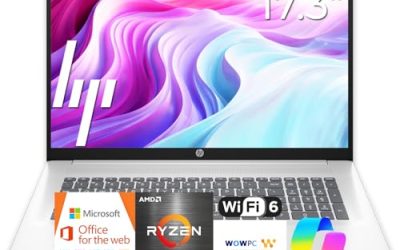
HP 15 inch Laptop, HD Display, AMD Ryzen 5 5500U, 8 GB RAM, 256 GB SSD, AMD Radeon Graphics, Windows 11 Home, 15-ef2099nr (2023)
Chosen because it specifies HD Display and AMD Ryzen 5 5500U.
View on AmazonThis 2023 HP 15 is listed with an AMD Ryzen 5 5500U, 8GB RAM, a 256GB SSD, a 15.6-inch HD display and AMD Radeon Graphics. The Ryzen 5 5500U is an older six-core chip, but it still handles everyday work well.
- CPU: AMD Ryzen 5 5500U
- Memory/storage: 8GB, 256GB SSD
- Display: 15.6-inch HD
Best for: multitasking on a tight budget. Skip if: you want a Full HD screen; this listing says HD.
Pros: six-core Ryzen 5; SSD; Windows 11. Cons: older chip generation; HD display; 256GB fills quickly.
3. Lenovo IdeaPad Slim 3 (2026 Edition)
Lenovo IdeaPad Slim 3 • 15.6" FHD Business Laptop • AMD Ryzen 5 CPU • 8GB RAM DDR5 • 256GB SSD • 2026 Edition • Windows 11
Picked as a relevant option in this category.
View on AmazonThe IdeaPad Slim 3 2026 Edition shows a 15.6-inch FHD display, an AMD Ryzen 5 processor (exact model not listed), 8GB DDR5 RAM, a 256GB SSD and Windows 11. DDR5 memory is a newer standard than the DDR4 in older budget laptops.
- CPU: AMD Ryzen 5 (model not listed)
- Memory/storage: 8GB DDR5, 256GB SSD
- Display: 15.6-inch FHD
Best for: buyers who want a newer platform in a familiar slim body. Skip if: you want a confirmed CPU model; check the maker’s configuration page.
Pros: DDR5; FHD; recent edition. Cons: CPU model not named; 256GB storage.
4. Lenovo IdeaPad Slim 3i
The Slim 3i is listed with a 15.6-inch FHD display, an Intel Core i3-N305, 8GB RAM and a 256GB SSD in Arctic Grey. The N305 has eight efficient cores and is aimed at light work such as browsing, documents and video.
- CPU: Intel Core i3-N305 (8 cores)
- Memory/storage: 8GB, 256GB SSD
- Display: 15.6-inch FHD
Best for: light everyday computing with a clean look. Skip if: you plan on heavy multitasking or games; the Ryzen 5 picks are stronger.
Pros: FHD screen; 256GB SSD; low-power CPU. Cons: modest performance; 8GB RAM.
5. Acer Aspire Go 15
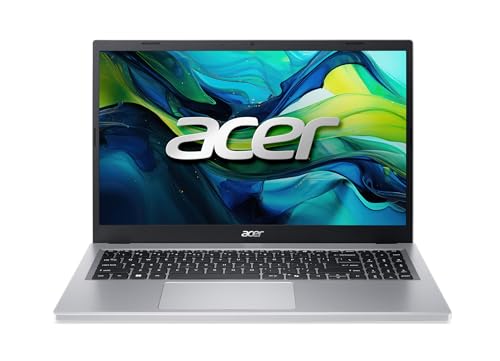
Acer Aspire Go 15 AI Ready Laptop | 15.6" FHD IPS Display | AMD Ryzen 3 30 Processor | AMD Radeon Graphics | 8GB LPDDR5 | 128GB PCIe SSD | Wi-Fi 6 | Windows 11 Home | AG15-21P-R42Z
Chosen because it specifies 15.6" FHD IPS Display and AMD Ryzen 3 30 Processor.
View on AmazonThis Aspire Go 15 (AG15-21P-R42Z) is listed with a 15.6-inch FHD IPS display, an AMD Ryzen 3 processor, 8GB LPDDR5, a 128GB PCIe SSD, Wi-Fi 6 and Windows 11 Home. IPS panels have better viewing angles than the cheapest displays.
- CPU: AMD Ryzen 3 (listed as Ryzen 3 30)
- Memory/storage: 8GB LPDDR5, 128GB SSD
- Display: 15.6-inch FHD IPS
Best for: students who want a decent screen at a low price. Skip if: you store lots of files; 128GB is tight.
Pros: IPS panel; Wi-Fi 6; LPDDR5. Cons: 128GB SSD; Ryzen 3 is the entry tier.
6. Acer Aspire 3 (A315-24P)
acer Aspire 3 A315-24P-R7VH Slim Laptop | 15.6" Full HD | AMD Ryzen 3 7320U Quad-Core | AMD Radeon Graphics | 8GB LPDDR5 | 128GB NVMe SSD | Wi-Fi 6 | Windows 11 Home
Chosen because it specifies 15.6" Full HD and AMD Ryzen 3 7320U Quad-Core.
View on AmazonThe Aspire 3 A315-24P-R7VH lists an AMD Ryzen 3 7320U quad-core, 8GB LPDDR5, a 128GB NVMe SSD, a 15.6-inch Full HD display, Wi-Fi 6 and Windows 11 Home. It is one of the simplest slim laptops in this price range.
- CPU: AMD Ryzen 3 7320U (4 cores)
- Memory/storage: 8GB LPDDR5, 128GB NVMe
- Display: 15.6-inch Full HD
Best for: basic homework, office tasks and streaming. Skip if: you need more storage than 128GB without adding an external drive.
Pros: NVMe SSD; Wi-Fi 6; slim body. Cons: small SSD; entry-level CPU tier.
7. Dell 15.6 Laptop (DC15250)

Dell 15.6 Laptop, FHD, Intel Core 3 100U, 8GB RAM, Windows 11 Home | 300 nits Anti-Glare WVA, Intel UHD Graphics, DDR5, 512GB SSD, Wi‑Fi 6, Bluetooth, Carbon Black, 3‑Cell 41WHr Battery, DC15250
Chosen because it specifies FHD and Intel Core 3 100U.
View on AmazonThe Dell DC15250 lists an Intel Core 3 100U, 8GB DDR5, a 512GB SSD, a 15.6-inch FHD anti-glare WVA panel at 300 nits and a 3-cell 41WHr battery in Carbon Black. It pairs a large SSD with a matte screen that is easier to read near windows.
- CPU: Intel Core 3 100U
- Memory/storage: 8GB DDR5, 512GB SSD
- Battery: 3-cell, 41WHr
Best for: people who want a bigger SSD and an anti-glare screen. Skip if: you want a Ryzen 5 level of performance.
Pros: 512GB SSD; anti-glare screen; DDR5. Cons: modest CPU; 300 nits is average brightness.
8. HP 15.6-Inch Laptop (Core i3-N305)

HP 15.6” Laptop, Intel Core i3-N305 Processor (8-Core), 8GB RAM, 128GB UFS Storage, 15.6-Inch HD Display, Intel UHD Graphics, Wi-Fi, Windows 11 Home, Natural Silver
Chosen because it specifies Intel Core i3-N305 Processor (8-Core) and 8GB RAM.
View on AmazonThe lowest-tier pick lists a 15.6-inch HD display, Intel Core i3-N305 (8 cores), 8GB RAM and 128GB UFS storage in Natural Silver. UFS is faster than older eMMC but still slower than a typical NVMe SSD.
- CPU: Intel Core i3-N305
- Memory/storage: 8GB, 128GB UFS
- Display: 15.6-inch HD
Best for: basic web, documents and video on a tight budget. Skip if: you want a sharp screen or lots of storage.
Pros: eight-core CPU; Windows 11; low cost tier. Cons: HD screen; small, slower storage.
Also Consider
- ASUS Chromebook CM15: 15.6-inch FHD, MediaTek Kompanio 540, 8GB RAM, 128GB storage and ChromeOS. Good for web and school work, but it does not run Windows software.
- Lenovo IdeaPad Slim 3i with Intel N150: 15.6-inch FHD, 8GB RAM and 128GB SSD with Microsoft 365 listed. A lower-power alternative to the N305 model.
- Acer Aspire Lite 15: 16GB RAM, 256GB SSD and an Intel 4-core CPU listed, with an office suite and cloud storage included. Check whether the extras matter to you.
How We Chose
This guide is based on research. We did not use these laptops ourselves. We searched current store listings for 15.6-inch laptops in the budget tier, compared the stated processor, RAM, storage and display, and checked the specs against the maker’s product pages where available. We kept to two models per brand, excluded renewed and used listings, and left out anything that did not name its processor and memory. Prices move daily and vary by retailer and region, so we do not quote exact prices.
Buying Guide: How to Choose a Laptop Under 500
Processor
Ryzen 5 chips (7520U, 5500U) give the best performance in this range. Ryzen 3 and Core i3-N305 are fine for light use. Intel Core 3 100U falls in between. Avoid very old dual-core processors.
RAM
8GB is the floor. If you keep many browser tabs open, 16GB is more comfortable, but few laptops under this budget offer it. Check whether the RAM is soldered or upgradeable before you buy.
Storage
Choose an SSD of at least 256GB. 128GB works but fills quickly after updates. UFS and eMMC drives are slower than NVMe, so avoid them for main use if you can.
Screen
Full HD (1920×1080) is worth having over plain HD. IPS panels have better viewing angles. For brightness, look for 250 nits or more, and 300 nits or more for use near windows.
Battery and weight
Many budget laptops list a battery capacity in Wh. Around 40WHr is common. Real battery life varies by use, so rely on maker information rather than listing claims.
Ports and connectivity
Look for USB-A, USB-C, HDMI and Wi-Fi 6 at minimum. Not every listing states them all. Some budget laptops charge through a barrel plug instead of USB-C.
Where to Compare Budget Laptops: Retailers and Regions
Many shoppers search for budget laptops by retailer. Here is how that works in practice. Retailers such as PC World and Game in the United Kingdom, Best Buy in the United States and local chains in other countries all list entry laptops, and stock changes often. Because prices and models differ between retailers, we do not quote them here.
Laptops at PC World and Game
UK retailers often carry of the same families listed above: HP 15, Acer Aspire, Lenovo IdeaPad and ASUS Vivobook. Compare the processor, RAM and SSD line by line, since the same family name covers several configurations. This also applies to searches such as “acer laptop prices at game” and “hp laptop price game”, where the model number matters more than the family name.
Best Buy and ASUS laptops
US shoppers who search for “bestbuy asus” will find Vivobook and Chromebook options at several levels. Check the exact model number and compare it with the specs here. ASUS also sells a number of older gaming models, such as the FX504 family. Specs on those vary widely by configuration, so confirm the GPU, RAM and storage on the product page before buying.
Budgets in other currencies
Budget searches such as “40k laptop” (rupees in India) or “laptop gaming bawah RM2000” and “bawah RM3000” (ringgit in Malaysia) follow the same logic. At the lowest tiers you will get an everyday laptop with integrated graphics. Entry-level gaming laptops with a dedicated graphics card usually appear at the higher budget level. If gaming is the goal, spend as much as you can on the GPU and keep RAM at 16GB or more.
Consumer Reports and review lists
Lists such as “best laptops under 500 consumer reports” are a useful cross-check. Compare their picks with the specs above: processor, RAM, SSD and display. If a model on those lists is not in the shops near you, a sibling in the same family usually has similar specs.
Windows or Chromebook at This Budget?
Windows laptops run the widest range of software, including desktop programs, most Steam games and office suites. Chromebooks run ChromeOS, start quickly and need less hardware, so they feel fast on modest chips. They suit web-based work and school tools, but they do not run most Windows programs. If you need desktop software or any PC gaming, choose Windows.
Common Mistakes When Buying a Cheap Laptop
- Choosing by screen size alone: a 15.6-inch screen with an HD panel and a slow drive is worse than a smaller laptop with a better configuration.
- Ignoring the storage type: UFS and eMMC drives feel slower than NVMe SSDs.
- Buying 4GB of RAM: Windows 11 runs poorly on it.
- Trusting “AI ready” labels: on budget laptops these labels do not mean strong performance. Check the processor and RAM.
- Skipping the model number: the same family name covers many configurations, so match the exact model.
- Forgetting software: some listings include an office suite or cloud storage that expires, so do not count it as permanent value.
Tips to Make a Cheap Laptop Last
- Remove preinstalled software you do not use, and keep startup programs to a minimum.
- Keep Windows and drivers updated.
- Use an external drive for large files when storage is small.
- Keep the vents clear and avoid soft surfaces like beds and sofas.
- Do not leave the laptop at full charge plugged in all day if you can avoid it.
Can a Laptop Under 500 Play Games?
These are everyday laptops, so expect light games only. Browser games, indie titles, older 2D and 3D games and cloud gaming services will work. Modern 3D games at high settings will not. Integrated graphics in Ryzen 5 chips are stronger than those in Core i3-N305 or Core 3 100U laptops, but all of them are limited. For serious PC gaming you need a laptop with a dedicated graphics card, which usually means a higher budget.
FAQ
What is the best cheap laptop under 500?
The ASUS Vivobook Go 15 with Ryzen 5 7520U, 8GB RAM and a 512GB SSD is the best all-round pick in this guide. The HP 15 with Ryzen 5 5500U is a good alternative.
Is 8GB of RAM enough for a laptop under 500?
Yes for everyday use such as browsing, documents and video. It becomes tight with many tabs and apps. Choose 16GB if you can find it within budget.
Are cheap laptops good for school?
Yes. A 15.6-inch Windows laptop with an SSD handles notes, research, video calls and office apps well. A Chromebook also works if your school uses web-based tools.
Can I upgrade a cheap laptop?
Often, yes, for the SSD. RAM is sometimes soldered. Check the maker’s support page for the exact model to see what can be changed.
Is a Chromebook better than a Windows laptop under 500?
A Chromebook is simpler and often faster at basic web tasks, but it cannot run most Windows software. Choose Windows if you need desktop programs.
Should I buy a refurbished laptop instead?
Refurbished business laptops can offer more performance for the same budget, but warranty and battery condition vary. This guide covers new listings only.
Where can I find the lowest laptop price?
Compare several retailers on the same model number. Prices and stock change often, so check right before you buy and rely on the specs rather than the price alone.
Which One Should You Buy?
- Best overall: ASUS Vivobook Go 15 (Ryzen 5, 512GB SSD).
- Best for multitasking on a budget: HP 15 with Ryzen 5 5500U.
- Newest platform: Lenovo IdeaPad Slim 3 2026 Edition.
- Best light-use pick: Lenovo IdeaPad Slim 3i with Core i3-N305.
- Best screen for the price tier: Acer Aspire Go 15 (IPS) or Dell DC15250 (anti-glare).
- Lowest tier: HP 15.6-inch with Core i3-N305.
Sources
- ASUS Vivobook Go 15 product page
- HP 15-inch laptop product pages
- Lenovo IdeaPad Slim 3 and Slim 3i product pages
- Acer Aspire Go 15 and Aspire 3 product pages
- Dell 15 laptop product page
Last updated: November 2026
FAQ
Windows or Chromebook at This Budget?
Can a Laptop Under 500 Play Games?
What is the best cheap laptop under 500?
Is 8GB of RAM enough for a laptop under 500?
Are cheap laptops good for school?
Can I upgrade a cheap laptop?
Is a Chromebook better than a Windows laptop under 500?
Should I buy a refurbished laptop instead?
More from Amazon
Programs that pair well with the guide above. Offers and eligibility are set by Amazon and may change.
A free business account with business pricing and bulk-buying tools for work, shop or home office.
Create a business accountFree shipping on eligible items, Prime Video and more. Eligible new members can start with a free trial.
Start a Prime free trialAudiobooks and podcasts to listen to on the go. Eligible new members can start with a free trial.
Try Audible freeAd-free music streaming. Eligible new subscribers can start with a free trial.
Try Music Unlimited freeAs an Amazon Associate we earn from qualifying purchases.