Our Top Picks
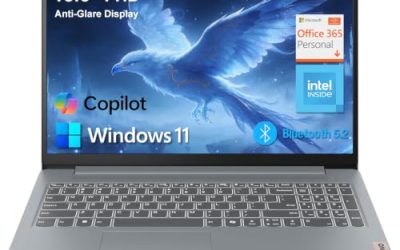
 HP Victus 15.6" Full HD 144Hz Gaming Laptop16GB | 512GB SSD20 x 4 x 10.8 inches7 poundsCheck on Amazon
The best gaming laptops that look professional have a plain lid, a muted color, a restrained keyboard backlight and no loud vents or badges. In 2026 the strongest options are ASUS’s TUF Gaming A14 and ROG Zephyrus G14, Lenovo’s Legion line, and a few thin ultrabooks that handle lighter games. This guide ranks seven by how well they blend into a meeting room, a lecture hall or a coffee shop, and what each gives up to do it.
The Short Answer
- Most office-safe with real gaming power: ASUS ROG Zephyrus G14, often compared to a MacBook Pro in looks.
- Best 14-inch balance: ASUS TUF Gaming A14, an understated chassis with a premium feel.
- Best large screen that stays calm: Lenovo Legion 5a with a 15.3-inch OLED panel.
- Best gaming ultrabook for light games: Lenovo Slim 7i or Acer Swift Go 16 with integrated graphics.
- Most affordable discrete-GPU option: HP Victus 15 with an RTX 3050.
The “Looks Professional” Scorecard
Before the picks, here is the checklist behind the ranking. Each laptop is judged on the same six traits, based on maker specifications, store listings and published reviews. We did not use the laptops ourselves.
| Trait | What to look for | Red flag |
|---|---|---|
| Lid design | Plain, single-color finish | Large logos, mesh, light bars |
| Color | Gray, black, silver, off-white | Neon accents, red or green trim |
| Keyboard lighting | White or single-zone, easy to switch off | RGB zones that cannot be disabled |
| Vents and rear shape | Hidden or minimal vents | Large exposed exhaust at the rear |
| Thickness class | Thin-and-light chassis | Thick chassis with a raised hinge |
| Fan noise | Quiet in office tasks | Loud ramp-up for simple work |
Picks at a Glance
| Laptop | Screen | Graphics | Looks | Best for | Price tier |
|---|---|---|---|---|---|
| ASUS ROG Zephyrus G14 | 14-inch OLED, 2.8K | RTX 5060 (listing) | Very understated | Office plus serious gaming | Premium |
| ASUS TUF Gaming A14 | 14-inch WQXGA, 165 Hz | NVIDIA RTX (see listing) | Understated | School and work | Upper-mid |
| Lenovo Legion 5a | 15.3-inch WQXGA OLED, 165 Hz | RTX 5060 | Calm | Bigger screen | Upper-mid |
| Lenovo Slim 7i | 14-inch WUXGA OLED | Integrated | Business-like | Light games, travel | Mid |
| HP Victus 15 | 15.6-inch FHD, 144 Hz | RTX 3050 | Mostly plain | Entry-level gaming | Low-mid |
| Acer Swift Go 16 | 16-inch 2K OLED touch | Integrated | Business-like | Creative and light games | Mid |
| Acer Swift Go 14 | 14-inch 1920×1200 touch | Integrated | Business-like | Portable ultrabook | Mid |
Seven Gaming Laptops That Look Professional
1. ASUS ROG Zephyrus G14: The Most Office-Safe Gaming Laptop
The Zephyrus G14 is the laptop reviewers most often describe as a gaming machine that does not look like one. Tom’s Guide has compared its minimalist design to a MacBook Pro, and one roundup notes it passes for a productivity laptop once the lid lighting is disabled. This listing shows a 14-inch 2.8K OLED screen, an AMD Ryzen 9 processor, an RTX 5060 graphics chip and 16 GB of memory with a 1 TB drive.
- Display: 14-inch OLED, 2.8K
- Processor: AMD Ryzen 9 270
- Graphics: GeForce RTX 5060
- Memory and storage: 16 GB, 1 TB
Best for: anyone who wants real gaming power in a laptop that fits any meeting.
Skip if: you need to stay in a lower price tier.
Pros: subtle chassis; bright OLED panel; strong graphics for a 14-inch; flexible for work and play.
Cons: premium tier; 14-inch screen is small for long gaming sessions.
2. ASUS TUF Gaming A14: The Best 14-Inch Balance

ASUS TUF Gaming A14 Copilot+ PC Gaming Laptop, 14” WQXGA 16:10 165Hz Display, AMD Ryzen™ AI 9 HX 370, NVIDIA® GeForce RTX™ 4060, 16GB LPDDR5X, 1TB PCIe® Gen 4.0 SSD, Wi-Fi 6E, Windows 11, FA401WV-WB94
Chosen because it specifies 14” WQXGA 16:10 165Hz Display and AMD Ryzen™ AI 9 HX 370.
View on AmazonTom’s Hardware names the TUF Gaming A14 its best 14-inch gaming laptop, saying it feels premium, looks grown-up and has strong battery life for non-gaming work. Its design is described as borrowing from the pricier Zephyrus line. The listing shows a 14-inch WQXGA 16:10 165 Hz display, a Ryzen AI 9 HX 370 processor and NVIDIA graphics. Newer 2026 A14 versions have shifted to AMD Strix Halo with no NVIDIA GPU, so read the full listing for the exact configuration.
- Display: 14-inch WQXGA, 16:10, 165 Hz
- Processor: AMD Ryzen AI 9 HX 370
- Graphics: NVIDIA GeForce RTX (exact model in the full listing)
Best for: students and professionals who want one laptop for classes, work and gaming.
Skip if: you need a large screen or a specific GPU and cannot verify the configuration.
Pros: grown-up design; high-refresh 16:10 screen; good battery in non-gaming use, according to reviews; portable.
Cons: configurations vary by year; small screen.
3. Lenovo Legion 5a: Calm Looks on a Bigger Screen

Lenovo Legion 5a Gaming Laptop, AMD Ryzen 7 250, GeForce RTX 5060, 15.3" WQXGA (2560x1600) 165Hz OLED Display, 32GB DDR5 RAM, 1TB SSD, Wi-Fi 7, RGB Backlit, Win 11, Black, w/Portable 500GB Drive
Chosen because it specifies AMD Ryzen 7 250 and GeForce RTX 5060.
View on AmazonRoundups say that even the Legion 5, 7 and Pro lines stay low-key once the RGB lighting is off, and the main giveaway is the Legion logo on the back. This 5a configuration lists a Ryzen 7 250, RTX 5060 graphics, 32 GB of DDR5 memory and a 15.3-inch WQXGA 165 Hz OLED display.
- Display: 15.3-inch WQXGA OLED, 165 Hz
- Processor: AMD Ryzen 7 250
- Graphics: GeForce RTX 5060
- Memory: 32 GB DDR5
Best for: players who want a bigger screen without a flashy design.
Skip if: you want the thinnest possible laptop to carry daily.
Pros: sharp OLED panel; generous memory; calm styling; a larger display than the 14-inch picks.
Cons: heavier and thicker than the Zephyrus; the logo is visible.
4. Lenovo Slim 7i: A Business-Like Ultrabook for Lighter Games
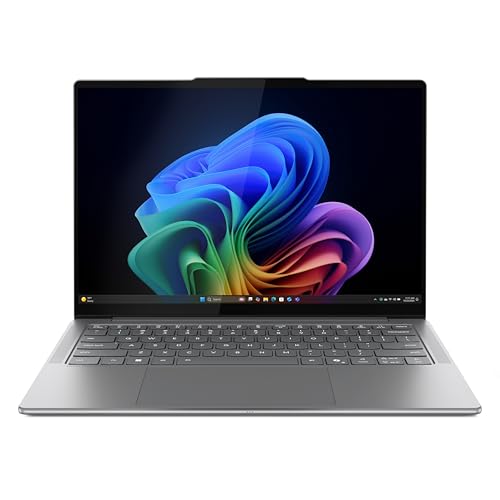
Lenovo Slim 7i Aura Edition - 2025 - Copilot+ PC - Core Ultra 7 Processor 256V - 14" WUXGA OLED Display - 16 GB Memory - 1 TB Storage - Luna Grey
Chosen because it specifies 2025 and Copilot+ PC.
View on AmazonThe Slim 7i is not a gaming laptop in the traditional sense, since it uses integrated graphics, but it answers the “gaming ultrabook” query honestly. The listing shows a Core Ultra 7 256V processor, a 14-inch WUXGA OLED display and 16 GB of memory. It suits older titles, indie games and cloud gaming, rather than modern demanding games.
Best for: work-first users who want to play lighter games after hours.
Skip if: you need to run recent demanding games at high settings.
Pros: business-like design; OLED display; portable; quiet for office use.
Cons: integrated graphics only; not for demanding games.
5. HP Victus 15: The Most Affordable Plain-Looking Option
HP Victus 15.6" Full HD 144Hz Gaming Laptop, Intel Core i5-12450H, NVIDIA GeForce RTX 3050,16GB RAM, 512GB PCIe SSD, Wi-Fi 6, Backlit Keyboard,Windows 11 Pro, Performance Blue
Chosen because it specifies Intel Core i5-12450H and NVIDIA GeForce RTX 3050.
View on AmazonThe Victus 15 lists a 15.6-inch Full HD 144 Hz display, an Intel Core i5-12450H processor, an RTX 3050 graphics chip, 16 GB of RAM and a 512 GB SSD. It is the lowest-tier discrete-GPU laptop here, and its styling is more restrained than many entry-level rivals. It is a reasonable choice for a student who needs a gaming-capable laptop that will not draw attention in class.
Best for: budget-minded students.
Skip if: you want a high-end display or the latest graphics generation.
Pros: low tier among discrete-GPU laptops; 16 GB of memory; 144 Hz screen; plain styling.
Cons: older processor and graphics; a thicker, plastic-feeling build is typical of this tier.
6. Acer Swift Go 16: A Large Business-Style Screen for Light Games
The Swift Go 16 is a thin creator-style laptop with a 16-inch 2K OLED touchscreen, an Intel Core Ultra 7 355 processor and 32 GB of LPDDR5X memory, according to the listing. It has no dedicated GPU, so expect casual and older games rather than demanding releases.
Best for: people who need a larger business-looking display and play lighter games.
Skip if: you want an RTX card.
Pros: large OLED touchscreen; 32 GB of memory; understated looks; Copilot+ features in some variants.
Cons: integrated graphics; not designed for modern demanding games.
7. Acer Swift Go 14: A Portable Ultrabook for Casual Gaming
The Swift Go 14 lists a 14-inch 1920×1200 touch display and an Intel Evo platform in a thin-and-light design. It sits at the quiet, portable end of this list and suits classes, travel and casual games.
Best for: students who want an ultrabook first and a game machine second.
Skip if: you want discrete graphics.
Pros: light and slim; touch display; mid tier; looks like any office laptop.
Cons: integrated graphics; modest for demanding games.
Also Consider
- ASUS ProArt and Vivobook Pro lines: creator laptops with clean looks and discrete graphics in some models.
- Dell XPS 16: cited by reviewers as a leader in office battery life, with a more premium tier.
- Lenovo Legion Slim line: described by roundups as boxy, subtle and similar to a business workstation.
Gaming Ultrabook or Gaming Laptop?
A gaming ultrabook is a thin laptop that trades graphics power for portability. A true gaming laptop carries a dedicated NVIDIA or AMD GPU and a stronger cooling system. Which you need depends on what you play.
| If you play | Better choice | Why |
|---|---|---|
| Indie games, older titles, cloud gaming | Gaming ultrabook | Integrated graphics are enough and the laptop is lighter |
| Esports titles at moderate settings | Entry gaming laptop with a modest GPU | A discrete GPU gives higher frame rates |
| Modern demanding games | Gaming laptop with an RTX card | Integrated graphics will struggle |
| Mostly work with the occasional game | Ultrabook | Battery life and portability matter more |
Where Each Laptop Fits: Office, Classroom and Travel
In a client meeting or interview
The ROG Zephyrus G14 and the two Acer Swift Go models are the safest. Their lids are plain and their profiles are thin, so nobody will assume you are about to start a game. Reviewers also describe the TUF Gaming A14 as grown-up in design, so it works too.
In a lecture hall
Students benefit from a lighter laptop and a long battery. The 14-inch TUF Gaming A14 and the Swift Go 14 are the easiest to carry, and a 16:10 screen shows more of a document or a slide. The HP Victus 15 is bulkier but is the lowest-tier way to get a discrete GPU for after-class gaming.
In a shared office or coworking space
Fan noise draws more attention than looks. The ultrabooks stay quiet in office tasks because integrated graphics produce little heat. The gaming models are quieter when set to a balanced profile, but they will spin up under heavy load, so keep game sessions for home.
On a flight or train
Choose the lightest laptop you can accept. The 14-inch models and the Slim 7i fit small tray tables, and OLED panels look rich in dim cabins. Bring the original charger, because many gaming laptops draw more power than a small travel adapter supplies.
At home as the only computer
If one laptop must do everything, the Legion 5a’s larger OLED screen and generous memory make it the most comfortable for long gaming sessions and desk work, while still staying calm in styling.
What the Spec Lines Mean for a Dual-Purpose Laptop
Processor naming
AMD Ryzen 9 and Ryzen AI 9 chips in the Zephyrus G14 and TUF Gaming A14 are high-end laptop processors with strong multitasking. Intel Core Ultra chips in the Slim 7i and Swift Go models focus on efficiency and battery life. An older Core i5-12450H in the Victus 15 still handles office work well, but it is a previous-generation part.
Graphics naming
RTX 3050 sits at the entry level, and RTX 5060 is a newer, more capable chip. Laptop GPUs also run at different power limits, so the same name can perform differently in a thin chassis than in a thick one. Treat a thin design as a trade of some peak performance for looks and portability.
Display naming
WQXGA and 2.8K mean sharper-than-Full-HD screens that suit documents and creative work. A 16:10 shape adds vertical space. A 144 Hz or 165 Hz refresh rate makes games and scrolling feel smoother. OLED adds deep blacks and strong contrast, which also looks good in office presentations.
Memory and storage
16 GB handles office plus games, 32 GB leaves room for browser tabs, creative tools and a game running at once. Soldered LPDDR5X memory, common in thin laptops, cannot be upgraded later, so choose the amount you need at purchase.
Battery Life and Charging Notes
Battery claims in listings often describe light use. Gaming drains any laptop quickly, so plan to plug in. For office days, thin ultrabooks with efficient processors last longest, and Tom’s Hardware notes the TUF Gaming A14 has strong battery life for non-gaming tasks. Check whether the laptop charges over USB-C, because a USB-C charger is smaller and fits a work bag more easily than a barrel-style gaming adapter. Some gaming laptops need their full charger to reach full performance, so carry it if you plan to play away from home.
Software Settings That Change How a Laptop Looks and Sounds
- Performance profile: use a silent or balanced mode in meetings. It lowers fan speed and heat.
- Lighting control: the maker’s software lets you turn off rear or lid lighting and set the keyboard to a single color.
- Boot animation: some models play a gamer-branded startup animation that can be switched off.
- GPU switching: a hybrid graphics mode runs the integrated chip for office tasks, which saves battery and reduces noise.
- Display profile: a standard color profile looks more natural in documents than a vivid gaming profile.
Common Mistakes When Choosing a Subtle Gaming Laptop
- Judging looks from a single product photo. Check side and rear shots.
- Assuming every thin laptop has a dedicated GPU. Ultrabooks often do not.
- Ignoring the model year. Configurations change between years even under the same name.
- Skipping the keyboard backlight check, which can be the loudest visual feature.
- Buying a thin design and expecting thick-laptop performance in long gaming sessions.
- Forgetting the charger. A big brick undoes the professional look in a small bag.
Quick Decision Guide
| Your situation | Start with |
|---|---|
| Need the most office-safe look and real gaming power | ASUS ROG Zephyrus G14 |
| Want a 14-inch laptop and a more moderate tier | ASUS TUF Gaming A14 (confirm the configuration) |
| Prefer a larger OLED screen | Lenovo Legion 5a |
| Work mainly, play lighter games | Lenovo Slim 7i or Acer Swift Go |
| Limited budget and want a discrete GPU | HP Victus 15 |
Professional Looking Gaming Laptop: Buying Guide
Check the lid and the rear
The two places a gaming laptop gives itself away are the lid and the back. A plain lid with a small logo is the safest look. A visible rear vent or light bar is a giveaway. Look at photos from several angles, including the open view of the hinge.
Look at the keyboard lighting
White or single-color backlighting passes in an office. Multi-zone RGB can usually be switched off, but confirm that in the manual or the maker’s software. Fully disabling the lights also helps battery life.
Think about thickness and weight
Thin laptops blend in because they resemble ordinary ultrabooks. Check the maker’s specifications for thickness and weight, because the listing may not state them. We have not stated weights here where they were not verified.
Match the screen to the job
For office work, 14-inch to 16-inch screens with a 16:10 shape show more of a document. A 144 Hz or higher refresh rate benefits games but adds little in meetings. OLED panels look vivid, but check brightness if you work near windows.
Plan for noise
A quiet laptop is part of looking professional. Look for a quiet or balanced fan mode in the software and use it in meetings. Gaming performance modes are louder.
Choose memory and storage for both uses
16 GB of memory is a sensible minimum for gaming plus office tasks, and 32 GB gives headroom for creative work. A 512 GB drive fills quickly with games, so 1 TB is more comfortable.
How to Make Any Gaming Laptop Look More Professional
- Turn off the keyboard RGB or set it to a plain white.
- Use a matte skin or sleeve that covers a loud lid design.
- Switch the system to a quiet profile in meetings.
- Change the startup animation and boot logo if the software allows it.
- Use a plain laptop sleeve and a simple stand in the office.
- Keep the charger small if the maker offers a compact option.
Gaming Laptops That Do Not Look Like Gaming Laptops: Questions
What is a professional-looking gaming laptop?
It is a gaming laptop with a plain lid, a muted color, discreet vents and controllable lighting. The Zephyrus G14 and TUF Gaming A14 are the most common examples.
Which is the best gaming ultrabook?
For real gaming, a thin 14-inch laptop such as the Zephyrus G14 is the best gaming ultrabook. For lighter games, the Lenovo Slim 7i and Acer Swift Go models use integrated graphics.
Are there gaming laptops that do not look like gaming laptops?
Yes. The ASUS Zephyrus G14, the ASUS TUF Gaming A14 and the Lenovo Legion Slim line are the ones reviewers most often describe this way.
Can I use a gaming laptop for work and school?
Yes. A gaming laptop runs office software easily. Choose a restrained design, a quiet mode and a screen that suits documents.
Does a professional look cost more?
Often it does. Thin, premium chassis tend to carry a higher price tier, though the HP Victus 15 is a lower-tier option with plainer styling.
Do these laptops run hot or loud?
Under gaming load, any laptop with a discrete GPU will get warm and louder. Thin designs have less cooling headroom, so use the quiet profile for work.
Why Plain Design Matters More Than It Seems
A laptop that looks professional does more than avoid raised eyebrows. In a classroom, a visible gaming design can invite questions from teachers about focus. In an office, it can suggest the laptop is a personal device rather than a work tool, which matters when IT staff review what connects to the network. And in public, a plain chassis is simply less of a target than a glowing one. For these reasons, many buyers treat appearance as a feature on par with screen size or storage.
The trade-off is real, though. Subtle designs usually come in thinner chassis with less cooling, so sustained frame rates can be lower than in a thick gaming laptop with the same GPU name. If you mostly play for short sessions or lighter titles, the trade is easy. If you play long sessions of demanding games, consider a thicker model and keep the professional look for the sleeve and desk setup instead.
Finally, remember that the first impression comes from the lid and the sound. A silent, plain-looking laptop will pass almost anywhere, even with a capable GPU inside.
Which One Should You Buy?
Choose the ROG Zephyrus G14 if you want the most convincing professional look with real graphics power and can afford a premium tier. Choose the TUF Gaming A14 if you want a similar 14-inch design at a more moderate tier, after confirming its configuration. Pick the Legion 5a for a bigger OLED screen with calm styling, the HP Victus 15 if cost is the priority, and the Slim 7i or Swift Go models if you work first and play lighter games after hours.
How We Chose
This guide is research-based. We did not use the laptops ourselves. We compared maker specifications, store listings and published reviews, and judged each laptop against the six-point appearance scorecard above. Where a detail such as weight or exact GPU was not confirmed, we left it out or pointed you to the full listing.
Sources
- Tom’s Hardware, Best Gaming Laptops
- Tom’s Guide, ASUS ROG Zephyrus G14 review
- PC Gamer, Best 14-inch gaming laptop
- ASUS, Lenovo, HP and Acer product pages
Last updated: November 2026
FAQ
Gaming Ultrabook or Gaming Laptop?
What is a professional-looking gaming laptop?
Which is the best gaming ultrabook?
Are there gaming laptops that do not look like gaming laptops?
Can I use a gaming laptop for work and school?
Does a professional look cost more?
Do these laptops run hot or loud?
Which One Should You Buy?
More from Amazon
Programs that pair well with the guide above. Offers and eligibility are set by Amazon and may change.
A free business account with business pricing and bulk-buying tools for work, shop or home office.
Create a business accountFree shipping on eligible items, Prime Video and more. Eligible new members can start with a free trial.
Start a Prime free trialAudiobooks and podcasts to listen to on the go. Eligible new members can start with a free trial.
Try Audible freeAd-free music streaming. Eligible new subscribers can start with a free trial.
Try Music Unlimited freeAs an Amazon Associate we earn from qualifying purchases.