
Key takeaways
- An i3 laptop under $600 makes sense for one kind of buyer: you live in a browser, Word or Google Docs, Zoom, and light photo work, and you want a Windows machine that stays responsive for 3-4 years without paying…
An i3 laptop under $600 makes sense for one kind of buyer: you live in a browser, Word or Google Docs, Zoom, and light photo work, and you want a Windows machine that stays responsive for 3-4 years without paying for power you won’t use. It is not a gaming laptop and it is not a creator workstation. If you understand that going in, an i3 is often the best value in this price range because you get acceptable CPU performance and can spend the savings on RAM and SSD.
The catch is that “i3” covers very different chips. A new i3-1215U or i3-1315U with 8GB RAM and a 256GB SSD feels completely different from an old i3-1115G4 with 4GB RAM and a hard drive, even though both boxes say “Intel Core i3.” Under $600, almost all the bad buys are bad because of the RAM, storage, or screen, not because i3 itself is too slow.

Dell 15.6 Laptop, FHD, Intel Core 3 100U, 8 GB RAM, Windows 11 Home
Included for 'Best Laptop with i3 Under $600' because the listing specifies FHD and Intel Core 3 100U, details this guide uses to compare options.
View on Amazon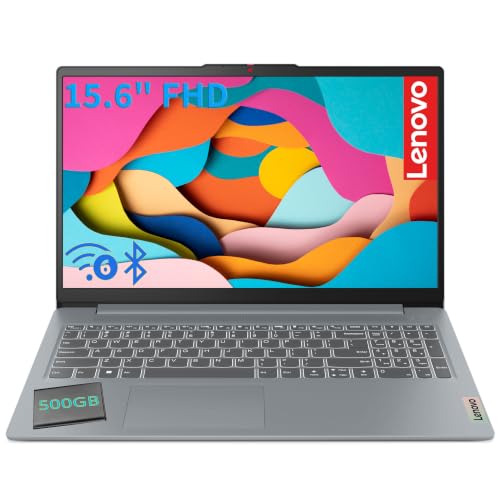
Lenovo 15.6" FHD Laptop, Intel 8-Core i3 CPU, 8GB RAM, 128GB Storage
Included for 'Best Laptop with i3 Under $600' because the listing specifies Intel 8-Core i3 CPU and 8GB RAM, details this guide uses to compare options.
View on AmazonWhat an i3 actually does well
A current 12th or 13th-gen i3, specifically the i3-1215U, i3-1315U, or i3-N305, has 6 cores and handles everyday multitasking fine: 10-15 Chrome tabs, Spotify, Word, and Zoom at the same time. Boot time with an SSD is 15-20 seconds. Word and Excel open instantly. 1080p YouTube and Netflix are smooth. For school and office work, you will not feel a big difference versus an i5 in the same generation unless you are compiling code, editing long 4K timelines, or running virtual machines.
Where you will feel the limit is sustained loads. Exporting a 20-minute 1080p video, batch-exporting 200 RAW photos in Lightroom, or running Minecraft with heavy mods plus Discord and Chrome will push an i3 to 100% and take noticeably longer than an i5 or Ryzen 5. Light games like Stardew Valley, Minecraft vanilla, Roblox, League of Legends at low settings, and browser games are playable on Intel UHD or Iris Xe integrated graphics. Anything like Baldur’s Gate 3, Warzone, or Cyberpunk is not realistic, even at low settings.
Specs that matter more than i3 vs i5
Under $600, prioritize in this order: 8GB RAM minimum, SSD, screen, then CPU generation. Do not buy a new laptop in 2026 with 4GB RAM and Windows 11. It will stutter on day one and get worse with updates. 8GB is the floor for school and work. 12GB is nice if you find it, but rare with i3 at this price.
Insist on an SSD, ideally 256GB or 512GB NVMe. Some sub-$400 listings still hide a 128GB eMMC or 1TB hard drive. eMMC is much slower and often soldered, and a hard drive makes even a good i3 feel broken. For the screen, look for 1920×1080 Full HD and IPS. Many budget 15.6-inch models use dim TN panels at 220 nits with washed-out colors. If you work near a window or in a classroom, that matters more than 100MHz of CPU speed. Also check for upgradeability: one open RAM slot or a second SSD slot can extend life by two years.
When you are browsing, you will see a lot of listings that just say “Intel Core i3 Laptop” without the generation. That is intentional. If you are shopping for a i3 laptop with 8GB RAM and SSD, open the specs and confirm the exact processor model and screen resolution before you buy.
Which i3 to buy and which to skip
| Processor | Cores / Graphics | Real-world feel | Verdict under $600 |
|---|---|---|---|
| i3-1315U | 6 cores (2P+4E), UHD | Fast for office, school, 1080p video; quiet under light load | Best pick if price is within $50 of older models |
| i3-1215U | 6 cores (2P+4E), UHD | Within 5-10% of 1315U for most tasks | Great value, often $80-120 cheaper |
| i3-N305 | 8 efficient cores, UHD | Excellent battery life, slightly slower single-core | Good for students who need 8+ hours unplugged |
| i3-1115G4 | 2 cores, UHD | OK for one task at a time, struggles with multitasking | Only if under $330 new and has SSD + 8GB RAM |
| i3-10110U / 10th-gen and older | 2-4 cores, older UHD | Slower Wi-Fi, shorter support window, weaker battery | Skip new; used only under $250 |
The practical takeaway: an i3-1215U at $429 with 8GB RAM, 512GB SSD, and a Full HD IPS screen is a better buy than an i3-1315U at $549 with 8GB RAM, 256GB SSD, and a dim TN screen. Generation matters, but not that much. Failure mode I see most is people overpaying $70 for a slightly newer i3 while getting half the storage and a worse display.
Best types of i3 laptops under $600 by use
For school and office work: 14-inch i3-1215U / 1315U, 8GB RAM, 512GB SSD. This is the sweet spot. Acer Aspire, Lenovo IdeaPad Slim, HP 15s, and ASUS Vivobook lines all rotate through this config at $400 to $550. A 14-inch model is easier to carry and usually gets better battery life than a 15.6-inch with the same chip. Look for 45Wh battery or larger, Wi-Fi 6, backlit keyboard if you type at night, and under 3.3 lbs if you commute. Who it suits: high school, college general ed, admin work, bookkeeping. Who should skip: engineering students running SolidWorks, MATLAB large datasets, or 4K Premiere — save for a Ryzen 5 or i5 with 16GB.
For home and couch use: 15.6-inch Full HD IPS. If the laptop rarely leaves the house, the larger screen is worth it for spreadsheets, split-screen research, and streaming. Same internal specs are fine, but prioritize speakers and screen brightness over thinness. Many 15-inch i3 models have an empty 2.5-inch bay or second M.2 slot, so you can add storage later cheaply. The trade-off is weight and battery — expect 5-7 hours real use versus 7-9 on a 14-inch N305 machine.
For note-taking: i3 2-in-1 touchscreen. A convertible with touchscreen and pen support is useful for annotating PDFs, math, and diagrams, but you pay a premium. Under $600 you will usually get 8GB RAM and 256GB SSD instead of 512GB, and a glossier screen with more reflections. Only buy this if you will actually use tablet mode weekly. If you just want to tap buttons occasionally, a standard clamshell with better SSD and screen is the smarter buy. You can filter for a i3 touchscreen 2-in-1 laptop to see the price difference — it is usually $70 to $120 more for the same CPU and RAM.
If battery life is your top priority for classes, specifically look at i3-N305 machines. They are not faster, but in light web use they sip power. I have seen them do 9-10 hours of docs and video at 50% brightness where a 1215U model does 7. The trade-off is slower app launches and a small lag when you open five things at once. Students who write and browse all day often prefer that trade. Heavy multitaskers do not.
When the cheaper option is fine
You do not need to spend $599 to get a good i3. Around $380 to $480 is where the value is. Above $550, you are competing with discounted Ryzen 5 7530U and i5-1335U laptops with 16GB RAM, which are objectively better for multitasking and creative apps. If you find an i3-1215U laptop under $500 with Full HD IPS, 8GB RAM, and 512GB SSD from a major brand, that is usually the buy. Pay more only for a confirmed better screen, backlit keyboard, or 12GB+ RAM — not just a one-step CPU bump.
Also be honest about Chromebooks. If all you do is Google Docs, Canvas, Gmail, and Netflix, a $300 Chromebook can feel faster than a $450 Windows i3 and gets better battery. The reason to stick with Windows i3 is software: full Office, QuickBooks, iTunes, printer drivers, Zoom plugins, and school apps that require Windows. If you need those, the i3 is worth it. If you do not, the cheaper option is fine.
Pitfalls to check before checkout
First, RAM soldered versus upgradeable. Many thin i3 laptops have 8GB soldered with no slot. That is acceptable if you only do office work, but know you cannot fix it later. Second, screen listing tricks: “HD” means 1366×768, “FHD” or “Full HD” means 1920×1080. Sellers bury this. Third, refurbished business laptops: a used i5 ThinkPad or Latitude with 16GB RAM for $350 can beat a new i3 for work, but battery wear is real — ask for battery health and factor in a $60 replacement. Fourth, charger and ports: some budget models still ship with barrel chargers instead of USB-C charging and have only one USB-C port with no DisplayPort. If you plan to dock to a monitor, check that spec.
FAQ
Is an i3 laptop good enough for college?
Yes for most majors: English, business, psychology, education, and general coursework. It handles Docs, Sheets, Canvas, Zoom, and research with 15+ tabs if it has 8GB RAM and an SSD. For computer science, engineering, architecture, or film, get 16GB RAM and an i5/Ryzen 5 if you can stretch to $650-$750.
Can you game on an i3 under $600?
Light gaming only. Expect smooth play in Roblox, Minecraft Java without heavy shaders, Stardew Valley, Hades, and older esports titles at 720p-1080p low. Modern AAA games will stutter or not launch well on UHD graphics. If gaming matters, a used GTX 1650 laptop or saving for a $750 RTX 2050 machine is a bigger jump than any i3 to i5 upgrade.
How much RAM and storage do I need with an i3?
Minimum 8GB RAM and 256GB SSD, ideally 512GB SSD. Windows plus updates plus school files fills 256GB faster than people expect. If you edit photos or keep offline video, 512GB is worth an extra $40-$50. Avoid 4GB RAM or 128GB eMMC models — they are the main reason budget laptops feel slow, not the i3 itself.
Should I buy i3-1215U or pay more for i3-1315U?
Buy whichever is cheaper with the better screen and SSD. Performance difference is under 10% in everyday tasks. If the 1315U model costs more than $50 extra for otherwise identical specs, keep the 1215U and put the savings toward a larger SSD or a laptop stand and mouse.


