Our Top Picks
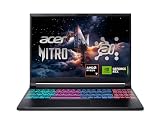
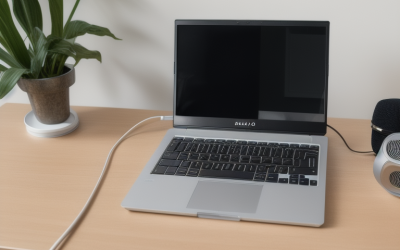
 NIMO 15.6" FHD R5 AI Student Laptop8GB RAM | 256GB SSD14.07 x 8.98 x 0.76 inches3.75 PoundsCheck on Amazon
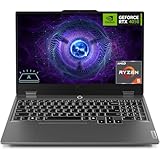
 Lenovo 15" Gaming Laptop Computer16GB DDR5 RAM, 1TB PCIe SSD13.52 x 9.51 x 0.7 inches1 PoundsCheck on Amazon
The HP OMEN 15-inch gaming laptop with the Ryzen 5 240 and GeForce RTX 5050 is the best 15-inch pick here: it combines a discrete 8GB GPU, 16GB of RAM and a 2K 165Hz display in the size most gamers actually want to carry. “15 inch” refers to the screen diagonal, usually 15.6 inches on gaming models, which keeps the chassis portable while leaving room for a full keyboard and decent cooling. Be careful with the lower half of this list, because several listings use the word gaming loosely.
Quick List
- HP OMEN 15 (Ryzen 5 240, RTX 5050) – best overall 15-inch gaming laptop with a high-refresh screen
- NIMO 15.6″ R5 AI laptop – best for school and office work, not for gaming
- Light Gaming Laptop (Ryzen 5700U) – best for casual and older games on integrated graphics
- ASUS ROG Strix G16 (Core i7-14650HX, RTX 5060) – best for stepping up to 16 inches and a stronger GPU
- Lenovo 15″ (Ryzen 5 7535HS, 1TB SSD) – best for everyday computing with roomy storage and light games
- Alienware 15 (Core 7 240H, RTX 4050) – best for a branded 15-inch machine with a discrete GPU
Which One Is Right for You?
| If you… | Choose |
|---|---|
| want a real 15-inch gaming laptop with a modern GPU and a fast screen | HP OMEN 15 with RTX 5050 |
| want the most GPU power and can accept a 16-inch body | ASUS ROG Strix G16 with RTX 5060 (a 16-inch model, so a runner-up for this size) |
| want an RTX 4050 in a 15-inch Alienware | Alienware 15 |
| mostly browse, work and watch video but want 1TB of space and a six-core CPU | Lenovo 15″ with Ryzen 5 7535HS |
| play older or lightweight games on a tight budget | Light Gaming Laptop with Ryzen 5700U |
| need a student laptop and do not play demanding games | NIMO 15.6″ R5 AI laptop |
Only the OMEN and the Alienware are 15-inch laptops with a named discrete GPU. The ROG Strix G16 is a 16-inch model and the remaining three are general-purpose or integrated-graphics laptops. If you want to play current 3D games at good settings, the OMEN and Alienware are the realistic choices; treat the other four as either a bigger-screen alternative or a lighter-duty purchase.

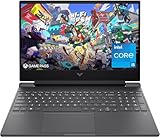
HP HyperX OMEN 15 inch Gaming Laptop, 2K 165Hz Display, AMD Ryzen 5 240, 16 GB RAM, 512 GB SSD, NVIDIA GeForce RTX 5050 GPU (8 GB Dedicated), Windows 11 Home, Shadow Black, 15-gb0099nr
Included for 'Best 15 Inch Gaming Laptops in 2026: 6 Picks by Specs' because the listing specifies 2K 165Hz Display and AMD Ryzen 5 240, details this guide uses to compare options.
View on AmazonNIMO 15.6" FHD R5 AI Student Laptop, 8GB RAM 256GB SSD, Expandable to 4TB
Included for 'Best 15 Inch Gaming Laptops in 2026: 6 Picks by Specs' because the listing specifies 8GB RAM 256GB SSD and Expandable to 4TB, details this guide uses to compare options.
View on Amazon
Light Gaming Laptop, ΑΜD Ryzen 5700U (Up to 4.3GHz), 16GB RAM 512GB SSD | 15.6 inch Laptop Computer, WiFi 6, BT5.2, Webcam, Type-C, Windows 11 Laptop for Student, Business
Included for 'Best 15 Inch Gaming Laptops in 2026: 6 Picks by Specs' because the listing specifies ΑΜD Ryzen 5700U (Up to 4.3GHz) and 16GB RAM 512GB SSD, details this guide uses to compare options.
View on Amazon
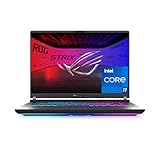
ASUS ROG Strix G16 (2025) Gaming Laptop, 16” FHD+ 16:10 165Hz/3ms, NVIDIA® GeForce RTX™ 5060, Intel® Core™ i7 Processor 14650HX, 16GB DDR5, 1TB Gen 4 SSD, Wi-Fi 7, Windows 11 Home, G615JMR-AS74
Included for 'Best 15 Inch Gaming Laptops in 2026: 6 Picks by Specs' because the listing specifies 16” FHD+ 16:10 165Hz/3ms and NVIDIA® GeForce RTX™ 5060, details this guide uses to compare options.
View on AmazonLenovo 15" Gaming Laptop Computer, AMD Ryzen 5 7535HS 6-Core, 16GB DDR5 RAM, 1TB PCIe SSD, FHD+ Display, WiFi 6, Bluetooth 5.3, Webcam, HDMI, Type-C, Luna Grey, Windows 11 Home
Included for 'Best 15 Inch Gaming Laptops in 2026: 6 Picks by Specs' because the listing specifies AMD Ryzen 5 7535HS 6-Core and 16GB DDR5 RAM, details this guide uses to compare options.
View on Amazon
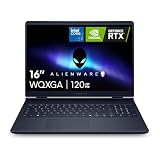
Alienware 15 Gaming Laptop, RTX 4050, Intel Core 7 240H, Windows 11 Home
Included for 'Best 15 Inch Gaming Laptops in 2026: 6 Picks by Specs' because the listing specifies RTX 4050 and Intel Core 7 240H, details this guide uses to compare options.
View on AmazonAll 6 Picks in Detail
1. HP OMEN 15 (Ryzen 5 240, RTX 5050) – Best Overall 15-Inch Gaming Laptop
As an Amazon Associate we earn from qualifying purchases at no extra cost to you.

The OMEN 15 listing reads like a proper gaming spec sheet: a 2K display at 165Hz, an AMD Ryzen 5 240, 16GB of RAM, a 512GB SSD and a GeForce RTX 5050 with 8GB of dedicated memory. The RTX 5050 laptop GPU uses NVIDIA’s Blackwell architecture, with 2,560 CUDA cores and 8GB of GDDR7, which is a meaningful step over older 6GB cards for texture-heavy titles. For a 15-inch buyer who wants one machine for both gaming and general use, this is the configuration to start with.
- Display: 15-inch class, 2K resolution, 165Hz
- CPU: AMD Ryzen 5 240, 6 cores and 12 threads (Zen 4 generation)
- GPU: NVIDIA GeForce RTX 5050 laptop GPU, 8GB dedicated GDDR7
- Memory: 16GB
- Storage: 512GB SSD
- Power limit and ports: confirm on listing
Pros
- Higher-resolution, high-refresh display than most rivals in this size
- 8GB of VRAM and DLSS 4 support on a current-generation GPU
- Six-core CPU is plenty for gaming
Cons
- 512GB of storage fills fast with modern installs
- A 2K panel is harder for an RTX 5050 to drive at maximum settings than 1080p
Its nearest alternative is the Alienware 15, which gives up a generation of GPU for a different brand and CPU.
2. NIMO 15.6″ R5 AI Laptop – Best for School and Office Work

This listing describes a student laptop, not a gaming laptop. It names a 15.6-inch Full HD screen, an AMD “R5 AI” processor, 8GB of RAM and a 256GB SSD that is expandable to 4TB. No discrete graphics card is mentioned, so expect integrated graphics only. It is included because it appeared in the catalog for this keyword, but it is a runner-up at best. Buy it for lectures, documents, video calls and streaming, and plan on a separate gaming PC or console if games matter.
- Display: 15.6-inch Full HD
- CPU: AMD Ryzen 5 class (exact model: confirm on listing)
- GPU: not stated; assume integrated graphics
- Memory: 8GB
- Storage: 256GB SSD, listing says expandable to 4TB
- Gaming suitability: light games only
Pros
- Full HD 15.6-inch screen is fine for documents and video
- Storage can be expanded
Cons
- No named gaming GPU, so modern 3D games will struggle
- 8GB of RAM and 256GB of storage are small by gaming standards
Compared with the Lenovo 15″ below, it has less memory and storage and no larger upside. If your child or student needs a reliable machine for homework first and the occasional casual game second, that is a perfectly sensible role for it.
3. Light Gaming Laptop (Ryzen 5700U) – Best for Casual and Older Games

The title says “light gaming,” and that is the honest way to read it. The listing names an AMD Ryzen 5700U (up to 4.3GHz), 16GB of RAM and a 512GB SSD in a 15.6-inch body, with Wi-Fi 6, Bluetooth 5.2, a webcam and a Type-C port. There is no discrete graphics card in the name, so graphics come from the processor’s built-in Radeon Vega engine. Titles such as older racing games, card games, platformers and many esports shooters at reduced settings are realistic targets; recent open-world games are not.
- Display: 15.6-inch
- CPU: AMD Ryzen 5700U, up to 4.3GHz (AMD’s 5700U is an 8-core, 16-thread Zen 2 chip with integrated Vega graphics)
- GPU: integrated; no discrete GPU named
- Memory: 16GB
- Storage: 512GB SSD
- Connectivity: Wi-Fi 6, Bluetooth 5.2, Type-C
Pros
- 16GB of RAM helps multitasking
- Eight CPU cores handle general productivity well
- Wi-Fi 6, Bluetooth 5.2 and Type-C cover modern connectivity
Cons
- Integrated graphics limit it to esports, indie and older games at low settings
- Brand and cooling design are not named in the listing, so support details are unclear
It is similar in intent to the Lenovo 15″ but with a stronger integrated GPU and no larger SSD.
4. ASUS ROG Strix G16 (Core i7-14650HX, RTX 5060) – Best for a Bigger, Stronger Alternative

This laptop does not match the 15-inch facet, because the listing states a 16-inch FHD+ 16:10 screen. It is placed fourth as a runner-up for readers who can accept a slightly larger body in exchange for more GPU. The listing names a 165Hz, 3ms panel, an Intel Core i7-14650HX, a GeForce RTX 5060 and 16GB of DDR5.
- Display: 16-inch FHD+ (16:10), 165Hz, 3ms
- CPU: Intel Core i7-14650HX, 16 cores (8 performance plus 8 efficiency) and 24 threads
- GPU: NVIDIA GeForce RTX 5060 laptop GPU, 8GB GDDR7
- Memory: 16GB DDR5
- Storage: confirm on listing
- Size: 16-inch chassis, not 15-inch
Pros
- RTX 5060 and HX-class CPU are clearly stronger than the OMEN’s pair
- 16:10 panel gives extra vertical room
Cons
- Not a 15-inch laptop, so it is bulkier in a bag
- Storage capacity is not stated in the listing name
Choose it over the OMEN only if the extra inch of screen does not bother you and you want a noticeably stronger GPU and CPU.
5. Lenovo 15″ (Ryzen 5 7535HS, 1TB SSD) – Best for Everyday Computing With Roomy Storage

The listing calls this a gaming laptop, but it names no discrete graphics card. The 15-inch class size and keyboard layout suit typing as much as playing. What it does state is an AMD Ryzen 5 7535HS (6 cores), 16GB of DDR5, a 1TB PCIe SSD, an FHD+ display, Wi-Fi 6, Bluetooth 5.3, a webcam and HDMI. The 7535HS includes Radeon integrated graphics, so treat this as a capable general-purpose machine that can run lighter games.
- Display: 15-inch class, FHD+; refresh rate: confirm on listing
- CPU: AMD Ryzen 5 7535HS, 6 cores and 12 threads (Zen 3+)
- GPU: no discrete GPU named; integrated Radeon graphics on the CPU
- Memory: 16GB DDR5
- Storage: 1TB PCIe SSD
- Connectivity: Wi-Fi 6, Bluetooth 5.3, HDMI
Pros
- 1TB SSD and 16GB DDR5 are generous for this class
- H-series six-core CPU is quick for everyday work
Cons
- Without a discrete GPU, demanding games will need low settings
- Gaming credentials are weak compared with the OMEN or Alienware
If you do want a gaming GPU, the Alienware 15 is the better step up.
6. Alienware 15 (Core 7 240H, RTX 4050) – Best for a Branded 15-Inch With a Discrete GPU

The Alienware 15 listing is short: an RTX 4050, an Intel Core 7 240H and Windows 11 Home. The Core 7 240H is a 10-core, 16-thread Raptor Lake-based processor (6 performance cores plus 4 efficiency cores), and the RTX 4050 laptop GPU has 6GB of GDDR6 and supports DLSS 3 frame generation. Screen, memory and storage are not named, so read the full product page and make sure the configuration you order matches what you expect. Alienware’s 15-inch line is aimed at players who want the brand’s styling and support without moving to a premium-priced chassis.
- Display: confirm on listing
- CPU: Intel Core 7 240H, 10 cores and 16 threads
- GPU: NVIDIA GeForce RTX 4050 laptop GPU, 6GB GDDR6
- Memory: confirm on listing
- Storage: confirm on listing
- Operating system: Windows 11 Home
Pros
- Proper gaming GPU in a 15-inch body
- 10-core CPU is capable for gaming and productivity
Cons
- Key specs missing from the listing, so verify before purchase
- RTX 4050 is a generation behind the OMEN’s RTX 5050
Next to the OMEN, it gives you a different CPU and brand but a less advanced GPU. If the final configuration includes 16GB of RAM and a 1080p 144Hz screen, it becomes a reasonable, well-rounded 15-inch choice.
Specs Compared
| Laptop | Screen | CPU | GPU | RAM | Storage |
|---|---|---|---|---|---|
| HP OMEN 15 | 15-inch, 2K, 165Hz | Ryzen 5 240 | RTX 5050, 8GB | 16GB | 512GB SSD |
| NIMO 15.6″ R5 AI | 15.6-inch FHD | Ryzen 5 class (confirm on listing) | Not stated (integrated) | 8GB | 256GB, expandable to 4TB |
| Light Gaming Laptop | 15.6-inch | Ryzen 5700U | Integrated | 16GB | 512GB SSD |
| ASUS ROG Strix G16 (2025) | 16-inch FHD+ 16:10, 165Hz | Core i7-14650HX | RTX 5060 | 16GB DDR5 | confirm on listing |
| Lenovo 15″ Gaming Laptop | 15-inch class, FHD+ | Ryzen 5 7535HS | Not stated (integrated) | 16GB DDR5 | 1TB PCIe SSD |
| Alienware 15 | confirm on listing | Core 7 240H | RTX 4050 | confirm on listing | confirm on listing |
How We Chose These
This is a research-based guide, not a lab report. We began with current catalog listings for the keyword, read each listing title and specification field, and checked the named processors and graphics chips against manufacturer documentation from NVIDIA, Intel and AMD. We ranked by whether a laptop has a named discrete GPU, then by GPU generation, display refresh rate, memory and storage. Where a listing used the word gaming without naming a graphics card, or was not actually 15 inches, we said so and placed it as a runner-up. Anything the listing did not state is marked “confirm on listing,” so you know exactly which details to verify before you buy.
What to Look For
What “15 inch” really means
Screen size is measured diagonally, and 15-inch gaming laptops are almost always 15.6 inches, with a few models at 15.1 or 15.3 inches. That gives a chassis typically around 14 inches wide, small enough for a standard backpack. Moving to 16 inches adds screen area but also weight, and 17- and 18-inch machines are best treated as desk-bound. A 15-inch laptop is the usual compromise for people who split time between a desk and travel.
Discrete GPU or integrated graphics
The single most important question is whether the laptop has a dedicated NVIDIA or AMD graphics chip with its own video memory. Integrated graphics, such as the Radeon engine inside a Ryzen 5700U or 7535HS, share system memory and are fine for older, esports and indie games. A discrete RTX 4050 (6GB GDDR6) or RTX 5050 (8GB GDDR7) is what modern 3D titles expect. If a listing does not name a GPU, assume it does not have one.
Resolution and refresh rate
Full HD (1920×1080) is the easiest resolution for an entry-level GPU to drive. A 2K panel such as the one on the OMEN has roughly 78 percent more pixels than 1080p, so frame rates drop unless you lower settings or use upscaling. Rule of thumb: an RTX 5050 or RTX 4050 is comfortable at 1080p; at 2K, plan to use DLSS upscaling in demanding games. Refresh rates of 144Hz to 165Hz make motion look smoother, but only if your frame rate gets close.
Memory, storage and the processor
Aim for 16GB of RAM; the 8GB in the NIMO laptop is workable for office tasks but cramped for games. For storage, 512GB is a minimum, and 1TB gives breathing room for several large installs. On the CPU side, six or more cores is enough for gaming; Intel’s Core 7 240H has 10 cores and the Ryzen 5 240 has six. Finally, remember that listings with missing specs are a risk: check the product page for RAM, storage, display and port details before committing.
Cooling, battery and ports
A 15-inch chassis has limited room for heat, so look at how the power limit (total graphics power) is set, not just the GPU name. A laptop with an RTX 4050 running at a high power limit can outrun one with an RTX 5050 that is held back by a thin cooler. Battery life is short on gaming laptops: expect a few hours of light use and under an hour of heavy play, so plan to game while plugged in. Check ports as well. You want HDMI or DisplayPort for an external monitor, at least one USB-C port, USB-A for a mouse and, for online play, a wired Ethernet jack if you can get one.
Worked example: suppose you play 1080p shooters at 144 frames per second and also want to run Discord and a browser. A 16GB, RTX 4050 or RTX 5050 laptop with a six-core or better CPU covers that comfortably. If instead you only play older strategy games and spend most of the day in spreadsheets, a 16GB laptop with integrated graphics and a roomy SSD costs less and does the job.
Finally, think about software and support. Gaming laptops from established brands usually include a control app for fan profiles and power modes, plus a clear warranty path. Unbranded listings often do not, and that matters when a fan fails or a driver update goes wrong. Confirm that Windows is licensed and pre-installed, and look for a clearly named manufacturer before you buy.
Questions
Is a 15-inch laptop good for gaming?
Yes. It is the most common size for gaming laptops because it balances portability, screen area and cooling. Choose one with a discrete GPU and a screen of at least 144Hz if you play fast-paced games.
What is the best graphics card for a 15-inch gaming laptop?
Among the options here, the RTX 5050 with 8GB of GDDR7 is the newest in a true 15-inch body. The RTX 4050 is a solid, slightly older choice. Anything stronger, like the RTX 5060, usually appears in 16-inch or larger chassis.
Can a laptop with integrated graphics play games?
It can play older, indie and esports titles at lower settings. Modern AAA games usually need a discrete GPU. Integrated Radeon graphics in Ryzen chips are better than most Intel integrated options but still limited.
Is 2K better than Full HD on a 15-inch screen?
2K is sharper, but it asks more of the GPU. On a mid-range laptop GPU, you may get smoother play at Full HD. If you want the sharper screen, use DLSS upscaling where games support it.
How much RAM do I need?
16GB is the practical baseline for gaming. 8GB can work for light use but leaves little room for background programs. Check whether the laptop has spare memory slots for future upgrades.
Why do some gaming laptops list so few specs?
Short listings often come from brand pages that sell several configurations under one title. When RAM, storage or display details are missing, check the product page or manufacturer site to confirm the exact configuration.
Update History
- October 14, 2026 – Initial publication; product set drawn from current catalog listings.
- Check the product page for current specifications and availability before buying.
Sources
- Retailer listing titles and specification fields
- NVIDIA GeForce laptop GPU specification pages and launch coverage for the RTX 5050 and RTX 5060
- Intel and AMD processor specification databases for the named CPUs
- Manufacturer product pages for HP, ASUS, Lenovo and Alienware laptop lines