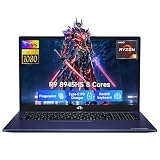
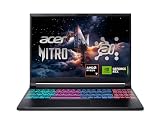
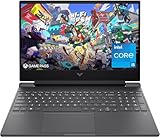
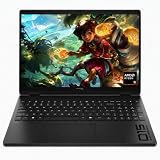
Our Top Picks
Pros & cons
- 180Hz WUXGA display offers 100% sRGB color accuracy
- 32GB DDR5 memory supports heavy multitasking alongside gaming
- DLSS 4 support helps boost frame rates on the RTX 5060
- Only one of two RAM slots is left open for upgrades
- Weighs over 4.6 pounds for a 16-inch laptop
Pros & cons
- DLSS 3.5 support on the RTX 4050 boosts image quality
- 165Hz FHD display suits fast-paced gameplay
- Killer Ethernet option adds a stable wired connection
- 8GB DDR5 RAM is modest for heavier multitasking
- RTX 4050 trails newer 50-series mobile GPUs
 acer Nitro V 15.6” FHD IPS 165Hz Gamingi5|RTX 5050|512GB PCIe SSD14.27 x 0.93 x 9.44 inches4.66 PoundsCheck on Amazon
Pros & cons
- RTX 5050 with 8GB GDDR7 suits current-gen gaming
- Thunderbolt 4 over USB-C adds fast external connectivity
- 165Hz IPS display aids smooth, responsive gameplay
- 16GB RAM may limit headroom for heavy multitasking
- Entry RTX 5050 trails higher-tier 50-series GPUs
The best overall pick among these Acer gaming laptops is the Nitro V 16S AI with a Ryzen 7 260, RTX 5060 Laptop GPU, 32GB of DDR5, and a 16-inch 180Hz display. It suits buyers who want a higher-tier GPU and generous memory in one listed configuration. Here, “gaming laptop” means a portable PC with dedicated GeForce graphics and a built-in display. The lineup also includes RTX 4050 and RTX 5050 Nitro models, plus compact Predator and Nitro options with RTX 5070 graphics. Choose by balancing GPU class, screen size and resolution, memory, and storage; verify any unlisted details on the product page before ordering.
Quick List
- Nitro V 16S AI RTX 5060 – best for a balanced high-spec configuration
- Nitro V i7 RTX 4050 – best for multitasking with 1TB storage
- Nitro V i5 RTX 4050 – best for a more modest memory and storage setup
- Predator Helios Neo 14 AI – best for a compact 14.5-inch RTX 5070 option
- Nitro V RTX 5050 – best for an RTX 5050 with 16GB memory
- Nitro V 16S AI RTX 5070 – best for a 16-inch WQXGA RTX 5070 setup
Which One Is Right for You?
| If you… | Choose |
|---|---|
| Want 32GB RAM, 1TB SSD, and a 16-inch 180Hz screen | Nitro V 16S AI RTX 5060 |
| Prioritize an i7 processor, 16GB RAM, and 1TB SSD | Nitro V i7 RTX 4050 |
| Prefer an i5 RTX 4050 configuration and can work with 8GB RAM | Nitro V i5 RTX 4050 |
| Want a 14.5-inch display and RTX 5070 Laptop GPU | Predator Helios Neo 14 AI |
| Want RTX 5050 graphics with 16GB RAM and 512GB SSD | Nitro V RTX 5050 |
| Want RTX 5070 graphics, 16GB RAM, and a 16-inch WQXGA screen | Nitro V 16S AI RTX 5070 |
These are listing-based distinctions, not performance rankings: GPU power limits and other details are not provided, so confirm them on the product page. The i5 RTX 4050 Nitro lists only 8GB of RAM, while the i7 variant lists 16GB, which is a meaningful configuration difference to weigh.

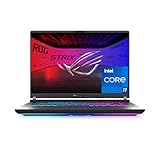
Acer Nitro V 16S AI Gaming Laptop | AMD Ryzen 7 260 Processor | NVIDIA GeForce RTX 5060 Laptop GPU (572 AI Tops) | 16" WUXGA IPS 180Hz Display | 32GB DDR5 | 1TB Gen 4 SSD | Wi-Fi 6 | ANV16S-41-R2AJ
Included for 'Best Acer Gaming Laptops in 2026: 6 Picks by Specs' because the listing specifies AMD Ryzen 7 260 Processor and NVIDIA GeForce RTX 5060 Laptop GPU (572 AI Tops), details this guide uses to compare options.
View on Amazon
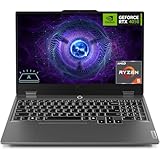
Acer Nitro V Gaming Laptop | Intel Core i7-13620H Processor | NVIDIA GeForce RTX 4050 Laptop GPU | 15.6" FHD IPS 165Hz Display | 16GB DDR5 | 1TB Gen 4 SSD | Wi-Fi 6 | Backlit KB | ANV15-52-76NK
Included for 'Best Acer Gaming Laptops in 2026: 6 Picks by Specs' because the listing specifies Intel Core i7-13620H Processor and NVIDIA GeForce RTX 4050 Laptop GPU, details this guide uses to compare options.
View on Amazon
Acer Nitro V Gaming Laptop | Intel Core i5-13420H Processor | NVIDIA GeForce RTX 4050 Laptop GPU | 15.6" FHD IPS 165Hz Display | 8GB DDR5 | 512GB Gen 4 SSD | Wi-Fi 6 | Backlit KB | ANV15-52-586Z
Included for 'Best Acer Gaming Laptops in 2026: 6 Picks by Specs' because the listing specifies Intel Core i5-13420H Processor and NVIDIA GeForce RTX 4050 Laptop GPU, details this guide uses to compare options.
View on Amazon
Acer Predator Helios Neo 14 AI Gaming Laptop | Intel Core Ultra 9 Processor 285H | NVIDIA GeForce RTX 5070 (798 AI Tops) | 14.5" WQXGA 165Hz G-SYNC Matte Display | 32GB RAM | 1TB SSD | PHN14-71-906J
Included for 'Best Acer Gaming Laptops in 2026: 6 Picks by Specs' because the listing specifies Intel Core Ultra 9 Processor 285H and NVIDIA GeForce RTX 5070 (798 AI Tops), details this guide uses to compare options.
View on Amazonacer Nitro V 15.6” FHD IPS 165Hz Gaming Laptop, Intel Core i5-13420H, NVIDIA GeForce RTX 5050 with 8GB GDDR7 VRAM, Win11H, w/Mouse pad (16GB RAM, 512GB PCIe SSD)
Included for 'Best Acer Gaming Laptops in 2026: 6 Picks by Specs' because the listing specifies Intel Core i5-13420H and NVIDIA GeForce RTX 5050 with 8GB GDDR7 VRAM, details this guide uses to compare options.
View on Amazon
Acer Nitro V 16S AI Copilot+ PC Gaming Laptop | AMD Ryzen AI 7 350 Processor | NVIDIA GeForce RTX 5070 Laptop GPU | 16" WQXGA IPS 180Hz Display | 16GB DDR5 | 1TB Gen 4 SSD | Wi-Fi 6E | ANV16S-61-R3Z0
Included for 'Best Acer Gaming Laptops in 2026: 6 Picks by Specs' because the listing specifies AMD Ryzen AI 7 350 Processor and NVIDIA GeForce RTX 5070 Laptop GPU, details this guide uses to compare options.
View on AmazonAll 6 Picks in Detail
1. Nitro V 16S AI RTX 5060 – Best for a balanced high-spec configuration
As an Amazon Associate we earn from qualifying purchases at no extra cost to you.

This Nitro V 16S AI is the strongest all-around fit in this group for shoppers who want a current-generation GPU, a 16-inch high-refresh display, and 32GB of memory in the same listed configuration. Its listing names an AMD Ryzen 7 260 processor and NVIDIA GeForce RTX 5060 Laptop GPU, alongside 1TB of Gen 4 SSD storage. The screen is specified as a 1920 x 1200 WUXGA IPS panel with a 180Hz refresh rate. The listing also states 100% sRGB color coverage; that is a maker-listed claim rather than an independent measurement.
- Processor: AMD Ryzen 7 260.
- Graphics: NVIDIA GeForce RTX 5060 Laptop GPU; listing cites 572 AI TOPS.
- Memory: 32GB DDR5.
- Storage: 1TB Gen 4 SSD.
- Display: 16-inch WUXGA IPS, 1920 x 1200, 180Hz.
- Wireless: Wi-Fi 6.
Pros
- 32GB RAM and a 1TB SSD are specified.
- High refresh rate and 16:10 WUXGA resolution are listed.
- RTX 5060 is a higher GPU tier than the listed RTX 4050 and RTX 5050 options.
Cons
- GPU wattage and memory upgrade details: confirm on listing.
- Battery capacity, ports, and operating-system edition: confirm on listing.
The nearest alternative is the Nitro V 16S AI RTX 5070: it lists the higher GPU tier and WQXGA resolution, but only 16GB RAM is stated.
2. Nitro V i7 RTX 4050 – Best for multitasking with 1TB storage

This 15.6-inch Nitro V suits shoppers who prefer an Intel Core i7 processor, 16GB of DDR5 memory, and a 1TB Gen 4 SSD. The listing identifies its graphics as an NVIDIA GeForce RTX 4050 Laptop GPU and its display as a Full HD IPS panel with a 165Hz refresh rate. That combination makes it a clearly specified midrange-style configuration on paper, but the listing does not give the graphics power limit, so comparisons with other RTX 4050 laptops require checking the product page. It is also one of two closely related Nitro V choices here; the other has a Core i5 processor, 8GB RAM, and 512GB SSD.
- Processor: Intel Core i7-13620H.
- Graphics: NVIDIA GeForce RTX 4050 Laptop GPU; listing cites 194 AI TOPS.
- Memory: 16GB DDR5; listing says two DDR5 slots total and maximum 32GB.
- Storage: 1TB PCIe Gen 4 SSD.
- Display: 15.6-inch FHD IPS, 165Hz, 16:9.
- Wireless and keyboard: Wi-Fi 6 and backlit keyboard are named.
Pros
- More listed memory and storage than the matching i5 RTX 4050 model.
- 165Hz refresh rate is specified.
- Two memory slots and 32GB maximum are stated in the listing.
Cons
- RTX 4050 is below the listed RTX 5060 and RTX 5070 GPU tiers.
- Screen resolution is Full HD rather than WUXGA or WQXGA.
- Battery, port selection, and GPU wattage: confirm on listing.
Compared with the i5 RTX 4050 Nitro, this model lists the i7 processor, double the memory, and double the SSD capacity.
3. Nitro V i5 RTX 4050 – Best for a more modest memory and storage setup

This Nitro V is the closest fit for shoppers who want an Intel Core i5 and RTX 4050 combination and do not need the larger memory and storage configuration of the i7 model. Its listing specifies 8GB DDR5 and a 512GB Gen 4 SSD, with a 15.6-inch Full HD IPS display running at 165Hz. The listing says there are two DDR5 slots and a maximum memory capacity of 32GB, which gives a useful upgrade ceiling, but the exact upgrade procedure and warranty implications should be confirmed on the product page. For gaming and everyday use, compare the installed RAM with your intended workloads before choosing; 8GB leaves less room for demanding games and simultaneous applications than the 16GB or 32GB options here.
- Processor: Intel Core i5-13420H.
- Graphics: NVIDIA GeForce RTX 4050 Laptop GPU; listing cites 194 AI TOPS.
- Memory: 8GB DDR5; two DDR5 slots total, maximum 32GB per listing.
- Storage: 512GB PCIe Gen 4 SSD.
- Display: 15.6-inch FHD IPS, 165Hz, 16:9.
- Wireless and keyboard: Wi-Fi 6 and backlit keyboard are named.
Pros
- RTX 4050 Laptop GPU and high-refresh IPS panel are specified.
- Memory slots and stated 32GB maximum offer an upgrade path to investigate.
- Gen 4 SSD interface is named.
Cons
- 8GB installed RAM is the lowest listed capacity in this group.
- 512GB storage is less than the 1TB configurations.
- Upgrade parts and installation details: confirm on listing.
The nearest alternative is the i7 RTX 4050 Nitro, which lists 16GB RAM and 1TB storage instead of this model’s 8GB and 512GB.
4. Predator Helios Neo 14 AI – Best for a compact 14.5-inch RTX 5070 option

The Predator Helios Neo 14 AI is the compact-screen choice in this roundup: its listing names a 14.5-inch WQXGA display and RTX 5070 Laptop GPU, while most other screens here measure 15.6 or 16 inches. It may appeal to people who value a smaller display area and a listed 32GB of RAM without moving to the 16-inch Nitro chassis. The listing also identifies a Core Ultra 9 285H processor, 165Hz refresh rate, G-SYNC, and a matte display. Storage is named as 1TB SSD, but its generation and interface are not specified. Confirm those details, as well as ports and battery capacity, on the product page.
- Processor: Intel Core Ultra 9 285H.
- Graphics: NVIDIA GeForce RTX 5070 Laptop GPU; listing cites 798 AI TOPS.
- Memory: 32GB RAM; memory type: confirm on listing.
- Storage: 1TB SSD; interface and generation: confirm on listing.
- Display: 14.5-inch WQXGA, 165Hz, G-SYNC, matte.
- Weight: 4.19 pounds, as listed.
Pros
- RTX 5070 and Core Ultra 9 are named.
- 32GB RAM and 1TB storage are listed.
- G-SYNC and matte finish are specified for the display.
Cons
- Smaller screen than the 15.6- and 16-inch alternatives.
- RAM type and SSD interface are not given.
- GPU wattage, battery capacity, and operating system: confirm on listing.
Compared with the Nitro V 16S AI RTX 5070, this Predator has a smaller 14.5-inch 165Hz display and lists 32GB rather than 16GB RAM.
5. Nitro V RTX 5050 – Best for an RTX 5050 with 16GB memory

This Nitro V listing pairs an RTX 5050 Laptop GPU with 8GB of dedicated GDDR7 VRAM, 16GB of system memory, and a 512GB PCIe Gen 4 SSD. It is a reasonable candidate for someone seeking a named RTX 50-series GPU in a familiar 15.6-inch Full HD format. There is an important specification conflict to resolve: the product title says 16GB RAM, while a bullet calls the memory DDR4. Since memory generation matters for compatibility and upgrades, treat the memory type as uncertain and confirm on the product page before purchase. The listing names Windows 11 Home, but other details such as display color coverage and GPU power limit are not stated.
- Processor: Intel Core i5-13420H, up to 4.6GHz, 8 cores, 12 threads, per listing.
- Graphics: NVIDIA GeForce RTX 5050 Laptop GPU with 8GB GDDR7 VRAM.
- Memory: 16GB; listing bullet says DDR4, confirm on listing.
- Storage: 512GB PCIe Gen 4 SSD.
- Display: 15.6-inch FHD 1920 x 1080 IPS, 165Hz.
- Operating system: Windows 11 Home, per listing.
Pros
- RTX 5050 Laptop GPU and dedicated GDDR7 VRAM are specified.
- 16GB system memory and PCIe Gen 4 SSD are listed.
- 165Hz IPS display is named.
Cons
- Memory type is inconsistent across listing details; confirm before buying.
- 512GB SSD is smaller than the 1TB options.
- Wi-Fi standard, GPU wattage, and upgrade limits: confirm on listing.
The closest alternative is the i5 RTX 4050 Nitro: it also has an i5 and 512GB SSD, but lists 8GB DDR5 rather than 16GB with uncertain generation.
6. Nitro V 16S AI RTX 5070 – Best for a 16-inch WQXGA RTX 5070 setup

This Nitro V 16S AI is the 16-inch option for shoppers prioritizing an RTX 5070 Laptop GPU and a higher-resolution WQXGA panel. The listing names an AMD Ryzen AI 7 350 processor, 16GB DDR5 memory, and a 1TB Gen 4 SSD. Its 16-inch IPS display is specified at 180Hz. Wi-Fi 6E is also named. The product is described as a Copilot+ PC in its title and listing bullets; buyers should confirm any specific software or feature requirements on the product page rather than infer them from that label. Compared with the RTX 5060 Nitro 16S, this configuration moves to RTX 5070 and WQXGA but lists half the memory capacity.
- Processor: AMD Ryzen AI 7 350, 8 cores per listing bullet.
- Graphics: NVIDIA GeForce RTX 5070 Laptop GPU; listing cites 798 AI TOPS.
- Memory: 16GB DDR5.
- Storage: 1TB Gen 4 SSD.
- Display: 16-inch WQXGA IPS, 180Hz.
- Wireless: Wi-Fi 6E.
Pros
- RTX 5070 graphics and 1TB Gen 4 SSD are named.
- WQXGA resolution and 180Hz refresh rate are specified.
- Wi-Fi 6E is listed.
Cons
- 16GB RAM is less than the 32GB in the RTX 5060 Nitro 16S.
- Battery capacity, screen color coverage, and memory upgrade ceiling: confirm on listing.
- GPU wattage and port selection: confirm on listing.
Compared with the Predator Helios Neo 14 AI, this Nitro has a larger 16-inch 180Hz screen and Wi-Fi 6E, while the Predator lists 32GB RAM and 165Hz.
Specs Compared
| Product | Processor | GPU | RAM | Storage | Screen | Wireless |
|---|---|---|---|---|---|---|
| Nitro V 16S AI RTX 5060 | AMD Ryzen 7 260 | GeForce RTX 5060 Laptop GPU | 32GB DDR5 | 1TB Gen 4 SSD | 16-inch WUXGA IPS, 1920 x 1200, 180Hz | Wi-Fi 6 |
| Nitro V i7 RTX 4050 | Intel Core i7-13620H | GeForce RTX 4050 Laptop GPU | 16GB DDR5 | 1TB PCIe Gen 4 SSD | 15.6-inch FHD IPS, 165Hz | Wi-Fi 6 |
| Nitro V i5 RTX 4050 | Intel Core i5-13420H | GeForce RTX 4050 Laptop GPU | 8GB DDR5 | 512GB PCIe Gen 4 SSD | 15.6-inch FHD IPS, 165Hz | Wi-Fi 6 |
| Predator Helios Neo 14 AI | Intel Core Ultra 9 285H | GeForce RTX 5070 Laptop GPU | 32GB; type confirm on listing | 1TB SSD; interface confirm on listing | 14.5-inch WQXGA, 165Hz, G-SYNC, matte | confirm on listing |
| Nitro V RTX 5050 | Intel Core i5-13420H | GeForce RTX 5050 Laptop GPU, 8GB GDDR7 | 16GB; type confirm on listing | 512GB PCIe Gen 4 SSD | 15.6-inch FHD IPS, 165Hz | confirm on listing |
| Nitro V 16S AI RTX 5070 | AMD Ryzen AI 7 350 | GeForce RTX 5070 Laptop GPU | 16GB DDR5 | 1TB Gen 4 SSD | 16-inch WQXGA IPS, 180Hz | Wi-Fi 6E |
How We Chose These
We selected only the six Acer laptop listings provided and organized them by useful buying distinctions rather than claiming measured performance. The comparison prioritizes named processor and GPU models, installed memory and storage, display size and resolution, refresh rate, and wireless standard when those details are stated. Where a listing supplies additional useful information—such as a memory-slot count, G-SYNC, matte finish, or dedicated graphics memory—we include it with attribution or qualification. We do not infer graphics power limits, battery capacity, port layouts, panel brightness, or upgradeability from a product family name. The RTX 5050 listing has a discrepancy about memory generation, and the Predator listing omits memory type and SSD interface; those uncertainties are called out for confirmation. Check the live product page for the exact configuration before ordering.
What to Look For
Start with the GPU, but verify its power limit
The GPU often has the biggest influence on gaming capability, but the model name alone does not tell the whole story in a laptop. These listings include GeForce RTX 4050, RTX 5050, RTX 5060, and RTX 5070 Laptop GPUs. A higher model number generally indicates a higher product tier, but laptop implementations can vary by power limit and cooling design. None of these listings provides GPU wattage, so do not assume two laptops with the same GPU will perform identically.
Look for the exact GPU name, dedicated graphics memory, and the manufacturer’s stated graphics power information on the product page. The RTX 5050 Nitro explicitly lists 8GB of GDDR7 VRAM. The other listings do not specify VRAM capacity in the supplied product details, so confirm it rather than borrowing a figure from another configuration. Features such as ray tracing and DLSS are platform capabilities, not guarantees of a particular frame rate or image setting.
Match screen resolution and refresh rate to your priorities
Resolution describes the number of pixels in the image; refresh rate describes how often the display can update per second. The listed screens range from Full HD at 1920 x 1080 to WUXGA at 1920 x 1200 and WQXGA at a higher resolution. The 15.6-inch models list 165Hz, while both 16-inch Nitro V 16S models list 180Hz. The 14.5-inch Predator lists WQXGA, 165Hz, G-SYNC, and a matte finish.
A higher refresh rate can make motion appear smoother when a game can provide suitable frame output, but the panel’s maximum refresh rate does not promise that a game will run at that rate. A higher-resolution screen also places more rendering work on the GPU. Consider whether you value fine image detail, faster motion, or a balance. Confirm brightness, color coverage, adaptive-sync implementation, and exact resolution if those factors are important; they are not all specified for every model.
Choose enough RAM and storage for your use
System RAM is separate from the graphics card’s VRAM. The listings span 8GB, 16GB, and 32GB of system memory. More RAM can help when games run alongside a browser, chat, recording software, or creative applications. The 8GB Nitro states two DDR5 slots and a 32GB maximum, while the 16GB i7 Nitro also names two slots and a 32GB maximum. Do not assume the same upgrade arrangement for the other models.
Storage ranges from 512GB to 1TB. A PCIe Gen 4 SSD is explicitly stated for several models, but the Predator listing only says 1TB SSD, so its interface remains unconfirmed. Game installs and media files can consume substantial space; think about your library and whether you will keep several large games installed at once. If you plan to upgrade, confirm available slots, supported capacity, and warranty terms on the exact product page.
Check processor, connectivity, and the whole configuration
These laptops list Intel Core i5, Core i7, Core Ultra 9, AMD Ryzen 7, and AMD Ryzen AI 7 processors. The processor affects general responsiveness and can matter for CPU-heavy games, streaming, and creative work, but processor family labels are not a substitute for evaluating the whole system. Look for the exact model number, memory configuration, cooling design, and intended workload. The product bullets may include marketing language about AI TOPS; treat it as a listed specification, not an overall gaming-performance score.
Wireless details also differ: several models specify Wi-Fi 6, one specifies Wi-Fi 6E, and two do not state a wireless generation. Wi-Fi 6E support does not guarantee access to the 6GHz band in every setup; that also depends on the router, region, and network configuration. Confirm Ethernet, USB, display outputs, charger details, operating-system edition, and battery capacity if you need them. Those items are not consistently provided in these listings.
A practical comparison rule
Use a short checklist before deciding: GPU model and wattage, screen resolution and refresh rate, RAM capacity and type, SSD capacity and interface, and the ports or wireless features you need. For example, if you want a 16-inch screen and 32GB RAM, compare the RTX 5060 Nitro V 16S directly with the RTX 5070 Nitro V 16S: the first lists WUXGA and 32GB, while the second lists WQXGA and 16GB. That rule of thumb makes the tradeoff visible without assuming either laptop’s real-world frame rate. Confirm missing specifications on the exact product page before purchase.
Questions
Which Acer gaming laptop here has the most listed RAM?
The Nitro V 16S AI with RTX 5060 and the Predator Helios Neo 14 AI each list 32GB of RAM. The Predator listing does not identify the memory type, so confirm that detail on the product page.
Which listed Acer model has an RTX 5070?
The Predator Helios Neo 14 AI and Nitro V 16S AI are both listed with an NVIDIA GeForce RTX 5070 Laptop GPU. Their displays and memory configurations differ: 14.5-inch at 165Hz with 32GB listed for the Predator, and 16-inch at 180Hz with 16GB DDR5 for the Nitro.
Is 8GB of RAM enough for the Nitro V i5 RTX 4050?
The listing specifies 8GB DDR5 and states that the laptop has two DDR5 slots with a 32GB maximum. Whether that capacity suits your games and multitasking depends on the software you use; confirm upgrade compatibility and terms before relying on an upgrade.
What is the difference between WUXGA and WQXGA?
WUXGA commonly refers to 1920 x 1200 resolution, and that exact resolution is stated for the RTX 5060 Nitro V 16S. The RTX 5070 Nitro and Predator listings say WQXGA but do not give an exact pixel count in their supplied details, so confirm the precise resolution on those product pages.
Does Wi-Fi 6E guarantee a faster connection?
No. The Nitro V 16S RTX 5070 listing specifies Wi-Fi 6E, but the connection also depends on compatible network equipment, signal conditions, and the internet service. The other models’ wireless details are either Wi-Fi 6 or not stated.
Which model has the largest listed SSD?
The Nitro V 16S RTX 5060, Nitro V i7 RTX 4050, Predator Helios Neo 14 AI, and Nitro V 16S RTX 5070 each list 1TB of storage. The Predator listing does not specify SSD interface or generation, so confirm those details if they matter to you.
Update History
- October 14, 2026 – Initial publication; product set drawn from current catalog listings.
- Check the product page for current specifications and availability before buying.
Sources
- Retailer listing titles, bullets, and specification fields for the six Acer products.
- General category knowledge about laptop displays, system memory, storage, and wireless networking.