Key takeaways
- A good coding laptop is one that stays out of your way: a fast multi-core processor, at least 16GB of memory.
A good coding laptop is one that stays out of your way: a fast multi-core processor, at least 16GB of memory, and a keyboard you can type on for eight hours without fatigue. Everything else, from the graphics card to the lid material, is secondary unless your work specifically calls for it. Compiling, running containers, and keeping an editor, browser, and terminal open at once all lean on CPU cores and RAM far more than on gaming-grade graphics.
This guide is for students learning to program, professional developers working remotely, and hobbyists building side projects. Whether you write web apps, mobile software, or backend services, the same few specs decide how the day feels. In 2026, the gap between a laptop that is pleasant to code on and one that makes you wait is mostly about memory capacity, storage speed, and how well the cooling handles long builds. The sections below explain where the thresholds sit and how to match them to your stack.
What Coding Actually Demands From Hardware
Most editors and terminals are light. The pressure comes from the tools around them: language servers indexing a large project, a local database, Docker containers, an Android emulator, or a test suite that runs on every save. Each of these competes for cores and memory at the same moment. A laptop that handles a single editor easily can still crawl once you start a full local development environment.
That is why coding laptops reward balance. Sustained performance matters more than peak scores, because builds can run for minutes. A machine that throttles after thirty seconds will lose to a slightly slower chip with better cooling.
Think in terms of your slowest daily task. If it is a full build that takes two minutes, extra cores and cooling pay you back every time you press the run button. If it is loading a heavy IDE, fast storage and memory matter most. If it is running a mobile emulator, memory and single-core speed dominate. Identify that task first, and the spec priorities fall into place.
The Specs That Matter for Programming
Processor cores and sustained speed
Aim for at least 6 cores for general development and 8 or more if you compile large codebases, run several containers, or work with virtual machines. Check the processor’s power rating on the spec sheet: low-wattage chips save battery but can be slower during long builds. If the listing mentions a performance-core and efficiency-core split, the performance core count is the number that affects compile times.
Memory
Sixteen gigabytes is the practical floor for professional work, and 32GB is the comfortable target if you use containers, emulators, or large monorepos. Eight gigabytes is workable only for light scripting and learning. Check whether the memory is soldered; if it is, buy the capacity you will need in three years rather than the one you need today.
Storage
An NVMe solid-state drive is non-negotiable. Look for 512GB as a minimum and 1TB if you keep several projects, container images, and dependency caches. Dependency folders, build artifacts, and virtual machine disks grow faster than most people expect. A spare M.2 slot is a useful bonus.
Display and keyboard
Since you will stare at text, prioritize a 14 to 16 inch screen with at least 1080p resolution, a 16:10 aspect ratio if available (it shows more lines of code), and a matte or low-glare finish. For the keyboard, look for decent key travel, a full-size layout with arrow keys that are not cramped, and backlighting. A comfortable keyboard often matters more than a spec bump.
Operating system and compatibility
Choose the platform that matches your target. iOS and macOS development require a Mac. Windows with the Windows Subsystem for Linux works well for web, backend, and cross-platform work. A native Linux laptop, or one with a well-supported Linux distribution, suits developers who want a clean toolchain. Check driver support for Wi-Fi and graphics if you plan to run Linux.
Ports and connectivity. Developers often connect an external monitor, a keyboard, and a network adapter all at once. A laptop with two USB-C ports that support charging and video output, plus an HDMI port, handles this without a dongle. Wi-Fi 6 or newer and Bluetooth 5 or later keep remote sessions and video calls stable.
Spec Targets by Budget Tier
| Spec | Budget tier | Mid-range tier | Premium tier |
|---|---|---|---|
| Processor | 6 cores, efficient design | 8 to 12 cores, strong sustained clocks | 12 or more cores, high power limits |
| Memory | 16GB, ideally expandable | 16GB to 32GB dual-channel | 32GB to 64GB |
| Storage | 512GB NVMe | 1TB NVMe | 1TB to 2TB fast NVMe, spare slot |
| Display | 14 inch, 1080p, anti-glare if possible | 14 to 16 inch, 16:10, 1200p or 1440p | High-resolution, sharp text, wide color |
| Battery | 8 to 10 hours of light use | 10 to 14 hours | 12 or more hours with efficient chip |
| Ports | USB-C, USB-A, HDMI | USB-C with charging, Thunderbolt or USB4 | Thunderbolt or USB4, SD card, extra USB-C |
| Build | Plastic or mixed, adequate keyboard | Metal or reinforced, good keyboard | Premium chassis, excellent keyboard and trackpad |
Notice how the tiers differ less in raw capability than in comfort. A budget-tier laptop with 16GB and a solid drive can handle most projects, but it may run hot, have a dimmer screen, and offer fewer ports. Mid-range machines usually add the better keyboard, the sharper 16:10 panel, and Thunderbolt or USB4 for docking. Premium models add sustained power, longer battery life, and materials that survive years of commuting. Since you will use a coding laptop for many hours each day, the comfort features are worth more attention than a headline benchmark number.
Pay attention to fan noise and thermals as well. A laptop that sounds like a jet engine during every build becomes tiring in a quiet office or library. Look for balanced power profiles, a vented chassis, and descriptions of how the machine behaves when plugged in versus on battery, since many laptops cut performance sharply when unplugged.
Who Should Buy What
The student learning to code
You need reliability and portability more than power. Look for 16GB of memory if possible, a 512GB drive, a keyboard that feels good, and 10 hours of battery for classroom days. A dedicated graphics card is not required unless you plan to study game development or machine learning.
The web or backend developer
Prioritize an 8-core processor, 32GB of memory if you run containers and databases locally, and a 1TB drive. A clean external monitor setup matters, so confirm USB-C video output or Thunderbolt. Battery life is a nice-to-have when most of your work happens at a desk.
The mobile app developer
Emulators and simulators are memory hungry. Choose 32GB where you can, a fast processor with strong single-core performance, and enough storage for SDKs and device images. If you target iOS, the platform decision is made for you.
The developer who also does machine learning or game development
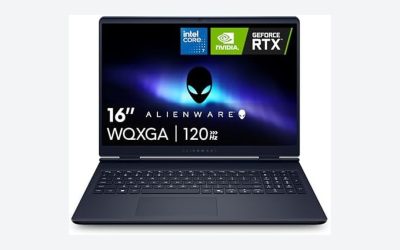
Add a dedicated graphics card with at least 8GB of video memory and strong cooling. Look for CUDA support if your frameworks need it, and expect lower battery life and a heavier chassis in exchange.
Common Mistakes
- Buying for graphics when your work is CPU-bound. Most programming does not use a dedicated GPU, so extra money there is better spent on memory and storage.
- Settling for 8GB of RAM. It can start a project but struggles once containers, a browser with documentation, and an editor run together.
- Ignoring the keyboard. A shallow, cramped layout wears you down. Read about key travel and layout details, not just the processor.
- Choosing a small, low-resolution screen. A 13 inch 768p panel fits few lines of code and strains the eyes.
- Forgetting platform requirements. If your target is iOS or a specific Linux toolchain, check compatibility before choosing a machine.
Before You Buy
- Confirm at least 16GB of RAM and whether it can be expanded.
- Check for an NVMe drive of 512GB or more and a spare slot.
- Look at the processor’s core count and power rating, not just the name.
- Verify the display is at least 1080p with a low-glare finish and a 16:10 or 3:2 ratio if possible.
- Read the port list for USB-C charging and external display output.
- Check battery capacity in watt-hours and claimed hours under light use.
- Confirm operating system support for your development stack.
Related guides
- Aio Liquid Coolers For High Performance Gaming
- Outdoor Security Cameras Without Subscription
- Budget Graphics Cards For 4K Video Editing
Frequently Asked Questions
How much RAM do I need for programming?
Sixteen gigabytes is a good starting point for most developers. Move to 32GB if you run containers, virtual machines, mobile emulators, or large projects, since these tools use memory quickly.
Do I need a dedicated graphics card for coding?
Not for most programming. A dedicated card only matters for game development, machine learning, video work, or graphics programming, where GPU acceleration is part of the workflow.
Is a Mac or a Windows laptop better for coding?
It depends on your target platform. iOS and macOS apps require a Mac, while Windows with a Linux subsystem or a native Linux laptop works very well for web and backend development.
How important is battery life for a coding laptop?
It depends on where you work. If you move between classrooms, cafes, and offices, aim for 10 hours or more of light use. If you mostly work plugged in at a desk, performance and cooling matter more.