Key takeaways
- Raw 1440p performance: You want a card that comfortably clears 100 FPS at high settings in current titles; an RTX 5070-class GPU is the current sweet spot, while a 4070 Super remains a strong value if found at a good price.
- VRAM capacity: 12GB is the practical minimum for 1440p in 2026 as texture budgets grow; cards below that can hit stutters in the most demanding games at high settings.
- Ray tracing and upscaling: If you want ray tracing, prioritize a modern NVIDIA card with strong upscaling and frame generation, which turn RT from a slideshow into a smooth experience at 1440p.
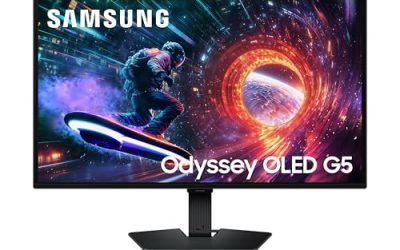
- Monitor pairing: A great GPU deserves a matching display; pair it with a 1440p 165Hz or faster panel so you actually see the frames the card produces.
- Prebuilt vs standalone: If you are not comfortable building, a prebuilt with the right GPU saves hassle, but confirm the rest of the system is not bottlenecking the card with a weak CPU or too little RAM.
1440p is the sweet spot of PC gaming in 2026: noticeably sharper than 1080p, far easier to drive than 4K, and the resolution most high-refresh monitors are built around. The catch is that 1440p at high frame rates demands a genuinely capable GPU, one with the memory and raster power to hold 100-plus FPS in modern titles without dipping into stutter when you crank the settings.
We looked at graphics cards and, where relevant, the monitors and prebuilt systems that pair with them, judging each on 1440p frame rates, VRAM headroom for future titles, and value per frame. Below are our picks, a buying guide for hitting smooth QHD gaming, and answers to the questions 1440p upgraders ask most.
Our top picks
 ASUS TUF Gaming NVIDIA GeForce RTX 5070
- Product Group: Personal Computer
- Binding: Personal Computers

 ASUS TUF Gaming 27” 1440P HDR Monitor
- Product Group: Personal Computer
- Binding: Personal Computers


 MSI GeForce RTX 4070 Super 12G Ventus
- Product Group: Personal Computer
- Binding: Personal Computers


As an Amazon Associate we earn from qualifying purchases at no extra cost to you. Ratings are shown as listed on Amazon.
⚡ Save on Your Next PC — Amazon Prime
Prime members get fast free shipping on the systems above, plus early access to Prime Day & Black Friday PC deals. New members get a 30-day free trial.
Watch: Best GPU for 1440p Gaming — Video Review
How to Choose
- Raw 1440p performance: You want a card that comfortably clears 100 FPS at high settings in current titles; an RTX 5070-class GPU is the current sweet spot, while a 4070 Super remains a strong value if found at a good price.
- VRAM capacity: 12GB is the practical minimum for 1440p in 2026 as texture budgets grow; cards below that can hit stutters in the most demanding games at high settings.
- Ray tracing and upscaling: If you want ray tracing, prioritize a modern NVIDIA card with strong upscaling and frame generation, which turn RT from a slideshow into a smooth experience at 1440p.
- Monitor pairing: A great GPU deserves a matching display; pair it with a 1440p 165Hz or faster panel so you actually see the frames the card produces.
- Prebuilt vs standalone: If you are not comfortable building, a prebuilt with the right GPU saves hassle, but confirm the rest of the system is not bottlenecking the card with a weak CPU or too little RAM.
The Best Picks Reviewed
ASUS TUF Gaming RTX 5070 12GB OC Edition
Our top pick for 1440p in 2026. The RTX 5070 delivers well over 100 FPS at high settings across modern titles, its 12GB of GDDR7 handles current texture budgets, and ASUS’s TUF cooling keeps it quiet under load. With strong upscaling and frame generation, it makes ray tracing genuinely playable at QHD.
MSI GeForce RTX 4070 Super 12G Ventus 2X OC
The value veteran. The 4070 Super remains a superb 1440p card, trading a little raw speed to the 5070 for often better pricing. Its 12GB of GDDR6X and efficient Ventus cooling make it an easy recommendation for anyone who finds it discounted and wants smooth QHD without the newest-generation premium.
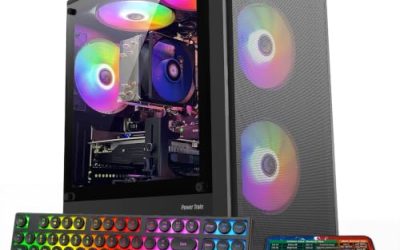
KOTIN Prebuilt Gaming PC with RTX 5070 and Ryzen 7 9700X
For buyers who would rather not build, this prebuilt pairs the RTX 5070 with a fast Ryzen 7 9700X, 32GB of DDR5, and a 1TB SSD. It is a balanced, bottleneck-free 1440p machine out of the box, ideal for upgraders who want QHD gaming without touching a screwdriver.
ASUS ROG XG Mobile RTX 5070 Ti External GPU
A niche but brilliant pick for laptop gamers. This Thunderbolt 5 external GPU brings desktop-class RTX 5070 Ti power to a thin laptop, letting you game at 1440p at your desk and stay portable on the go. If a tower is not an option, it is the most powerful way to reach QHD.
ASUS TUF Gaming VG27AQ3A 1440p 180Hz Monitor
The display half of the equation. This 27-inch QHD Fast IPS panel runs at 180Hz with strong color coverage, making it an ideal partner for any of the GPUs above. Buying a capable 1440p card without a high-refresh QHD monitor leaves performance on the table, and this one is a smart, affordable match.
Frequently Asked Questions
How much VRAM do I need for 1440p gaming?
12GB is the practical minimum in 2026. Texture budgets in modern titles have grown, and cards with less than 12GB can hit stutters at high settings, so aim for at least that much for a card you plan to keep for a few years.
Is the RTX 5070 or 4070 Super better for 1440p?
The RTX 5070 is faster and has newer features, making it our top pick, but the 4070 Super is a strong value if you find it well-priced. Both handle 1440p at high refresh; the choice often comes down to the deal in front of you.
Do I need ray tracing at 1440p?
It is optional. Ray tracing adds visual polish but costs frames, so if you prioritize raw refresh rate you can leave it off. If you want it, choose a modern GPU with strong upscaling and frame generation to keep frame rates smooth.
Will my current CPU bottleneck a new 1440p GPU?
At 1440p the GPU does most of the work, so bottlenecking is less severe than at 1080p, but a very old CPU can still hold back a fast card. Pair a modern GPU with at least a current mid-range CPU for balanced performance.
Final Thoughts
The ASUS TUF RTX 5070 is our clear recommendation for 1440p gaming in 2026, offering high frame rates, enough VRAM, and playable ray tracing. Bargain hunters should watch for a discounted RTX 4070 Super, while non-builders will love the KOTIN prebuilt. Whatever card you choose, pair it with a proper high-refresh QHD monitor like the VG27AQ3A so you actually enjoy every frame your new GPU produces.