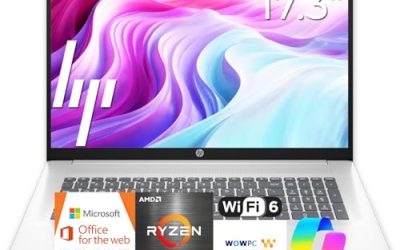
Our Top Picks
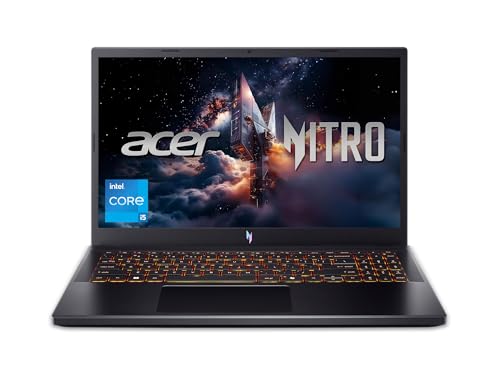
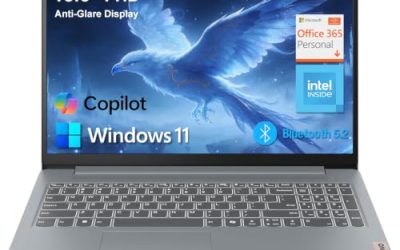
 acer Nitro V 15.6" FHD IPS 165Hz Gaming16GB | 512GB SSD12.2 x 19.6 x 2.5 inches3.9 poundsCheck on Amazon
 Lenovo LOQ Gaming Laptop 15.6" FHD IPS 144Hz16GB RAM | 512GB SSD10.19 x 14.17 x 0.94 inches5.26 poundsCheck on Amazon
 MSI Thin 15.6 inch FHD 144Hz Gaming Laptop16GB RAM | 512GB PCIe SSD9.99 x 0.85 x 14.13 inches150 GramsCheck on Amazon
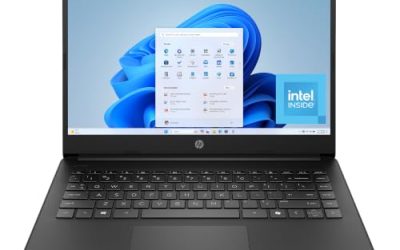
 HP Victus 15.6 inch FHD 144Hz Gaming Laptop16 GB RAM | 512 GB SSD | 13420H11.6 x 9.4 x 0.83 inches5.1 poundsCheck on Amazon
This review analyzes published product information.
As an Amazon Associate, we earn from qualifying purchases.
Updated October 2026 — The HP Victus 15 with RTX 4050, Core i5-13420H, 32GB RAM and 1TB SSD is a sensible 1080p gaming laptop for buyers who want large starting capacity, but its 6GB graphics memory, roughly 250-nit screen and seller-installed upgrades mean you should verify the configuration before paying extra for it.
Quick verdict: buy this HP Victus 15 RTX 4050 configuration if you multitask heavily and want 32GB and 1TB out of the box. Choose the Acer Nitro V 15 with RTX 5050 if you want 8GB of graphics memory and a newer GPU, the MSI Thin 15 with RTX 4060 for the most graphics headroom, or the standard 16GB/512GB HP Victus 15 if you are happy to add memory and storage yourself.
A Victus configuration that changes the upgrade calculation
This HP Victus 15 pairs an Intel Core i5-13420H with an NVIDIA GeForce RTX 4050 6GB, 32GB of RAM and a 1TB SSD. For a value-oriented buyer, the useful distinction is the combination: dedicated graphics alongside substantial listed memory and storage, rather than a lean configuration that immediately raises questions about adding capacity.
It covers the exact 32GB/1TB configuration with a 15.6-inch FHD 144Hz IPS display and Windows 11 Professional. Although this site has covered an i5-13420H Victus 15 before, that version listed RTX 3050 6GB graphics, 16GB RAM and a 512GB SSD. The changed GPU and doubled listed capacities establish a materially different configuration, not merely a cosmetic relisting.
The listed hardware at a glance
| Component | Retailer-listed specification |
|---|---|
| Processor | 13th-generation Intel Core i5-13420H, eight cores |
| Graphics | NVIDIA GeForce RTX 4050, 6GB dedicated graphics memory |
| Memory | 32GB RAM; memory standard and module arrangement unspecified |
| Storage | 1TB SSD; interface and expansion layout unspecified |
| Display | 15.6-inch, 1920 × 1080, IPS, 144Hz, anti-glare |
| Connections | One HDMI 2.1, one USB-C 3.2, two USB-A 3.2, one RJ-45 Ethernet, one multi-format SD card reader |
| Operating system | Windows 11 Professional |
| Other listed features | Backlit keyboard, B&O audio branding, HP Fast Charge, 720p HD camera, USB-C hub accessory |
| Dimensions and weight | 10.03 × 14.05 × 0.92 inches; 5.04 pounds |
Graphics and display: a clear target, not a performance guarantee
The RTX 4050 6GB and 1920 × 1080 panel give this configuration a straightforward native-resolution gaming focus. However, the listing does not disclose GPU power limits, cooling behavior or sustained performance. The graphics name alone cannot establish how this laptop compares with other RTX 4050 machines, and there is no supported basis here for predicting game-specific results.
Likewise, the eight-core i5-13420H identifies the processor but does not establish a universal advantage over another CPU. Actual suitability depends on the workload and the laptop’s implementation. Buyers should judge this as a complete configuration rather than treating promotional processor comparisons as proof of better performance.
The 144Hz refresh specification is useful for buyers seeking a higher-refresh display, but it does not mean every game will take full advantage of it. IPS and anti-glare are also listed, while brightness, color coverage, response times and adaptive-sync support are not. Consequently, this evidence supports selecting the screen for its size, resolution and refresh rate—not for verified outdoor visibility, color-critical work or motion clarity.
What the Core i5-13420H and RTX 4050 Bring
Intel’s published specifications for the Core i5-13420H describe eight cores split into four Performance-cores and four Efficient-cores, 12 threads, a maximum turbo frequency of up to 4.6GHz, 12MB of cache and a 45W base power rating. That places it firmly in the mainstream H-series class: well suited to gaming, browsing, office work and moderate creative jobs, but not positioned against the higher-core-count HX processors used in pricier gaming laptops.
NVIDIA’s GeForce RTX 4050 Laptop GPU pairs 2,560 CUDA cores with 6GB of GDDR6 memory on a 96-bit bus. Laptop makers can configure its graphics power across a wide range, roughly 35W to 115W, which is why two laptops with the same GPU name can perform noticeably differently. The chip supports DLSS 3, including Frame Generation in supported games, and that is often the most useful tool for keeping frame rates smooth at 1080p in demanding titles.
Published reviews of other Victus 15 configurations built on the same RTX 4050 have reported a GPU power limit of around 75W including Dynamic Boost, toward the lower end of that range, while overall graphics results still landed close to the typical figure for the chip. Treat that as context rather than confirmation for this exact listing, and check HP’s specifications for the precise model number if GPU power is a deciding factor.
| Component detail | Published specification | What it means for buyers |
|---|---|---|
| CPU cores and threads | 8 cores (4P + 4E), 12 threads | Comfortable for gaming plus background apps; not a workstation chip |
| CPU maximum turbo | Up to 4.6GHz | Sustained speed depends on HP’s cooling and power settings |
| GPU memory | 6GB GDDR6, 96-bit bus | Can limit texture settings in the newest big-budget games |
| GPU power | Configurable by the laptop maker | The same GPU name can deliver different performance across laptops |
| Upscaling features | DLSS 3 with Frame Generation | Helps sustain smoother 1080p play in supported games |
The 6GB frame buffer is the specification to weigh most carefully. Several recent big-budget games can use more than 6GB of video memory at high texture settings, so long-term buyers should expect to lower texture quality in some new releases. For esports titles, older games and lighter indie games, the limit matters much less, and the 144Hz panel is a better match for those faster, less demanding games anyway.
HP Victus 15 RTX 4050 vs the RTX 3050 6GB Version
Buyers comparing listings often land on the earlier Victus 15 with an RTX 3050 6GB, the same Core i5-13420H, 16GB of RAM and a 512GB SSD. The RTX 4050 is the newer Ada Lovelace generation and adds DLSS 3 Frame Generation, which RTX 30-series laptop GPUs do not support. Both versions carry 6GB of graphics memory, so the 4050 does not fix the texture-memory limit; it raises frame rates and adds frame generation.
| Detail | This Victus (RTX 4050) | Earlier Victus (RTX 3050 6GB) |
|---|---|---|
| GPU generation | Ada Lovelace | Ampere |
| Graphics memory | 6GB GDDR6 | 6GB |
| DLSS 3 Frame Generation | Supported in compatible games | Not supported |
| Listed RAM and storage | 32GB / 1TB | 16GB / 512GB |
Published game charts from Notebookcheck put the RTX 3050 6GB at roughly two-thirds of RTX 4050 frame rates in several titles, though those figures come from different laptops and power limits. If a seller offers both versions at close prices, the RTX 4050 is the safer long-term choice.
32GB and 1TB: fewer immediate capacity decisions
The strongest practical argument for this variant is its starting capacity. Relative to the previously covered 16GB/512GB i5 Victus, it provides twice the listed RAM and SSD capacity. For someone who expects to keep multiple applications open or maintain a larger local game collection, that could reduce the pressure to arrange an early upgrade. It does not demonstrate faster gaming by itself.
There are important omissions behind those headline numbers. The retailer does not specify the RAM generation, speed, number of modules, maximum supported capacity or accessible slots. The SSD’s interface, model and available expansion bays are also absent. Do not assume that a later storage addition is possible without replacing the installed drive, or that any particular memory kit is compatible.
Upgrade costs therefore cannot be responsibly calculated from this listing. Before committing, request the precise HP product identifier, memory layout, storage-slot details and warranty terms covering the installed components. If these capacities already fit your needs, the configuration may avoid additional parts and installation work. If expansion is central to your plan, its value remains conditional on those answers.
Why Upgraded Listings Deserve Extra Checks
HP’s standard retail versions of this i5-13420H and RTX 4050 Victus are commonly sold with 16GB of DDR4 memory and a 512GB SSD. Listings that combine a standard HP model with larger memory and storage, Windows 11 Professional and a bundled hub are often configured by a third-party seller after the laptop leaves the factory. That is not automatically a problem, but it changes the questions worth asking before you buy.
- Warranty coverage: confirm whether HP’s manufacturer warranty remains intact and who is responsible for the added memory and SSD if either fails.
- Component brands: ask which memory modules and which SSD model were installed, because seller-fitted parts can differ from HP’s factory parts.
- Memory arrangement: two matched modules running in dual-channel mode are preferable for gaming; a single large module can cost performance.
- Windows licensing: check that Windows 11 Professional is activated and properly licensed to the device.
- Return window: know the seller’s return terms before relying on any upgrade claim.
Because HP’s standard 16GB versions of this model use DDR4, a 32GB configuration most likely uses DDR4 as well, but only the seller can confirm the module count, speed and arrangement in the unit you receive. If those answers are clear and the warranty position is acceptable, the larger capacities are a genuine convenience. If they are vague, a standard configuration plus your own later upgrade may be the more transparent route.
HP Victus 15 RTX 4050 Model Numbers: 15-fa1xxx vs 15-fa2xxx
HP has sold the Core i5-13420H and RTX 4050 pairing under more than one model family, and the differences matter if you care about upgrades. The model number is printed on the label under the laptop and shown in HP Support Assistant, so ask the seller for it before buying.
| Detail | 15-fa1xxx (2023 family) | 15-fa2xxx (later family) |
|---|---|---|
| Memory type | DDR4-3200 SO-DIMM | SO-DIMM; confirm type and speed on HP’s spec sheet for your SKU |
| Memory slots | 2, user-replaceable | 2, user-replaceable |
| Usable M.2 SSD slots | Usually 1 (HP support staff report a single slot; some boards show unpopulated pads) | 2 M.2 slots listed by HP |
| Practical memory ceiling | HP’s guide lists 16GB; memory makers list 32GB-64GB as compatible | Check HP’s service guide for your SKU |
What this means for the 32GB/1TB listing: if the laptop is a 15-fa1xxx with a single M.2 slot, the 1TB drive is your only internal storage, and growing it later means replacing that drive rather than adding a second one. If it is a 15-fa2xxx, a second Gen 4 NVMe drive can usually go in the spare slot. In both cases, 32GB should be installed as two 16GB modules so the memory runs in dual-channel mode, which matters for gaming performance on this platform.
Graphics power is the other figure to confirm. Retail listings for related Victus 15 models with RTX 4050 state a maximum graphics power of around 74W-75W, toward the low end of the RTX 4050’s 35W-115W range. Published reviews found overall graphics performance still close to the RTX 4050 average, so this is a reason to compare prices carefully rather than a reason to avoid the laptop.
Connections that deserve a capability check
The listed combination of HDMI, USB-C, two USB-A ports and Ethernet offers several connection types for a desk setup. The SD card reader may also be useful for buyers who move files on removable media. Nevertheless, port labels are not complete compatibility specifications: the listing does not establish USB-C video output, laptop charging through USB-C or Thunderbolt support.
A USB-C hub is included according to the feature list, but its ports and capabilities are unspecified. Treat it as an accessory of unknown utility rather than a confirmed docking solution. Buyers intending to connect a particular monitor, charger or collection of peripherals should verify each required function before relying on either the laptop port or the bundled hub. Wireless networking specifications are not supplied either.
What Reviews of This Victus Chassis Have Flagged
Because the listing leaves gaps, published reviews of other Victus 15 configurations in the same chassis are useful context. They do not describe this exact unit, and the processor or memory may differ, but chassis-level traits usually carry over from one configuration to the next.
- Display brightness: one published review reported the 144Hz panel at roughly 250 nits, which is adequate indoors but dim beside a bright window or outdoors.
- USB-C limits: the same review described a single USB-C port limited to 5Gbps that cannot charge the laptop, which relies on a separate DC power adapter.
- Battery runtime: video-playback runtime came in just under six hours in that review; gaming away from an outlet will be far shorter.
- Build: the chassis is largely plastic, with a restrained look that does not shout “gaming laptop” in a classroom or office.
- Graphics tuning: another review of an RTX 4050 Victus 15 reported a modest GPU power limit but graphics performance near the chip’s average.
None of these points rules the laptop out at the right price, but they reinforce the central theme of this review: choose this configuration for its starting capacities and native 1080p gaming target, not for display brightness, portability or USB-C flexibility.
What Games Can the HP Victus 15 RTX 4050 Run?
Published reviews of other Victus 15 configurations with the same GPU describe a solid 1080p machine rather than a high-refresh one. PCWorld reported that Baldur’s Gate 3, Dragon’s Dogma 2 and Cyberpunk 2077 ran at 1080p on medium settings or better, while noting that most newer games will not use the full 144Hz. Notebookcheck found most current games smooth at 1080p on high to maximum settings, with 6GB of video memory flagged as the long-term limit.
Read those results as context, not as a promise for this exact seller-upgraded unit. Esports titles, older games and lighter indie games will use the 144Hz panel best; for the heaviest new releases plan on medium textures, DLSS upscaling, or both.
Daily use and the value decision
At a listed 5.04 pounds, portability deserves consideration if this will travel every day; the listing does not establish the total carrying weight with charger and accessories. Battery capacity and runtime are missing. HP Fast Charge is named, but no charging conditions or timing are provided, so it cannot settle the question of how conveniently the laptop works away from an outlet.
The backlit keyboard, 720p camera and Windows 11 Professional round out the specification. Keyboard feel, webcam quality and speaker performance remain unverified, and B&O branding alone does not resolve audio quality. Windows 11 Professional is worth noting for buyers who specifically need that edition, rather than treating it as evidence of better gaming performance.
For broader comparison criteria, see our gaming laptop buying guide. This listing does not establish that the exact configuration meets any particular spending ceiling.
Who Should Buy This Configuration, and Who Should Skip It
This Victus makes the most sense for a specific kind of buyer. It is a good match if you:
- Play mainly at 1080p and value a 144Hz panel for esports, older games and lighter titles.
- Keep many applications open at once, such as a browser with dozens of tabs, a voice-chat client, a launcher and streaming or recording software.
- Want a large local game library without immediately adding storage.
- Prefer not to open the laptop to install memory or a second drive yourself.
It is a weaker match if you:
- Want high texture settings in the newest big-budget releases, where 6GB of graphics memory can become the bottleneck.
- Need a bright, color-accurate screen for photo or video work.
- Carry a laptop every day and want USB-C charging or long battery life.
- Would rather spend the same budget on a stronger GPU; for pure gaming, 16GB of RAM remains adequate in most current games, so graphics power usually matters more than doubling memory.
Alternatives Worth Comparing
If gaming performance or display quality matters more than starting capacity, these listings are worth weighing against this Victus. Each strikes a different balance of graphics, screen and memory, so compare the complete configuration rather than the GPU name alone.
Acer Nitro V 15 (RTX 5050) — Best for Newer Graphics at a Similar Tier
acer Nitro V 15.6" FHD IPS 165Hz Gaming Notebook Intel Core i5-13420H 16GB RAM 512GB SSD NVIDIA GeForce RTX 5050 Obsidian Black
One of the home product options compared in this guide.
View on AmazonThe Acer Nitro V 15 keeps the same Core i5-13420H processor but moves up to NVIDIA’s GeForce RTX 5050 Laptop GPU, which NVIDIA specifies with 8GB of GDDR7 memory. That extra 2GB of graphics memory addresses the biggest long-term concern with the Victus’s RTX 4050, and RTX 50-series chips add DLSS 4 with Multi Frame Generation in supported games. The listing pairs it with a 15.6-inch FHD IPS panel at 165Hz, 16GB of RAM and a 512GB SSD.
It suits buyers who care more about future game compatibility than about launching with 32GB of memory and 1TB of storage.
Pros
- 8GB of graphics memory gives more texture headroom than 6GB
- Newer GPU generation with DLSS 4 support
- 165Hz refresh rate listed
Cons
- Half the listed RAM and storage of this Victus
- GPU power limit still varies by configuration, so check the exact model
Lenovo LOQ 15 (RTX 4050) — Best for a Better-Specified Screen
Lenovo LOQ Gaming Laptop 15.6" FHD IPS 144Hz (100% sRGB G-SYNC) AMD Quad-core Ryzen 5 7235HS 16GB RAM 512GB SSD GeForce RTX 4050 Backlit Nahimic Privacy Camera Rapid Charge Win11 w/ICP Acc
One of the home product options compared in this guide.
View on AmazonThe Lenovo LOQ 15 uses the same RTX 4050 graphics chip but pairs it with an AMD Ryzen 5 7235HS, a quad-core processor, and a 15.6-inch FHD IPS display at 144Hz. Its listing claims 100% sRGB color coverage and G-SYNC support, two display details the Victus listing does not establish. Memory and storage are listed at 16GB and 512GB.
It suits buyers who want the same class of graphics with a screen that is better documented for color and smooth variable refresh, and who are comfortable adding storage later.
Pros
- Listed 100% sRGB coverage and G-SYNC support
- Same GPU class as the Victus
- Clear, conventional retail configuration
Cons
- Quad-core CPU has half the cores of the i5-13420H, which matters in CPU-heavy games and multitasking
- Less starting RAM and storage
MSI Thin 15 (RTX 4060) — Best for More Graphics Headroom
MSI Thin 15.6 inch FHD 144Hz Gaming Laptop Intel Core i5-13420H NVIDIA GeForce RTX 4060-16GB DDR4 512GB SSD Gray (2025)
Chosen because it lists an explicit depth/thickness.
View on AmazonThe MSI Thin 15 shares the Victus’s Core i5-13420H and 15.6-inch FHD 144Hz screen format, but steps up to an RTX 4060 Laptop GPU with 8GB of graphics memory, a higher class of chip than the RTX 4050. The listing pairs it with 16GB of DDR4 memory and a 512GB SSD.
It suits gamers who want the most graphics capability among these options and plan to add storage as their library grows. Slim chassis designs often run the GPU at a lower power limit than thicker gaming laptops, so check the configured graphics power before assuming it matches every other RTX 4060 laptop.
Pros
- Stronger GPU class with 8GB of graphics memory
- Same processor as the Victus
- Slimmer design for carrying
Cons
- Less RAM and storage than this 32GB/1TB Victus
- Slim cooling may limit sustained GPU power
| Laptop | Processor | Graphics | Display | Listed memory / storage |
|---|---|---|---|---|
| HP Victus 15 (this configuration) | Core i5-13420H | RTX 4050, 6GB | 15.6-inch FHD, 144Hz IPS | 32GB / 1TB |
| Acer Nitro V 15 | Core i5-13420H | RTX 5050, 8GB | 15.6-inch FHD, 165Hz IPS | 16GB / 512GB |
| Lenovo LOQ 15 | Ryzen 5 7235HS | RTX 4050, 6GB | 15.6-inch FHD, 144Hz IPS, 100% sRGB | 16GB / 512GB |
| MSI Thin 15 | Core i5-13420H | RTX 4060, 8GB | 15.6-inch FHD, 144Hz | 16GB / 512GB |
The pattern is consistent: the Victus wins on starting capacity, while the alternatives trade memory and storage for more graphics memory, a newer GPU or a better-documented screen. If gaming performance is the priority, the stronger GPU options usually deliver more. If multitasking, large projects or a big installed library matter more, the Victus’s 32GB and 1TB starting point remains its strongest argument.
HP Victus 15 (16GB / 512GB Standard Configuration) — Best for Buyers Who Upgrade Themselves
HP Victus 15.6 inch FHD 144Hz Gaming Laptop Intel Core i5-13420H NVIDIA GeForce RTX 4050 6GB - 16GB DDR4 512GB SSD Mica Silver (2024)
Chosen because it lists an explicit depth/thickness.
View on Amazon- Processor and graphics: Core i5-13420H; RTX 4050 6GB GDDR6
- Memory and storage: 16GB DDR4; 512GB SSD
- Display: 15.6-inch FHD IPS, 144Hz
- Chassis: same Victus 15 design, sold in Mica Silver
The standard HP Victus 15 is the factory configuration that the 32GB/1TB listing is usually built from. It gives you HP’s own memory and SSD with a clear manufacturer warranty, and it typically costs noticeably less. Because the 15-fa1xxx family uses two SO-DIMM slots, moving to 32GB later is a 15-minute job with a matched 2 x 16GB DDR4-3200 kit. Storage is the harder upgrade on boards with a single M.2 slot, so buyers with big game libraries may still prefer the 1TB configuration.
Pros
- Factory parts and a straightforward HP warranty
- Same GPU, CPU and 144Hz screen as the reviewed configuration
- Memory is easy to upgrade later
Cons
- 512GB fills quickly with modern games
- Upgrading takes your own time and parts
Skip it if you do not want to open a laptop or you need 1TB from day one.
HP Victus 15 RTX 4050 or an Alternative: Picks by Use Case
The five laptops on this page target the same budget gaming tier, but each wins for a different buyer. One spec line each:
- Best for multitasking and a big library: HP Victus 15 (32GB / 1TB) — Core i5-13420H · RTX 4050 6GB · 32GB · 1TB · 15.6-inch FHD 144Hz · 5.04 lb
- Best for newer games: Acer Nitro V 15 (RTX 5050) — Core i5-13420H · RTX 5050 8GB GDDR7 · 16GB · 512GB · 15.6-inch FHD 165Hz
- Best graphics headroom: MSI Thin 15 (RTX 4060) — Core i5-13420H · RTX 4060 8GB · 16GB DDR4 · 512GB · 15.6-inch FHD 144Hz
- Best screen color: Lenovo LOQ 15 (RTX 4050) — Ryzen 5 7235HS · RTX 4050 6GB · 16GB · 512GB · 15.6-inch FHD 144Hz 100% sRGB G-SYNC
- Best for DIY upgraders: HP Victus 15 (16GB / 512GB) — Core i5-13420H · RTX 4050 6GB · 16GB DDR4 · 512GB · 15.6-inch FHD 144Hz
What to expect from any laptop in this tier:
- Native 1080p gaming, with DLSS needed for high settings in demanding new releases
- 6GB-8GB of graphics memory; 8GB ages better as texture demands grow
- Screens around 250-300 nits that look fine indoors but dim near windows
- Plastic chassis, about 5 pounds, and short battery life while gaming
- Barrel-plug chargers; USB-C charging is rare at this level
Verdict: capacity first, verification before commitment
This Victus 15 is worth considering when RTX 4050 graphics, a 144Hz FHD screen and generous starting capacities match your needs. Its clearest advantage is potentially avoiding immediate RAM or storage expansion. The main reservation is incomplete implementation detail: confirm GPU power, memory layout, storage expansion and warranty coverage before making upgrade flexibility or predictable performance the deciding factor.
Sources: Retailer listing for the reviewed configuration. Listed specifications are seller claims and have not been independently verified.
Check the exact product and current offer on Amazon

Frequently Asked Questions
Is the HP Victus 15 with RTX 4050 still good for gaming in 2026?
For 1080p gaming it remains a sensible entry point. Esports titles, older games and lighter releases suit the RTX 4050 and 144Hz panel well, while the newest big-budget games will generally need medium settings, upscaling such as DLSS, or both. Its 6GB of graphics memory is the main limit on long-term headroom.
Is 6GB of graphics memory enough?
For many current games at 1080p, yes, provided you are willing to adjust texture quality. Some demanding recent releases can exceed 6GB at high texture settings, which can cause stutter. If you mainly play the newest graphically intensive games, an 8GB GPU such as an RTX 4060 or RTX 5050 laptop offers more breathing room.
Do I need 32GB of RAM for gaming?
Not for most games; 16GB remains adequate for the majority of current titles. The benefit of 32GB shows up when you run games alongside streaming software, voice chat, many browser tabs or creative applications. It improves multitasking comfort rather than raising frame rates by itself.
Can this laptop charge through USB-C?
The listing does not say so, and published reviews of the same Victus chassis describe a USB-C port that does not charge the laptop. Plan on using HP’s included power adapter, and do not assume a USB-C charger or the bundled hub can power the system.
Is the Core i5-13420H faster than the Core i7-12650H?
Not universally. The i7-12650H has more cores and threads, while the newer i5-13420H has eight cores and 12 threads. In games the two are generally close, and results depend heavily on each laptop’s cooling and power settings. Treat listing comparisons between the two chips as marketing rather than proof of better performance.
Can I upgrade the memory or storage further?
Possibly, but the listing does not specify slots, the maximum supported memory or spare storage bays. Before planning any upgrade, ask the seller for the exact HP model number and check HP’s service documentation for that model, and confirm that opening the laptop will not affect the seller’s warranty.
Does the HP Victus 15 have G-SYNC or HDR?
No, according to published reviews of the same chassis, which note the display lacks both HDR and G-SYNC. That is one reason the Lenovo LOQ 15 listing, which advertises G-SYNC support and 100% sRGB coverage, is worth comparing if screen quality matters more than memory and storage.
Is the HP Victus 15 good for college?
It works as a study-and-gaming laptop if it mostly stays on a desk. The 32GB of RAM helps with many browser tabs and school software, but the 5.04-pound weight, separate DC charger, no USB-C charging and roughly six hours of video playback make it a poor all-day carry compared with a thin-and-light laptop.
How portable is the Victus 15?
At a listed 5.04 pounds and under an inch thick, it is manageable for occasional travel but heavy for daily carrying, especially with its separate power adapter. Battery capacity is not listed, so buyers who work away from outlets should treat it as a desk-first laptop.
How long does the HP Victus 15 battery last?
Expect roughly five to six hours of video playback, and far less while gaming. A published review of an RTX 4050 Victus 15 recorded just under six hours on a video loop, while Notebookcheck reported about seven and a half hours in a Wi-Fi test at reduced brightness on a related 70Wh model. HP quotes longer up-to figures that vary by battery size and series, so check the spec sheet for your exact model number. Gaming away from the charger also cuts performance, so treat it as a plug-in gaming laptop.