Key takeaways
- Switch feel: Mechanical uses discrete switches with crisp actuation and consistent travel, while membrane feels mushier with a soft bottom-out that varies across keys.
- Durability: Mechanical switches are rated for 50–100 million presses each; membrane domes typically fade after 5–10 million, meaning mechanical boards outlast several membrane replacements.
- Price: Membrane wins on entry cost, but budget mechanicals like the Redragon now close the gap to within a few dollars for comparable features.
- Noise: Membrane is inherently quieter; mechanical ranges from loud clicky to muted linear depending on switch and whether the board (like the AULA F75) uses gasket dampening.
- Repairability: Hot-swappable mechanical boards let you replace a single failed switch in seconds, whereas a dead membrane usually means replacing the whole keyboard.
- Customization: Mechanical supports swappable keycaps, switches, and per-key RGB; membrane offers limited backlighting and fixed feel.
Choosing between a mechanical and a membrane keyboard is one of the first real decisions any PC gamer or heavy typist faces in 2026, and it shapes everything from how your desk sounds to how your fingers feel after a six-hour session. Mechanical boards use individual spring-loaded switches under every key, while membrane boards rely on a single rubber-dome sheet that registers presses through a pressure pad.
The gap between the two has widened this year: mechanical options like the Redragon Mechanical Gaming Keyboard and the hot-swappable AULA F75 Pro have pushed premium features down to budget prices, while modern membrane boards stay relevant on cost, silence, and spill resistance. Getting this choice right in 2026 matters because keyboards last for years, and the wrong feel can quietly sabotage both your comfort and your competitive edge.
Our top picks
 Redragon Mechanical Gaming Keyboard Wired
- Brilliant Color Illumination- With 11 unique backlights, choose…
- Support Macro Editing: The K671 Mechanical Gaming Keyboard…
- Hot-swappable Linear Red Switch- Our K671 gaming keyboard…
 AULA F75 Pro Wireless Mechanical Keyboard
- Tri-mode Connection Keyboard: AULA F75 Pro wireless mechanical…
- Hot-swap Custom Keyboard: This custom mechanical keyboard with…
- Advanced Structure and PCB Single Key Slotting: This…
 Womier SK80 75% Keyboard with Color Multimedia
- Vibrant Color Multimedia Screen: The DIY multimedia display…
- Black Theme Style 75% Gasket Mounted Mechanical Keyboard:…
- Premium Hot-Swappable Custom Keyboard: The pre-lubed linear switches…
| Product | Key specs | |
|---|---|---|
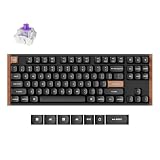
| Redragon Mechanical Gaming Keyboard Wired | Brilliant Color Illumination- With 11 unique backlights, choose… Support Macro Editing: The K671 Mechanical Gaming Keyboard… Hot-swappable Linear Red Switch- Our K671 gaming keyboard… | Check price |
| AULA F75 Pro Wireless Mechanical Keyboard | Tri-mode Connection Keyboard: AULA F75 Pro wireless mechanical… Hot-swap Custom Keyboard: This custom mechanical keyboard with… Advanced Structure and PCB Single Key Slotting: This… | Check price |
| Womier SK80 75% Keyboard with Color Multimedia | Vibrant Color Multimedia Screen: The DIY multimedia display… Black Theme Style 75% Gasket Mounted Mechanical Keyboard:… Premium Hot-Swappable Custom Keyboard: The pre-lubed linear switches… | Check price |
 Redragon K771 Wireless Mechanical Keyboard Redragon K771 Wireless Mechanical Keyboard | 【Gasket Mount with 5-Layer Sound Dampening】The gasket mount… 【Tri-mode Connection & 8000mAh Battery】This creamy keyboard features… 【Full-size 108-key Layout with 4 Dedicated Hotkeys】The 108-key… | Check price |
 AULA F75 Pro Wireless Mechanical Keyboard AULA F75 Pro Wireless Mechanical Keyboard | Tri-mode Connection Keyboard: AULA F75 Pro wireless mechanical… Hot-swap Custom Keyboard: This custom mechanical keyboard with… Advanced Structure and PCB Single Key Slotting: This… | Check price |
 YUNZII C98 Cute Cake Wireless Mechanical Keyboard YUNZII C98 Cute Cake Wireless Mechanical Keyboard | Premium Aesthetic 96% Layout C98 Cake Keyboard: Building… Tri-Mode Connectivity & Wide Compatibility: The YUNZII C98… Gasket Mount & Creamy Sound Design: The YUNZII… | Check price |
 AULA F75 75% Wireless Mechanical Keyboard AULA F75 75% Wireless Mechanical Keyboard | Tri-mode Connection Keyboard: AULA F75 wireless mechanical keyboard… Hot-swap Custom Keyboard: This custom mechanical keyboard with… Advanced Structure & PCB Single Key Slotting: This… | Check price |
 RK ROYAL KLUDGE R104 Wired Mechanical Keyboard RK ROYAL KLUDGE R104 Wired Mechanical Keyboard | Dedicated Win/Mac Switch for Seamless Workflow: Switch instantly… Gasket Mount Comfort Meets Full-Size Productivity: Built with… Custom Keyboard with Premium PBT Keycaps: The R104… | Check price |
As an Amazon Associate we earn from qualifying purchases at no extra cost to you.
⚡ Save on Your Next PC — Amazon Prime
Prime members get fast free shipping on the systems above, plus early access to Prime Day & Black Friday PC deals. New members get a 30-day free trial.
Watch: Mechanical vs Membrane Keyboard: 2026 Guide — Video Review
Quick Verdict
Buy a mechanical keyboard if you game seriously, type all day, or care about durability and a satisfying tactile feel — the Redragon and AULA F75 Pro deliver switch quality that used to cost triple. Choose membrane if you want the quietest, cheapest, most spill-tolerant board for casual use, an office where noise matters, or a secondary machine.
Key Differences
- Switch feel: Mechanical uses discrete switches with crisp actuation and consistent travel, while membrane feels mushier with a soft bottom-out that varies across keys.
- Durability: Mechanical switches are rated for 50–100 million presses each; membrane domes typically fade after 5–10 million, meaning mechanical boards outlast several membrane replacements.
- Price: Membrane wins on entry cost, but budget mechanicals like the Redragon now close the gap to within a few dollars for comparable features.
- Noise: Membrane is inherently quieter; mechanical ranges from loud clicky to muted linear depending on switch and whether the board (like the AULA F75) uses gasket dampening.
- Repairability: Hot-swappable mechanical boards let you replace a single failed switch in seconds, whereas a dead membrane usually means replacing the whole keyboard.
- Customization: Mechanical supports swappable keycaps, switches, and per-key RGB; membrane offers limited backlighting and fixed feel.
Mechanical Keyboards: Precision, Longevity, and Customization
Mechanical keyboards are built for people who touch their keys thousands of times a day and want every press to feel deliberate. Boards such as the AULA F75 Pro Wireless with hot-swappable custom keys and the RK ROYAL KLUDGE R104 gasket-mount full-size give you a defined actuation point that improves typing accuracy and lets gamers register rapid inputs without the sponginess that plagues cheaper boards. The tactile bump or clicky feedback also reduces missed keystrokes during fast-paced play.
Beyond feel, the real long-term win is ownership. Hot-swappable designs mean you can tune the sound and weight to your taste, replace a worn switch instead of the whole board, and upgrade keycaps as your setup evolves. For anyone who games competitively, writes for a living, or simply plans to keep a keyboard for five-plus years, the mechanical route pays for itself in durability and the sheer daily satisfaction of a quality switch.
Membrane Keyboards: Quiet, Affordable, and Low-Maintenance
Membrane keyboards remain the sensible default for buyers who prioritize silence, low cost, and simplicity. Because a single rubber sheet sits under all the keys, presses are muffled and consistent enough for shared apartments, late-night sessions, or open offices where a clicky mechanical would annoy everyone nearby. The sealed design also shrugs off dust and minor spills far better than an exposed switch plate.
The trade-off is feel and lifespan, but for a huge slice of users that trade is worth it. If you type in short bursts, game casually, or need an inexpensive board for a family PC or a spare rig, a membrane keyboard does the job without fuss and without draining your budget. It is also lighter and often thinner, making it a tidy choice for minimal desks and travel setups.
Which Should You Buy?
- For competitive gaming: pick mechanical because fast, consistent actuation and switch reliability directly affect your reaction time and input accuracy.
- For all-day typing: pick mechanical — the tactile feedback and ergonomic switch travel reduce fatigue over long writing or coding sessions.
- For a quiet office or shared space: pick membrane, or a silent linear mechanical, so you keep the peace without sacrificing too much function.
- For the tightest budget or a backup PC: pick membrane to get a working, spill-tolerant board for the least money.
- For tinkerers and enthusiasts: pick a hot-swappable mechanical like the AULA F75 Pro so you can customize switches, keycaps, and sound over time.
Frequently Asked Questions
Are mechanical keyboards actually better for gaming?
Yes, for most gamers. The consistent actuation point, faster reset on many switches, and superior anti-ghosting make inputs more reliable during fast sequences, which is why the majority of competitive players use mechanical boards in 2026.
Is a membrane keyboard bad for long typing sessions?
Not bad, but less comfortable over time. The mushy bottom-out and lack of a clear actuation point can increase finger fatigue and typos during marathon sessions compared with a well-tuned mechanical switch.
Why are mechanical keyboards so much louder?
They are not always. Clicky switches are loud by design, but linear and silent switches, plus gasket-mounted boards with foam dampening, can be nearly as quiet as membrane while keeping the mechanical feel.
Can I replace a broken key on either type?
On a hot-swappable mechanical board you can pull and replace a single switch in seconds. On a membrane keyboard a failed key usually means replacing the entire board, since the rubber dome sheet is one continuous part.
Final Verdict
In 2026 the mechanical keyboard is the better long-term buy for gamers, typists, and anyone who values durability and feel, especially now that budget and hot-swappable models have erased most of the old price penalty. Membrane still earns its place for quiet, low-cost, spill-resistant duty, but if you can stretch a little, a mechanical board is the upgrade you will notice every single day.