Key takeaways
- Dust filters: Keep filters on all intake fans and clean them every few weeks. Dust buildup is the number one cause of a system slowly getting hotter over time.
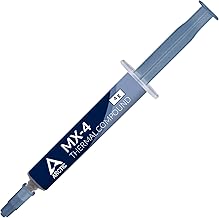
- Thermal paste: Fresh, well-applied paste between the CPU and cooler matters. Reapply every few years or if you notice temperatures creeping up.
- Fan curves: Set a sensible fan curve in the BIOS or software so fans ramp up under load instead of staying quiet while the system bakes.
- Cable management: Route cables behind the motherboard tray so they never block the airflow path.
Heat is the quiet enemy of every gaming PC. When your components run hot, they automatically slow themselves down to stay safe, which means the frames you paid for simply vanish under load. Worse, sustained high temperatures shorten the lifespan of your parts over time. A machine that runs cool is not just quieter and more pleasant, it is faster and more reliable, and getting there is more about smart choices than expensive gear.
This guide covers how to keep a gaming PC cool from the ground up: choosing between air and liquid CPU cooling, setting up case airflow that actually works, managing dust and cable routing, and knowing when higher-end cooling is worth it. Whether you are building fresh or fixing a hot-running system, these principles apply. Here are the coolers we trust to keep temperatures in check.
Our top picks



As an Amazon Associate we earn from qualifying purchases at no extra cost to you. Ratings are shown as listed on Amazon.
⚡ Save on Your Next PC — Amazon Prime
Prime members get fast free shipping on the systems above, plus early access to Prime Day & Black Friday PC deals. New members get a 30-day free trial.
Watch: How to Cool Your Gaming PC (2026 Guide) — Video Review
Air vs. Liquid Cooling: Which You Actually Need
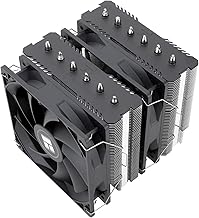
The first big decision is how you cool the CPU. A quality air cooler like the Thermalright Peerless Assassin 120 SE handles the vast majority of gaming CPUs with ease, runs quietly, and never risks a leak. It is often the smartest value in the entire build. Liquid AIO coolers like the ARCTIC Liquid Freezer III Pro 360 or the CORSAIR Nautilus 360 RS excel with high-end, high-heat processors and in cases where a large air cooler will not fit. For most gaming builds a good dual-tower air cooler is plenty; go liquid when you have a power-hungry chip or want the cleaner look and top-tier thermal headroom.
Case Airflow Is Half the Battle
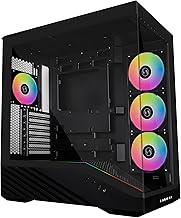
Even the best CPU cooler struggles in a case with poor airflow. The goal is a steady front-to-back and bottom-to-top path: intake fans at the front and bottom pulling cool air in, exhaust fans at the rear and top pushing hot air out. Aim for roughly balanced or slightly positive pressure, a touch more intake than exhaust, so cool air is forced in through filtered openings rather than dust pulled in through cracks. Do not overcrowd the case with cables or drives that block the airflow path. Good case airflow lowers the temperature of every component, not just the CPU.
Do Not Forget the GPU
The graphics card is usually the hottest component under a gaming load, yet people obsess over the CPU and ignore it. Your GPU relies almost entirely on case airflow to breathe, so the intake and exhaust setup above matters enormously for it. Give the card room, avoid stacking it directly against a solid panel or a wall of cables, and make sure fresh air reaches it from the front intakes. In very hot systems, an extra intake fan aimed at the GPU area can drop its temperatures by several degrees and keep clocks from throttling mid-game.
Dust, Thermal Paste, and Maintenance
- Dust filters: Keep filters on all intake fans and clean them every few weeks. Dust buildup is the number one cause of a system slowly getting hotter over time.
- Thermal paste: Fresh, well-applied paste between the CPU and cooler matters. Reapply every few years or if you notice temperatures creeping up.
- Fan curves: Set a sensible fan curve in the BIOS or software so fans ramp up under load instead of staying quiet while the system bakes.
- Cable management: Route cables behind the motherboard tray so they never block the airflow path.
When to Spend More on Cooling
Cooling has a sweet spot, and spending past it brings diminishing returns. A capable air cooler or a 240 to 360mm AIO covers almost every gaming scenario. Step up to a premium 360mm liquid cooler like the ARCTIC Liquid Freezer III Pro 360 when you run a top-tier high-wattage CPU, do heavy rendering alongside gaming, or want the lowest possible noise under sustained load. Bigger radiators and more fans buy you thermal headroom and quieter operation, not magic. If your temperatures are already good, put the money toward a better GPU or more storage instead.
Tips
- Set up a clear front-to-back, bottom-to-top airflow path before adding fancy coolers, airflow matters more than raw fan count.
- Run slightly positive pressure with filtered intakes so you pull in clean air and keep dust out.
- Clean your dust filters every few weeks, it is the easiest way to stop temperatures creeping up over time.
- Watch temperatures with monitoring software during gaming, if the CPU or GPU nears its limit, revisit airflow before buying new parts.
Frequently Asked Questions
Is liquid cooling better than air cooling for gaming?
Not necessarily. A good air cooler handles most gaming CPUs quietly and with zero leak risk. Liquid AIOs shine with high-wattage chips, tight cases, or when you want the lowest noise. For many builds, quality air cooling is the smarter value.
Why is my gaming PC getting hotter over time?
Almost always dust. Buildup on filters, fans, and heatsinks chokes airflow and traps heat. Clean the filters regularly and give the interior a full dusting every few months to restore temperatures.
How many case fans do I need?
Most builds do well with two or three intake fans at the front and bottom plus one or two exhaust at the rear and top. Balanced airflow with a slight positive pressure matters more than simply adding more fans.
Does the GPU need its own cooling?
The graphics card has its own fans, but it relies on case airflow for fresh air. Good front intakes and clear space around the card keep it cool. In hot systems, an extra intake fan aimed at the GPU can lower its temperatures noticeably.
Conclusion
Keeping a gaming PC cool is less about expensive hardware and more about doing the fundamentals well. Pick a CPU cooler that matches your chip, build a clear airflow path through the case, give the GPU room to breathe, and stay on top of dust. Reserve premium liquid cooling for genuinely hot, high-wattage systems. Get these right and your PC will run faster, quieter, and last longer, without you throwing money at parts you do not actually need.