Key takeaways
- If you are reapplying, remove the cooler and wipe the old paste off both the CPU lid and the cooler base.
- Use 99% isopropyl alcohol and a lint-free cloth or coffee filter; many quality pastes include cleaning wipes for exactly this.
- Never scrape with anything metal or abrasive that could scratch the surfaces.
- Let both surfaces dry completely, a few seconds, before applying fresh paste.
Thermal paste is the thin layer of compound between your CPU and its cooler that fills the microscopic gaps in both surfaces, letting heat flow efficiently from the chip to the heatsink. Apply it well and your CPU runs cool and quiet; apply it badly, or skip it entirely, and temperatures soar, clocks throttle, and your gaming performance suffers. The reassuring news is that a good application is genuinely easy once you know the method.
This guide covers everything a first-timer needs: how much paste to use, the classic application patterns and which one to trust, how to clean off the old paste properly, and the mounting technique that spreads it evenly. Whether you are installing a new cooler with a premium compound like Thermal Grizzly Kryonaut or refreshing dried paste with Noctua NT-H2, the process takes five minutes and can drop temperatures by 10C or more.
Our top picks


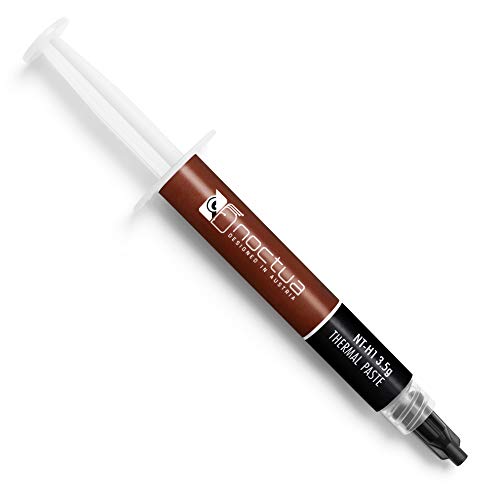


As an Amazon Associate we earn from qualifying purchases at no extra cost to you. Ratings are shown as listed on Amazon.
⚡ Save on Your Next PC — Amazon Prime
Prime members get fast free shipping on the systems above, plus early access to Prime Day & Black Friday PC deals. New members get a 30-day free trial.
Watch: How to Apply Thermal Paste Correctly — Video Review
How Much Paste to Use
The number one mistake is using too much. You need a small amount, a pea-sized dot or a short line, roughly the volume of a single grain of rice to a small pea depending on CPU size. The cooler’s mounting pressure spreads it into a thin, even layer as you tighten it down. Too much paste can ooze over the edges and, with certain conductive compounds, cause problems, while too little leaves air gaps. When in doubt, a pea-sized dot in the center is the safe universal choice.
Cleaning Off the Old Paste First
- If you are reapplying, remove the cooler and wipe the old paste off both the CPU lid and the cooler base.
- Use 99% isopropyl alcohol and a lint-free cloth or coffee filter; many quality pastes include cleaning wipes for exactly this.
- Never scrape with anything metal or abrasive that could scratch the surfaces.
- Let both surfaces dry completely, a few seconds, before applying fresh paste.
The Application Pattern Debate
Enthusiasts argue endlessly about patterns, dot, line, X, or spread, but the truth is that on most consumer CPUs the differences are tiny. The single center dot is the most reliable because the cooler’s pressure pushes it outward evenly, with minimal risk of trapped air bubbles. On larger rectangular CPUs, a thin line or two dots covers the surface better. Manually spreading paste with a spatula works too and guarantees full coverage, but risks introducing air pockets if done unevenly. For 95% of gamers, a center dot is perfect.
Mounting the Cooler Correctly
How you tighten the cooler matters as much as the paste. Lower the cooler straight down onto the CPU without sliding it around, which would smear the paste unevenly. Then tighten the mounting screws in a diagonal, crisscross pattern, a little on each corner in turn, so pressure builds evenly and the paste spreads uniformly. Snug is enough; do not crank the screws down hard. Even, moderate pressure gives the best thermal contact and the lowest temperatures.
Tips
- Less is more; a pea-sized dot beats a big blob every time, and excess paste helps nothing.
- Apply straight down and never twist the cooler after contact, or you will smear the layer and trap air.
- Tighten mounting screws in a diagonal crisscross so pressure spreads evenly across the CPU.
- Use fresh, quality paste; a good compound like Noctua NT-H2 or Thermal Grizzly costs little and lasts for years.
Frequently Asked Questions
How much thermal paste should I use?
About a pea-sized dot for a standard desktop CPU, scaling up slightly for larger chips. The cooler’s pressure spreads it into a thin layer, so you never need to cover the whole surface yourself with a center-dot application.
Do I need to spread the paste manually?
Not usually. A center dot spreads itself evenly under cooler pressure and avoids air bubbles. Manual spreading with a spatula guarantees full coverage on large CPUs but risks trapping air if done unevenly, so most people are better off with the dot method.
Can I reuse thermal paste?
No. Once the cooler is removed, the paste layer is disturbed and should be cleaned off and replaced with fresh compound. Reusing old paste leaves air gaps and worse temperatures, and fresh paste is inexpensive.
What household items can I use if I run out?
Nothing reliable, avoid toothpaste and other internet myths, as they dry out fast and can damage your CPU with poor cooling. Proper thermal paste is cheap and lasts for many applications, so it is always worth having the real thing on hand.
Conclusion
Applying thermal paste is a five-minute skill that pays off in cooler, quieter, longer-lasting hardware. Clean the old paste with isopropyl alcohol, place a pea-sized dot in the center, lower the cooler straight down, and tighten in a crisscross pattern. Use a quality compound and resist the urge to overdo it, and your CPU will reward you with lower temperatures and steadier clocks.