Our Top Picks
Pros & cons
- Cryo-Chamber cooling targets core components directly
- WQXGA 120Hz display at 300 nits suits varied lighting
- 1-year onsite service adds convenient at-home support
- RTX 5050 sits at the lower end of the 50-series
- Weighs close to 5.5 pounds for a 16-inch laptop
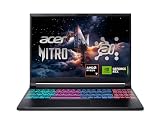
 acer Nitro V 15.6” FHD IPS 165Hz Gamingi5|RTX 5050|512GB PCIe SSD14.27 x 0.93 x 9.44 inches4.66 PoundsCheck on Amazon
Pros & cons
- RTX 5050 with 8GB GDDR7 suits current-gen gaming
- Thunderbolt 4 over USB-C adds fast external connectivity
- 165Hz IPS display aids smooth, responsive gameplay
- 16GB RAM may limit headroom for heavy multitasking
- Entry RTX 5050 trails higher-tier 50-series GPUs
The ASUS TUF Gaming F16 (2025) is the best RTX 5050 laptop in this group: it pairs the GeForce RTX 5050 with a Core i5-13450HX, 16GB of DDR5 and a 16-inch 16:10 165Hz screen, so the GPU is not held back by a weak processor or a slow display. The RTX 5050 laptop GPU is NVIDIA’s entry-level Blackwell chip, with 2,560 CUDA cores and 8GB of GDDR7, aimed at smooth 1080p play. If you prefer a 15.6-inch body, the Acer Nitro V and Lenovo LOQ are the strongest alternatives.
Quick List
- Alienware 16 Aurora (Core 7 240H, RTX 5050) – best for a premium-brand 16-inch chassis
- Acer Nitro V 15.6″ (Core i5-13420H, RTX 5050) – best for a compact 15.6-inch 165Hz setup
- Lenovo LOQ (Core i7-13650HX, RTX 5050) – best for 1TB of storage and heavy multitasking
- HP OMEN 15 (Ryzen 5 240, RTX 5050) – best for a sharper 2K 165Hz display
- ASUS TUF Gaming F16 (Core i5-13450HX, RTX 5050) – best overall balance of CPU, memory and screen
- GIGABYTE Gaming A16 (Core i7-13620H, RTX 5050) – best for a 16-inch laptop with a ten-core CPU
Which One Is Right for You?
| If you… | Choose |
|---|---|
| want the most balanced RTX 5050 laptop overall | ASUS TUF Gaming F16 |
| need a lot of storage and a strong CPU for streaming | Lenovo LOQ with Core i7-13650HX |
| want a sharper screen than Full HD | HP OMEN 15 with 2K 165Hz |
| want the smallest footprint with a 165Hz panel | Acer Nitro V 15.6″ |
| value brand design and a 16-inch size | Alienware 16 Aurora |
| want a 16-inch chassis with a ten-core processor | GIGABYTE Gaming A16 |
All six use the same GPU, so the real differences are the processor, the screen, the memory and the chassis. NVIDIA and independent hardware databases both note that laptop GPUs vary with power limit and cooling, which means two RTX 5050 laptops can perform differently. Use the CPU class and display as your tiebreakers, and check each listing for the exact power limit when available.

Alienware 16 Aurora Gaming Laptop, RTX 5050, Intel Core 7 240H
Included for 'Best RTX 5050 Gaming Laptops in 2026: 6 Picks by Specs' because the listing specifies RTX 5050 and Intel Core 7 240H, details this guide uses to compare options.
View on Amazonacer Nitro V 15.6” FHD IPS 165Hz Gaming Laptop, Intel Core i5-13420H, NVIDIA GeForce RTX 5050 with 8GB GDDR7 VRAM, Win11H, w/Mouse pad (16GB RAM, 512GB PCIe SSD)
Included for 'Best RTX 5050 Gaming Laptops in 2026: 6 Picks by Specs' because the listing specifies Intel Core i5-13420H and NVIDIA GeForce RTX 5050 with 8GB GDDR7 VRAM, details this guide uses to compare options.
View on Amazon
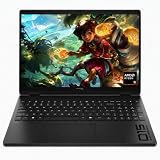
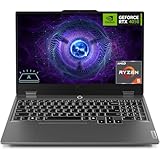
Lenovo LOQ AI-Powered Gaming Laptop - Intel Core i7-13650HX, 15.6" FHD IPS 144Hz Display, GeForce RTX 5050, 16GB Memory, 1TB Storage, G-Sync, Luna Grey
Included for 'Best RTX 5050 Gaming Laptops in 2026: 6 Picks by Specs' because the listing specifies Intel Core i7-13650HX and 15.6" FHD IPS 144Hz Display, details this guide uses to compare options.
View on Amazon
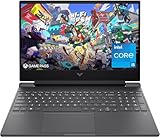
HP HyperX OMEN 15 inch Gaming Laptop, 2K 165Hz Display, AMD Ryzen 5 240, 16 GB RAM, 512 GB SSD, NVIDIA GeForce RTX 5050 GPU (8 GB Dedicated), Windows 11 Home, Shadow Black, 15-gb0099nr
Included for 'Best RTX 5050 Gaming Laptops in 2026: 6 Picks by Specs' because the listing specifies 2K 165Hz Display and AMD Ryzen 5 240, details this guide uses to compare options.
View on Amazon
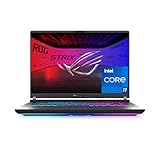
ASUS TUF Gaming F16 (2025) Gaming Laptop, 16” FHD+ 165Hz 16:10 Display, Intel® Core™ i5 Processor 13450HX, NVIDIA® GeForce RTX™ 5050, 16GB DDR5, 512GB PCIe Gen4 SSD, Wi-Fi 6E, Win 11 Home
Included for 'Best RTX 5050 Gaming Laptops in 2026: 6 Picks by Specs' because the listing specifies 16” FHD+ 165Hz 16:10 Display and Intel® Core™ i5 Processor 13450HX, details this guide uses to compare options.
View on Amazon
GIGABYTE Gaming A16 - Intel i7-13620H GeForce RTX 5050 16" Laptop
Included for 'Best RTX 5050 Gaming Laptops in 2026: 6 Picks by Specs' because the listing specifies Intel i7-13620H GeForce RTX 5050 16" Laptop, details this guide uses to compare options.
View on AmazonAll 6 Picks in Detail
1. Alienware 16 Aurora (Core 7 240H, RTX 5050) – Best for a Premium-Brand 16-Inch Chassis
As an Amazon Associate we earn from qualifying purchases at no extra cost to you.

The Alienware 16 Aurora listing names only two specifications: an RTX 5050 and an Intel Core 7 240H. The Core 7 240H is a ten-core, sixteen-thread Raptor Lake-based processor, with six performance cores and four efficiency cores, so it is a sensible partner for the GPU. Alienware is Dell’s gaming brand, which generally means distinctive styling and a clear support path, though you should verify the memory, storage and display before buying.
- Display: 16-inch class; resolution and refresh rate: confirm on listing
- CPU: Intel Core 7 240H, 10 cores and 16 threads
- GPU: NVIDIA GeForce RTX 5050 laptop GPU, 8GB GDDR7
- Memory: confirm on listing
- Storage: confirm on listing
- Brand and support: Dell Alienware
Pros
- Well-known gaming brand with a premium look
- Ten-core CPU is plenty for gaming
Cons
- Listing leaves out the display, memory and storage
- 16-inch size is bulkier than a 15.6-inch laptop
Next to the GIGABYTE Gaming A16, it is the more brand-driven choice with a similar 16-inch footprint. If you value a recognizable brand and a clear warranty path over a long spec list, that is a fair trade, but make sure the configuration you order includes at least 16GB of RAM and a 512GB drive. Without those, the otherwise capable CPU and GPU will feel constrained quickly.
2. Acer Nitro V 15.6″ (Core i5-13420H, RTX 5050) – Best for a Compact 165Hz Setup

This listing is one of the clearer ones in the group, and it describes itself well: a 15.6-inch FHD IPS 165Hz panel, an Intel Core i5-13420H, an RTX 5050 with 8GB of GDDR7 VRAM, Windows 11 Home and a mouse pad in the bundle. The listing includes a memory figure beginning with 16GB, but the text is cut off, so confirm the full RAM and storage configuration on the product page.
- Display: 15.6-inch FHD IPS, 165Hz
- CPU: Intel Core i5-13420H, 8 cores (4 performance plus 4 efficiency) and 12 threads
- GPU: NVIDIA GeForce RTX 5050 laptop GPU, 8GB GDDR7
- Memory: 16GB appears in the listing; confirm the rest on the product page
- Storage: confirm on listing
- Operating system: Windows 11 Home
Pros
- 165Hz panel in a compact 15.6-inch body
- Explicit 8GB GDDR7 VRAM detail
Cons
- Eight-core H-series CPU is less powerful than the HX models here
- Listing text is truncated on the memory and storage details
It is the simpler, smaller alternative to the Lenovo LOQ with the Core i7-13650HX. The Core i5-13420H is a fine gaming chip, though it has fewer threads than the HX processors, so it is less suited to recording or streaming while you play. Many buyers will not notice the difference in a pure gaming session, which is why this model works well as a straightforward 1080p machine.
3. Lenovo LOQ (Core i7-13650HX, RTX 5050) – Best for 1TB Storage and Multitasking

The Lenovo LOQ combines a Core i7-13650HX with the RTX 5050, a 15.6-inch FHD IPS 144Hz display, 16GB of memory, 1TB of storage and G-Sync. The i7-13650HX has 14 cores and 20 threads, which is a big advantage for streaming, recording and running background tools while you play. It has the largest storage of any model here.
- Display: 15.6-inch FHD IPS, 144Hz, G-Sync
- CPU: Intel Core i7-13650HX, 14 cores (6 performance plus 8 efficiency) and 20 threads
- GPU: NVIDIA GeForce RTX 5050 laptop GPU, 8GB GDDR7
- Memory: 16GB
- Storage: 1TB
- Extras: the listing title highlights AI features; confirm what they cover on the product page
Pros
- Strongest processor in the group
- 1TB drive and G-Sync support
Cons
- 144Hz screen is slightly slower than the 165Hz panels of several rivals
- HX processor runs hotter
Choose it over the TUF F16 if CPU power and storage matter more than screen refresh rate. The G-Sync mention in the listing is useful on a 144Hz panel, because it keeps motion smooth when frame rates drift below the maximum. Keep the vents clear and use the performance mode only while plugged in, since HX processors can draw a lot of power under load.
4. HP OMEN 15 (Ryzen 5 240, RTX 5050) – Best for a Sharper 2K 165Hz Display

The OMEN 15 listing names a 2K 165Hz display, an AMD Ryzen 5 240, 16GB of RAM, a 512GB SSD and an RTX 5050 with 8GB of dedicated GDDR7. A 2K screen is sharper than Full HD but demands more from the GPU, so this laptop suits players who value image quality and are happy to use DLSS upscaling.
- Display: 15-inch class, 2K, 165Hz
- CPU: AMD Ryzen 5 240, 6 cores and 12 threads (Zen 4)
- GPU: NVIDIA GeForce RTX 5050 laptop GPU, 8GB GDDR7
- Memory: 16GB
- Storage: 512GB SSD
- Power limit: confirm on listing
Pros
- Higher-resolution panel than any other model here
- Efficient six-core CPU
Cons
- RTX 5050 can struggle at 2K without upscaling in demanding games
- 512GB storage is the smallest in the group
The Acer Nitro V is the better choice if you prefer a Full HD panel and faster frame rates. The OMEN is also the only pick in the group with a Ryzen processor, which gives it a different efficiency profile from the Intel models. If you plan to play in 2K, expect to use DLSS Quality mode in recent games to hold a smooth frame rate, and treat the 512GB drive as something you will want to expand.
5. ASUS TUF Gaming F16 (Core i5-13450HX, RTX 5050) – Best Overall Balance

The TUF Gaming F16 listing names a 16-inch FHD+ 165Hz 16:10 display, an Intel Core i5-13450HX, an RTX 5050 and 16GB of DDR (the text is cut off after “D”; DDR5 is likely, so confirm). The i5-13450HX is a ten-core, sixteen-thread HX-class chip, a clear step up from the i5-13420H, and the FHD+ (1920×1200) panel has a little more vertical space than a standard Full HD one.
- Display: 16-inch FHD+ (1920×1200) 16:10, 165Hz
- CPU: Intel Core i5-13450HX, 10 cores (6 performance plus 4 efficiency) and 16 threads
- GPU: NVIDIA GeForce RTX 5050 laptop GPU, 8GB GDDR7
- Memory: 16GB DDR (generation: confirm on listing)
- Storage: confirm on listing
- Series: ASUS TUF Gaming (durable mainstream line)
Pros
- HX-class CPU and 165Hz screen in one package
- 16:10 panel is useful for browsing and productivity
Cons
- Storage is not stated in the listing
- 16-inch body is larger than the 15.6-inch laptops
It sits between the Nitro V and the LOQ in CPU power but beats both on screen shape and refresh rate. TUF is ASUS’s durable mainstream gaming line, and the 16:10 panel gives you extra vertical space for web pages, documents and game menus. Confirm that the memory is DDR5 and note how much storage you are getting, because the listing text cuts off before stating either.
6. GIGABYTE Gaming A16 (Core i7-13620H, RTX 5050) – Best for a 16-Inch With a Ten-Core CPU

GIGABYTE’s listing is short: an Intel Core i7-13620H, a GeForce RTX 5050 and a 16-inch display. The Core i7-13620H has ten cores (6 performance, 4 efficiency) and sixteen threads, matching the Core 7 240H used in the Alienware. Everything else, including memory, storage and refresh rate, needs confirming on the product page.
- Display: 16-inch; resolution and refresh rate: confirm on listing
- CPU: Intel Core i7-13620H, 10 cores and 16 threads
- GPU: NVIDIA GeForce RTX 5050 laptop GPU, 8GB GDDR7
- Memory: confirm on listing
- Storage: confirm on listing
- Brand: GIGABYTE
Pros
- Capable ten-core CPU with a current-generation GPU
- Larger 16-inch screen
Cons
- Listing omits key specifications
- Less clear support information than the larger brands
It is functionally close to the Alienware 16 Aurora, with a different brand and similar CPU class. A 16-inch laptop with a ten-core CPU and RTX 5050 can be a capable all-rounder, but the missing details in the listing mean you should read the product page closely. Look specifically for RAM capacity, storage size, display refresh rate and the number of ports.
Specs Compared
| Laptop | Screen | CPU | GPU | RAM | Storage |
|---|---|---|---|---|---|
| Alienware 16 Aurora | 16-inch (confirm on listing) | Core 7 240H | RTX 5050 | confirm on listing | confirm on listing |
| Acer Nitro V 15.6″ | 15.6-inch FHD IPS, 165Hz | Core i5-13420H | RTX 5050, 8GB GDDR7 | 16GB (confirm on listing) | confirm on listing |
| Lenovo LOQ | 15.6-inch FHD IPS, 144Hz, G-Sync | Core i7-13650HX | RTX 5050 | 16GB | 1TB |
| HP OMEN 15 | 15-inch class, 2K, 165Hz | Ryzen 5 240 | RTX 5050, 8GB | 16GB | 512GB SSD |
| ASUS TUF Gaming F16 (2025) | 16-inch FHD+ 16:10, 165Hz | Core i5-13450HX | RTX 5050 | 16GB DDR (confirm generation) | confirm on listing |
| GIGABYTE Gaming A16 | 16-inch (confirm on listing) | Core i7-13620H | RTX 5050 | confirm on listing | confirm on listing |
How We Chose These
This guide is built on desk research. We began with current catalog listings that name the GeForce RTX 5050, then checked each processor and the GPU itself against NVIDIA, Intel and AMD documentation and specification databases. We ranked by CPU class, display refresh rate, memory and storage, since the GPU is identical across the group, and we noted every spec that the listing did not state as “confirm on listing.” We have not handled these laptops or measured them, and we do not quote any frame-rate numbers. Because the graphics chip is the same in every pick, the ranking is a judgment about the supporting parts, and your own priorities, such as screen size or storage, may reasonably reorder it.
What to Look For
What the RTX 5050 laptop GPU is
The RTX 5050 is the entry point of NVIDIA’s RTX 50 laptop range. It has 2,560 CUDA cores, 8GB of GDDR7 on a 128-bit bus (about 384 GB/s of bandwidth) and a maximum total graphics power of 115W, made up of 100W plus 15W of Dynamic Boost. Without frame generation, published comparisons place its performance near the older RTX 4060 laptop GPU. It is designed for 1080p play, and its 8GB of VRAM is an improvement over the 6GB found on the RTX 4050.
Power limits and cooling
The same GPU name covers a range of power limits, and laptops with lower limits run slower. A thin 16-inch chassis with a modest cooler may give up a noticeable amount of performance compared with a thicker one. If a listing or specification page states the total graphics power, treat a higher figure as a plus, up to the 115W maximum. When the figure is missing, rely on the manufacturer’s reputation for cooling and on the line of the laptop, such as ASUS TUF or Lenovo LOQ.
DLSS and frame generation
RTX 50 laptops support DLSS 4, including multi frame generation in supported games. This can raise displayed frame rates a great deal by inserting generated frames, but it does not reduce input latency the way a higher true frame rate does. Rule of thumb: use upscaling to improve image quality at 1080p or 2K, and use frame generation when you already have a base frame rate near 60 frames per second, not as a rescue for a low one.
Screen, CPU and memory pairing
An RTX 5050 is a 1080p GPU, so Full HD and FHD+ panels at 144Hz to 165Hz are the natural match. A 2K screen such as the OMEN’s looks sharper but needs upscaling in demanding games. For the CPU, six to ten cores are plenty for gaming; HX chips such as the i7-13650HX and i5-13450HX add headroom for streaming. Pair the GPU with 16GB of RAM at minimum, preferably DDR5, and at least 512GB of storage; 1TB gives breathing room. Worked example: if you play 1080p shooters at 165Hz and stream to a friend, the TUF F16 or LOQ is a better fit than the OMEN.
Storage and memory deserve a second look because they are the parts most often skimped on at this tier. A 512GB drive holds only a few large modern games alongside the operating system, so 1TB is the more comfortable choice, and a second M.2 slot lets you add capacity later. For memory, 16GB is the floor, and DDR5 is preferable to DDR4 because it feeds the processor faster. If a laptop ships with a single memory module, adding a matching second one to run in dual-channel mode can improve performance noticeably.
Finally, check the practical details. Ports matter: HDMI 2.1 or DisplayPort over USB-C lets you connect an external monitor for desk use, and a wired Ethernet jack helps online play. Battery life is short on all gaming laptops, so plan to play while plugged in and carry the charger. Warranty and support differ between the big brands and smaller ones, so read the terms. If a listing has gaps in its specifications, treat that as a reason to confirm every detail on the manufacturer page before you order.
Questions
Is the RTX 5050 good for gaming?
Yes, for 1080p gaming. It has 8GB of GDDR7 and supports DLSS 4. Expect performance in the neighborhood of the older RTX 4060 laptop GPU without frame generation, with variation based on each laptop’s power limit.
RTX 5050 or RTX 5060, which should I buy?
The RTX 5060 has 3,328 CUDA cores against 2,560 and is, on average, roughly a fifth faster by manufacturer figures. Both have 8GB of GDDR7. If the gap in cost between two otherwise similar laptops is small, take the RTX 5060; if you want to save, the RTX 5050 covers 1080p well.
Is 8GB of VRAM enough?
For 1080p, it is generally enough today. Very demanding ray-traced games, heavy mods or higher resolutions can exceed it. Reducing texture quality or using upscaling helps in those cases.
Does the RTX 5050 laptop support ray tracing?
Yes, it has fourth-generation ray tracing cores. Ray tracing is demanding, so expect to use upscaling or lower settings with it. Many players leave it off on this tier of GPU.
Is a 144Hz or 165Hz screen better with this GPU?
Either works. The difference between them is small, and the GPU determines how many frames you actually see. Focus on panel type, resolution and the CPU, and treat refresh rate as a minor factor.
Should I buy a 15.6-inch or a 16-inch model?
A 15.6-inch laptop is easier to carry. A 16-inch laptop gives more screen area and often better cooling. Both sizes appear in this list, so choose based on how much you move your laptop.
Update History
- October 14, 2026 – Initial publication; product set drawn from current catalog listings.
- Check the product page for current specifications and availability before buying.
Sources
- Retailer listing titles and specification fields
- NVIDIA GeForce laptop GPU specification pages and launch coverage for the RTX 5050 and RTX 5060
- Intel and AMD processor specification databases for the named CPUs
- Independent hardware databases and tech-press launch coverage for the RTX 5050 laptop GPU
- Manufacturer product pages for Alienware, Acer, Lenovo, HP, ASUS and GIGABYTE laptop lines