Key takeaways
- Up to 24 inches: 1080p looks sharp and runs fast on modest hardware.
- 27 inches: 1440p is the ideal pairing, balancing sharpness and performance.
- 32 inches and up: 1440p still works, but 4K starts to justify its cost on larger panels.
Resolution is one of the first big decisions a gamer makes, and it shapes everything from how sharp your games look to how powerful a graphics card you need. The choice between 1080p, 1440p, and 4K is not simply higher is better, because each step up in resolution demands dramatically more from your hardware. Picking the wrong resolution for your GPU leaves you either staring at a soft image or wrestling with a slideshow, so getting this balance right is central to a satisfying setup.
This 2026 guide compares 1080p, 1440p, and 4K for gaming in plain terms: how each looks, how much graphics power each requires, and how resolution interacts with refresh rate and screen size. By the end you will know which resolution matches your hardware and play style, and why 1440p has become the sweet spot for so many gamers today.
Our top picks
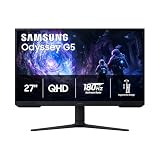
 Samsung 27" Odyssey G5
- QHD Resolution (2560 x 1440) has 1.7 times…
- HDR10 provides brighter highlights and nuanced shadow for…
- The 180Hz refresh rate minimizes lag for gameplay…
 Acer Nitro 27in QHD 2560x1440 IPS 180Hz
- Quality Visuals: The KG271U 27" IPS monitor with…
- AMD FreeSync Technology: Say “goodbye” to stuttering and…
- Up to 180Hz: The 180Hz refresh rate speeds…
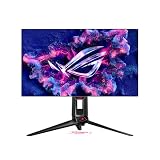
 ASUS TUF Gaming 27” 1440P HDR Monitor
180Hz QHD panel with 1ms response suits competitive play
ELMB Sync combines low blur with variable refresh rate
Wide 130% sRGB gamut aids color-accurate visuals
At over 10 pounds, it needs a sturdy desk or mount
HDR10 support is basic compared to premium HDR tiers
| Product | Key specs | |
|---|---|---|
| Samsung 27" Odyssey G5 | QHD Resolution (2560 x 1440) has 1.7 times… HDR10 provides brighter highlights and nuanced shadow for… The 180Hz refresh rate minimizes lag for gameplay… | Check price |
| Acer Nitro 27in QHD 2560x1440 IPS 180Hz | Quality Visuals: The KG271U 27" IPS monitor with… AMD FreeSync Technology: Say “goodbye” to stuttering and… Up to 180Hz: The 180Hz refresh rate speeds… | Check price |
| ASUS TUF Gaming 27” 1440P HDR Monitor | Check price | |
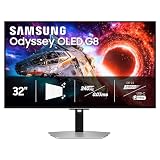
 Samsung 27" Odyssey OLED G6 | Samsung’s 27” Odyssey OLED G6 Gaming Monitor is… OLED Safeguard technology supports performance by actively helping… Glare Free Technology keeps screen clear of reflection… | Check price |
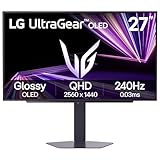
 LG 27GS60QC-B Ultragear 27-inch Curved Gaming Monitor | Ascend your game with the speed of UltraGear… 180Hz Refresh Rate & 1ms GtG - Gear… 1000R Curved Screen - This UltraGear monitor's dramatic… | Check price |
 ASUS ROG XG27ACS 27 Inch 1440p 180Hz | 27-inch 2560 x 1440 HDR gaming monitor with… ASUS Fast IPS technology enables a 1ms response… ASUS Extreme Low Motion Blur Sync (ELMB SYNC)… | Check price |
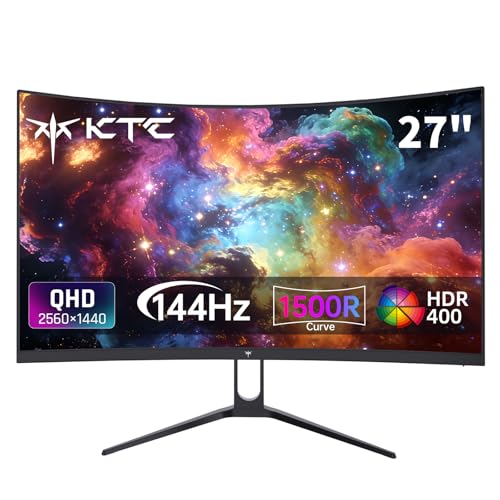 KTC H27S5C 27 Inch Curved Gaming Monitor | Immersive Curved Design: The KTC 27 inch curved… Stunning 2K QHD Resolution: Enjoy crisp, vivid images… Smooth 144Hz Refresh Rate: Experience seamless motion and… | Check price |
 Samsung 27” Odyssey G5 | Samsung’s 27” Odyssey G5 QHD Gaming Monitor delivers… QHD resolution (2560x1440) boasts incredibly detailed, pin-sharp images. With a wide 178° viewing angle, the IPS… | Check price |
As an Amazon Associate we earn from qualifying purchases at no extra cost to you.
⚡ Save on Your Next PC — Amazon Prime
Prime members get fast free shipping on the systems above, plus early access to Prime Day & Black Friday PC deals. New members get a 30-day free trial.
Watch: 1080p vs 1440p vs 4K for Gaming — Video Review
1080p: The Accessible High-Frame-Rate Choice
1080p, or Full HD, remains the most accessible resolution and the easiest to run at very high frame rates. Because it asks the least of your graphics card, it is ideal for competitive players who want hundreds of frames per second and for budget builds that prioritize smoothness over pixel count. On screens up to about 24 inches, 1080p still looks crisp, and it lets a modest GPU push a high refresh rate without breaking a sweat.
1440p: The Modern Sweet Spot
1440p, or QHD, has become the default recommendation for mainstream gaming because it doubles the visual detail of 1080p while remaining achievable for mid-range and high-end cards. On a 27 inch monitor the extra sharpness is immediately obvious, yet you can still hit high refresh rates. Panels like the Samsung Odyssey G5, ASUS TUF Gaming VG27AQ3A, Acer Nitro QHD, and LG UltraGear 27GS60QC pair 1440p with fast 180Hz refresh, while the Samsung Odyssey OLED G6 and ASUS ROG XG27ACS add premium panel quality.
4K: Stunning Visuals at a Steep Cost
4K, or UHD, delivers breathtaking detail and is fantastic for slower-paced, visually rich single-player games. The catch is that it demands roughly four times the pixels of 1080p, so it requires a powerful, expensive graphics card to run well, especially at high refresh rates. For most gamers in 2026, 4K is a premium destination rather than a starting point, best suited to those with high-end hardware who value fidelity over raw frame counts.
Match Resolution to Screen Size and GPU
- Up to 24 inches: 1080p looks sharp and runs fast on modest hardware.
- 27 inches: 1440p is the ideal pairing, balancing sharpness and performance.
- 32 inches and up: 1440p still works, but 4K starts to justify its cost on larger panels.
Always weigh your graphics card first; a resolution your GPU cannot drive smoothly will feel worse than a lower one running at a high frame rate.
Do Not Forget Refresh Rate
Resolution and refresh rate compete for the same graphics power, so there is a trade-off between sharper images and smoother motion. A fast-paced shooter often feels better at 1440p 180Hz than at 4K 60Hz, because fluid motion aids both immersion and reaction time. Decide which matters more for the games you play: if you chase competitive responsiveness, favor frame rate; if you savor cinematic worlds, lean toward resolution.
Tips
- Choose 1440p on a 27 inch monitor for the best all-around balance in 2026.
- Stick with 1080p if you want the highest possible frame rates on a budget GPU.
- Only commit to 4K if you have a high-end graphics card and prefer fidelity over speed.
- Balance resolution against refresh rate rather than maxing one and ignoring the other.
Frequently Asked Questions
Is 1440p worth it over 1080p?
For most gamers on a 27 inch screen, yes. The jump in sharpness is clearly visible, and mid-range cards can still deliver high frame rates, making 1440p the current sweet spot.
Do I need an expensive PC for 4K gaming?
Generally yes. 4K pushes about four times the pixels of 1080p, so smooth performance requires a powerful, pricier graphics card, especially if you also want a high refresh rate.
Does higher resolution reduce my frame rate?
Yes. More pixels mean more work for your GPU, so frame rates drop as resolution rises on the same hardware. That is why matching resolution to your graphics card matters so much.
Should I prioritize resolution or refresh rate?
It depends on your games. Competitive and fast-paced titles benefit more from a high refresh rate, while cinematic single-player games reward the extra detail of a higher resolution.
Conclusion
Choosing between 1080p, 1440p, and 4K comes down to matching resolution to your graphics card, screen size, and the way you play. 1080p maximizes frame rates on a budget, 4K delivers stunning fidelity for powerful rigs, and 1440p sits in the middle as the sweet spot most gamers will be happiest with in 2026. Balance it thoughtfully against refresh rate, and your display will feel right for years of play.
FAQ
Is 1440p worth it over 1080p?
Do I need an expensive PC for 4K gaming?
Does higher resolution reduce my frame rate?
Should I prioritize resolution or refresh rate?
More from Amazon
Programs that pair well with the guide above. Offers and eligibility are set by Amazon and may change.
A free business account with business pricing and bulk-buying tools for work, shop or home office.
Create a business accountFree shipping on eligible items, Prime Video and more. Eligible new members can start with a free trial.
Start a Prime free trialAudiobooks and podcasts to listen to on the go. Eligible new members can start with a free trial.
Try Audible freeAd-free music streaming. Eligible new subscribers can start with a free trial.
Try Music Unlimited freeAs an Amazon Associate we earn from qualifying purchases.