Key takeaways
- Response time: How quickly pixels change color, measured in milliseconds; lower is better and reduces ghosting trails behind moving objects.
- Adaptive sync: Technologies like FreeSync and G-Sync match the monitor’s refresh to your GPU’s output, eliminating screen tearing.
- Panel type: IPS panels balance color and speed well, making them a popular choice for gaming.
Refresh rate is one of those monitor specifications that sounds technical but has a huge, immediately felt impact on how gaming looks and feels. If you have ever wondered why some setups make aiming feel effortless and menus glide like butter while others feel slightly sluggish, refresh rate is usually the reason. It is often the difference between a monitor that feels dated and one that feels alive, yet many first-time buyers overlook it in favor of resolution alone.
This 2026 guide explains what refresh rate actually means, how it differs from frame rate, and why the jump from a standard 60Hz display to 144Hz or higher is the most noticeable upgrade many gamers ever make. You will learn how refresh rate, response time, and adaptive sync work together, and how to choose a gaming monitor that keeps motion crisp and tearing-free.
Our top picks






As an Amazon Associate we earn from qualifying purchases at no extra cost to you. Ratings are shown as listed on Amazon.
⚡ Save on Your Next PC — Amazon Prime
Prime members get fast free shipping on the systems above, plus early access to Prime Day & Black Friday PC deals. New members get a 30-day free trial.
Watch: What Is Refresh Rate? Gaming Monitors Explained — Video Review
What Refresh Rate Actually Means
Refresh rate, measured in hertz (Hz), is the number of times per second your monitor redraws the image on screen. A 60Hz panel updates 60 times a second, while a 144Hz panel updates 144 times. More updates mean motion is broken into smaller, smoother steps, so fast movement looks fluid rather than blurry or choppy. This is why scrolling, camera panning, and tracking a moving target all feel dramatically better on a high-refresh display.
Refresh Rate Versus Frame Rate
These two are related but not the same. Frame rate (FPS) is how many frames your PC produces, while refresh rate (Hz) is how many your monitor can display. To benefit from a 144Hz panel, your graphics card must also push frames near that number; a 144Hz monitor fed only 60 FPS will not feel like a 144Hz experience. The goal is to pair a high-refresh monitor with a GPU capable of feeding it, so the two work in harmony.
The Sweet Spot for Gaming Monitors
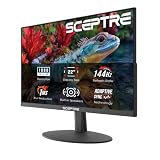
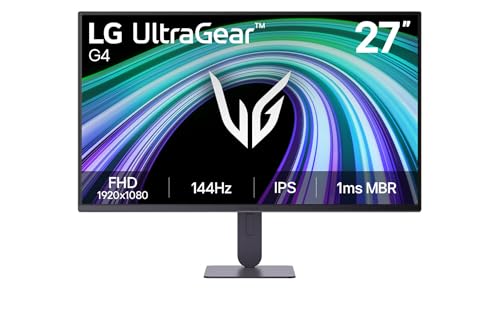
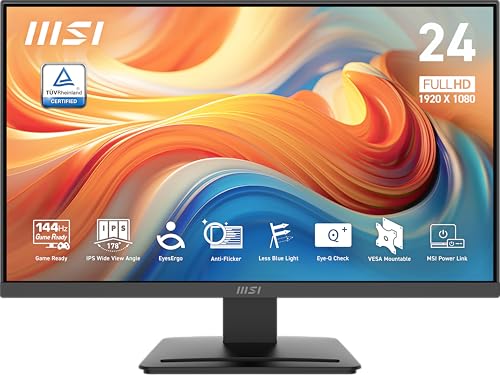
For most gamers in 2026, 144Hz is the sweet spot where the improvement over 60Hz is enormous and the price is reasonable. Panels like the LG UltraGear 27G414B, ASUS TUF Gaming VG249QE5A, and MSI PRO MP243L deliver smooth 144Hz gaming at 1080p, while the Sceptre 165Hz and LG 24G411A push slightly higher for competitive players. Budget-friendly options such as the Sceptre 22-inch 144Hz and ArcticPro 144Hz panels make high refresh accessible for first-time buyers.
Response Time and Adaptive Sync
- Response time: How quickly pixels change color, measured in milliseconds; lower is better and reduces ghosting trails behind moving objects.
- Adaptive sync: Technologies like FreeSync and G-Sync match the monitor’s refresh to your GPU’s output, eliminating screen tearing.
- Panel type: IPS panels balance color and speed well, making them a popular choice for gaming.
A fast refresh rate paired with a low response time and adaptive sync gives you the cleanest, tear-free motion.
Is Higher Than 144Hz Worth It?
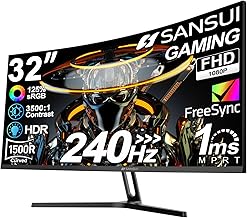
Refresh rates of 240Hz and beyond exist, but the gains shrink as the numbers climb. The leap from 60Hz to 144Hz is transformative; the step from 144Hz to 240Hz is subtle and mostly matters to dedicated competitive players in fast shooters. For the majority of gamers, spending on a quality 144Hz or 165Hz panel with good color and low response time delivers more satisfaction than chasing the highest hertz figure.
Tips
- Manually set your monitor to its full refresh rate in display settings; many default to 60Hz.
- Pair a high-refresh panel with a GPU that can actually produce high frame rates.
- Enable FreeSync or G-Sync to remove screen tearing during fast motion.
- Prioritize 144Hz with low response time over chasing 240Hz for most gaming.
Frequently Asked Questions
Is 144Hz a big upgrade from 60Hz?
Yes, dramatically so. The jump to 144Hz is the single most noticeable monitor upgrade most gamers experience, making aiming, scrolling, and all motion look far smoother and more responsive.
Do I need a strong GPU to use a high refresh rate?
To fully benefit, yes. Your graphics card must produce frame rates near the monitor’s refresh rate. A 144Hz panel fed only 60 FPS will not deliver the smooth experience it is capable of.
What is the difference between refresh rate and response time?
Refresh rate is how often the screen redraws per second, while response time is how fast individual pixels change color. High refresh with low response time gives the cleanest, ghost-free motion.
Is 240Hz worth it over 144Hz?
For most gamers, no. The improvement from 144Hz to 240Hz is subtle and mainly benefits competitive players. A quality 144Hz panel offers better overall value for typical gaming.
Conclusion
Refresh rate measures how many times per second your monitor redraws the image, and it has an outsized effect on how smooth and responsive gaming feels. Moving from 60Hz to 144Hz is a transformative upgrade, and pairing that refresh with a capable GPU, low response time, and adaptive sync gives you clean, tear-free motion. Focus on a solid 144Hz or 165Hz panel in 2026 and your games will look and feel noticeably better.