Key takeaways
- Contrast: OLED produces true blacks and infinite contrast, while IPS blacks look grayer due to backlight bleed.
- Response time: OLED hits near-instant 0.03ms pixel response; fast IPS is excellent at around 1ms but not quite as clean in motion.
- Brightness: IPS panels sustain high full-screen brightness better, while OLED peaks brilliantly in highlights but is more conservative full-screen.
- Price: IPS delivers strong performance for less; OLED carries a clear premium for its image quality.
- Burn-in risk: OLED can retain static elements over time, whereas IPS has no burn-in concern for static HUDs and desktop use.
- Color and viewing angles: Both are excellent, with OLED offering slightly richer saturation and IPS delivering dependable accuracy.
OLED and IPS are the two panel technologies fighting for your desk in 2026. Both can be fast, sharp, and vividly colorful, but they reach that goal in fundamentally different ways, and the tradeoffs touch contrast, response time, brightness, and long-term peace of mind.
OLED lights every pixel individually, delivering perfect blacks and near-instant response. IPS uses a backlight with strong color accuracy and wide viewing angles at a friendlier price. Getting this choice right shapes how your games look in dark scenes, how motion feels in fast action, and how much you spend to get there.
Our top picks
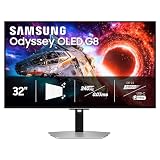
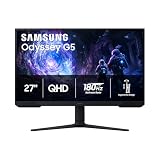
 Samsung 27" Odyssey OLED G6
- Samsung’s 27” Odyssey OLED G6 Gaming Monitor is…
- OLED Safeguard technology supports performance by actively helping…
- Glare Free Technology keeps screen clear of reflection…
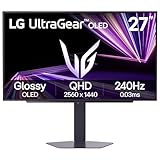
 LG 27GX704A-B 27-inch Ultragear QHD
- LG UltraGear OLED Goes Glossy - Experience ultra-smooth,…
- Next-Level OLED Brightness, for Next-Level Play - The…
- VESA DisplayHDR True Black 400 - An OLED…
| Product | Key specs | |
|---|---|---|
| Samsung 27" Odyssey OLED G6 | Samsung’s 27” Odyssey OLED G6 Gaming Monitor is… OLED Safeguard technology supports performance by actively helping… Glare Free Technology keeps screen clear of reflection… | Check price |
| LG 27GX704A-B 27-inch Ultragear QHD | LG UltraGear OLED Goes Glossy - Experience ultra-smooth,… Next-Level OLED Brightness, for Next-Level Play - The… VESA DisplayHDR True Black 400 - An OLED… | Check price |
 LG 27GX700A-B 27-inch Ultragear QHD | Check price | |
 KTC 24 Inch QHD 100Hz Computer Monitor | Check price | |
 Alienware 34 240Hz QD-OLED Curved Gaming Monitor | Ultrawide immersion for elite gameplay: Our expansive 34"… Sweeping visuals and color: Evolve your field of… Colorful clarity: Experience the full spectrum of color… | Check price |
 AOC 27" Gaming Monitor QHD 240Hz QD | 27" QHD DISPLAY: Immerse yourself in stunning visuals… 240Hz REFRESH RATE & 0.03ms RESPONSE TIME: Enjoy… Experience deeper blacks and brighter highlights with HDR400… | Check price |
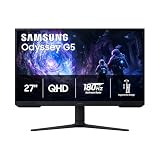
 Samsung 27” Odyssey OLED G5 | Check price | |
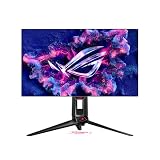
 ASUS ROG XG27AQDMG 27 Inch 1440p 240Hz | Immersive QHD OLED Display: 26.5-inch QHD (2560 x… Advanced Cooling and OLED Protection: Highly efficient custom… ROG OLED Anti-flicker Technology: ROG-exclusive OLED Anti-flicker technology… | Check price |
As an Amazon Associate we earn from qualifying purchases at no extra cost to you.
⚡ Save on Your Next PC — Amazon Prime
Prime members get fast free shipping on the systems above, plus early access to Prime Day & Black Friday PC deals. New members get a 30-day free trial.
Watch: OLED vs IPS Gaming Monitor: 2026 Comparison — Video Review
Quick Verdict
Choose OLED, like the Samsung Odyssey OLED G6 or LG UltraGear OLED 240Hz, if you want the deepest contrast, fastest response, and most cinematic image and are comfortable with the premium. Choose IPS if you want excellent color, high brightness, strong value, and zero worry about burn-in for long desktop and mixed-use sessions.
Key Differences
- Contrast: OLED produces true blacks and infinite contrast, while IPS blacks look grayer due to backlight bleed.
- Response time: OLED hits near-instant 0.03ms pixel response; fast IPS is excellent at around 1ms but not quite as clean in motion.
- Brightness: IPS panels sustain high full-screen brightness better, while OLED peaks brilliantly in highlights but is more conservative full-screen.
- Price: IPS delivers strong performance for less; OLED carries a clear premium for its image quality.
- Burn-in risk: OLED can retain static elements over time, whereas IPS has no burn-in concern for static HUDs and desktop use.
- Color and viewing angles: Both are excellent, with OLED offering slightly richer saturation and IPS delivering dependable accuracy.
OLED Gaming Monitors
OLED is the image-quality king. Panels like the Samsung Odyssey OLED G6 (G61SH) and LG 27GX700A UltraGear pair perfect blacks with 240Hz-plus refresh and 0.03ms response, so dark scenes look stunning and fast motion stays razor sharp with virtually no smearing.
For immersive, atmospheric games, HDR content, and competitive play alike, OLED simply looks and feels more alive than anything else. The considerations are cost and a small burn-in risk from static elements over years of use, but modern panels include protective features, and for many gamers the visual payoff is well worth it.
IPS Gaming Monitors
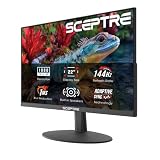
IPS remains the smart, dependable workhorse. High-refresh IPS gaming monitors deliver accurate color, wide viewing angles, and strong brightness at prices well below OLED, making them the value-conscious pick for gamers who also work, browse, and stream on the same screen.
Because IPS has no burn-in risk, it is ideal for long sessions with static HUDs, taskbars, and productivity apps. You give up the perfect blacks and the very cleanest motion, but a good fast IPS panel is bright, sharp, and reliable, covering mixed use better than any other technology at its price.
Which Should You Buy?
- For the best image quality: pick OLED because perfect blacks and instant response deliver an unmatched cinematic look.
- For mixed gaming and desktop work: pick IPS because it avoids burn-in and stays bright through long static sessions.
- For competitive fast-paced games: pick OLED because its 0.03ms response keeps motion the cleanest.
- For best value performance: pick IPS because you get excellent color and speed for significantly less money.
- For HDR and atmospheric titles: pick OLED because its contrast makes dark, moody scenes truly pop.
Frequently Asked Questions
Is OLED burn-in still a problem in 2026?
The risk is much lower thanks to pixel shifting, logo dimming, and refresh cycles. Heavy static use can still cause wear over years, but for typical varied gaming most users never see an issue.
Does IPS look worse than OLED?
IPS has grayer blacks and slightly softer motion, but a quality fast IPS panel still looks sharp, colorful, and bright. OLED is superior in contrast, yet IPS remains a genuinely great and often better-value display.
Which is better for competitive gaming?
OLED edges it with 0.03ms response for the cleanest motion, though top IPS panels at high refresh are also outstanding. If budget matters more than the last bit of clarity, fast IPS is plenty competitive.
Is OLED too dim for a bright room?
OLED highlights are brilliant, but sustained full-screen brightness is lower than IPS. In a very bright room an IPS panel may look punchier overall, while OLED still excels in controlled or darker lighting.
Final Verdict
For 2026, choose OLED when image quality and motion clarity top your list and the premium fits your budget, and choose IPS when value, high sustained brightness, and burn-in-free mixed use matter more; both are excellent, so let your priorities between cinematic contrast and dependable versatility decide.