Key takeaways
- Switch type: Linear switches (usually red or yellow) are smoothest for fast repeated inputs in FPS and MOBA titles, while tactile browns give a noticeable bump that many typists prefer. At this price, avoid boards that vaguely advertise “mecha-membrane” without naming an actual switch.
- Hot-swap sockets: A hot-swappable PCB lets you replace switches without soldering, which turns a $45 keyboard into a platform you can upgrade later. It’s the single feature that most extends a budget board’s lifespan.
- Keycap material: Doubleshot PBT keycaps resist shine and hold their legends far longer than the thin ABS caps found on cheaper boards. Several sub-$50 options now include PBT as standard — there’s no reason to settle for less.
- Layout and size: Full-size boards give you a numpad for spreadsheets and MMO binds; 75% and TKL layouts free up desk space for low-sensitivity mouse movement. Pick based on how you actually use the space, not on what looks tidiest in product photos.
- Rollover and anti-ghosting: Look for full N-key rollover or at least 26-key rollover. Anything less can drop inputs during simultaneous keypresses, which is exactly when it matters most in competitive play.
What's inside
Mechanical keyboards used to be a luxury purchase, but the sub-$50 market has quietly become one of the most competitive categories in PC gaming. The problem is that “mechanical” no longer guarantees quality — plenty of budget boards ship with mushy membrane hybrids, rattling stabilizers, or thin ABS keycaps that develop a greasy shine within weeks. Sorting the genuinely good deals from the marketing noise takes more time than most buyers want to spend.
This guide cuts through that. We’ve focused on keyboards that consistently sit under the $50 mark, prioritizing real mechanical switches, durable PBT or thick doubleshot keycaps, and features that actually matter for gaming — anti-ghosting, N-key rollover, and reliable build quality. Below you’ll find our top picks for 2026, a short buying checklist, and answers to the questions that come up most often when shopping this price bracket.
As an Amazon Associate we earn from qualifying purchases at no extra cost to you. Product prices and availability are accurate as of the date shown and are subject to change.








⚡ Save on Your Next PC — Amazon Prime
Prime members get fast free shipping on the systems above, plus early access to Prime Day & Black Friday PC deals. New members get a 30-day free trial.
Watch: Best Mechanical Keyboard Under $50 — Video Review
How to Choose Mechanical Keyboard Under $50
- Switch type: Linear switches (usually red or yellow) are smoothest for fast repeated inputs in FPS and MOBA titles, while tactile browns give a noticeable bump that many typists prefer. At this price, avoid boards that vaguely advertise “mecha-membrane” without naming an actual switch.
- Hot-swap sockets: A hot-swappable PCB lets you replace switches without soldering, which turns a $45 keyboard into a platform you can upgrade later. It’s the single feature that most extends a budget board’s lifespan.
- Keycap material: Doubleshot PBT keycaps resist shine and hold their legends far longer than the thin ABS caps found on cheaper boards. Several sub-$50 options now include PBT as standard — there’s no reason to settle for less.
- Layout and size: Full-size boards give you a numpad for spreadsheets and MMO binds; 75% and TKL layouts free up desk space for low-sensitivity mouse movement. Pick based on how you actually use the space, not on what looks tidiest in product photos.
- Rollover and anti-ghosting: Look for full N-key rollover or at least 26-key rollover. Anything less can drop inputs during simultaneous keypresses, which is exactly when it matters most in competitive play.
The Best Picks Reviewed
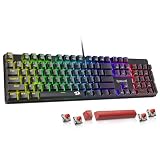
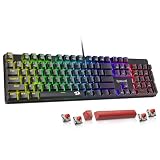
Redragon Hot-Swappable Mechanical Gaming Keyboard
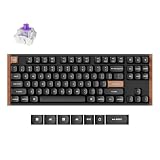
This is the most complete package under $50 right now: hot-swappable red switches, doubleshot PBT keycaps, and 11 backlight modes in one board. The hot-swap sockets alone make it the smartest long-term buy in this price bracket, since you can experiment with different switch types for a few dollars instead of replacing the whole keyboard.
AULA F75 Pro Wireless
A genuine 75% custom-style board with tri-mode connectivity (2.4GHz, Bluetooth 5.0, and USB-C), a volume knob, and pre-lubed Reaper switches out of the box — specs that were $100+ territory not long ago. The pre-lubed switches and side-printed PBT caps give it a typing feel closer to enthusiast boards than budget gaming gear.
Razer BlackWidow V4 X
Razer’s Yellow linear switches are fast and quiet with a short 1.2mm actuation point, making this the pick for competitive shooters where reaction time is the priority. Build quality and Synapse software support are a clear step above generic budget boards, though you’ll want to watch for sales to keep it comfortably under $50.
Logitech G413 SE
An unfussy full-size board with a brushed aluminum top plate, tactile mechanical switches, and PBT keycaps — no RGB, no software bloat, just solid construction that will outlast most of its competition. If you want something that simply works and feels premium under the fingers, this is the one.
Redragon K580
The standout here is the feature set: dedicated macro keys, a media wheel, and per-key RGB at a price where those extras are usually cut. It’s a strong choice for MMO and productivity users who want quick access to bound actions and volume without diving into software menus.
Frequently Asked Questions
Are cheap mechanical keyboards actually mechanical?
Not always. Some budget boards use “mecha-membrane” or hybrid designs that mimic the look and sound without individual mechanical switches. Check that the listing names a specific switch — red, yellow, brown, Outemu, Gateron, or a branded equivalent — rather than using vague terminology.
Is hot-swap worth it at this price?
Yes, more than almost any other feature. A hot-swap socket means that if a switch fails or you decide you prefer tactiles over linears, you can swap them in minutes with a puller tool. It effectively future-proofs a budget purchase.
Do I need PBT keycaps?
They’re not essential, but they’re a meaningful upgrade. PBT resists the oily shine that develops on ABS caps after a few months of heavy use, and the legends won’t wear off. Since several sub-$50 boards now include them, there’s little reason to compromise.
Can a budget keyboard keep up in competitive gaming?
Absolutely. Full N-key rollover, anti-ghosting, and 1000Hz polling are standard on most decent boards in this range, and those specs cover everything competitive play demands. The differences at higher price points are mostly build materials, sound tuning, and software depth rather than raw performance.
Final Thoughts
For most buyers, the Redragon hot-swappable board is the best all-around value under $50 — the combination of swappable switches and PBT keycaps gives it far more longevity than its price suggests. If you want wireless flexibility and a compact 75% layout, the AULA F75 Pro is the more exciting pick, while the Logitech G413 SE remains the safest choice for anyone who values sturdy, no-nonsense construction over lighting and features.