Key takeaways
- VRAM is the card’s dedicated memory. It holds textures and assets, and modern games at high settings hunger for it. 8GB cards like the RTX 5060 suit 1080p, while 16GB cards such as the RX 9060 XT 16GB or RX 9070 XT give real headroom at 1440p and above.
- Bandwidth matters as much as size. A wide, fast memory interface (the GDDR7 on newer cards, or a 256-bit bus on the RX 9070 XT) feeds the GPU quicker than raw capacity alone suggests.
- Do not overbuy VRAM. More memory only helps if the GPU is strong enough to use it; a slow chip with huge VRAM is still slow.
The graphics card is the single biggest factor in how your games look and how smoothly they run, and it is usually the most expensive part of the build. It is also where the marketing gets thickest: memory numbers, ray tracing claims, and upscaling buzzwords all compete for your attention while the specs that actually determine your frame rate hide in the fine print. Choose well and a card can serve you for years; choose on hype and you can overpay for capability you will never use.
This guide teaches you how to read a GPU for what it really delivers. You will learn how resolution should drive your entire decision, what VRAM and memory bandwidth mean in practice, why upscaling has changed the value equation, and how to avoid the classic mistake of pairing a great card with a case or power supply that cannot support it.
Our top picks
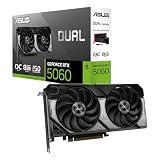
 ASUS Dual NVIDIA GeForce RTX 5060 8GB
- Product Group: Personal Computer
- Binding: Personal Computers

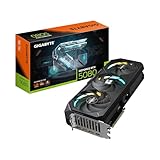
 ASUS TUF Gaming GeForce RTX™ 5080 16GB
- Product Group: Personal Computer
- Binding: Personal Computers

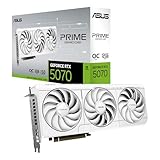
 ASUS SFF-Ready Prime NVIDIA GeForce RTX 5070
- Product Group: Personal Computer
- Binding: Personal Computers


As an Amazon Associate we earn from qualifying purchases at no extra cost to you. Ratings are shown as listed on Amazon.
⚡ Save on Your Next PC — Amazon Prime
Prime members get fast free shipping on the systems above, plus early access to Prime Day & Black Friday PC deals. New members get a 30-day free trial.
Watch: How to Choose a Graphics Card (2026 Guide) — Video Review
Start With Your Resolution and Refresh Rate
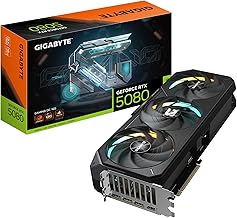
Before comparing any cards, pin down the monitor you are feeding. Resolution and refresh rate decide how much horsepower you actually need, and buying above that target wastes money. For 1080p high-refresh play a card like the ASUS Dual GeForce RTX 5060 or XFX Radeon RX 9060 XT delivers smooth frames. For 1440p, the sweet spot most gamers land on, the GIGABYTE Radeon RX 9070 XT or GeForce RTX 5070 Ti class is ideal. For 4K, you want the top tier such as the ASUS TUF Gaming RTX 5080. Match the card to the screen and every dollar works harder.
VRAM and Memory Bandwidth Explained
- VRAM is the card’s dedicated memory. It holds textures and assets, and modern games at high settings hunger for it. 8GB cards like the RTX 5060 suit 1080p, while 16GB cards such as the RX 9060 XT 16GB or RX 9070 XT give real headroom at 1440p and above.
- Bandwidth matters as much as size. A wide, fast memory interface (the GDDR7 on newer cards, or a 256-bit bus on the RX 9070 XT) feeds the GPU quicker than raw capacity alone suggests.
- Do not overbuy VRAM. More memory only helps if the GPU is strong enough to use it; a slow chip with huge VRAM is still slow.
Ray Tracing and Upscaling in 2026
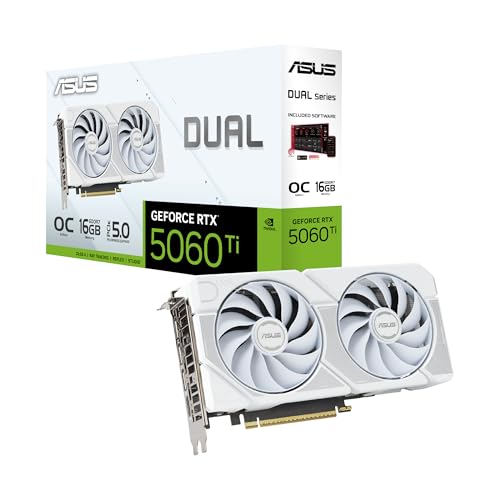
Ray tracing produces gorgeous, realistic lighting but is demanding, and NVIDIA’s RTX line generally handles it more comfortably than equivalent AMD cards. Just as important is upscaling: technologies like DLSS 4 on cards such as the ASUS RTX 5060 Ti render the game at a lower resolution and intelligently rebuild it, often doubling frame rates with minimal visible loss. AMD’s cards counter with their own upscaling. In 2026 these features are central to value, so weigh a card’s upscaling quality alongside its raw power rather than judging on frames alone.
NVIDIA vs AMD: Which Suits You
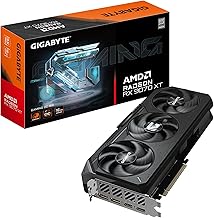
Both brands make excellent cards, and the choice hinges on priorities. NVIDIA GeForce cards, from the RTX 5070 White OC to the RTX 5080, lead in ray tracing and DLSS upscaling and tend to win in creative apps. AMD Radeon cards like the RX 9060 XT and RX 9070 XT frequently deliver more raw frames and VRAM per dollar, making them strong value picks for high-refresh rasterized gaming. If you want maximum ray tracing and the best upscaling, lean NVIDIA; if you want the most traditional performance for your money, look hard at AMD.
Physical Fit and Power Requirements
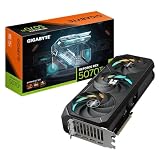
The best card is useless if it will not fit or run in your system. Modern GPUs are large: a triple-fan model like the GIGABYTE RX 9070 XT Gaming OC needs plenty of case clearance, while a compact SFF-ready design such as the ASUS Prime RTX 5070 White is built for small builds. Check three things before buying: the card’s length against your case, its slot thickness (many are 2.5 slots), and your power supply’s wattage and connectors. A high-end RTX 5080 draws serious power and needs the right cable, so confirm your PSU can handle it rather than discovering the problem mid-install.
Tips
- Choose your GPU based on your monitor’s resolution and refresh rate first, then match everything else to that target.
- For longevity at 1440p and above, favor 16GB cards like the RX 9060 XT 16GB or RX 9070 XT over 8GB models.
- Measure your case clearance and check PSU wattage and connectors before purchase to avoid a card that will not fit or power on.
- Factor in upscaling quality, not just raw frames; DLSS 4 and its rivals can meaningfully stretch a card’s usable lifespan.
Frequently Asked Questions
How much VRAM do I need in 2026?
For 1080p, 8GB on a card like the RTX 5060 is workable. For 1440p and 4K, aim for 16GB, as seen on the RX 9060 XT 16GB and RX 9070 XT, to keep high-resolution textures loaded without stutter as games grow more demanding.
Is ray tracing worth turning on?
It depends on your card and the game. On stronger RTX cards the visual upgrade is striking, and upscaling helps recover the frames it costs. On mid-range hardware you may prefer to leave it off for higher, steadier frame rates.
Will a big graphics card fit in my case?
Not always. Many modern cards are long and 2.5 slots thick. Measure your case’s maximum GPU length and check slot clearance first, or pick a compact SFF-ready model like the ASUS Prime RTX 5070 White for smaller builds.
Do I need a new power supply for a new GPU?
Possibly. High-end cards such as the RTX 5080 draw significant power and use specific connectors. Confirm your PSU meets the card’s recommended wattage and has the right cables before buying, upgrading the supply if needed.
Conclusion
Picking a graphics card is really an exercise in matching: match the GPU to your resolution and refresh rate, match VRAM and bandwidth to the settings you want to run, and match the physical card to your case and power supply. Weigh ray tracing and upscaling as the real 2026 value features they have become, and choose between NVIDIA and AMD based on whether you prize ray tracing and DLSS or raw frames per dollar. Nail those decisions and your card will deliver the smooth, great-looking gaming it was built for, without a cent wasted on hype.