Key takeaways
- Refresh rate vs. resolution: At 4K, driving high frame rates demands serious GPU horsepower. If your card struggles above 60fps at native resolution, a 120Hz panel is plenty; save the money rather than paying for 160Hz you can’t feed.
- Panel type: IPS remains the sweet spot in this bracket, offering strong colour accuracy and wide viewing angles. VA panels deliver deeper blacks and better contrast but can smear in fast motion — a real consideration for competitive shooters.
- Adaptive sync support: Look for FreeSync Premium or G-SYNC Compatible certification. Both eliminate tearing and are now standard at this price, so treat their absence as a red flag rather than a bonus feature.
- Connectivity and ports: Check for at least one DisplayPort 1.4 and HDMI 2.1 if you’re pairing with a PS5 or Xbox Series X. USB-C with power delivery is a genuine convenience for laptop users, though it typically adds to the price.
- HDR expectations: Sub-$500 monitors rarely deliver convincing HDR. DisplayHDR 400 certification means brighter highlights, not transformative contrast, so treat HDR as a minor perk rather than a deciding factor.
What's inside
Shopping for a 4K gaming monitor under $500 in 2026 means navigating a market that has never been more crowded — or more confusing. Panel refresh rates that once commanded premium prices have trickled down to mid-range models, but so have compromises: dim HDR implementations, sluggish response times, and marketing specs that fall apart under real-world scrutiny. The result is a category where two monitors at the same price can deliver wildly different experiences.
This guide cuts through the noise. We’ve focused on displays that genuinely earn their asking price, weighing panel quality, refresh rate, connectivity, and gaming features against what you’ll actually pay. Every recommendation below realistically sits within a $500 budget, and we’ve flagged where a monitor’s compromises matter and where they don’t. Whether you’re gaming on a console, a mid-tier GPU, or a high-end rig, there’s a sensible pick here.
As an Amazon Associate we earn from qualifying purchases at no extra cost to you. Product prices and availability are accurate as of the date shown and are subject to change.






⚡ Save on Your Next PC — Amazon Prime
Prime members get fast free shipping on the systems above, plus early access to Prime Day & Black Friday PC deals. New members get a 30-day free trial.
Watch: Best 4K Monitor Under $500 — Video Review
How to Choose 4K Monitor Under $500
- Refresh rate vs. resolution: At 4K, driving high frame rates demands serious GPU horsepower. If your card struggles above 60fps at native resolution, a 120Hz panel is plenty; save the money rather than paying for 160Hz you can’t feed.
- Panel type: IPS remains the sweet spot in this bracket, offering strong colour accuracy and wide viewing angles. VA panels deliver deeper blacks and better contrast but can smear in fast motion — a real consideration for competitive shooters.
- Adaptive sync support: Look for FreeSync Premium or G-SYNC Compatible certification. Both eliminate tearing and are now standard at this price, so treat their absence as a red flag rather than a bonus feature.
- Connectivity and ports: Check for at least one DisplayPort 1.4 and HDMI 2.1 if you’re pairing with a PS5 or Xbox Series X. USB-C with power delivery is a genuine convenience for laptop users, though it typically adds to the price.
- HDR expectations: Sub-$500 monitors rarely deliver convincing HDR. DisplayHDR 400 certification means brighter highlights, not transformative contrast, so treat HDR as a minor perk rather than a deciding factor.
The Best Picks Reviewed
Acer Nitro VG270K V4
Acer’s Nitro pairs a 27-inch 4K IPS panel with a 160Hz native refresh rate and Dual-Frame Rate technology that pushes to 320Hz at reduced resolution — a genuinely useful trick for competitive titles. It’s one of the strongest all-round value propositions in this bracket, offering flagship-adjacent specs without the flagship markup.
ASUS ROG XG27UCSR
The XG27UCSR is the enthusiast pick here, combining a fast 162Hz 4K panel with USB-C connectivity and G-SYNC support in one tidy package. It sits at the upper edge of our budget, but the build quality, port selection, and factory calibration justify the stretch for anyone using the monitor for both work and play.
ASUS TUF Gaming VG27UQ1A
ASUS’s TUF line has long been the sensible sibling to ROG, and the VG27UQ1A continues that tradition with 160Hz, 1ms response times, and 95% DCI-P3 coverage. Extreme Low Motion Blur Sync is the standout feature, letting you run backlight strobing alongside adaptive sync — a combination that’s still uncommon at this price.
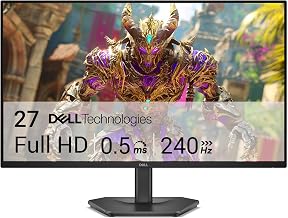
Dell S2725QS
Dell’s S2725QS is the pragmatist’s choice: a clean, understated 27-inch 4K IPS panel running at 120Hz with FreeSync Premium and a 5ms response time. It won’t win spec-sheet arguments, but the colour accuracy is excellent out of the box and it’s frequently the cheapest credible 4K option on this list.
Samsung Odyssey G7 (G75F)
At 37 inches, Samsung’s curved Odyssey G7 is the immersion play — a genuinely cinematic 4K panel that transforms single-player and racing games. The curve and size won’t suit everyone, and desk depth matters, but nothing else near this price delivers the same sense of scale.
Frequently Asked Questions
Is 4K worth it for gaming in 2026?
Yes, provided your GPU can handle it. Modern upscaling technologies like DLSS and FSR have made 4K viable on mid-range cards, and the clarity improvement over 1440p is immediately obvious at 27 inches and above.
Do I need 160Hz at 4K resolution?
Only if your hardware can sustain those frame rates. A 120Hz panel is sufficient for console gaming and most single-player PC titles, and the money saved is often better spent on a stronger graphics card.
Should I consider a QHD monitor instead?
It’s a legitimate alternative. Options like the Samsung Odyssey G5 (G51F) deliver higher frame rates at lower GPU cost, and at 27 inches the pixel density remains perfectly respectable for competitive play.
What size 4K monitor is best?
27 inches is the mainstream sweet spot, offering excellent sharpness at typical desk distances. Larger panels like the 37-inch Odyssey G7 suit immersive gaming but require more desk depth and a further viewing position.
Final Thoughts
For most buyers, the Acer Nitro VG270K V4 is the standout choice — it delivers the most capable specification for the money and leaves little on the table. Those wanting a more premium build with USB-C convenience should look to the ASUS ROG XG27UCSR, while budget-focused shoppers will find the Dell S2725QS an unfussy, well-calibrated performer that comfortably undercuts the rest of the field.